Salta al contenuto
  • Categorie
  • Recenti
  • Tag
  • Popolare
  • Utenti
  • Gruppi
Collassa
Logo del marchio
  1. Home
  2. Modding e galleria
  3. Modding
  4. Tutorial Project: Nº2

Tutorial Project: Nº2

Pianificato Fissato Bloccato Spostato Modding
47 Post 0 Autori 4.6k Visualizzazioni
  • Da Vecchi a Nuovi
  • Da Nuovi a Vecchi
  • Più Voti
Rispondi
  • Risposta alla discussione
Effettua l'accesso per rispondere
Questa discussione è stata eliminata. Solo gli utenti con diritti di gestione possono vederla.
  • L Non in linea
    L Non in linea
    Luciel
    scritto su ultima modifica di
    #10

    thanks guys : )

    1 Risposta Ultima Risposta
    0
    • L Non in linea
      L Non in linea
      Luciel
      scritto su ultima modifica di
      #11

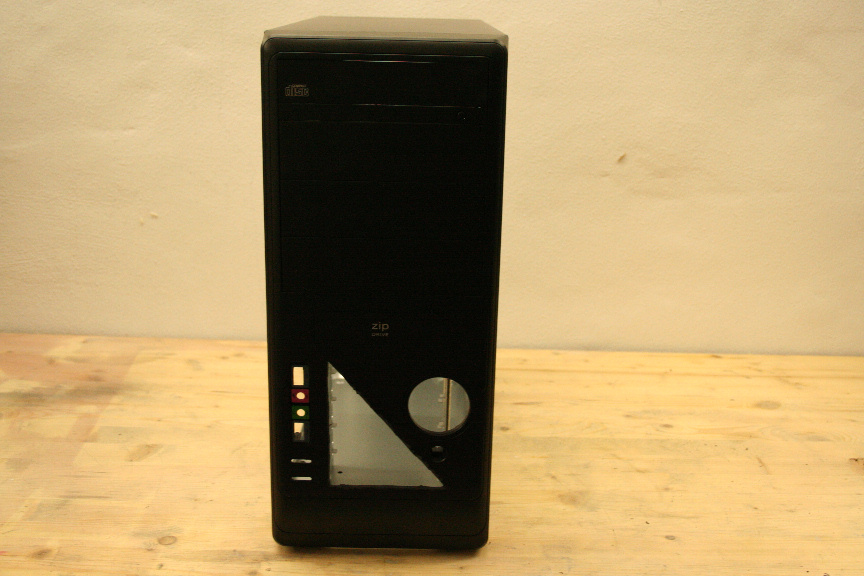
      The front is awfully plain in this case, which really is to be expected on a low end case. I do like the start button though so I´ll leave that as it is. I won´t worry about the bays since they will be filled. But I do feel like adding some detail to it, following the rest.

      Remember to set your dremel to low speed when cutting plastic, as high speed will just melt it and make a right mess of things.
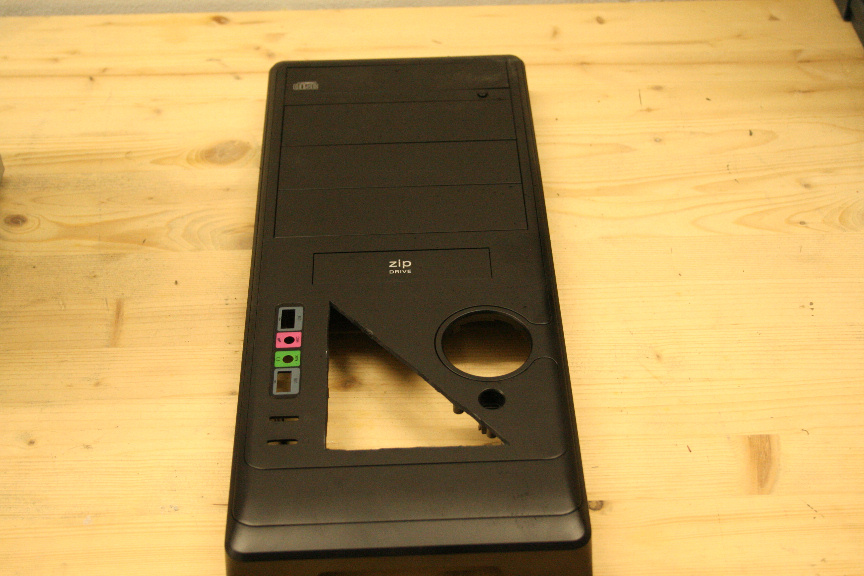
      8.JPG

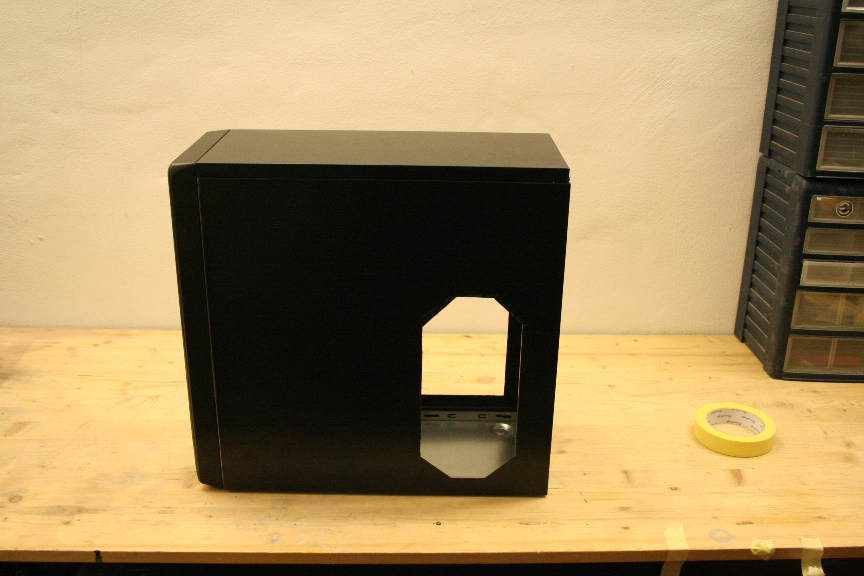
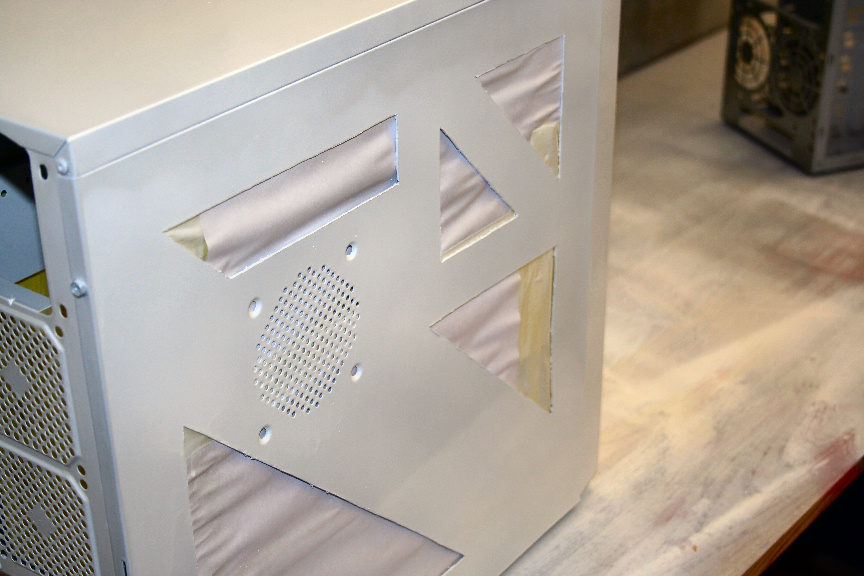
      The bad thing, in my oppinion about most simple cases is that the right side tends to be awfully plain and there´s not that much you can do with aside from a nice paintjob, which won´t be seen much in most cases since the window side is the one facing you in most cases.

      Lucky then that this case has a modern chasis design and has the opening under the board, so hey, why not make a window?
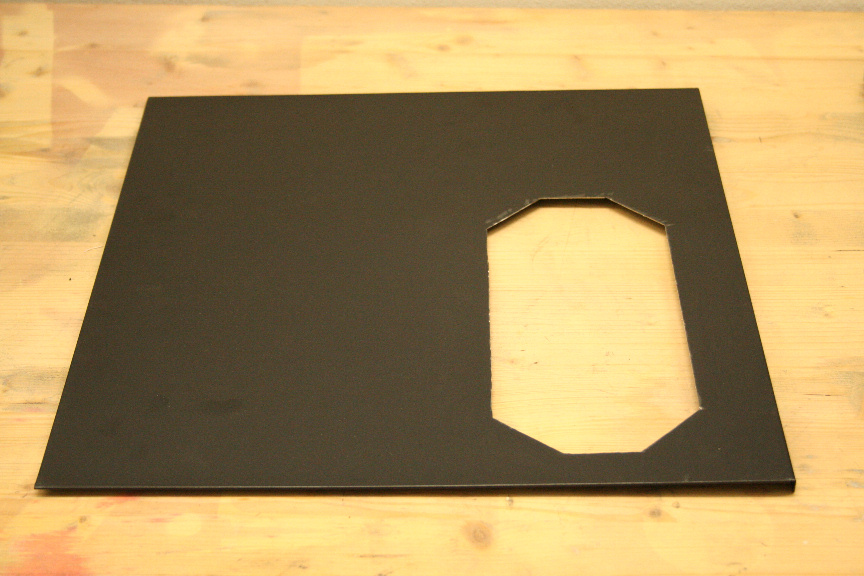
      9.JPG

      I tend to use number 420 on the dremel line of discs (Heavy Duty Cut-Off Disc). And for this thin metal sheeting, it´s like slicing through butter with a hot knive. Regardless, remember not to push the dremel or you´ll burn through discs.

      Right so let´s see it all put togueter with all cuts cleaned up (I don´t remember the specfic term in english, but it´s a sanding wheel for the dremel, that´s the way to go, personally I use the same cutting disc on it´s side to cut off all remnants and shave it down, and then I blunt the edges to prevent cutting).
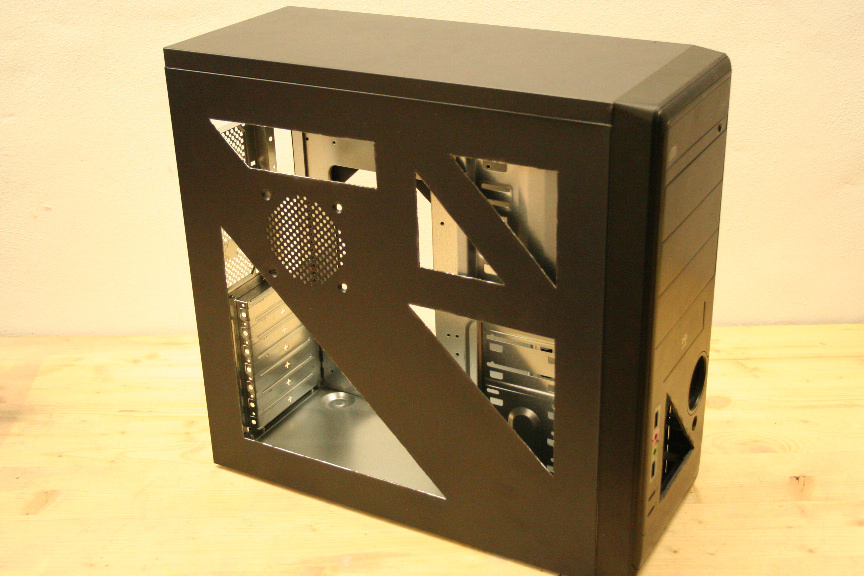
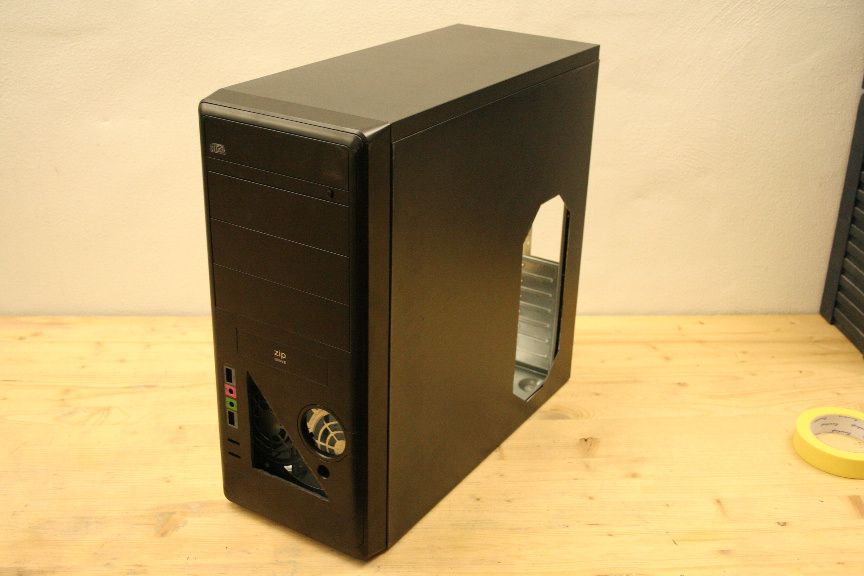
      10.JPG

      11.JPG

      12.JPG

      The problem with the front mini-window is that, right behind it there´s a pseudo dual-fan mount, which makes the window look ugly and a bit pointless, so let´s cut it.
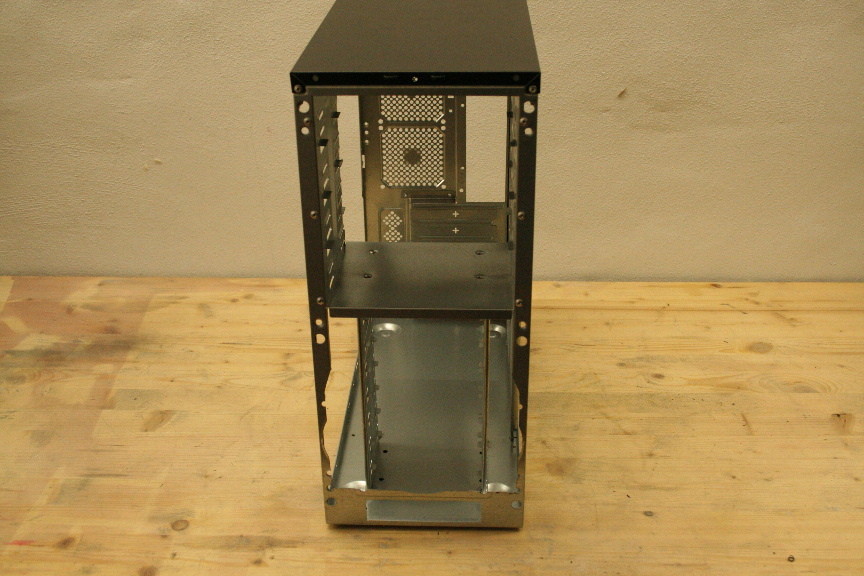
      13.JPG

      And now...

      14.JPG

      ...much better!

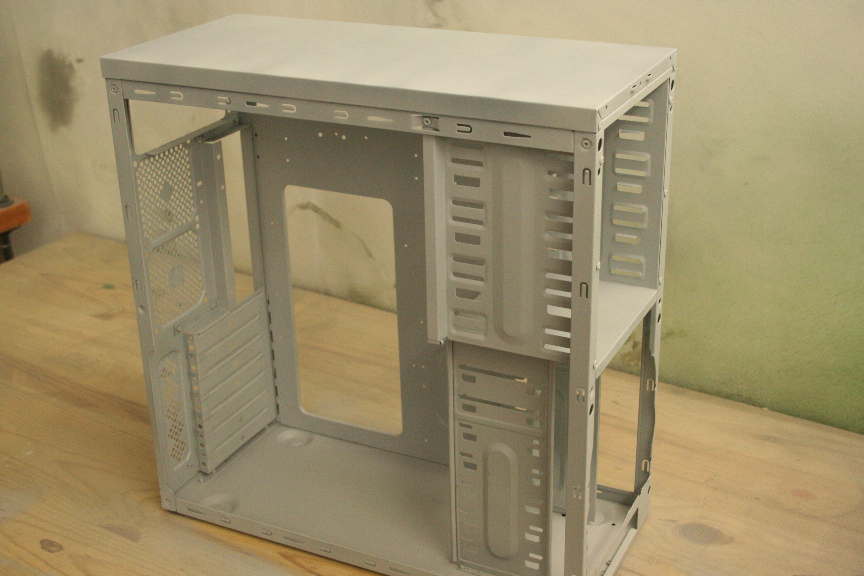
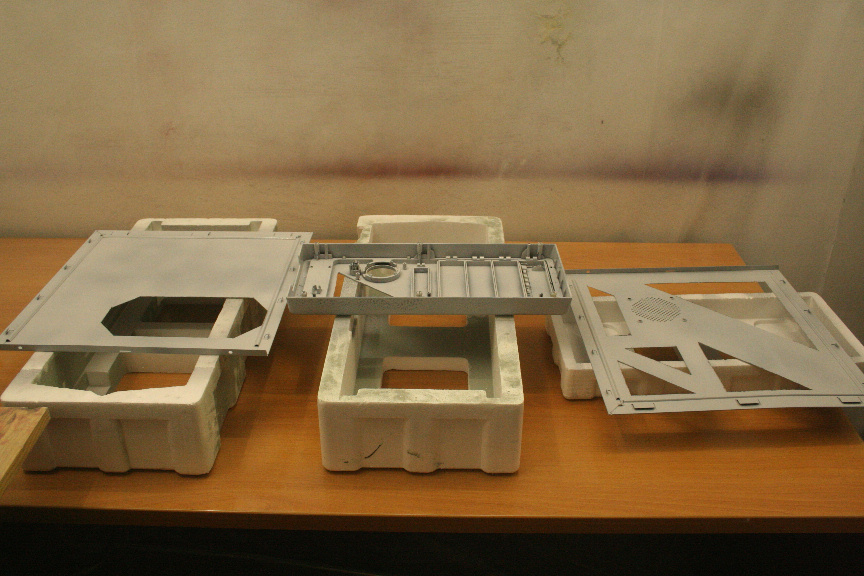
      Ok, now we´ve got to sand down everything that´s got paint in it, so in this case, all panels, as you can see the interior is bare in this case. Once done, clean it all up. I personally use distilled water, but you can use alcohol or any kind of non-corrosive cleaning product. Now wait for it to dry, specially if you´ve used any kind of chemical to clean it (i´d stay away from that option, just in case).

      Now that it´s prepped, it´s painting time. Remember to always use a breather, this stuff is nasty in your lungs! Not to mention a well ventilated place, but not outside as you will get crap on your fresh paint, and you don´t want that.
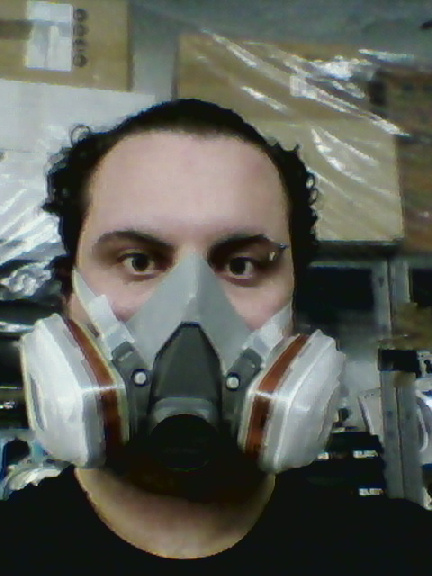
      15.jpg

      A couple of notes about paint types. I´ve had quite a few discussions about this in several forums with all sorts of people. Some use x product and works fine for them, others say don´t use x product because of x reason.

      Personally, I use acrylic paint, which is water based, it´s dries very quickly, so you don´t have to wait hours between coats, and it´s good for sanding down between coats to get an extra smooth finish. I stay away from sinthetic and plastic paints, for several reasons which I won´t go in to but regardless, if you want to take my advice, go for acrylic paints, be it in spray can or compressor & gun.

      Right, down to it. First a coat of primer:
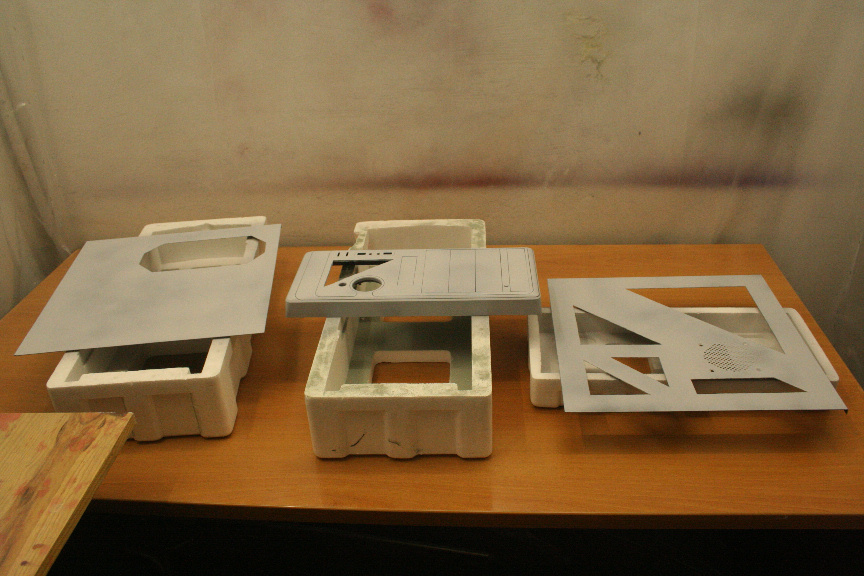
      16.JPG

      17.JPG

      18.JPG

      And now a base color as the effect I will be using (pearl) is almost transparent, so it needs a base color first, in this case, white.
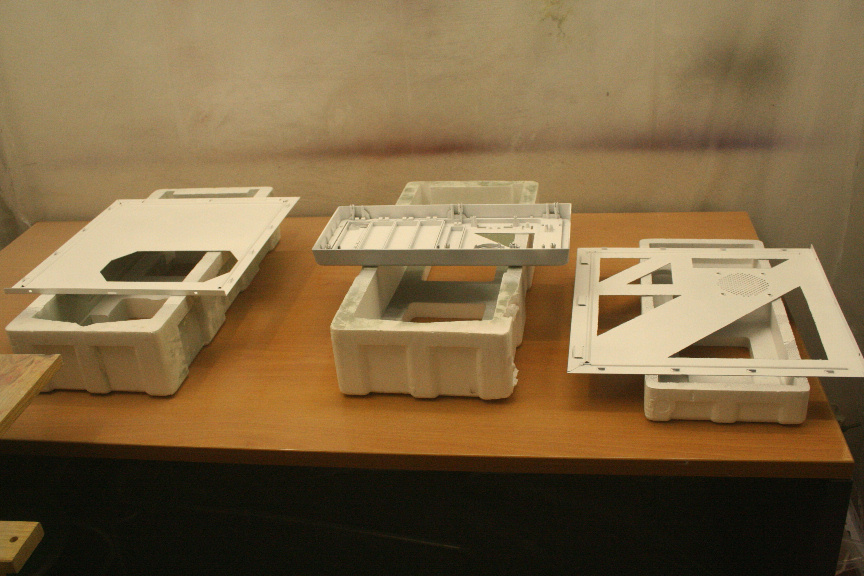
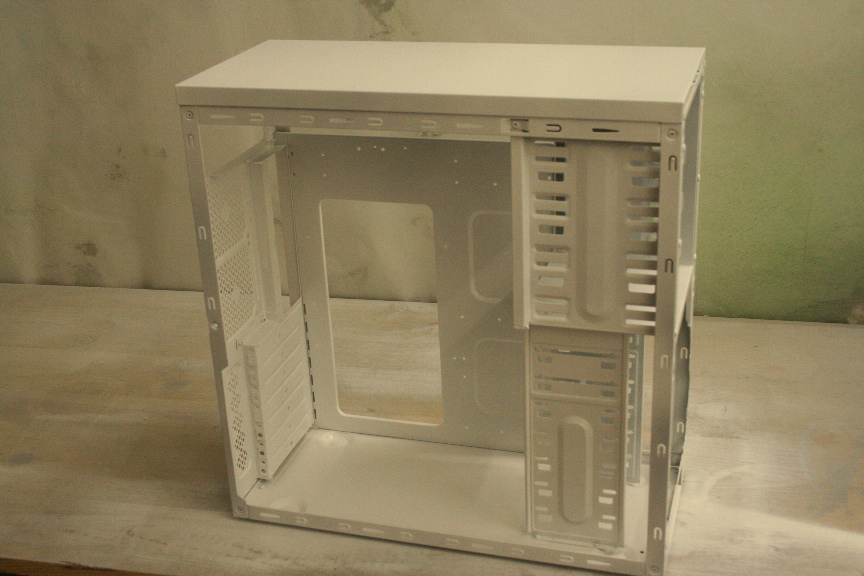
      19.JPG

      20.JPG

      And that´s it for today, more tomorrow.

      As a small spoiler, no, the case won´t be all white, it´s simply easier doing it all in white and then painting on top as needed.

      1 Risposta Ultima Risposta
      0
      • T Non in linea
        T Non in linea
        tom1
        scritto su ultima modifica di
        #12

        15.jpg

        O:O aaaaaaaaaaaaa you're an alien, police police :asd: :asd:

        stupid fun i know :D

        1 Risposta Ultima Risposta
        0
        • L Non in linea
          L Non in linea
          Luciel
          scritto su ultima modifica di
          #13

          lol hahahaha

          1 Risposta Ultima Risposta
          0
          • L Non in linea
            L Non in linea
            Luciel
            scritto su ultima modifica di
            #14

            Edited the main post to add comments from several members of several forums, thanks for participating guys, I welcome more suggestive comments of the kind in order to add them further to the steps on this tutorial so that newcomers can use it, containing imput from more experience modders in order to create a decent first project.

            Right so, update:

            I sanded down with very fine grit and very gently the first coat of base white, this, while not entirely neccesary will give you a smoother finish on the next coat and it will make the next coat hold on tighter which in turn makes it that much resistant to scratches.

            Once done, I aplied the second coat of base white:
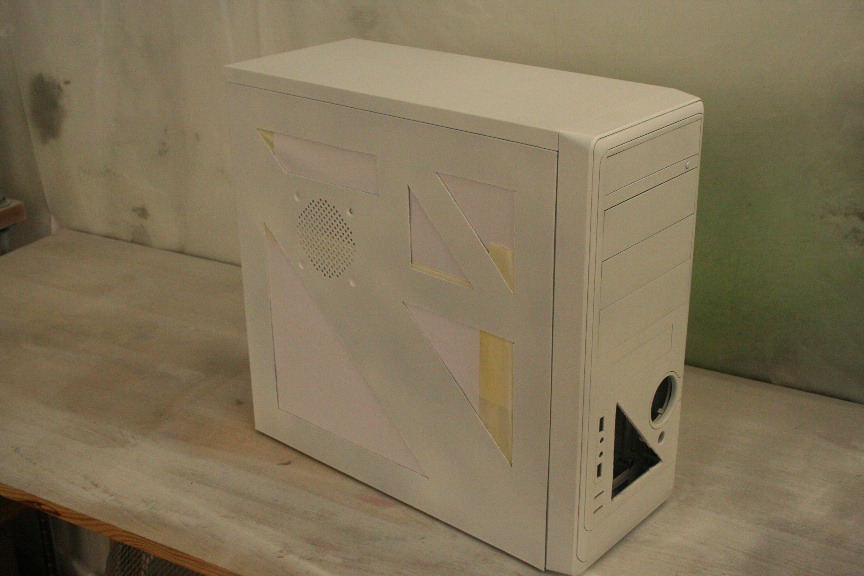
            21.JPG

            I let that to dry for about 15-20 minutes (again this only aplies to acrylic paint due to it´s quick drying properties) and sanded it down again. I then proceeded to aply the third coat, this time, of pearl white effect. It´s an almost transparent coat, like lacquer if you will, but it´s not lacquer and can be aplied to any color (of the same kind of paint). This will give a glossy pearl finish (which, while the photos don´t do it justice, it´s very different to just using glossy white which I used in the AIO AL project).
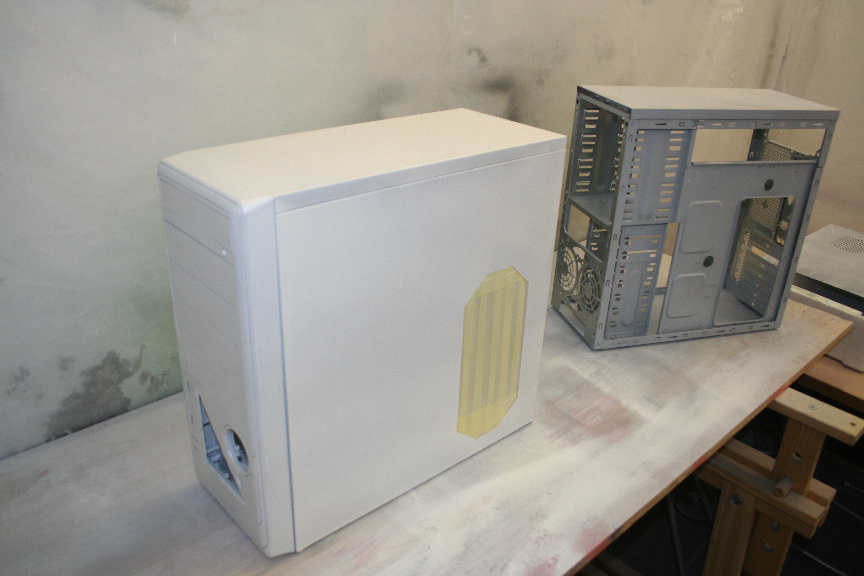
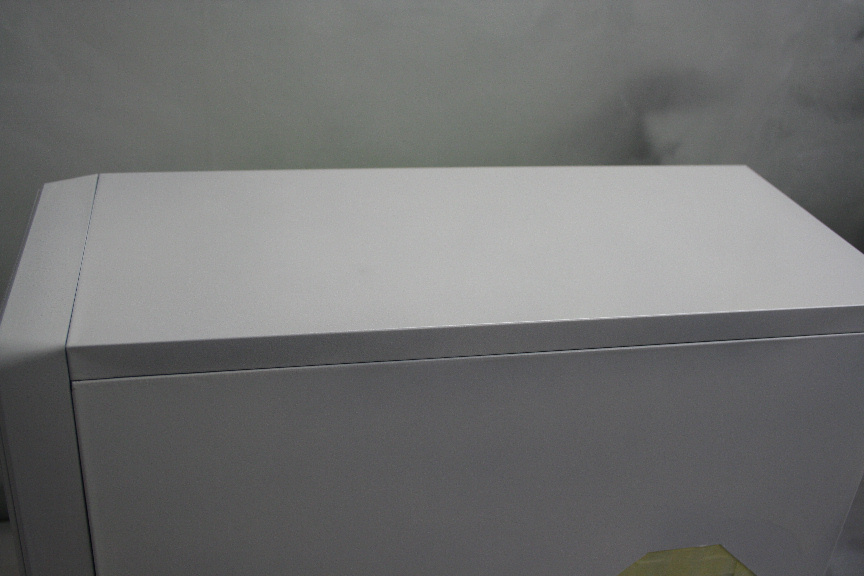
            22.JPG

            23.JPG

            24.JPG

            While it´s drying time is the same, I will now leave it over night to cure as I will be using tape on top of it for the next stage of color.

            PS: The case next to it, is another exactly the same model case I´m preparing for a client, but that can go in another mini thread.

            1 Risposta Ultima Risposta
            0
            • T Non in linea
              T Non in linea
              tom1
              scritto su ultima modifica di
              #15

              well painted withe

              1 Risposta Ultima Risposta
              0
              • L Non in linea
                L Non in linea
                Luciel
                scritto su ultima modifica di
                #16

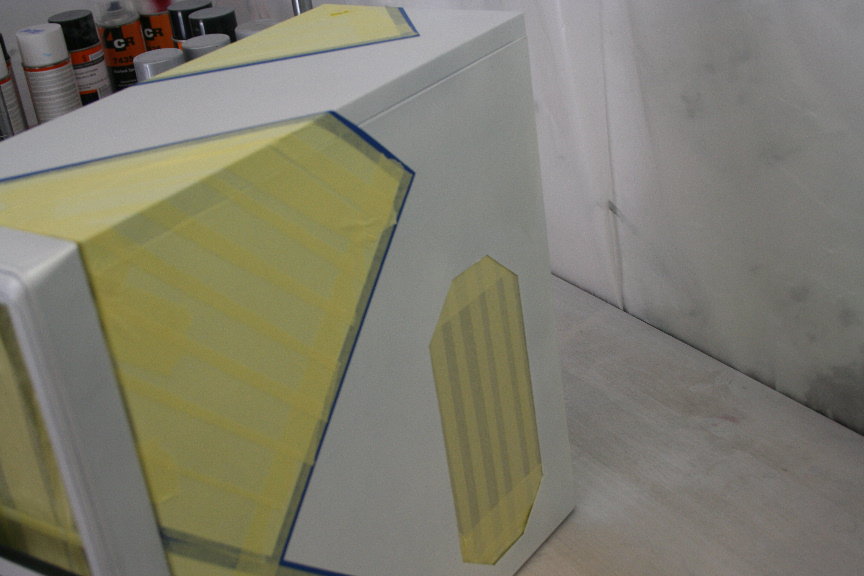
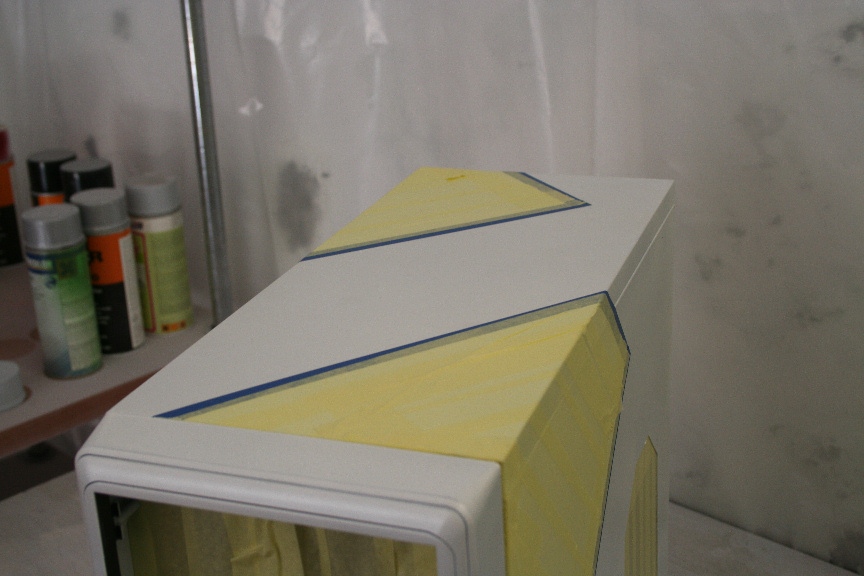
                Now that the paint has cured, it´s safe for us to use tape on it, again go ahead and sand it down if it´s not smooth. I first used decal tape to mark lines (the blue tape) and then extra thick masking tape as filler (the yellow tape).
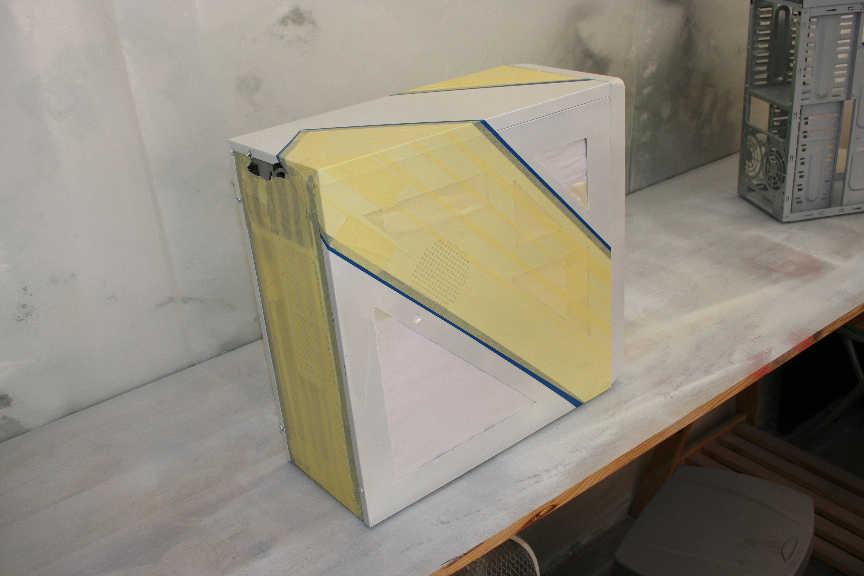
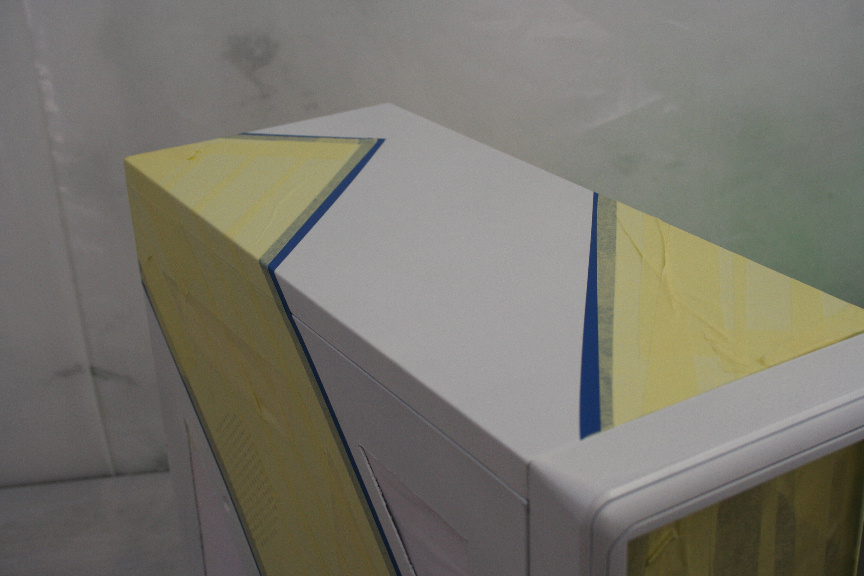
                25.JPG

                26.JPG

                27.JPG

                28.JPG

                Let´s aply the first coat, of the second color. As with the white, I´ve gone with a pearl effect blue.
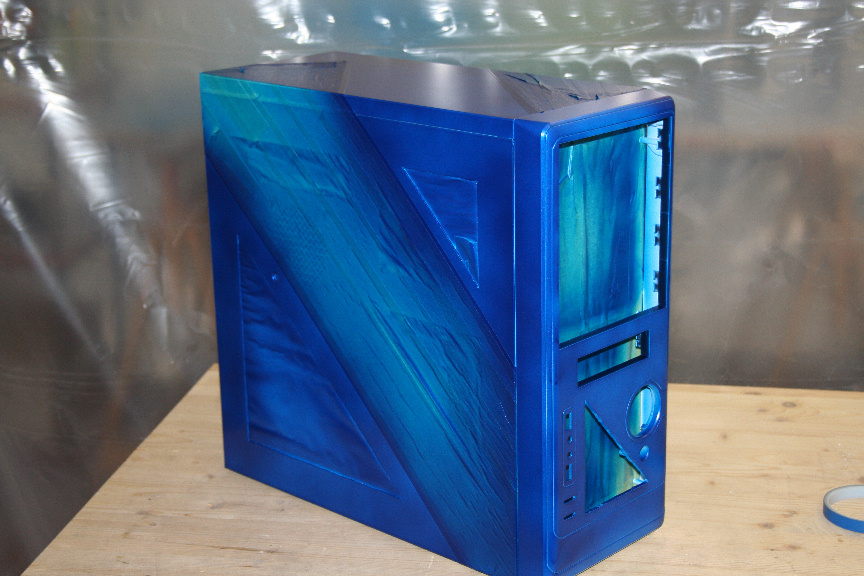
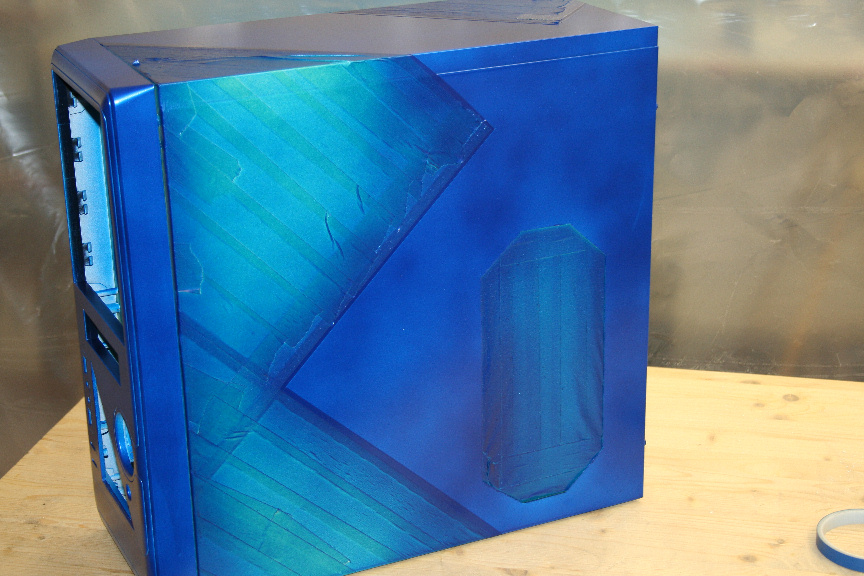
                29.JPG

                30.JPG

                31.JPG

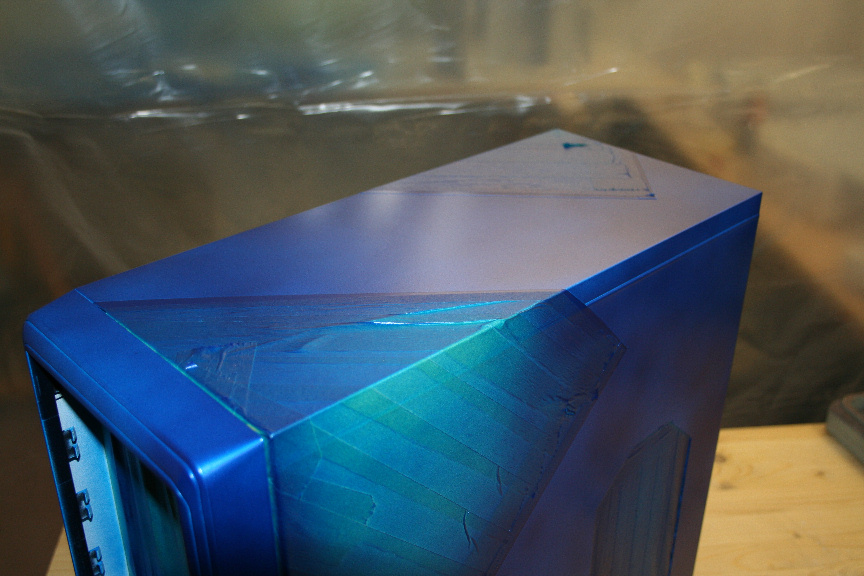
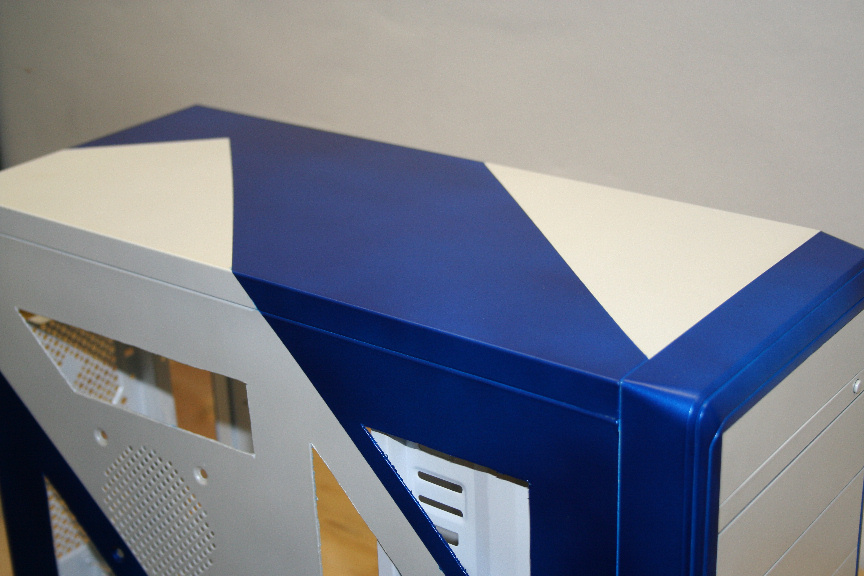
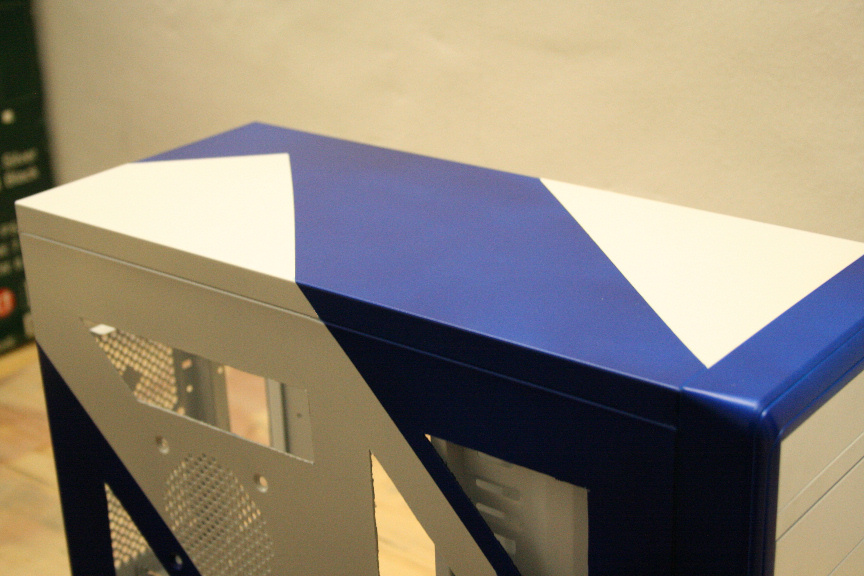
                15-20 minutes later, I aplied the second and final coat of the blue. Notice how the light reflects on the pearl efect, making it look like there´s 2 tones.
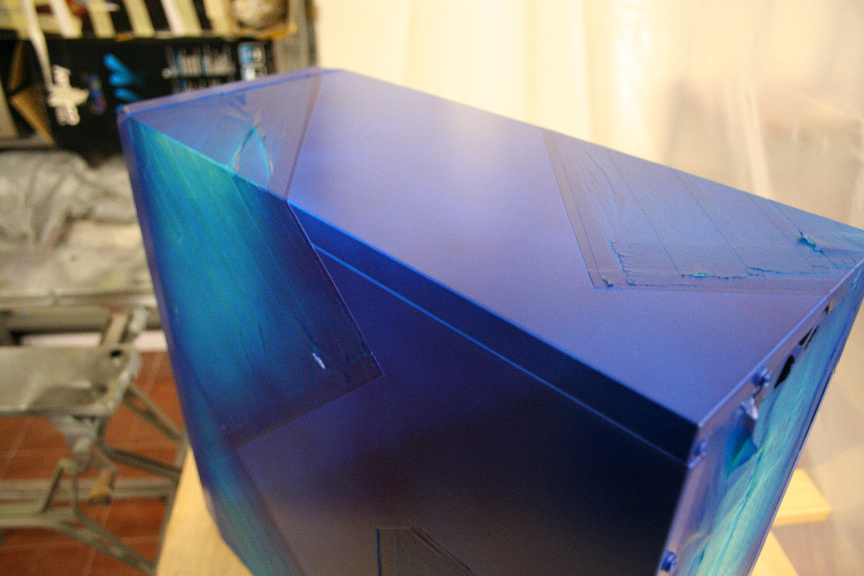
                32.JPG

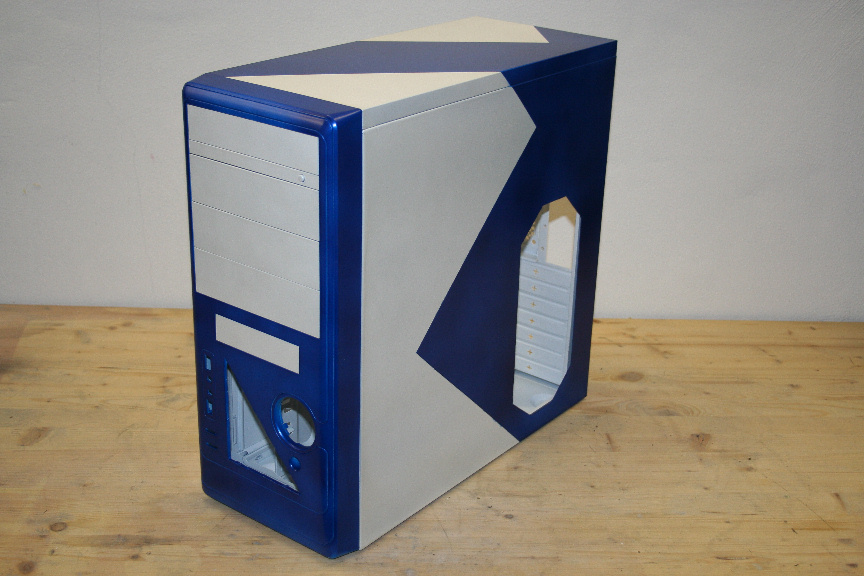
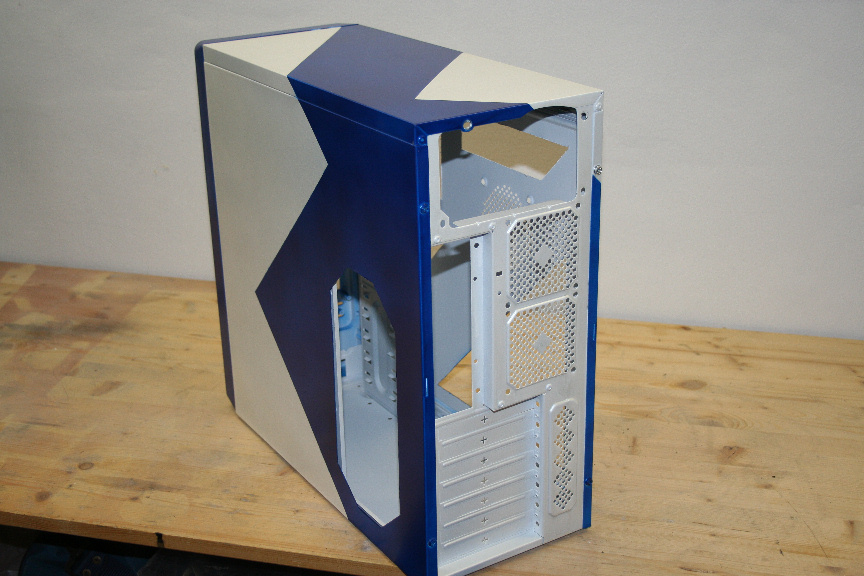
                I let that cure for 4 hours before remove the tape. Now it´s safe for us to remove it (gently please!). I´ve taken several pictures with and without flash, on different possitions to try and show you the pearl effect, though the pictures really don´t do it justice.
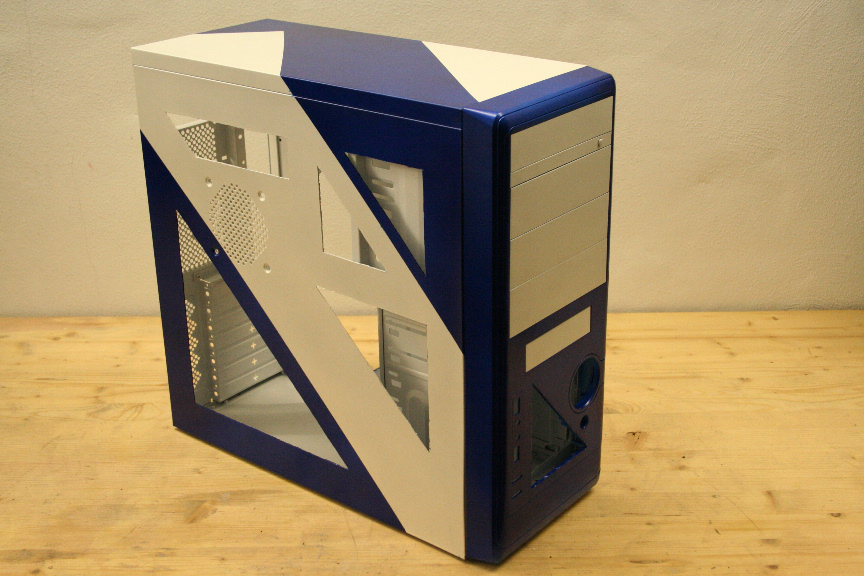
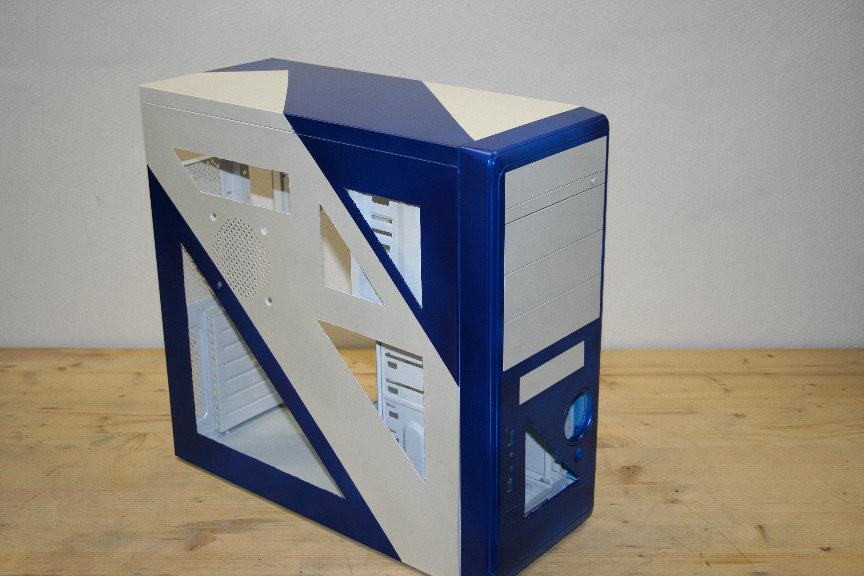
                33.JPG

                34.JPG

                35.JPG

                36.JPG

                37.JPG

                38.JPG

                And that´s it for today really. There´s not much more to do on the case other than mounting the windows. In the next few days I´ll be posting the mini tutorials on each component and then finish it all in this thread mounting it all in the case.

                Thanks for reading/watching!

                1 Risposta Ultima Risposta
                0
                • R Non in linea
                  R Non in linea
                  RIC3
                  scritto su ultima modifica di
                  #17

                  nice color!

                  1 Risposta Ultima Risposta
                  0
                  • L Non in linea
                    L Non in linea
                    Luciel
                    scritto su ultima modifica di
                    #18

                    it is isn´t!? I fell in love with it at the supplies store :D

                    1 Risposta Ultima Risposta
                    0
                    • J Non in linea
                      J Non in linea
                      j0h
                      scritto su ultima modifica di
                      #19

                      interesting idea to enclose many tutorialshow-to in a Worklog. It will be very helpful when modding, thanks for posting here, will greatly help modder's community. ;)

                      1 Risposta Ultima Risposta
                      0
                      • L Non in linea
                        L Non in linea
                        Luciel
                        scritto su ultima modifica di
                        #20

                        My pleasure, I really hope it will help lonely google-ers when looking for begginers info : )

                        1 Risposta Ultima Risposta
                        0
                        • T Non in linea
                          T Non in linea
                          tom1
                          scritto su ultima modifica di
                          #21

                          really interested to keep in

                          1 Risposta Ultima Risposta
                          0
                          • O Non in linea
                            O Non in linea
                            One1ros
                            scritto su ultima modifica di
                            #22

                            That's beautiful! O0

                            1 Risposta Ultima Risposta
                            0
                            • L Non in linea
                              L Non in linea
                              Luciel
                              scritto su ultima modifica di
                              #23

                              I´ve now started with the interior components, you can follow details on how to do them over at the following thread:

                              http://www.xtremehardware.com/forum/f51/tutorial_project_n_2_how_paint_components-31445/

                              Here is the finished CD/DVD drive:
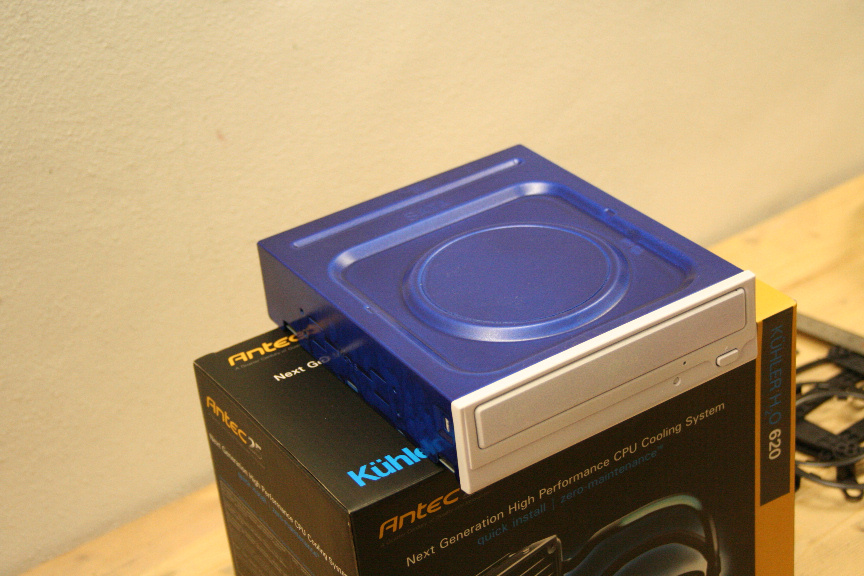
                              11.JPG

                              1 Risposta Ultima Risposta
                              0
                              • L Non in linea
                                L Non in linea
                                Luciel
                                scritto su ultima modifica di
                                #24

                                Added the hard drive tutorial to the components thread.

                                http://www.xtremehardware.com/forum/f51/tutorial_project_n_2_how_paint_components-31445/

                                Here is the finished HDD:
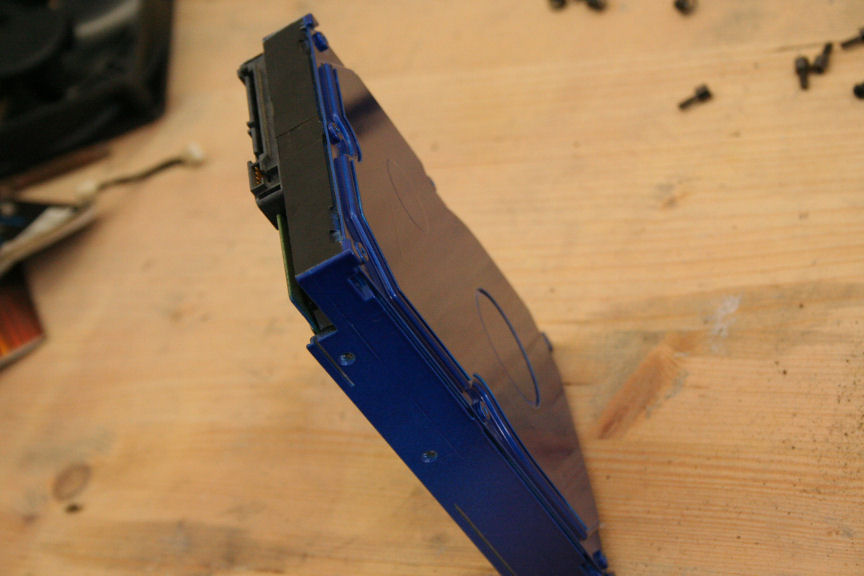
                                9.JPG

                                1 Risposta Ultima Risposta
                                0
                                • T Non in linea
                                  T Non in linea
                                  tom1
                                  scritto su ultima modifica di
                                  #25
                                  O0
                                  1 Risposta Ultima Risposta
                                  0
                                  • L Non in linea
                                    L Non in linea
                                    Luciel
                                    scritto su ultima modifica di
                                    #26

                                    Added the fan controller tutorial to the components thread:

                                    http://www.xtremehardware.com/forum/f51/tutorial_project_n_2_how_paint_components-31445/

                                    Here´s the finished look:
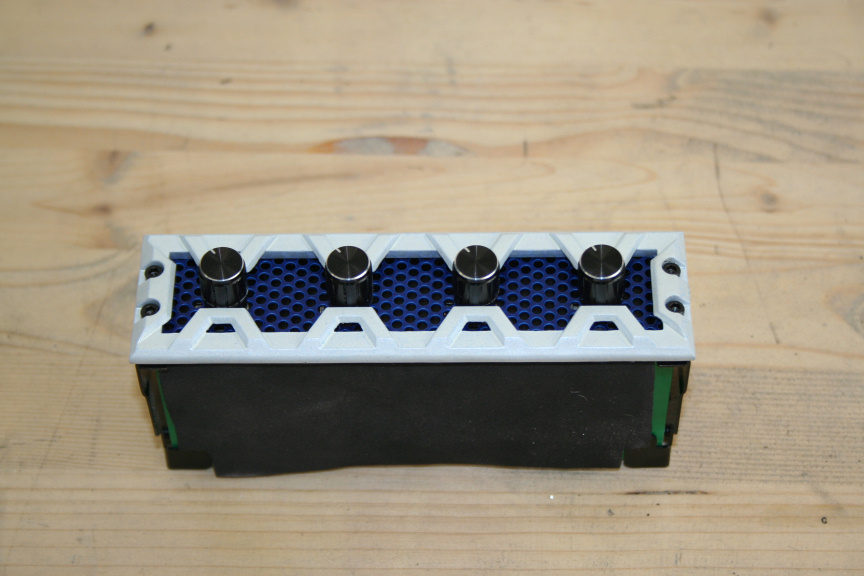
                                    10.JPG

                                    1 Risposta Ultima Risposta
                                    0
                                    • T Non in linea
                                      T Non in linea
                                      tom1
                                      scritto su ultima modifica di
                                      #27

                                      nice choice

                                      1 Risposta Ultima Risposta
                                      0
                                      • L Non in linea
                                        L Non in linea
                                        Luciel
                                        scritto su ultima modifica di
                                        #28

                                        In deed, I think it´s the best one in a value/quality comparison : )

                                        1 Risposta Ultima Risposta
                                        0
                                        • T Non in linea
                                          T Non in linea
                                          tom1
                                          scritto su ultima modifica di
                                          #29

                                          yep , and nice choice of coluors

                                          1 Risposta Ultima Risposta
                                          0

                                          Ciao! Sembra che tu sia interessato a questa conversazione, ma non hai ancora un account.

                                          Stanco di dover scorrere gli stessi post a ogni visita? Quando registri un account, tornerai sempre esattamente dove eri rimasto e potrai scegliere di essere avvisato delle nuove risposte (tramite email o notifica push). Potrai anche salvare segnalibri e votare i post per mostrare il tuo apprezzamento agli altri membri della comunità.

                                          Con il tuo contributo, questo post potrebbe essere ancora migliore 💗

                                          Registrati Accedi
                                          Rispondi
                                          • Risposta alla discussione
                                          Effettua l'accesso per rispondere
                                          • Da Vecchi a Nuovi
                                          • Da Nuovi a Vecchi
                                          • Più Voti


                                          • Accedi

                                          • Non hai un account? Registrati

                                          • Accedi o registrati per effettuare la ricerca.
                                          Powered by NodeBB Contributors
                                          • Primo post
                                            Ultimo post
                                          0
                                          • Categorie
                                          • Recenti
                                          • Tag
                                          • Popolare
                                          • Utenti
                                          • Gruppi