
[Scratch] Project: Crimson Server Desk Module
-
Welcome back, James!
Thank you for sharing with us your excellent mods!

-
Thanks guys, oh I completely agree with mdf not being the ideal material for mods but as I said in the first post I didn´t want to risk buying good wood and wasting it if things didn´t work out being my first scratch mod and wood mod.
-
Alright
-
Little update today

This morning I finished the plexy and I have to say, it couldn´t fit any better or tighter. Originally I was debating wether I should screw it or glue it down or simply leave it alone but, considering how tight it fits, it´s not going to vibrate or go anywhere so, it´s perfect, hell it wasn´t easy taking it out again (as I will be painting the wood).
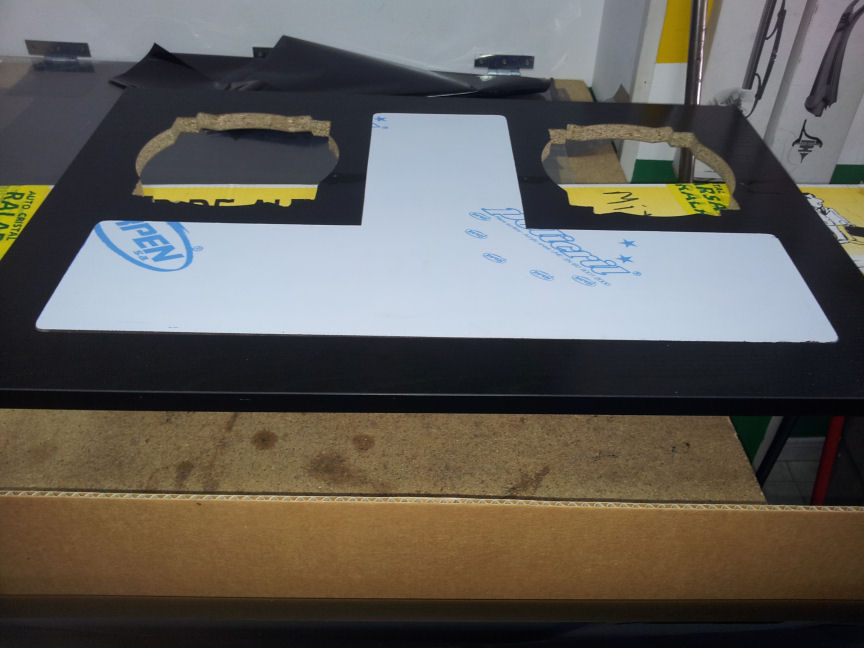
And just so you can see how it could look like minus the paint and filters.
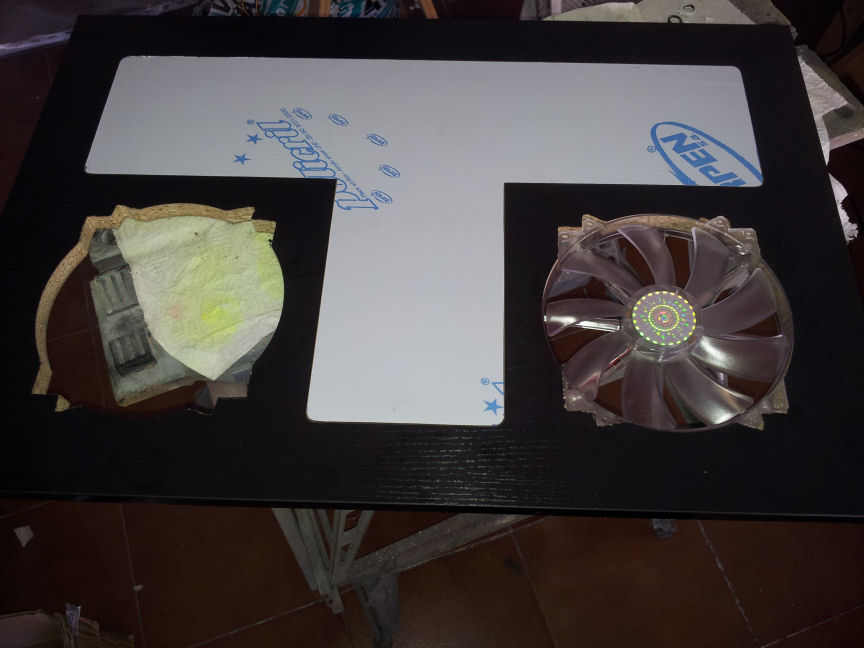
Hopefully I can play around with the VIA mobo this evening and do the calculations I needed to do as yesterday it was pretty much instant K.O, needed to catch up with sleep!
PS: I also aplied the slight smoked tint vynil to the 5mm plexy on the underside (so it´s between both pieces). The guy from the vynil shop did say that I may encounter issues since plastic contracts and expands with heat and then cold (on/off server) but I may get lucky since the temps aren´t that much and it´s between two pieces. I took the risk as it wasn´t expensive and worst comes to worst, I´ll take the vynil off and aply some smoked lacquer instead. Unfortunately I took no pictures and you don´t see it because the plexy´s top layer protection is still on, no sense taking that off until the end to prevent it from getting dirty.
-
Perfect fans Integration
-
In deed, I was really aiming for that

-

-
So it´s been a full year since my last update, other modding projects, work and life in general got in the way, but I´ve now resumed work on this project. So, did the cut out on the base of the desk for the trapdoor. Remember the desk has 2 floors in order to hide cables between them and the trap door is to be able to access these cables without making a mess or taking stuff apart. I then added the hinges and the locks. It´s unfortunately painfully obvious it´s my first time working with wood (rather than making other materials look like wood), but this won´t be seen unless you go under the desk so it´s one of those "it´ll do" cases I think. Have in mind that the "exposed" wood will be painted so as not to stand out from the rest of the desk (black).
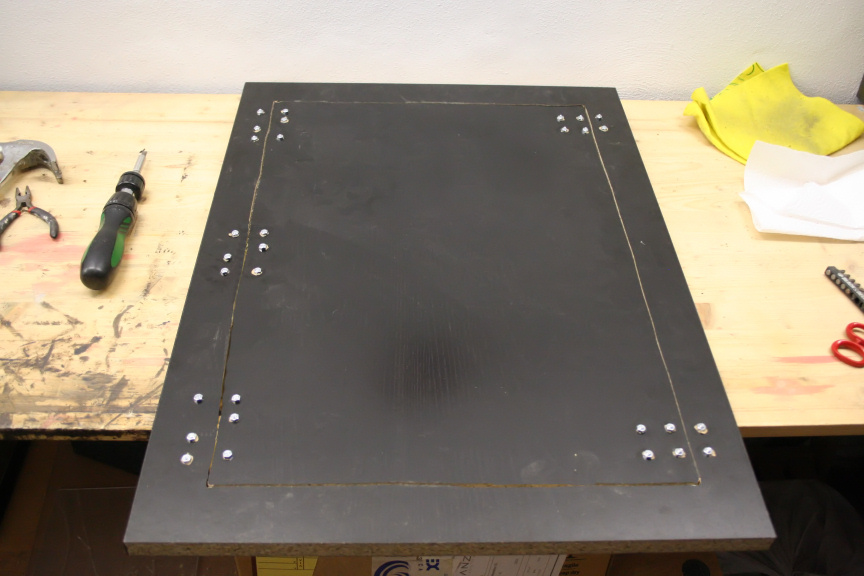
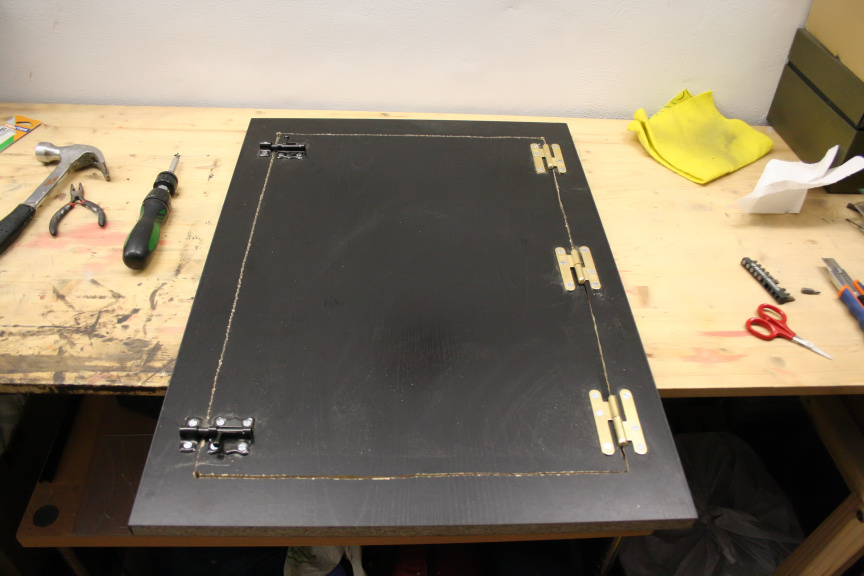
Started assembly of the sides. The back will have to come out again in order to make the cutout for the I/O of the 2 boards inside but I need it to be in for now for the sake of measurements for the other parts.
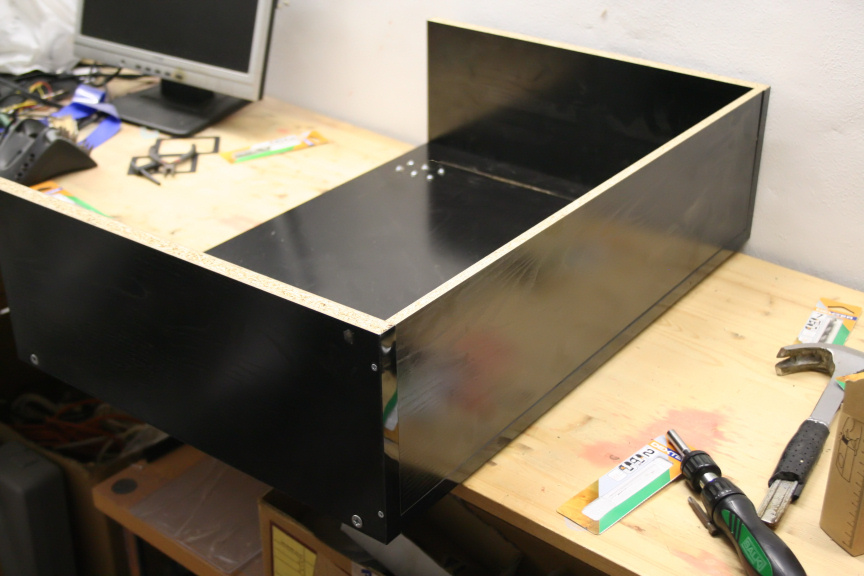
Started to put the "fake floor" in to place and tested the trap door, all seems well.
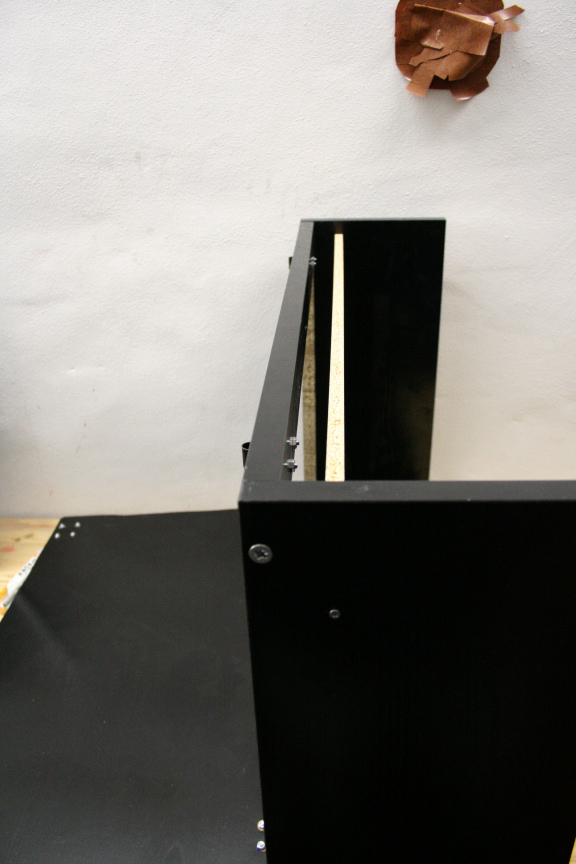
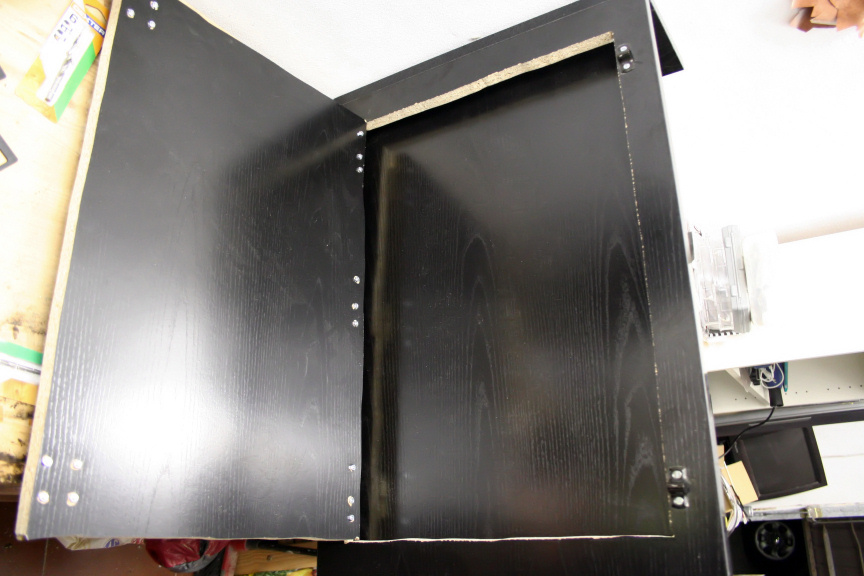
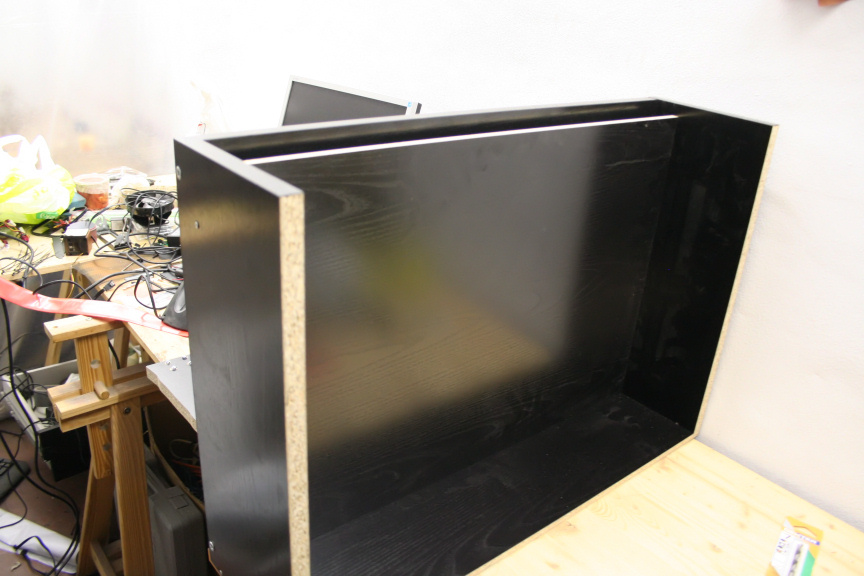
In order to match the other desk in the room where it´ll be (as I explained in the opening post, this is an "extension"), I can only do the desk so high and so deep, which after measurement, taking the thickness of the wood in to account (even though the fake floor is 1cm thick as oposed to the rest which are 2cm) it only leaves me with 2cm high open space to hide the cables, it´s going to be tight. but the trap door helps a lot for this very reason and will keep the end result nice and tidy.
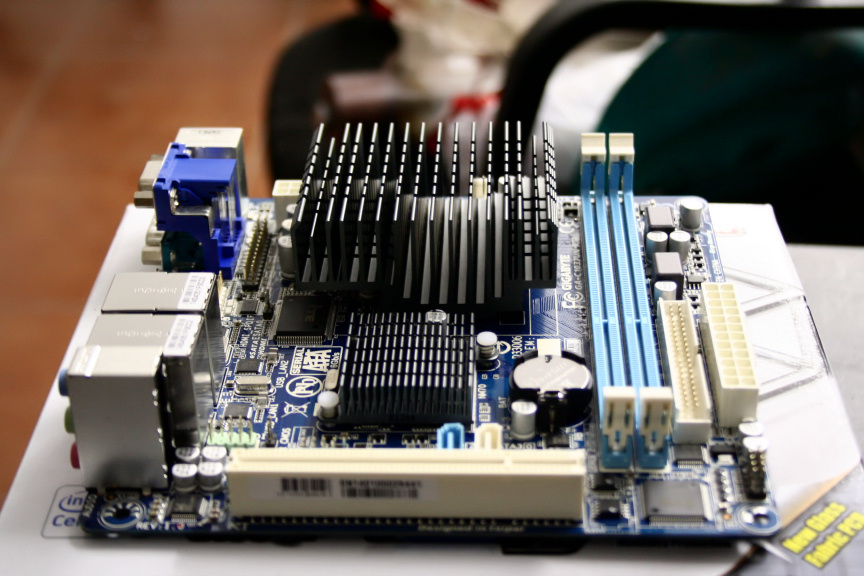
On a side note, I´ve also decided to move away from the VIA board, and acquired a Gigabyte GA-C1037UN-EU which still has a very low power footprint (which is the whole point of the second board which gets left on 24h) and comes with an integrated 1.8 dual core celeron which should work much better in hash checking than the VIA 1Ghz single core cpu (plus it was quite cheap, 64€).
Aniway that´s all for today, should be able to work more on it tomorrow.
As always, thanks for reading!
-
hey Luciel, welcome back
-
Cheers Tom1, feels good to finally be able to dedicate some time to this again
-
Luciel ha scritto:
Cheers Tom1, feels good to finally be able to dedicate some time to this again
I hope

-
Hello! I hope to see it finished soon!!
-
i want to see it finished
-
It may take a while guys but thanks
Hi Everyone,
Small update in terms of work, but, it was very fullfilling.
I finished mounting the "fake floor" and I think it came out great, I´m so glad I had the idea for it, as it´s going to make my life so much easier keeping things tidy and clean..
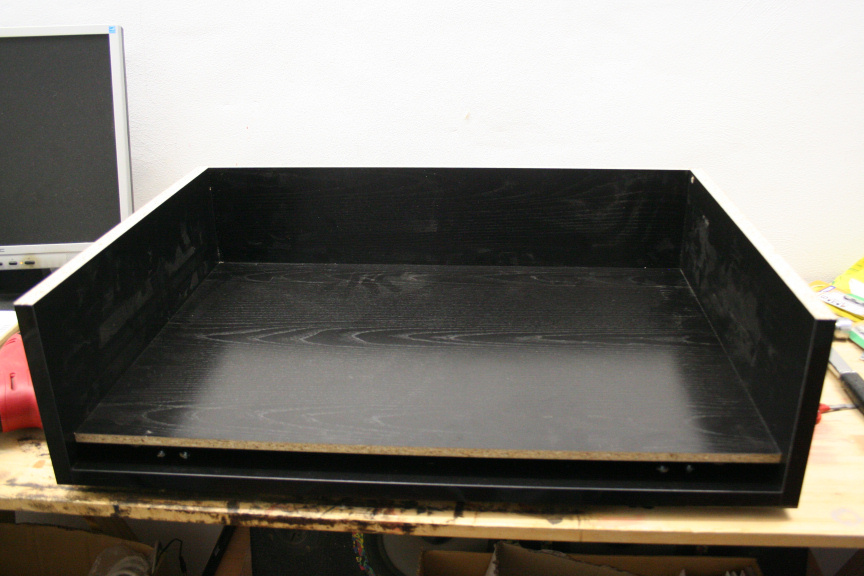
Yes, it´s filthy, bare with me, no point cleaning it while I´m still working on it
 I added the front part (though didn´t mount it as there´s no need for it till much later in the build process) to see if all fits nicely, and it does!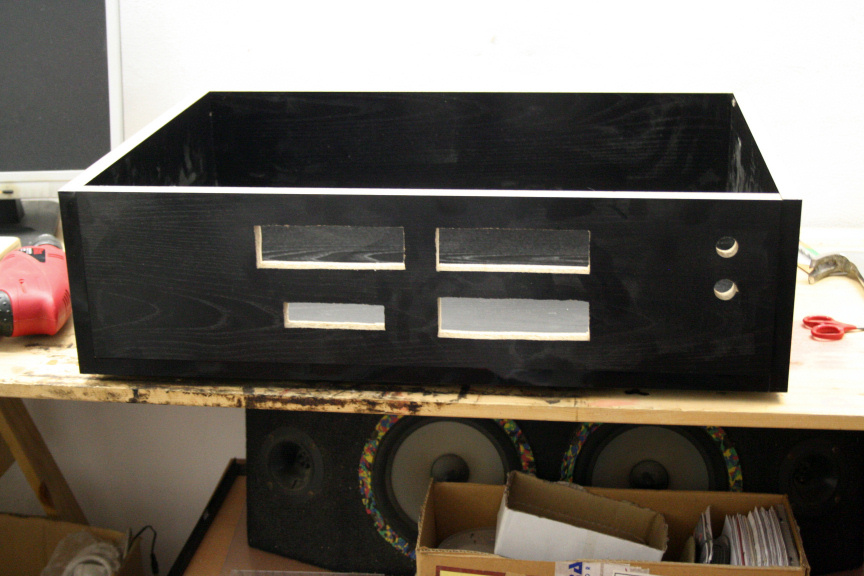
thankfully, measurements where correct and the fake floor goes up as much as it can, leaving 2cm playroom between it and the real base (with trapdoor). But yeah, very close!
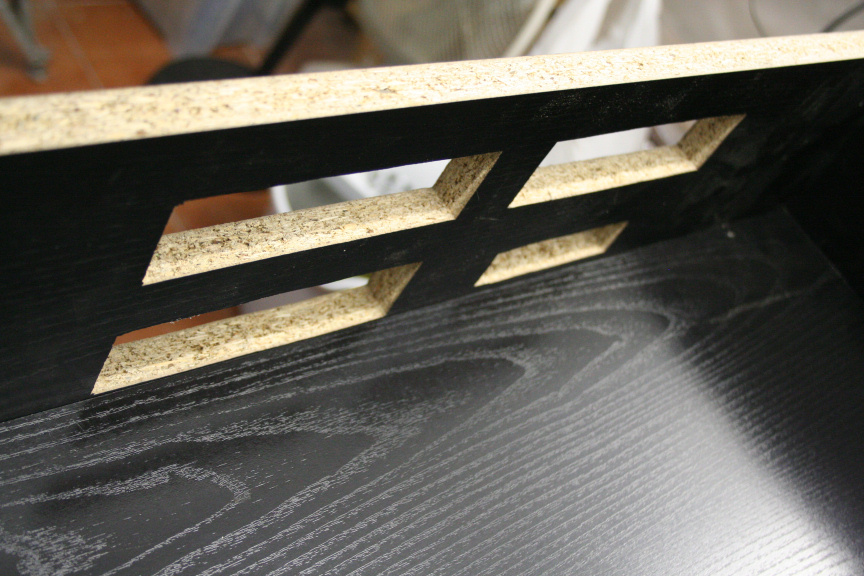
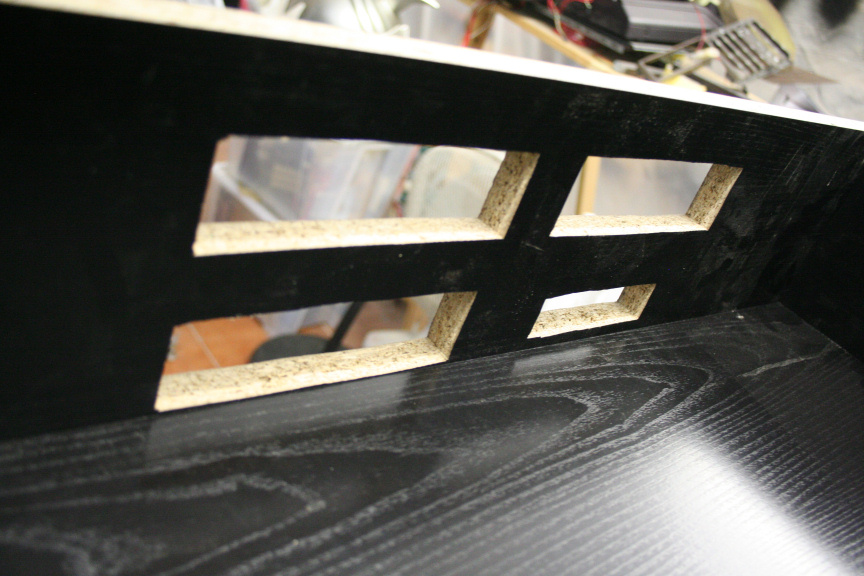
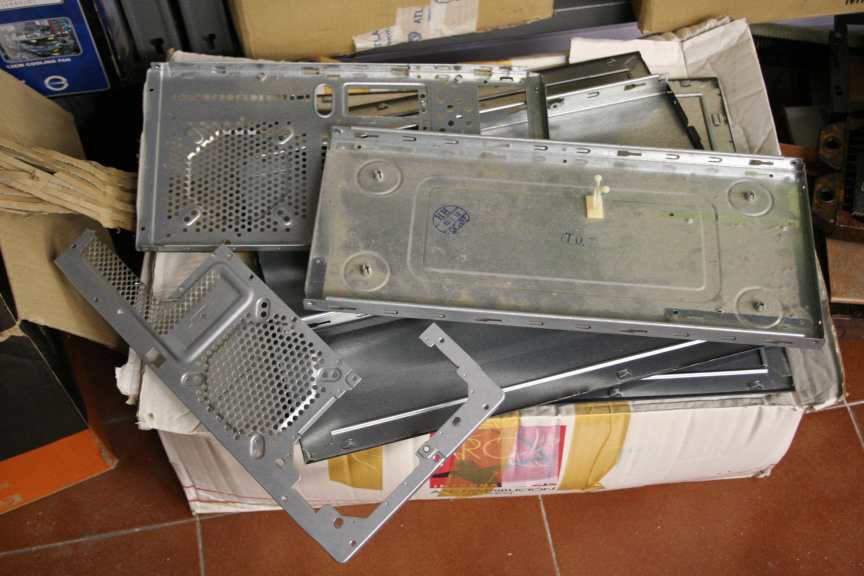
It goes without saying, as mentioned in previous updates that all "exposed" wood will be painted in a matching black colour once I´m done. So, I took apart a really old case (from a prefab´d ACER), and cut out what I needed and piled the rest (I keep a couple of old cases always at hand for recycling and scrap metal bits):
And this is what I needed.
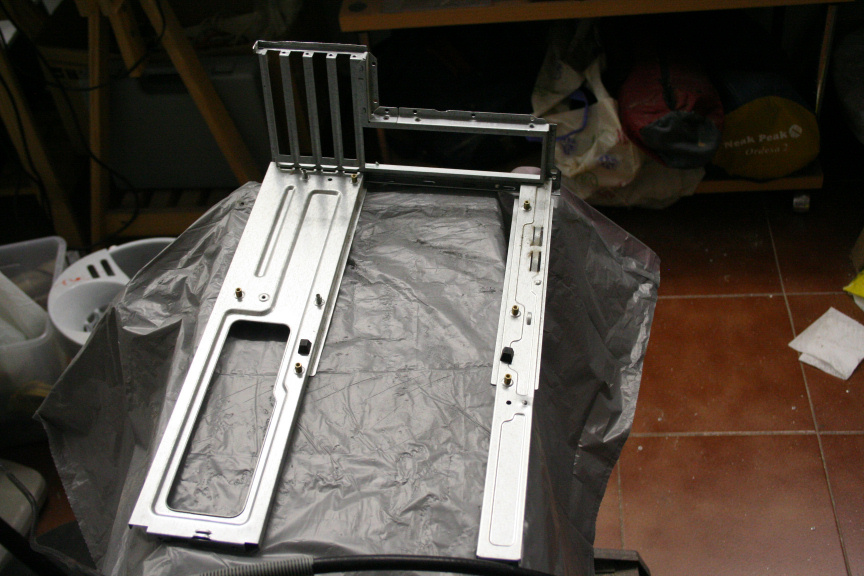
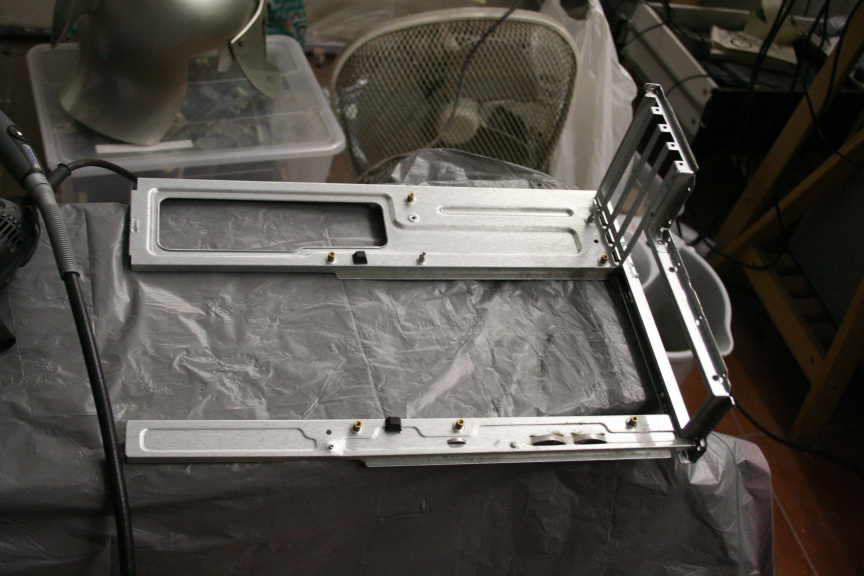
Of course, this and all other parts will be painted, some of the hardware will be aswell as it is usual of my projects.
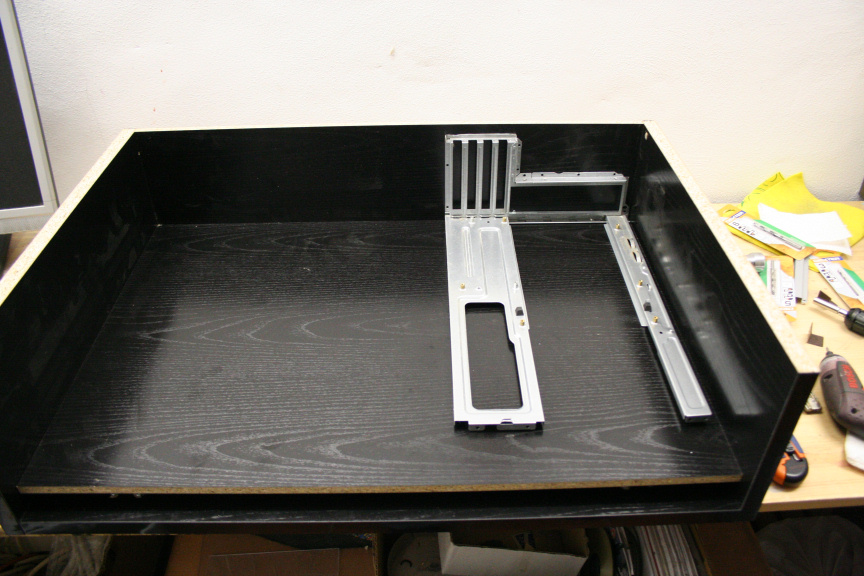
Quick test. Tomorrow (if I have time) I´ll be cutting it down to the exact size of the M-ATX motherboard I´m using, but for now...
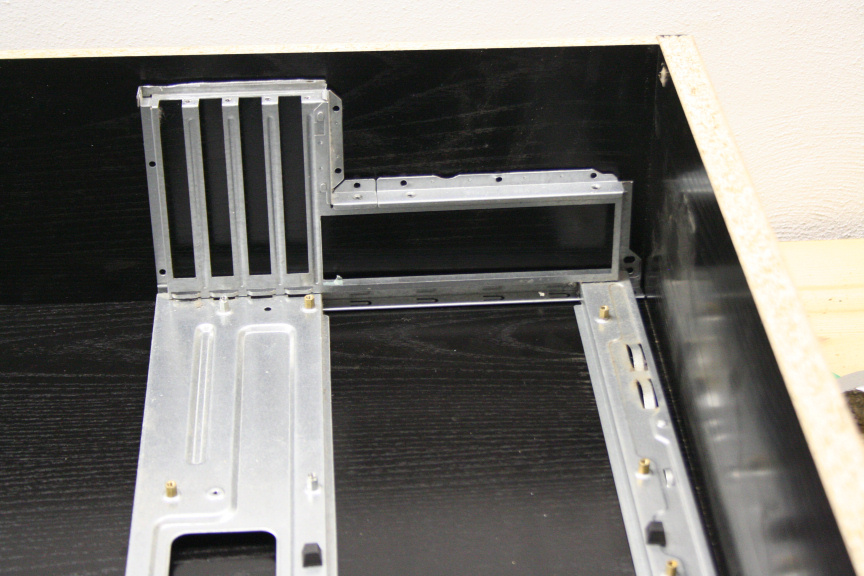
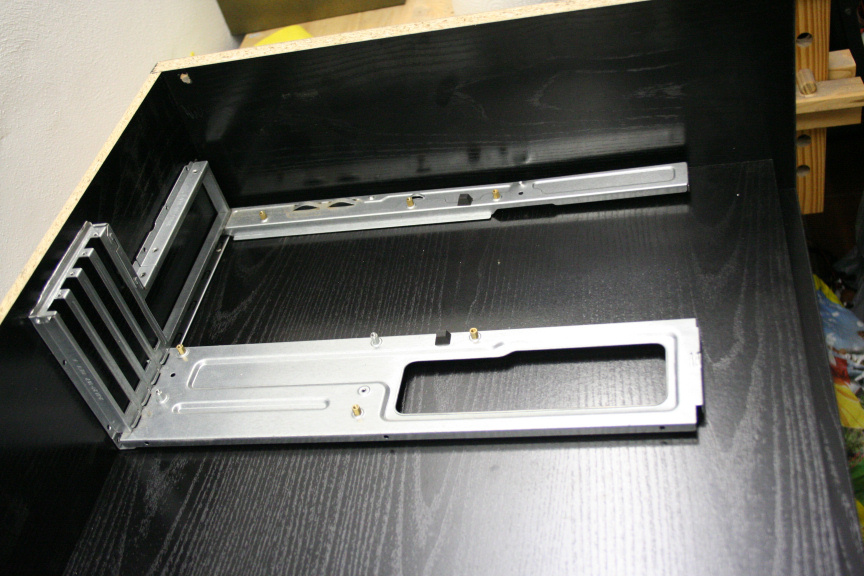
Next up, I still haven´t decided what possition to put all the drives in (you´d think I would´ve decided that before starting the project but it was pointless as I had a very specific set of measurements to work with, for better or worse due to where this desk module has to go), have in mind it´ll be around 10-14 drives in total. So, I came up with a couple of options. First of, on the left lower side,
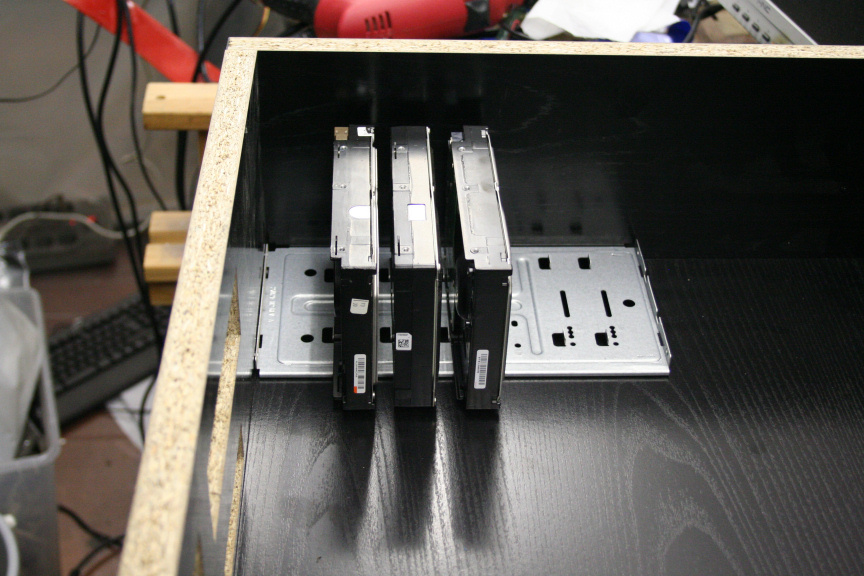
I am however worried about vibration since they are only held from one side. I like the concept because since the mounting will be painted black, it could give the impresion the hard drives are "floating" but I am worried about vibration, so an alternative would be:
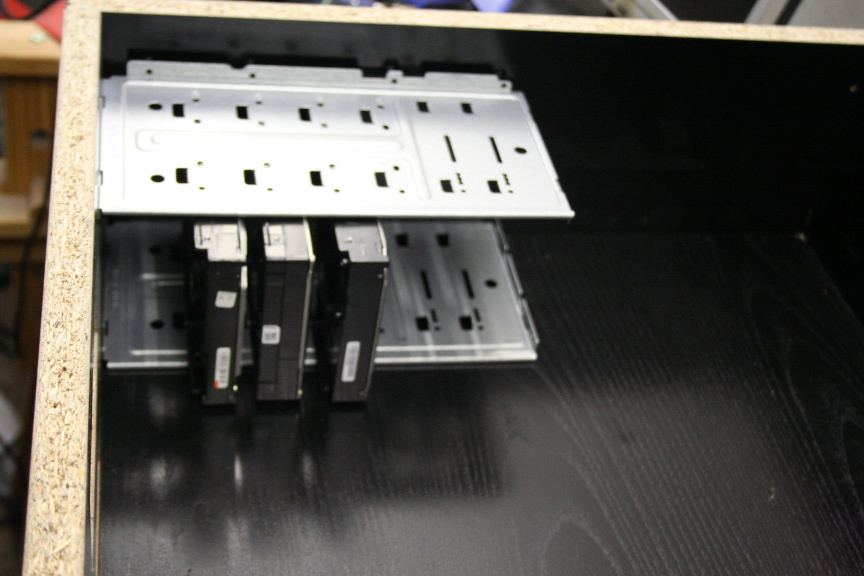
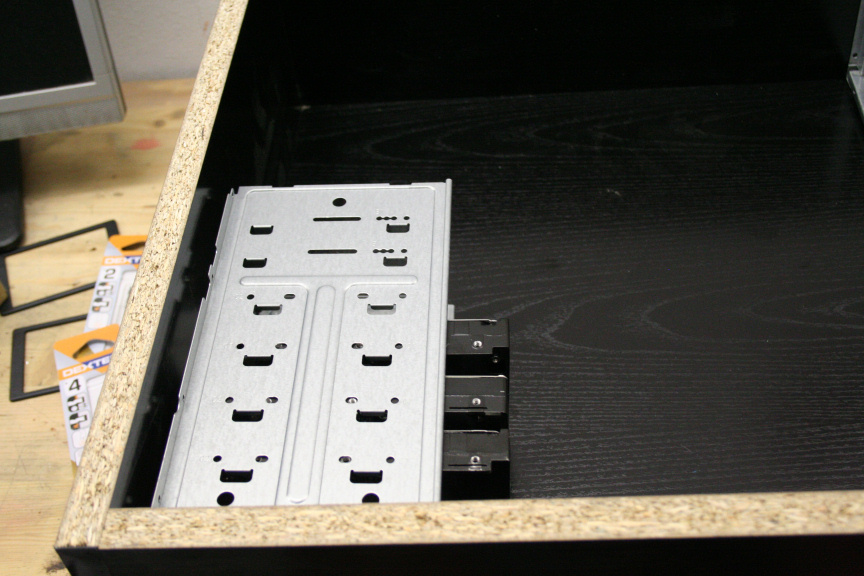
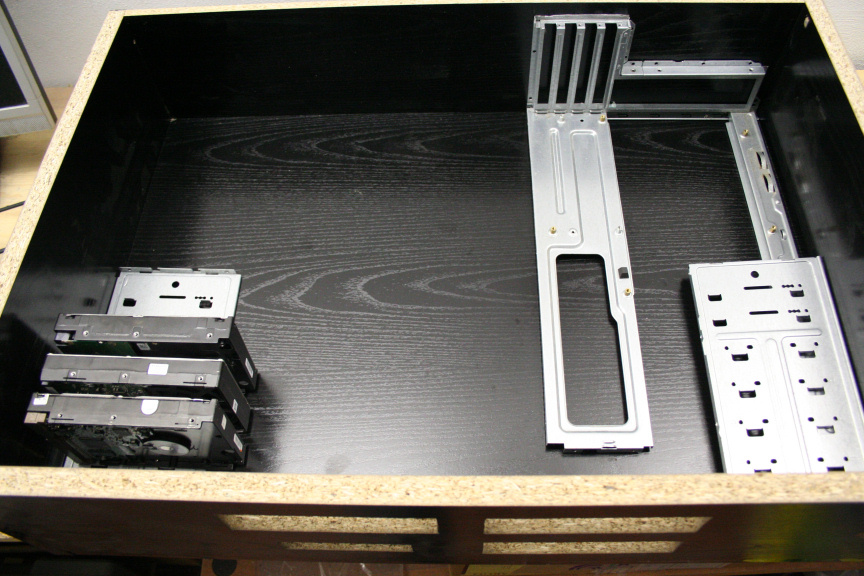
Nowhere near as nice but it wouldn´t vibrate this way. Anyhow, regardless of if they are attached on both sides or not, there´s 2 options in terms of where the other 5-6 drives go, first is on opposite sides (yes I know it´s on top of the mainboard mounting plate but have in mind this will be cut down to size and I´m 100% sure there is space for this:
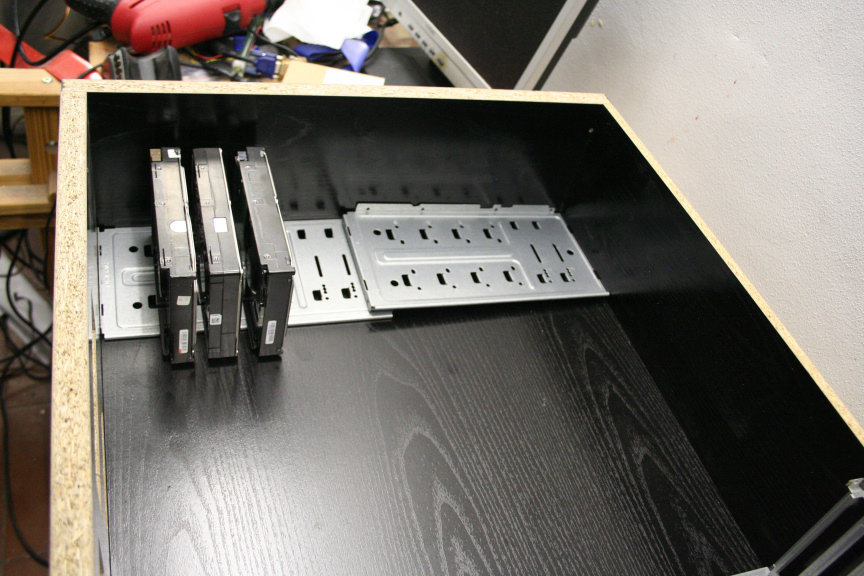
The other option is simply use the whole left side for the drives, I checked and it still leaves enough space for the second mobo (ITX).
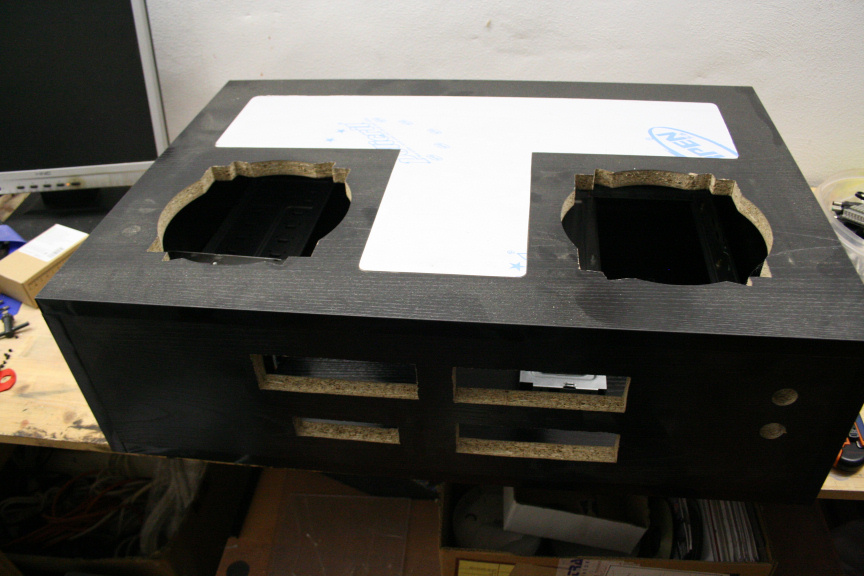
Another thing to take in to consideration is the fact the first option may work better due to ventilation locations, but I´m concerned the hdds under both fans will diminish airflow.
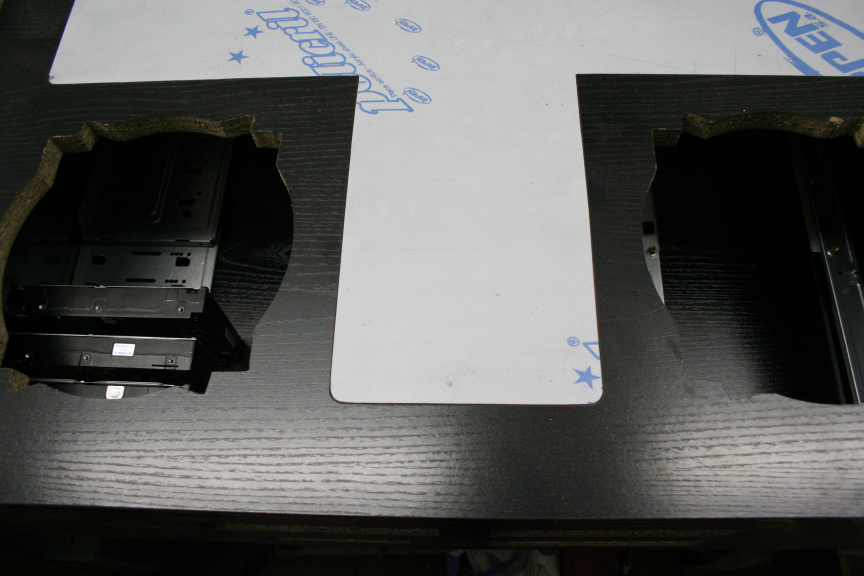
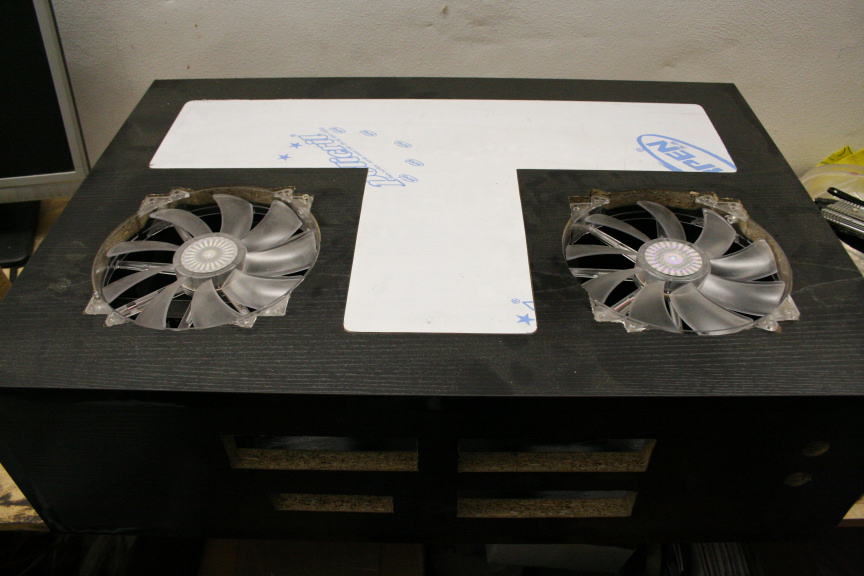
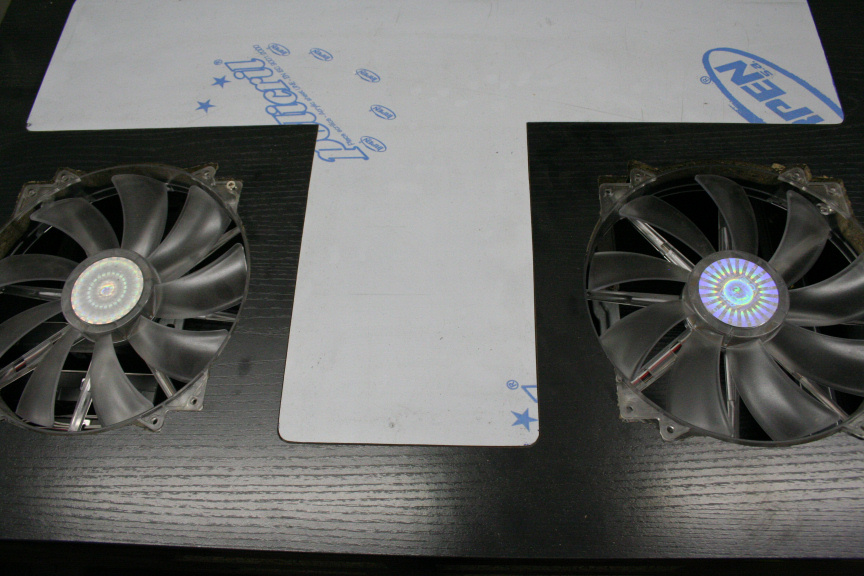
And well, that´s all for today, hopefully some more tomorrow (though I think it´ll be Monday now as not much "free" time tomorrow at all.
As always, thanks for reading!
-
Hi Everyone,
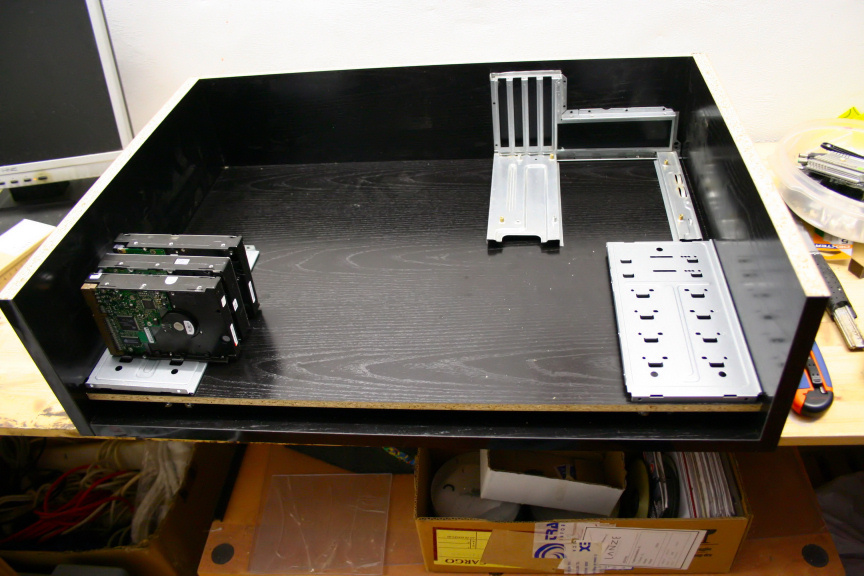
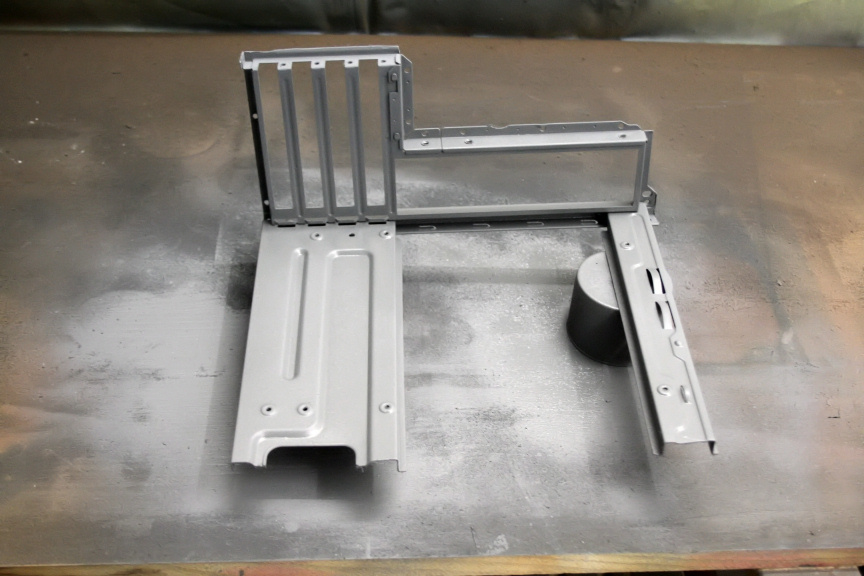
Another "small" update today, simply didn´t have time for more. So I´ve decided I will split the hard drives between both sides. Why? Because I´ve decided to add a fan at the back for intake and the two 200mm fans on top will do the extracting which are located right on top of the hard drives so the heat out of the hdds (which in this case, realistically is the main source of heat) won´t remain inside. This also means that I have enough space to mount the PSU at the back and not have to route the powercable to a female adaptor at the back. I´ve also cut the mobo tray down to the size I require. So this is the final possition of the HDD mounts.
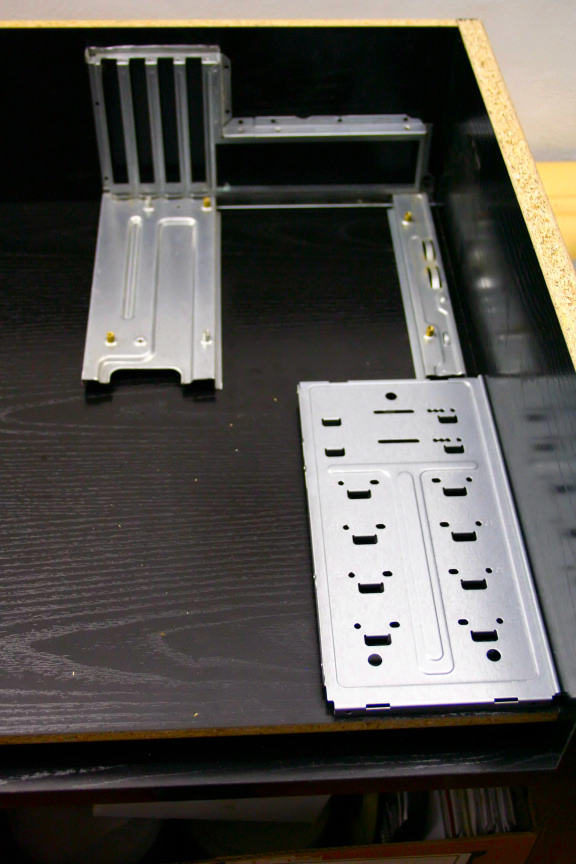
It took me the better part of 2 hours to throughly clean both hdd mounts and the mobo tray, that acer case was at least 7 years old and it came from someone who used it pretty much every day for work and did not mantain it much at all so you can imagine the amount of grit, dust and general dirtyness these parts had. Water was not enough, I had to give it a 15-20 min vinegar bath (just about enough to loosen the grit but not corrode the metal) followed by scrubbing followed by cotton and alcohol, eventually though, I got them as clean as they where ever going to be and prepped for paint.
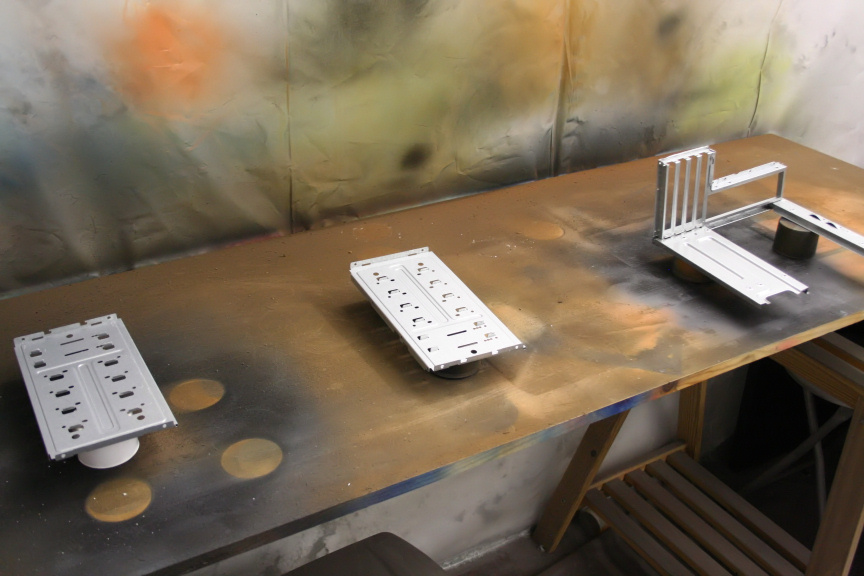
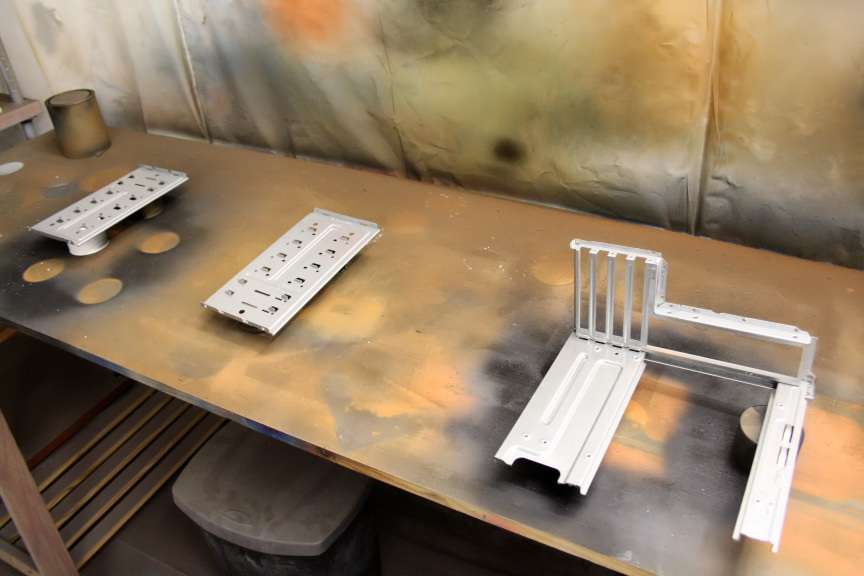
Primer on.
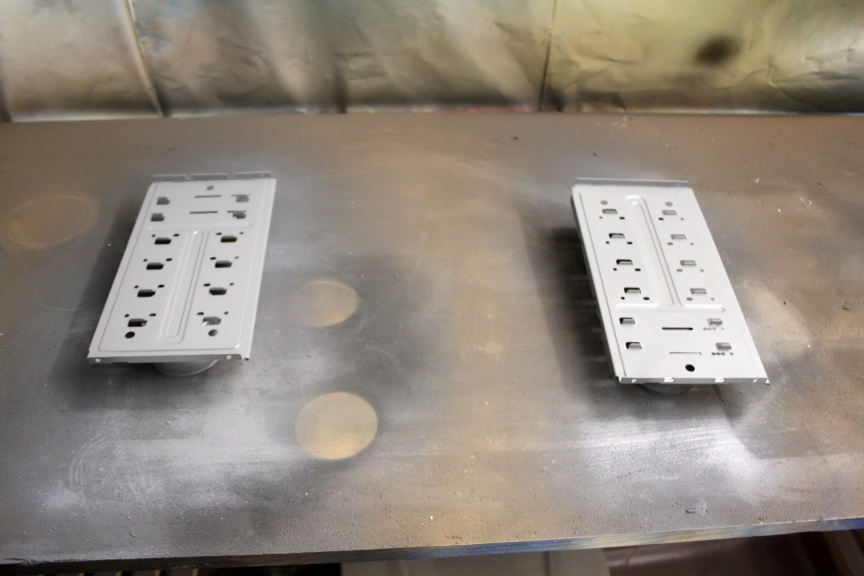
And as silly as it sounds, I´m quite proud of this little trick, I mixed (different ratios) glossy black and matt black, to get a kind of metallic shine but keeping the matt look so I could match the desk color as close as possible and here is the result.
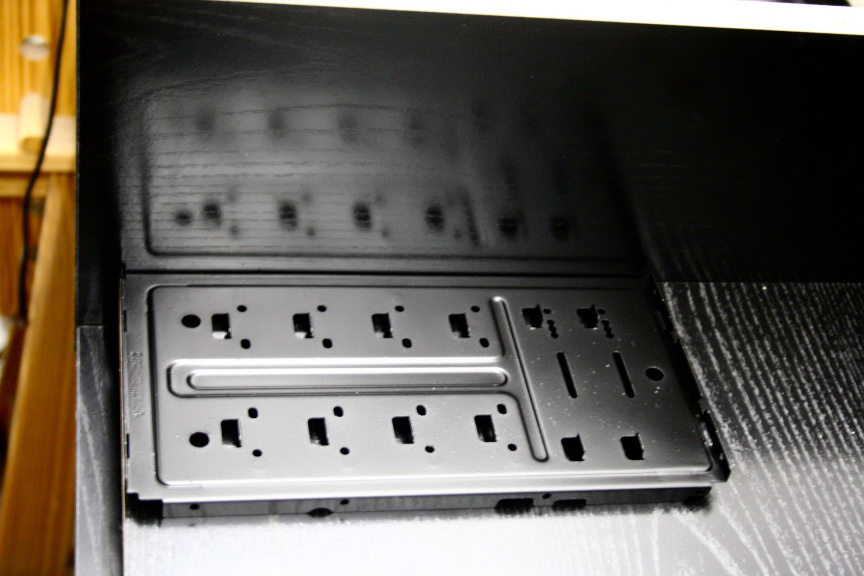
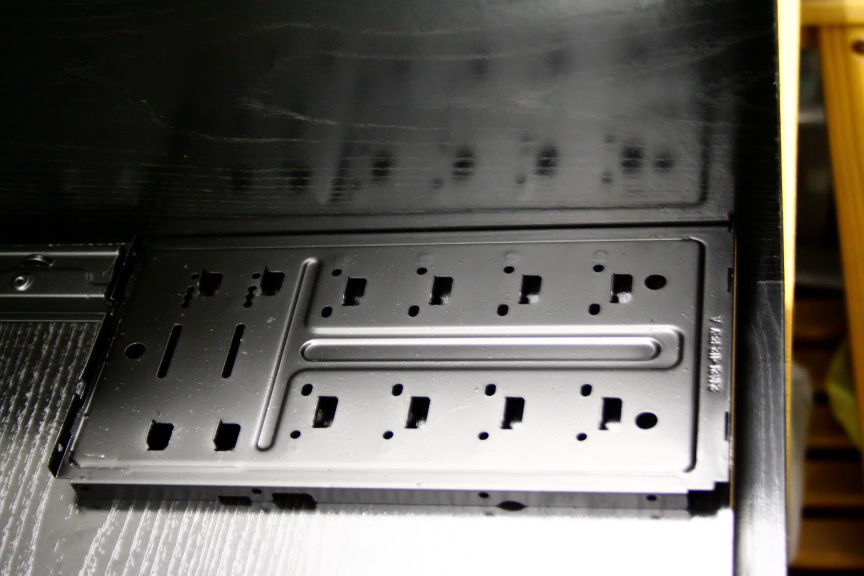
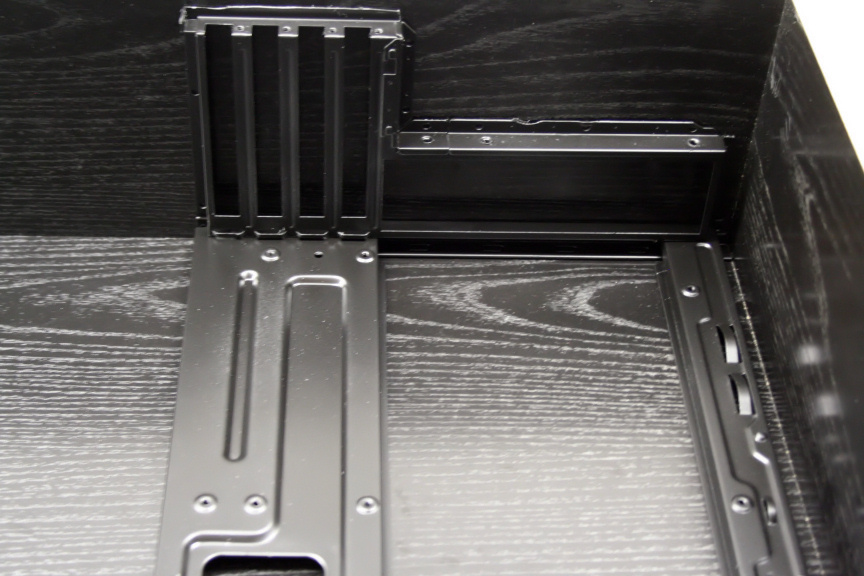
As you can see the colour is quite a good match, unfortunately there was only so much I could do with these old metal parts and it´s most definately not the smoothest paintjob I´ve ever done due to the surface,. if they where smooth surfaces I could´ve just grinded them down but the nature of these parts makes it, not impossible, but not really worth the huge fuss it would take to do so, all in all, I think it looks great (on a side note, the shine and reflection makes it look like it´s not a solid coat, but in fact it has 2 coats and I assure you it´s solid, it´s just the reflections you see in the photos).
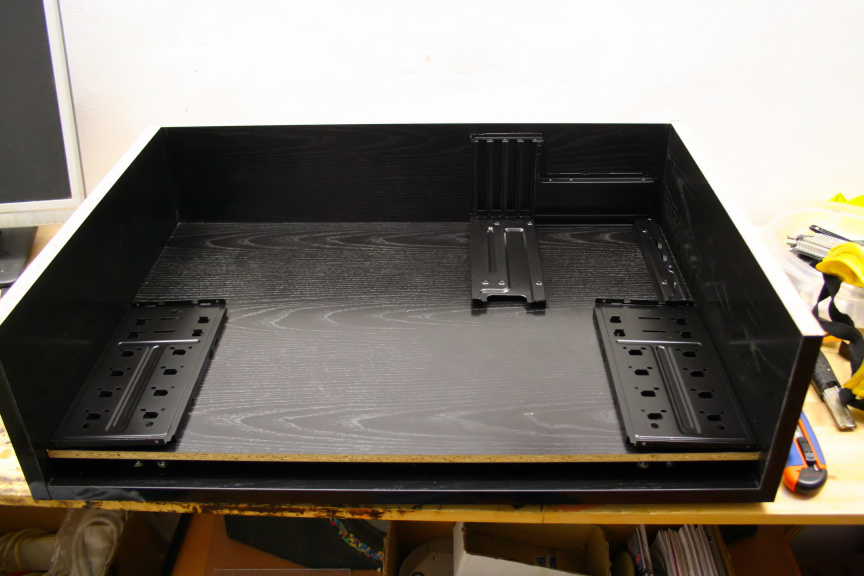
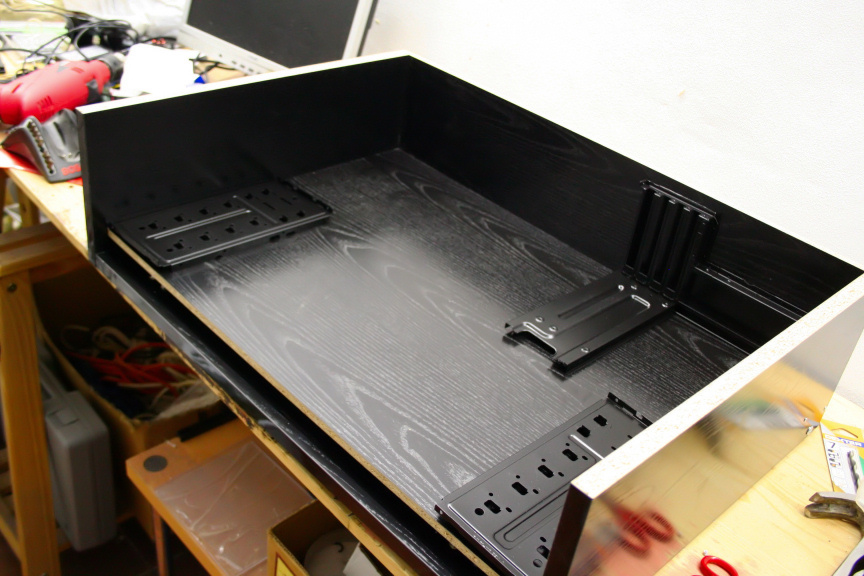
That´s it in terms of work done today, it may not look like much but it took quite a while between the cleaning, experimenting with the paint mixture ratios and the coats (plus the final clear lacquer coat).
I´ve been planning the color pattern I´ll be giving the HDDs as well, it´s going to look quite good if I get it right (I´m aware of the risks of painting an HDD, however if you´ve seen any of my other projects you´ll see there´s a way to do it safely so no worries, it´s never caused me any trouble or damaged drives). I´m thinking tomorrow I´ll be cutting the back for the I/O plate and PCI slots for the first mobo, however I´ll have to wait till the ITX mobo gets here (tuesday or wednesday) before I can measure what space I have and depending on that I´ll know where the fan will be located. I´ll also start checking the 20odd drives I have to see which are in perfect condition and decide which to use. Which also means taking apart the current server and adding 2 3tb drives to the VIA ITX to use as server meanwhile, so busy day in deed!
As always, thanks for reading.
-
Hi Everyone,
Today´s update is a bit late, this is because today´s update is all about hard drives. I (finally) took the server apart (finally finished copying all its files from its hard drives in to 2x 3Tb drives). I knew a couple of its drives where on their way out and I knew for a fact one was dead (just never got round to taking them out as it wasn´t straight forward, I made the mistake when I first put it togueter to not label which drive was what and tagging the cables for easy id. I also went through my workshop and put togueter all the drives I could find (if they where still there it was because when I left them there they where working, but at least a couple of them had been sitting in storage for years. So all in all it was a VERY good idea to just sit down and test every single HDD. In total it was 21 of them. There´s another 3tb and another (not including one of the 2 3tb drives I used for backing up the server) 750Gb drive, these 2 I use in my day to day PC, the 750 for documents, photos, music, etc and the 3tb for essentially steam, origin, desura and non-platform dependant games. So, in total 21 drives which are avaliable for the server. Out of these 21 I had to choose 11+1 Optical media (6 through mobo ports, 2 through PCI-E card, and 4 [2sata+2ide through another PCI card]) and then another extra drive for the secondary ITX board.
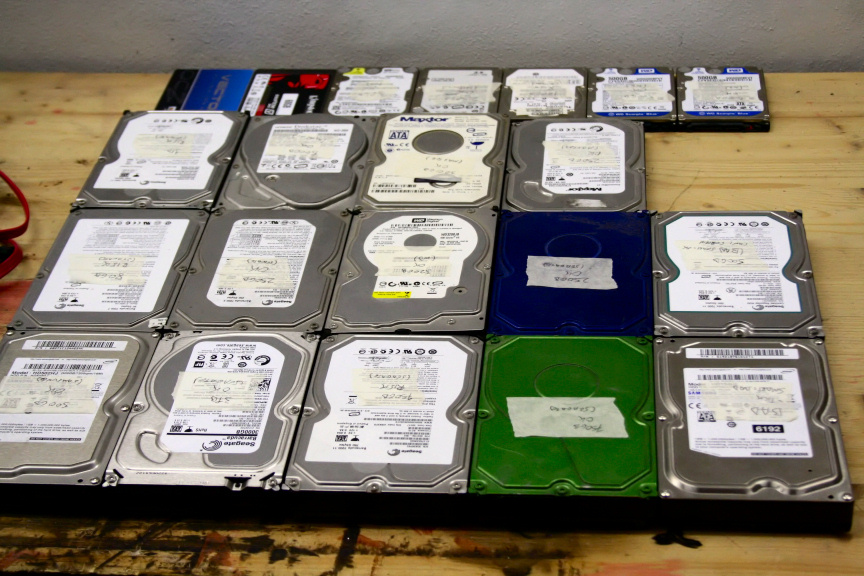
First I used Speedfan (SMART tab) for basic SMART status, straight up, 2 failed (badly). One was actually "OK" according to SMART but, part of the test I was doing to all drives was deleting their partitions (if any) and giving them one sole partition per drive (taking all space avaliable on each drive). 1 of these 2 drives simply would not format. To make sure I tried through diskpart and then again through Ubuntu (as opposed to Windows 7), nothing. The second of those two had the dreaded nasty clicking sound and mobo simply would not even recognise it. So that´s 19 drives left that, according to SMART are "OK" after giving each and everyone of them an "extended test" through Speedfan. I also removed the OCZ 120Gb SSD from the list, because I´m still not sure I want to use that for the ITX OS, though while I write this, I´ve decided I will, no point buying another 60Gb SSD simply so I don´t need to use that 120Gb which I´m not using for anything else aniway.
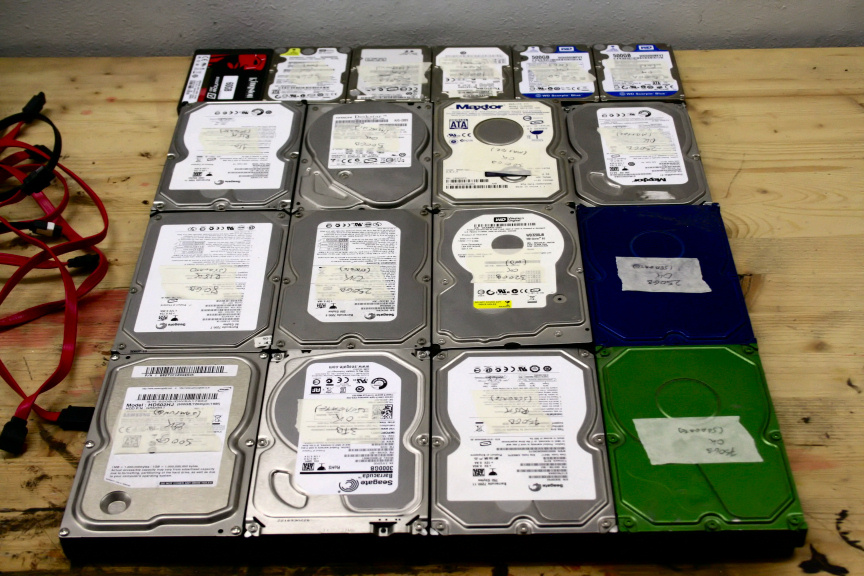
Secondly, and after stressing all those drives, I tested them through Crystal Mark (Crystaldisk). Out of 19, 4 displayed in yellow (RISK), all 4 had the same reason, max allowed number of unallocated sectors (100+), but in terms of fitness they where OK, but for the sake of elimination, I´m putting them aside (the 4 on the right).
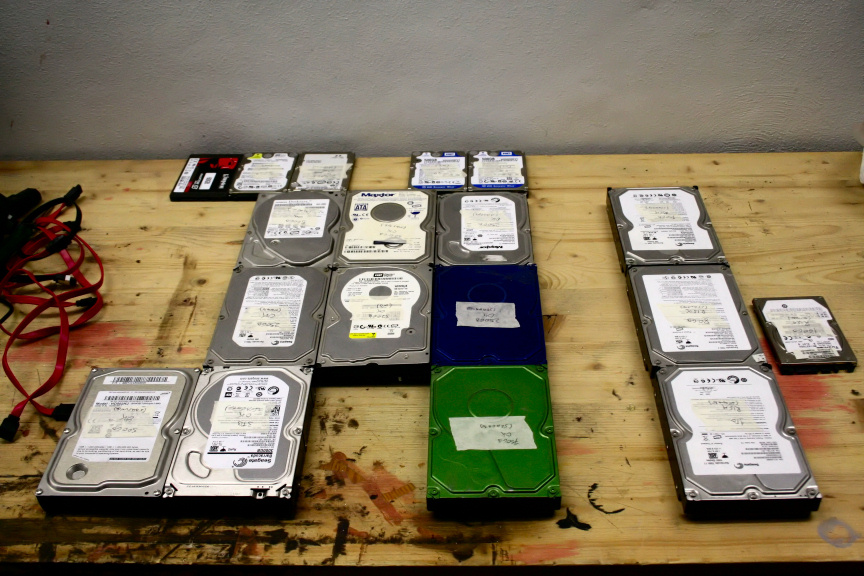
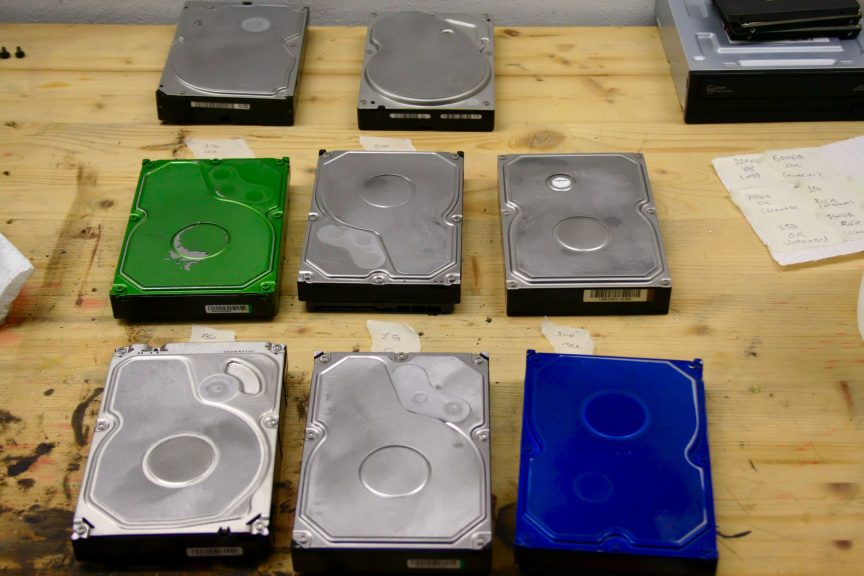
The remaining 15 passed with flying colors (if you´re curious about the green and blue drives, They where used in previous projects, which is the why of their color
. Out of those 15 I chose 10 HDDs, 1 SSD and 1 CD/DVD RW drive, making a total of 10 sata devices and 2 IDE devices. Why they IDE you may ask? Simple, I have 2 500Gb IDE drives that seemed like a waste not to use and found a cheap PCI card that included one IDE port (so, 2 devices with a dual-connector IDE cable) and 2 SATA1 connectors (which while very speed limited, it´s not a big deal, I´ll be using those drives for cold storage). for 13€ (18USD give or take), so here is the final selection.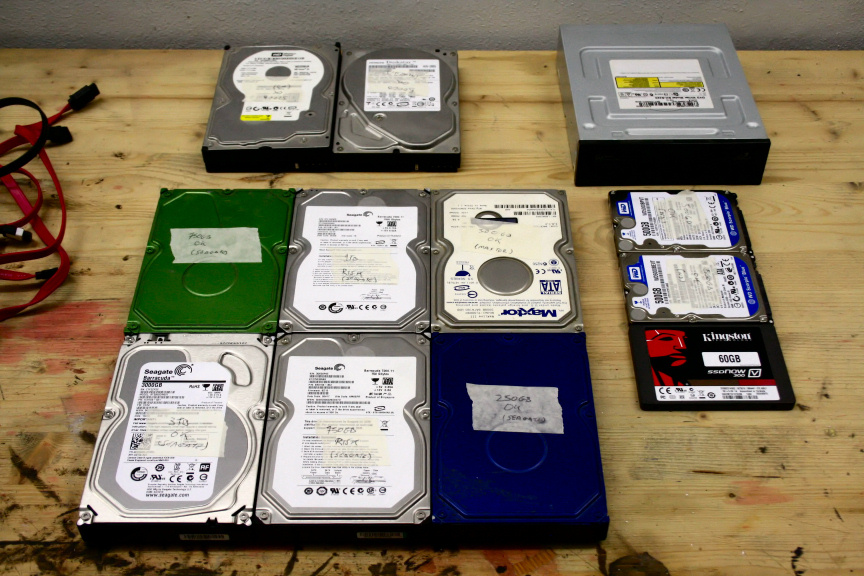
Have in mind all these will be going on the M-ATX mobo, the extra SSD for the ITX mobo is missing from these pictures. As to why only one drive for the ITX? Simple, the ITX mobo is low power consumption (quite low actually) and is the one I´ll be using for overnight downloading, so all it needs is the one drive, files can then be moved through network to the M-ATX storage.
The next step is to prep them for customizing, so, stickers off! (Notice the note on the right letting me know which drive is which by mantaining the order).
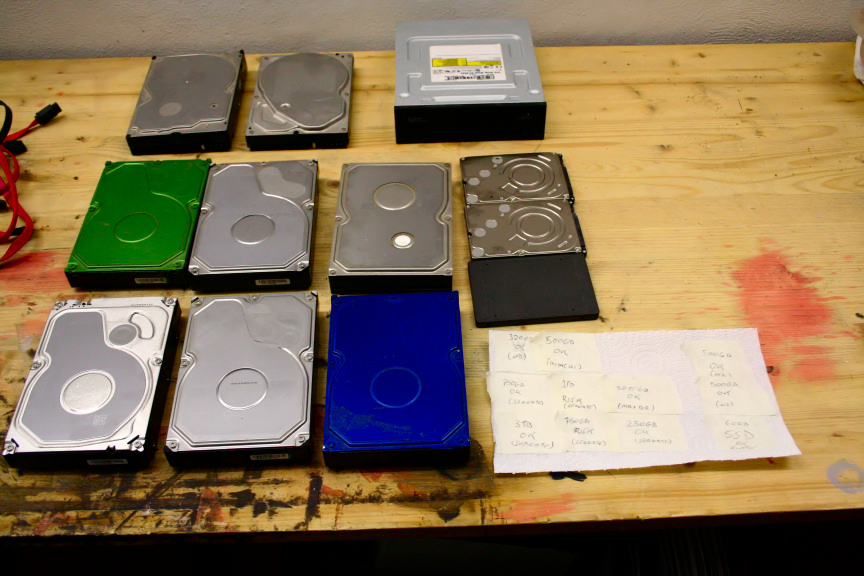
These drives need some serious cleaning before anything can be done but at this point is was very late (or early depends on how you see AM hours) and did not feel like doing that then. I could however not resist mounting them to see how it will look in place so I added a little note to each drive so I don´t loose the order (to knoe which drive is what) and mounted them. So here goes (note that the extra SSD for the ITX will be located in that empty slot in the rack on the left).
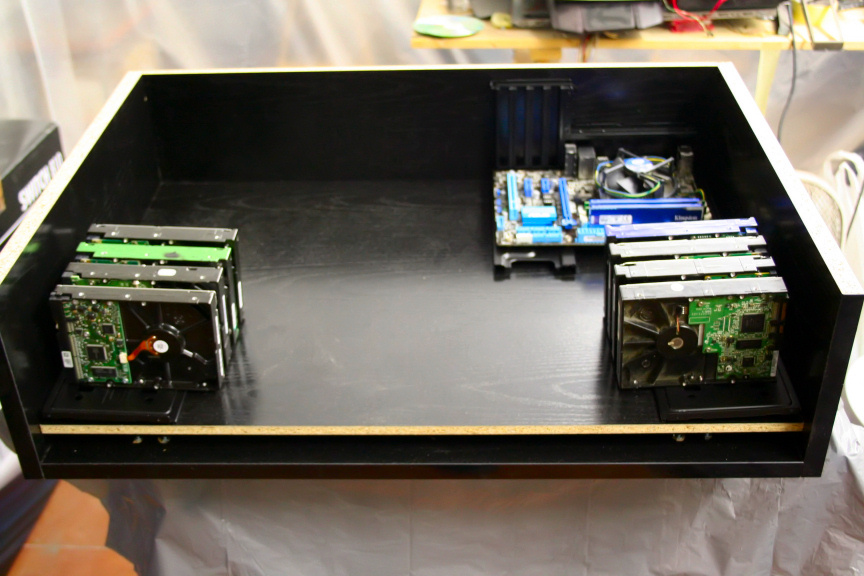
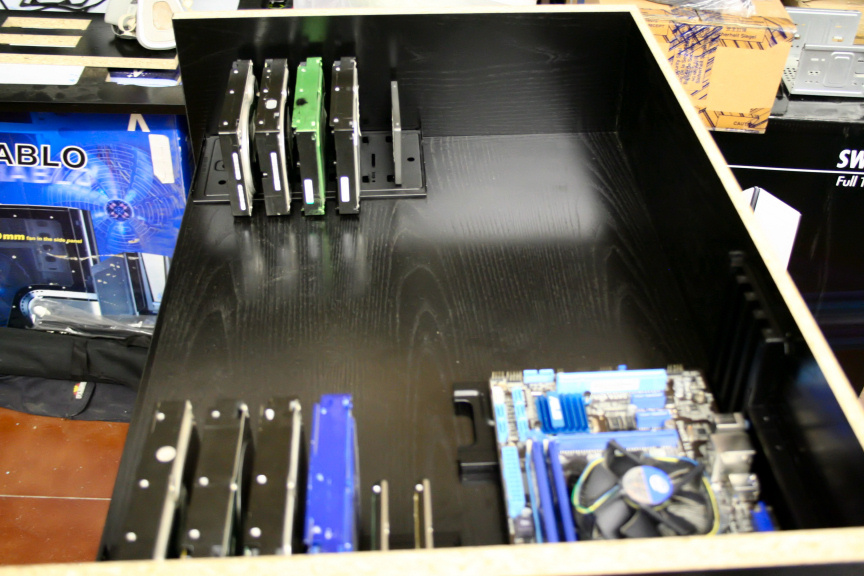
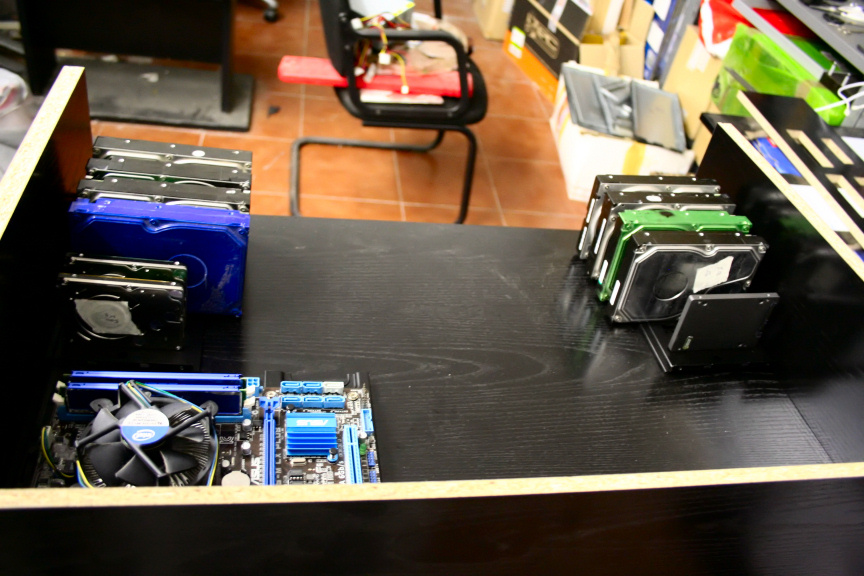
As planned, they are located just underneath the extraction 200mm fans.
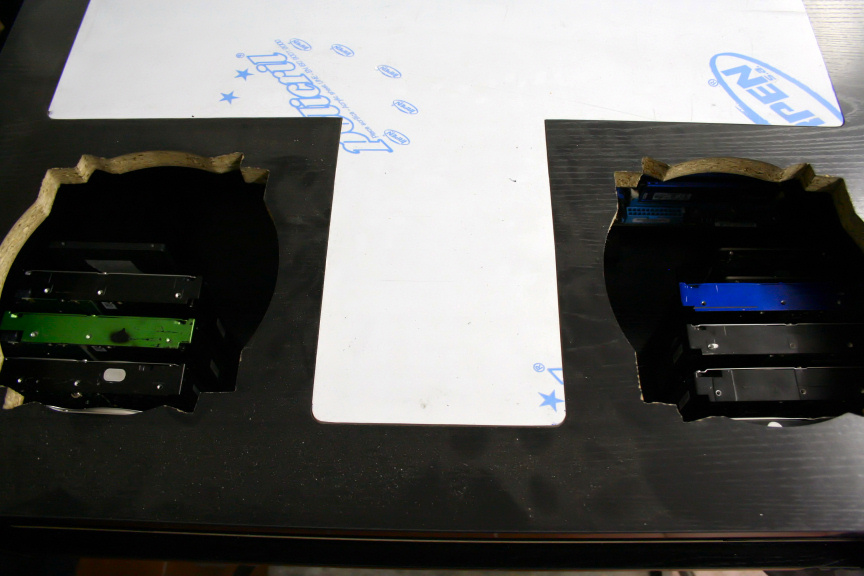
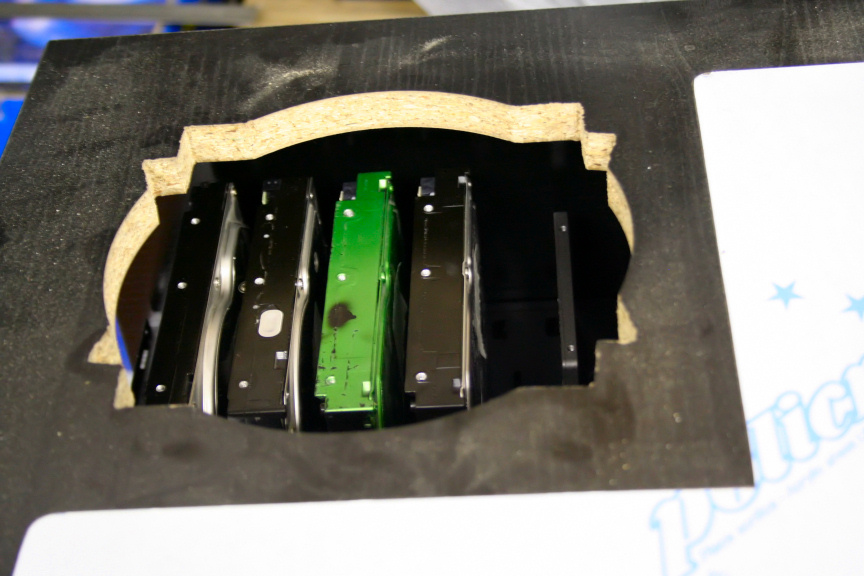
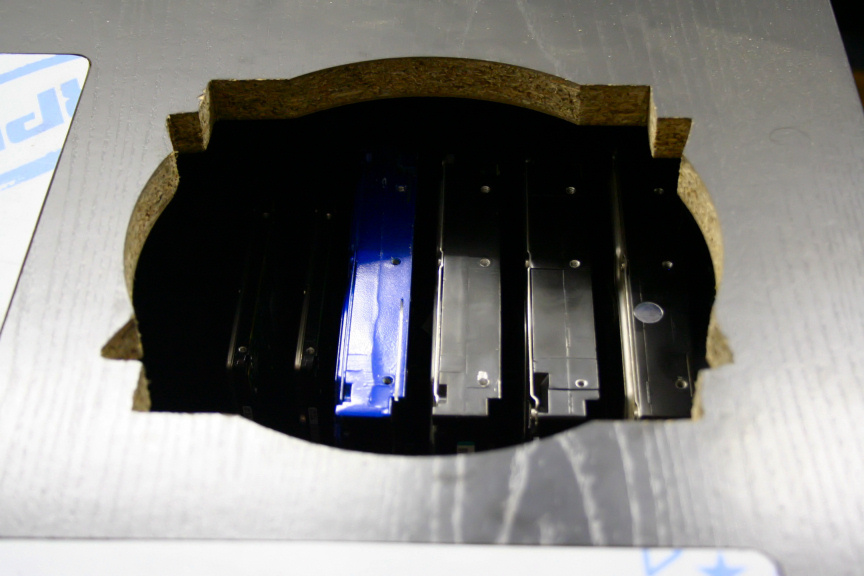
As a last note, I was planning on shaving the mounts off so they´d sit straight on the base, but I kind of really like that little inclination, what do you think?
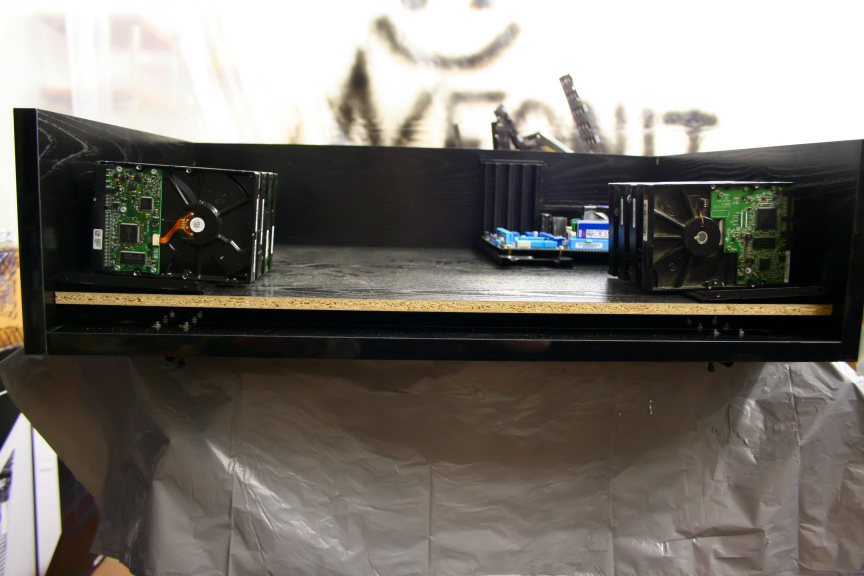
Also, remember I was worried about only attaching the drives on one side (2 screws per drive) due to vibration? Well as it turns out, when the screws are fully on, the drives don´t move/jiggle at all so I´m thinking it´ll be ok. Worst comes to worse, I think instead of adding another mount on top I could simple add 2 metal stripes per mount on top to add further rigidness to the drives without sacrificing aesthetics (I may do that regardless, I´m liking the concept in my head).
Well, that´s it for today. I know today´s update was just about hard drives and not much visually done (at all) to the actual inside (did you notice the M-ATX mobo is in!? And no, that´s not the heatsink that will be used, it was simply what was on it) but it´s just one of those things that takes a long time if you want to make sure you put in the right drives out of what you have. Anyhow, as always...
...thanks for reading!
-
waiting for next step
-
Hi Everyone,
Continuing on yesterdays update, today I removed all the grit and dirt from the hard drives and got them ready for paint. Most of them are seagate which do not normally have a breating hole up top and this makes it easier, for WD and other drives that do normally have them, really the safest way is to cover that whole with masking tape, once the rest is painted, paint carefully around it by hand, not as great of a finish but it´ll do the trick. It goes without saying that if you want to do this, you really have to be carefull and cover up all the sensitive bits in a hard drive, including plausible openings.
I started with the paint and while I wait for the first coat to dry I received a package! And here it is, the ITX, secondary board.
After the second coat, the color coat, detailing the WD drives, and lacquer, here is the final result of the hard drives (excluding the 2.5" drives which I haven´t done yet).
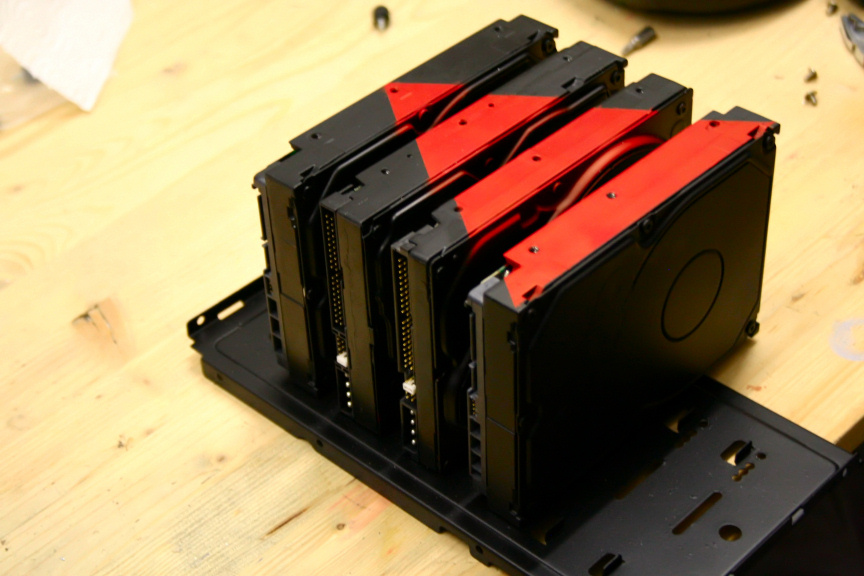
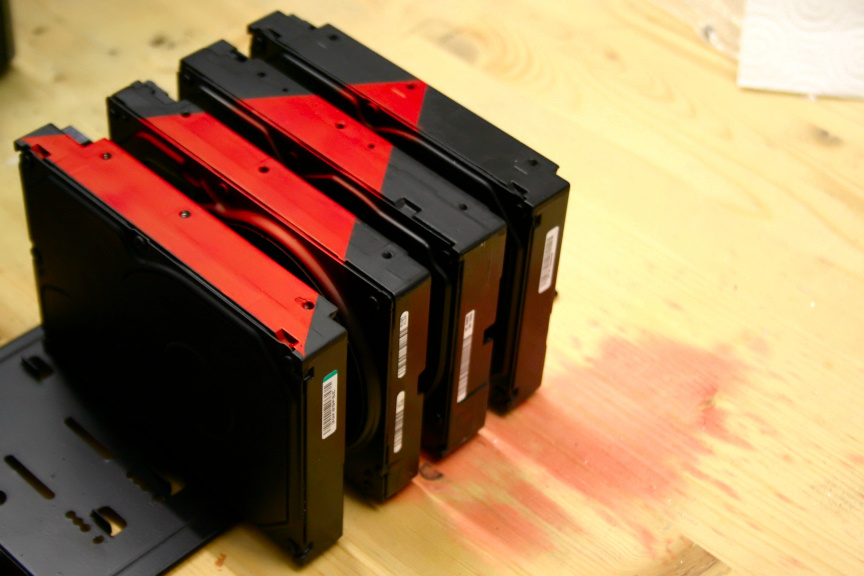
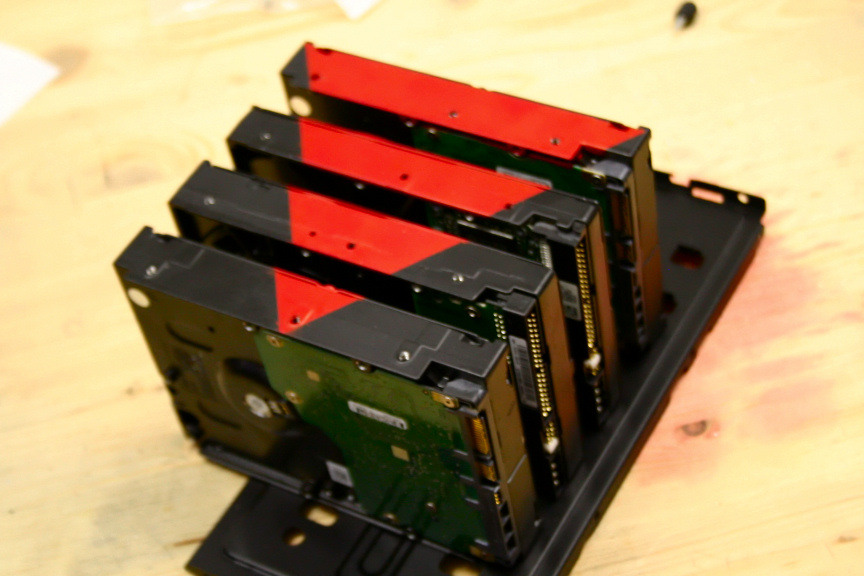
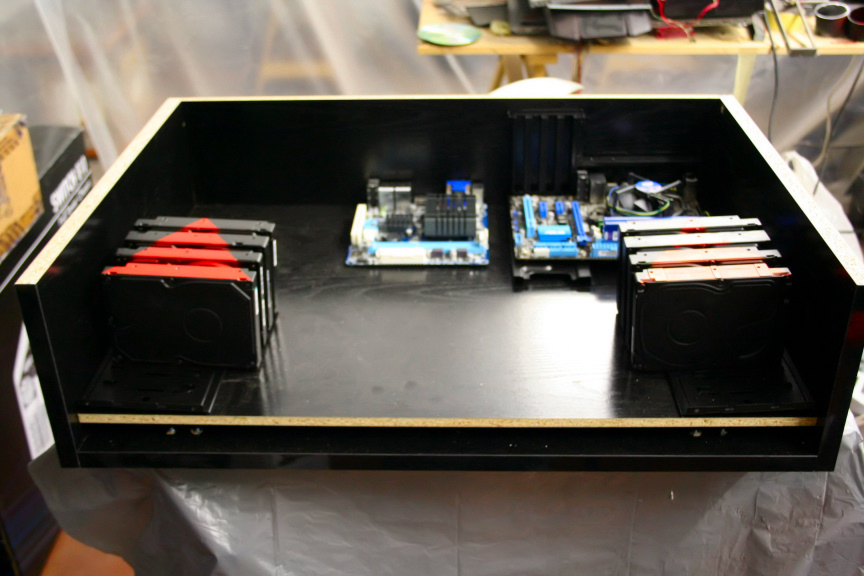
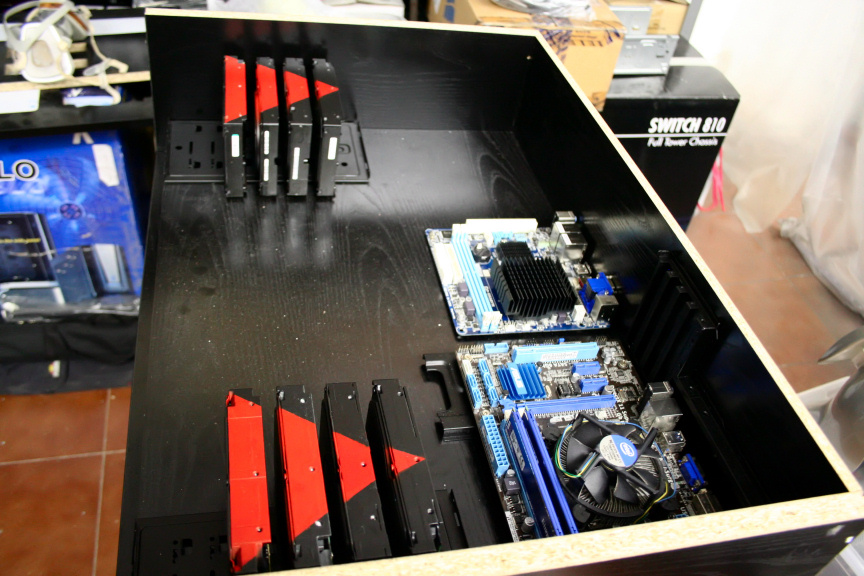
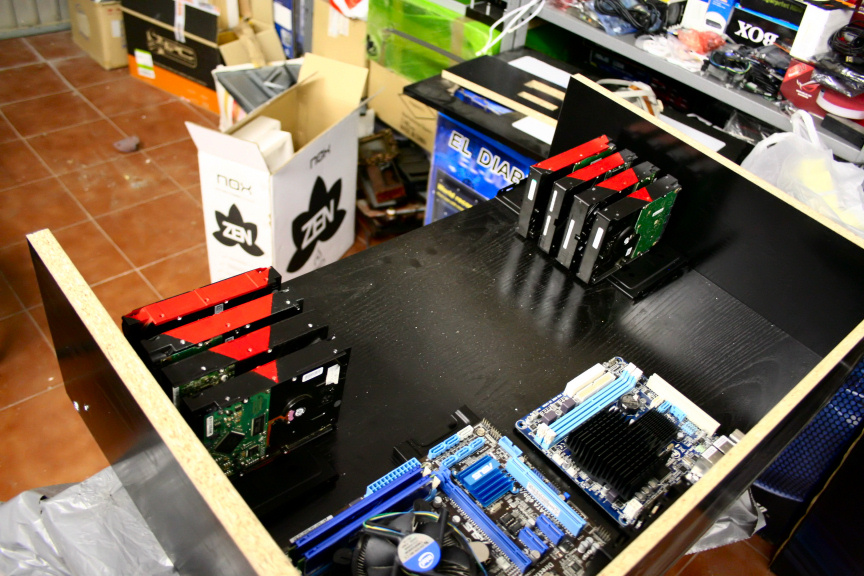
And that´s it for today folks, my feet ache and as always...
...thanks for reading!
-
Hi Everyone,
So it´s been a couple of work hectic days so I haven´t been able to do anything but today, I had a couple of hours free so I thought I´d do something I thought about. If you remember, in previous posts I was concerned about the vibration the HDDs would have considering they are not attached through one side, and while they do seem pretty solid/stable, I couldn´t help think it just isn´t enough. So I played around with a couple of ideas but none of them quite did it for me until I thought, plexy! So here goes.
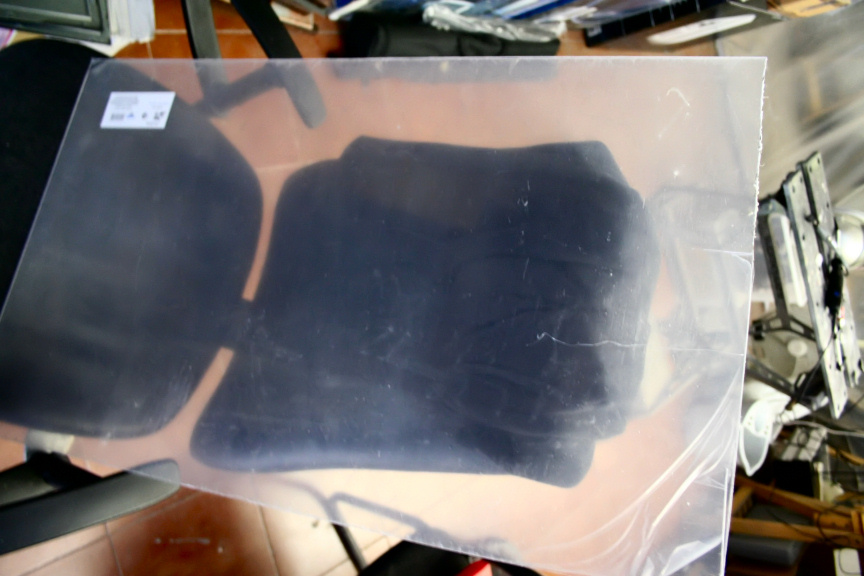
Cut out two pieces after measuring it all up and did the mounting holes.
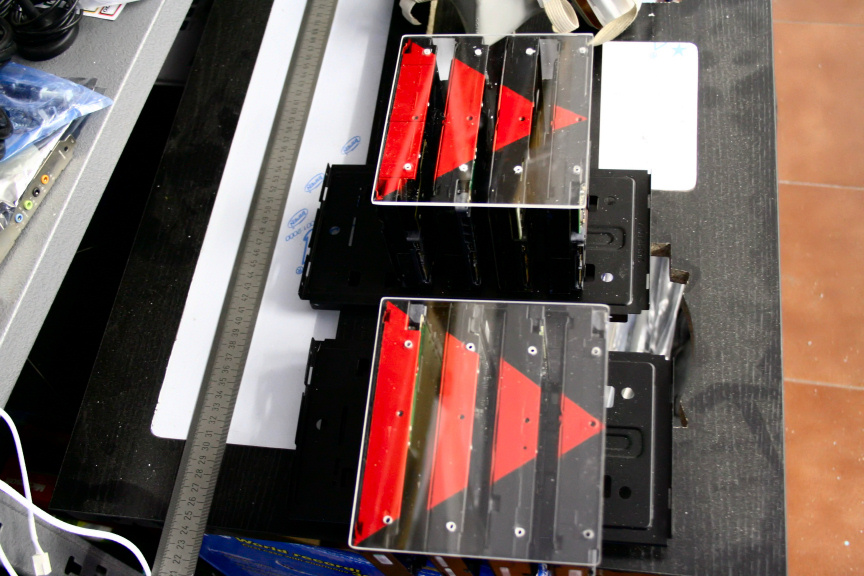
I think I will need to do 2 more smaller pieces for the 2 2.5 hdds on each side, but that´s for another day. Anyhow, screws in.
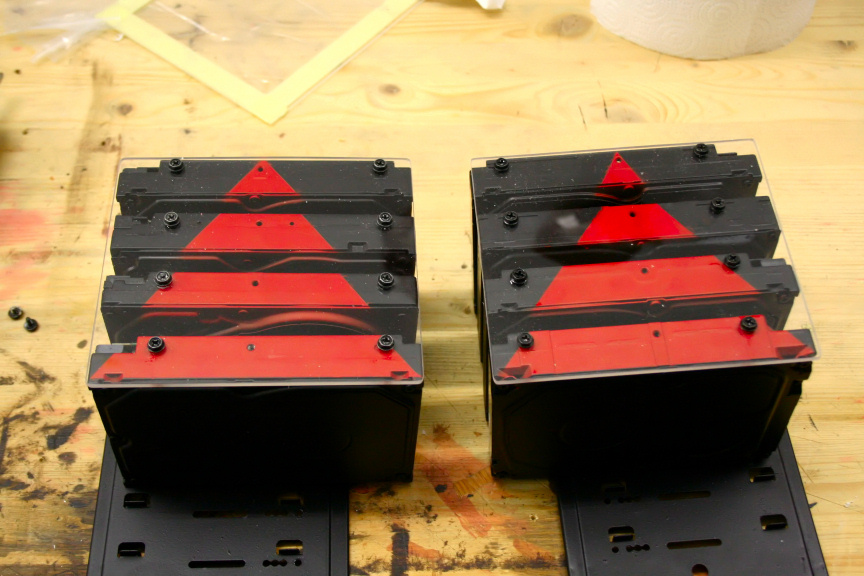
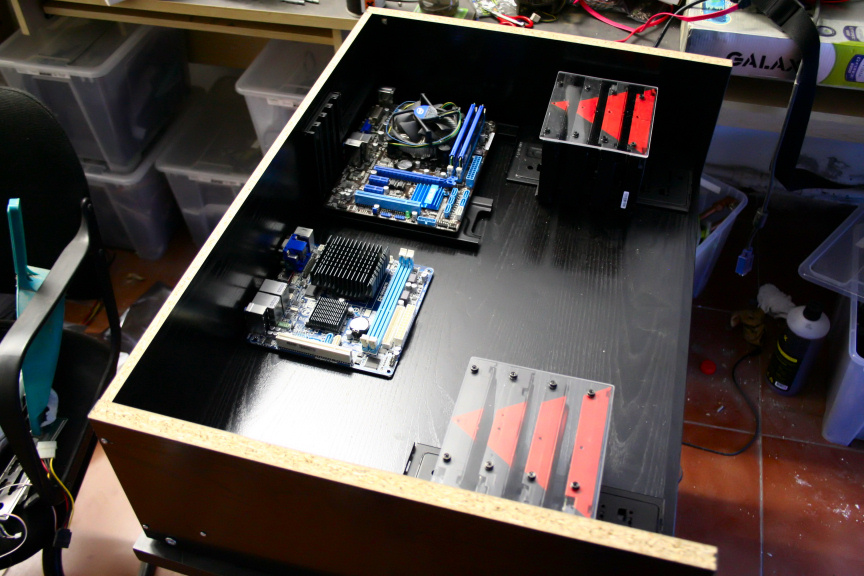
I like it but.. there´s something missing... I know! A small led would really add to it, have in mind in the following picks, the led is held in by a bit of tape, Obviously this isn´t how it´s going to remain, it´s just for testing
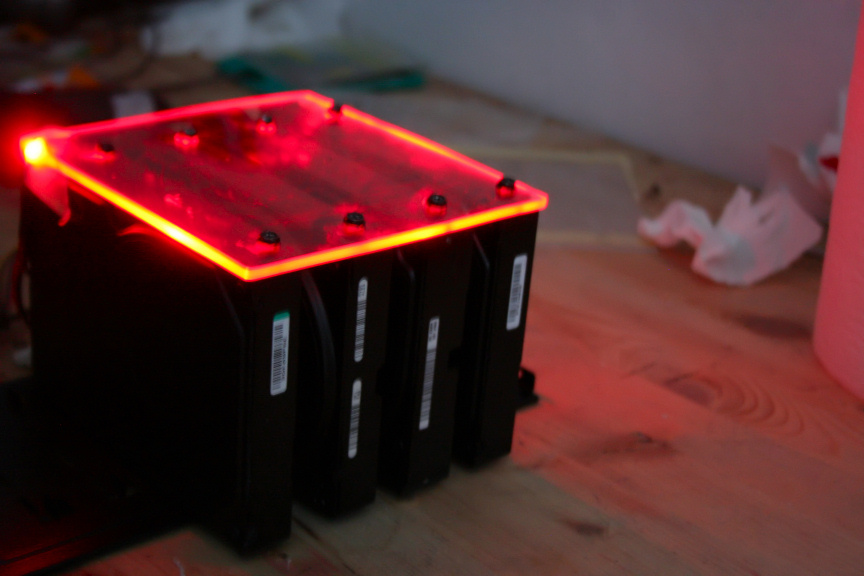
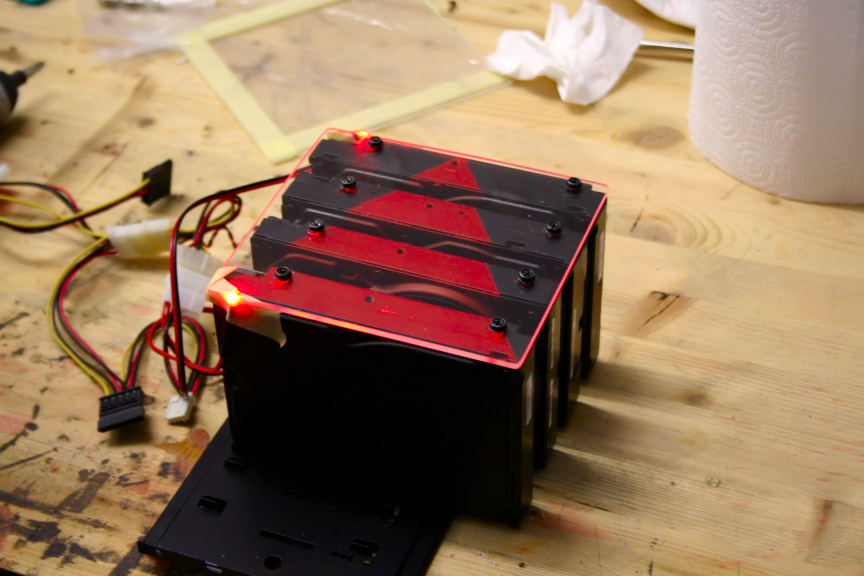
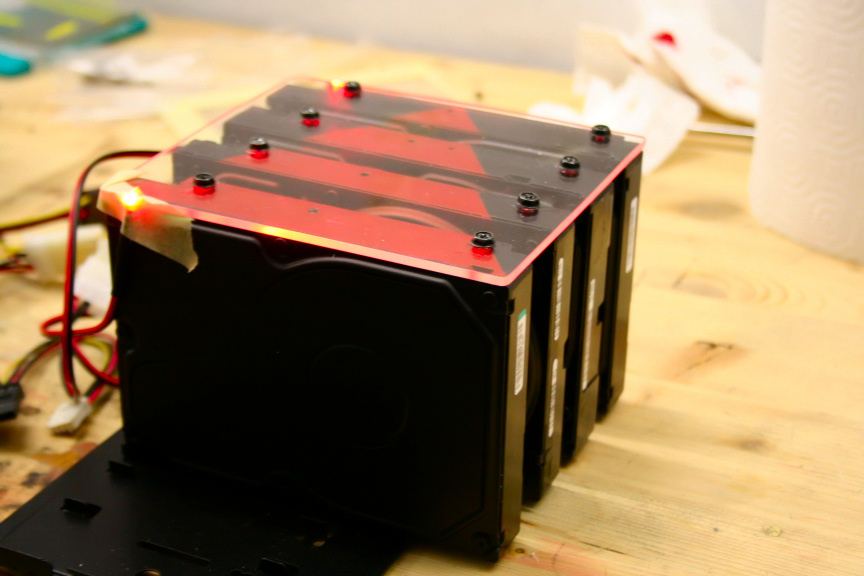
Love it. The downside of course is that the disipation of heat provided by the fans on top is dimished a bit as now all the hdd heat will leave by the sides since the top is blocked, but I think it´s a decent trade-in. And well that´s all for today, should be able to do a fair bit this weekend (fingers-crossed), and as always...
...thanks for reading! (Oh and, happy weekend-ing everyone!)
-
look is so good
Ciao! Sembra che tu sia interessato a questa conversazione, ma non hai ancora un account.
Stanco di dover scorrere gli stessi post a ogni visita? Quando registri un account, tornerai sempre esattamente dove eri rimasto e potrai scegliere di essere avvisato delle nuove risposte (tramite email o notifica push). Potrai anche salvare segnalibri e votare i post per mostrare il tuo apprezzamento agli altri membri della comunità.
Con il tuo contributo, questo post potrebbe essere ancora migliore 💗
Registrati Accedi