
[ENG] Intel Core i7-3960X with GIGABYTE G1.Assassin2 Enthusiast Platform Guide
-
Power Consumption Test
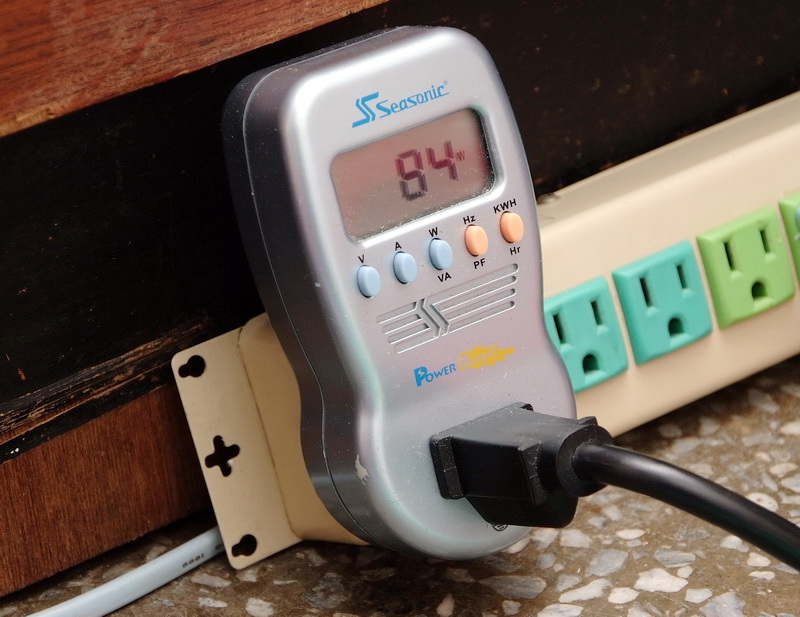
Enter to OS Desktop - 84W
CPU full speed by LinX - 192W
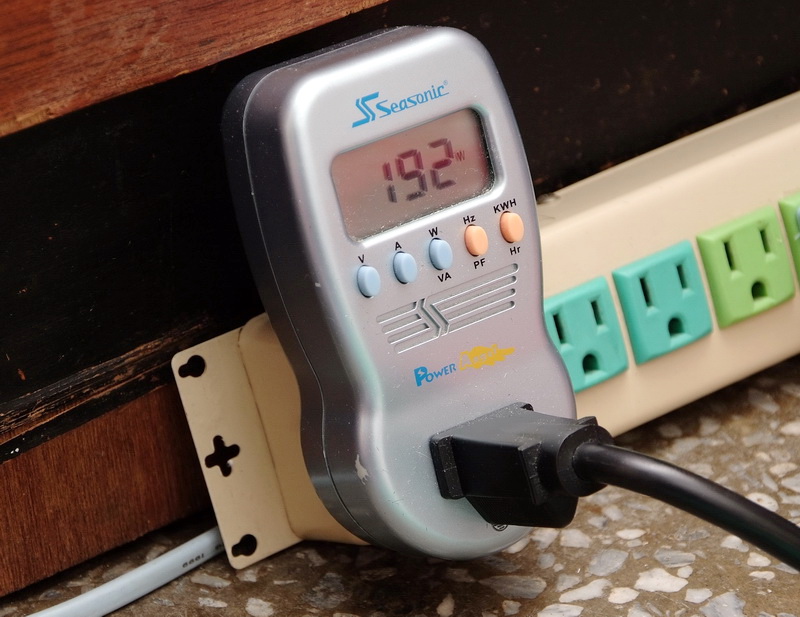
After stability test for a while and fixing CPU voltage at 1.135V, C1E mode make CPU voltage vibrate between 0.800 to 1.240V as CPU clock changed.
This voltage only increase 3W in OS desktop but lower 30W in full speed which make full speed power usage be more efficient.
GIGABYTE BIOS spec in UEFI technology in X79 series.
The main screen has 2 parts, this is different with other UEFI BIOS.
First interface is 3D BIO. The GUI is using product outlook.
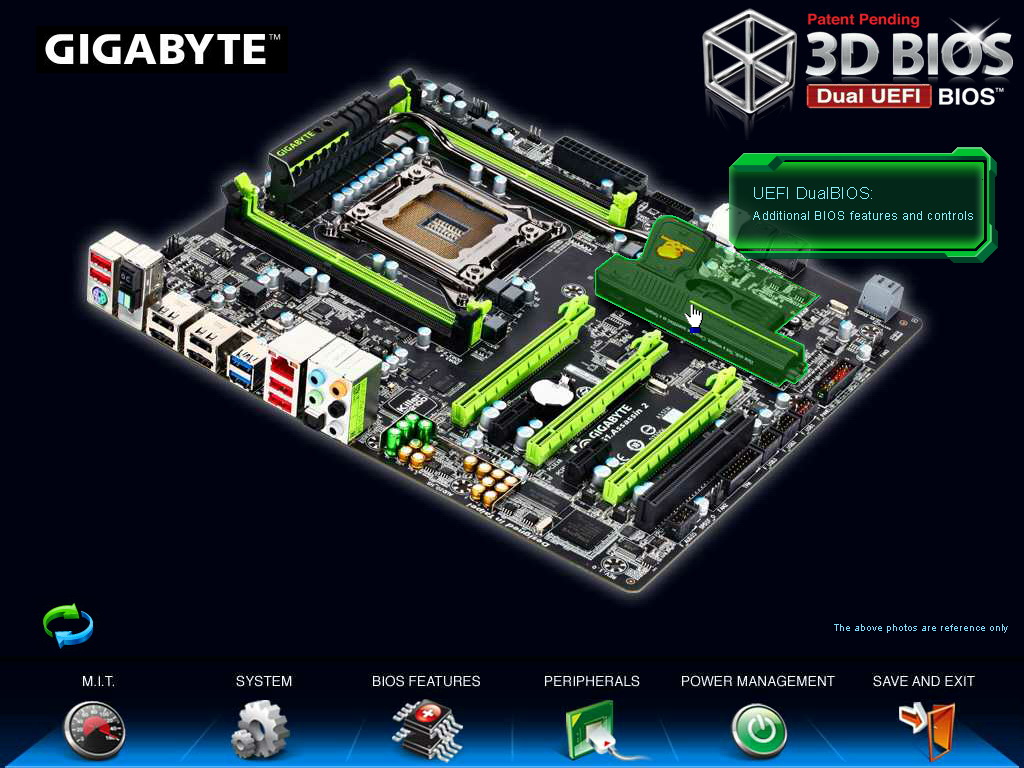
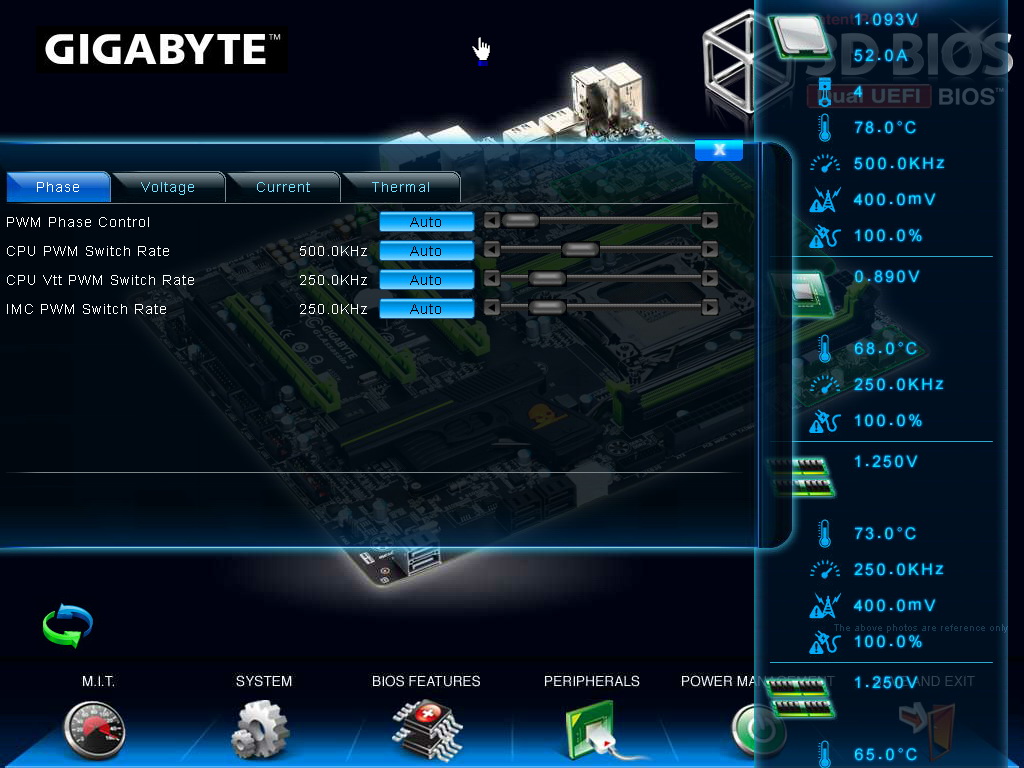
Users can move mouse cursor to hardware part, and enter to frequency or voltage setup.
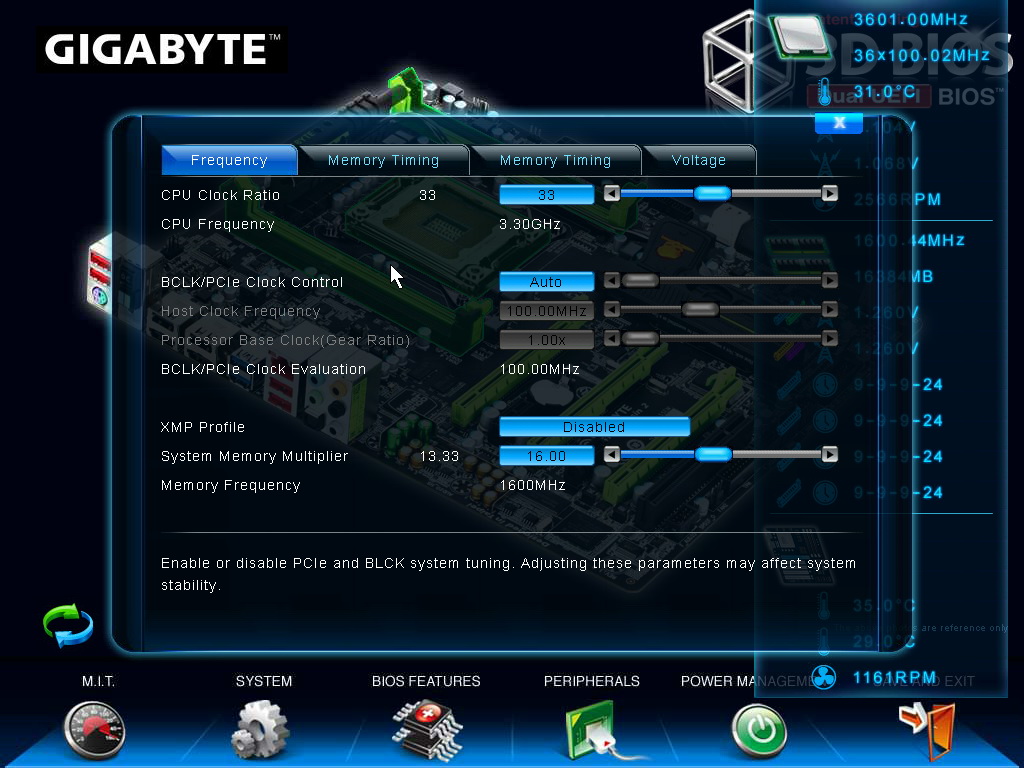
Click in PCI-E/PCI part screen.
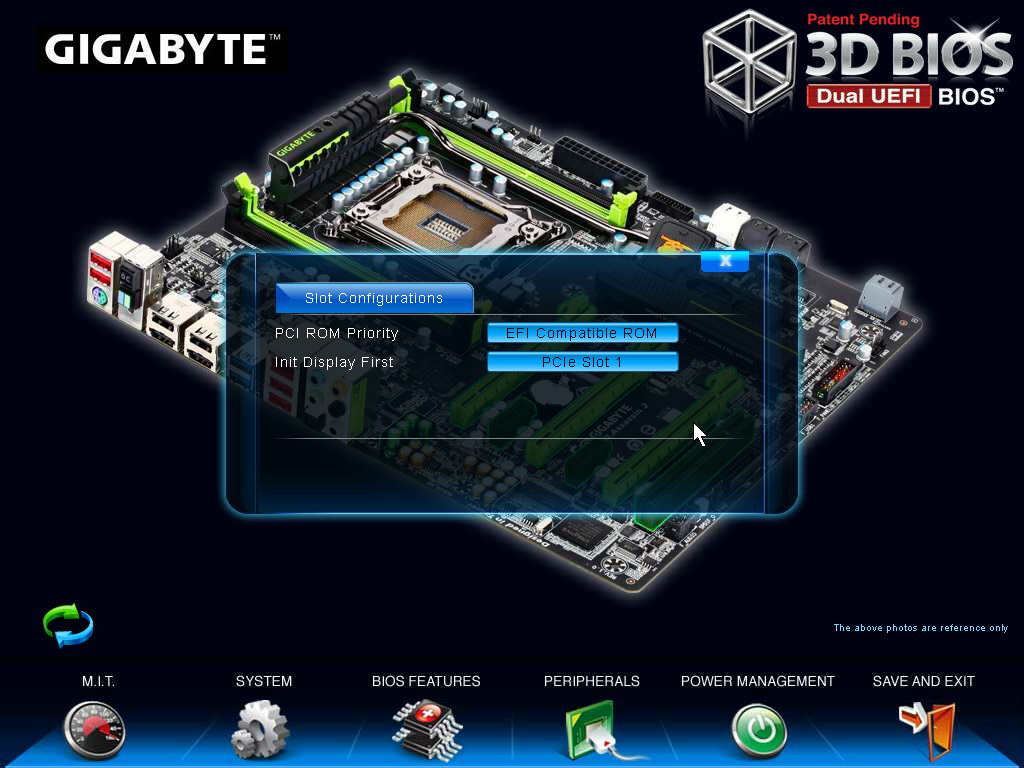
Lower-left corner rotation logo can rotate MB angles.
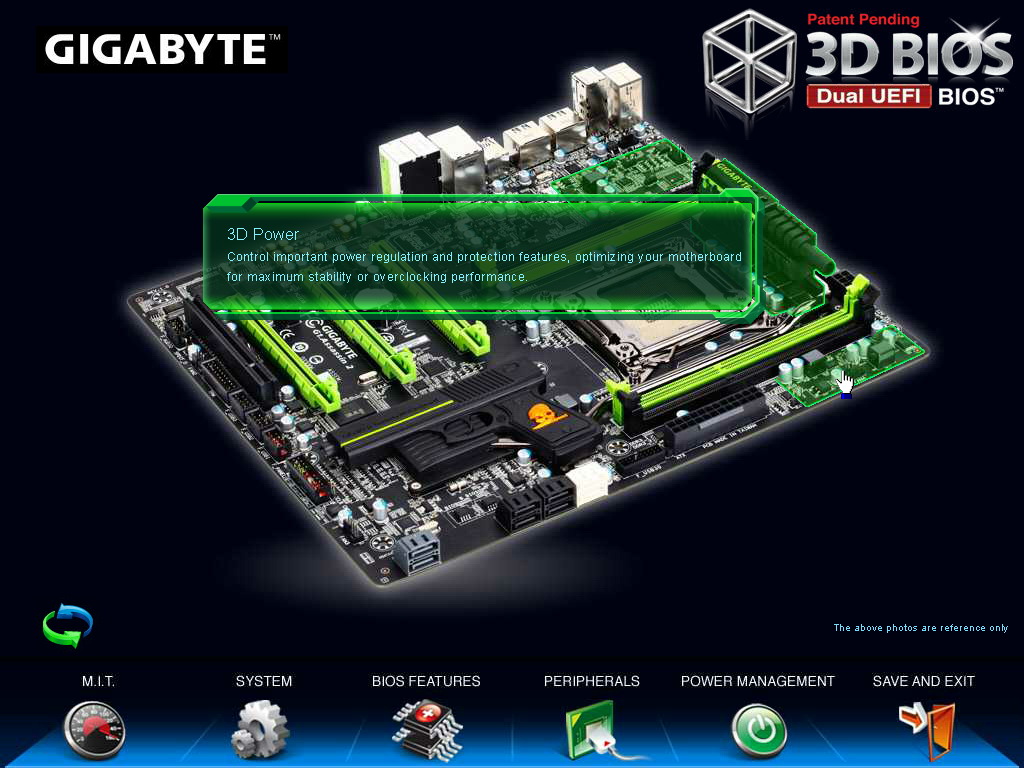
This interface is more fit GUI and user can understand the system status easily.
Press ECS to shift to normal UEFI page.
Even though transferring to UEFI, the items are almost same to old BIOS. Users have no adaptation issue.
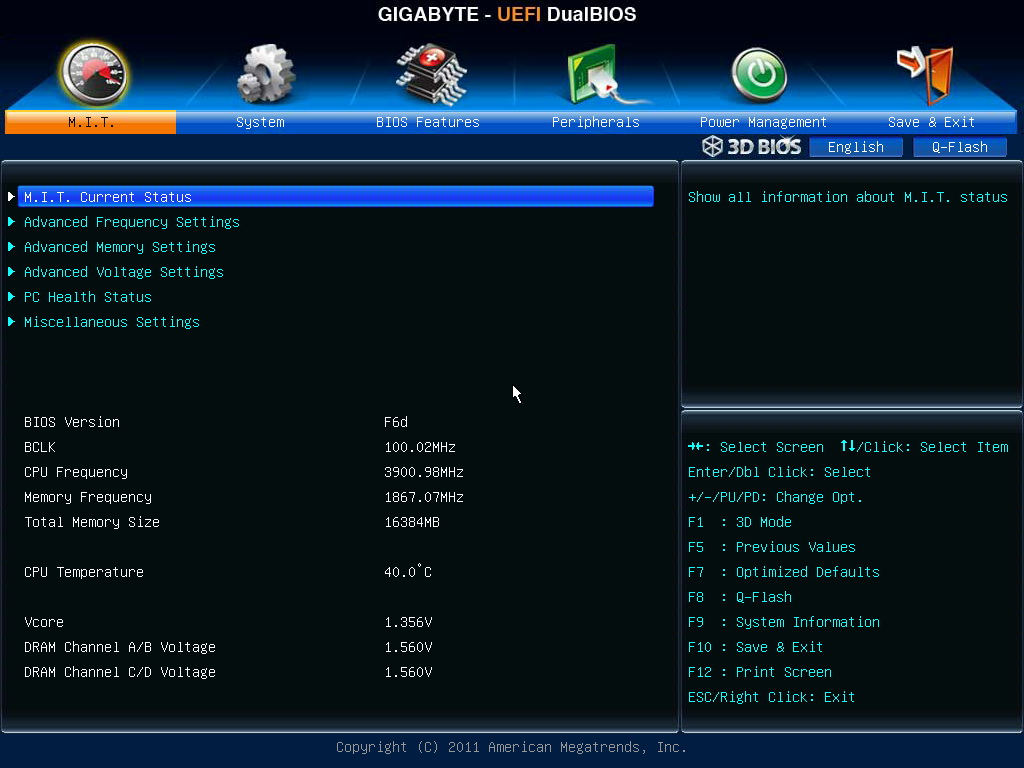
Below is windwithme setup in OC mode. First of all, the CPU ratio adjust to 45.
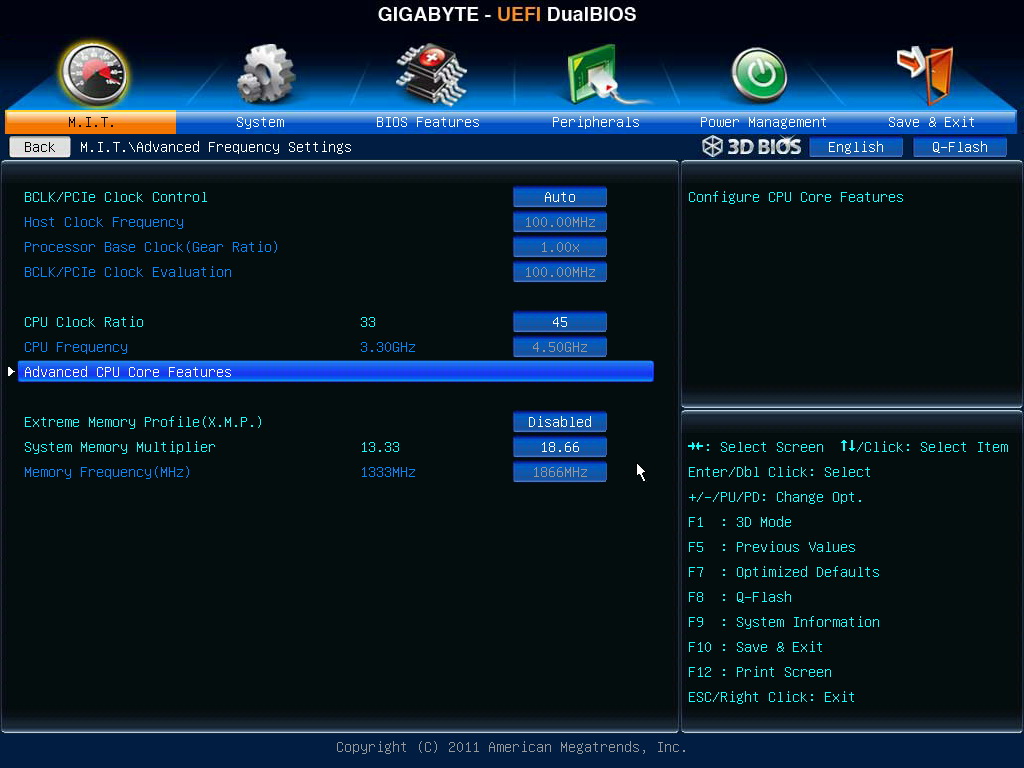
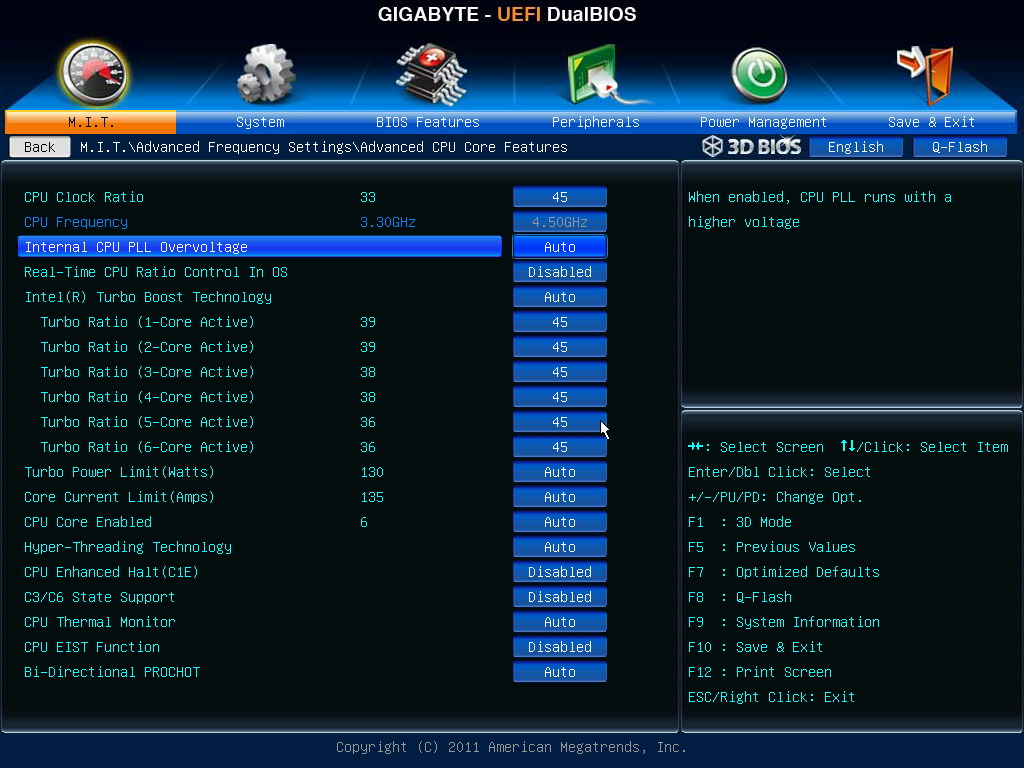
Advanced CPU Core Features
You can adjust individual core ratio and choose how many cores you want.
C1E is power saving mode. Intel Turbo Boost is opposite C1E. CPU speed will increase by loading status.
-
Advanced Memory Setting
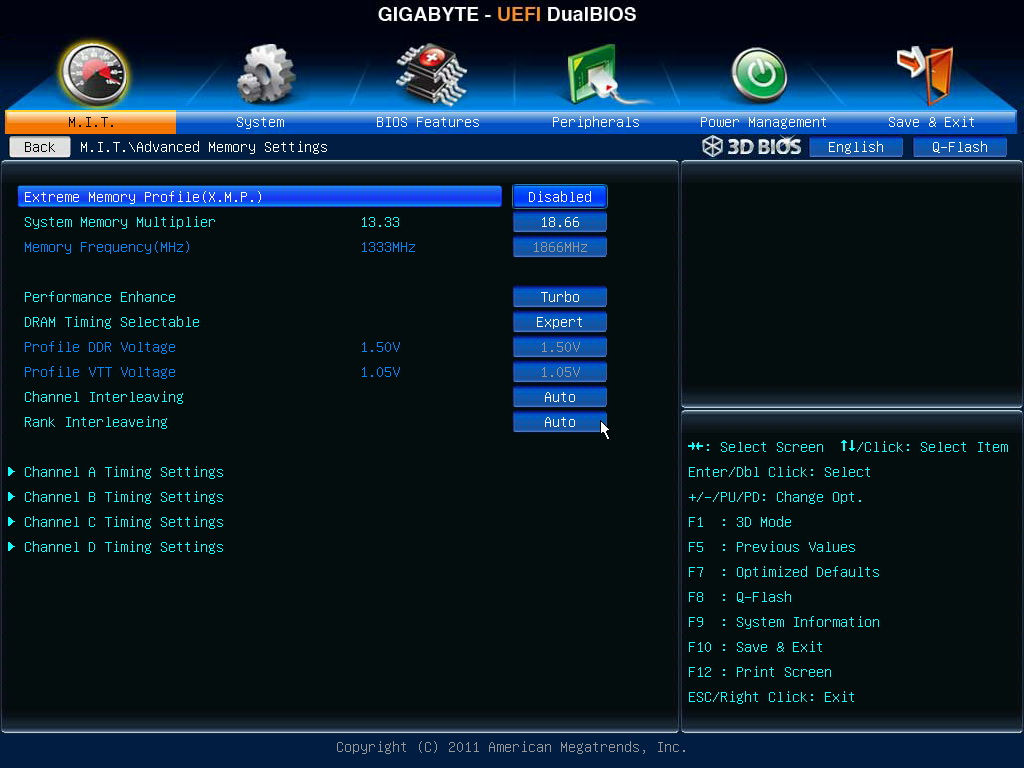
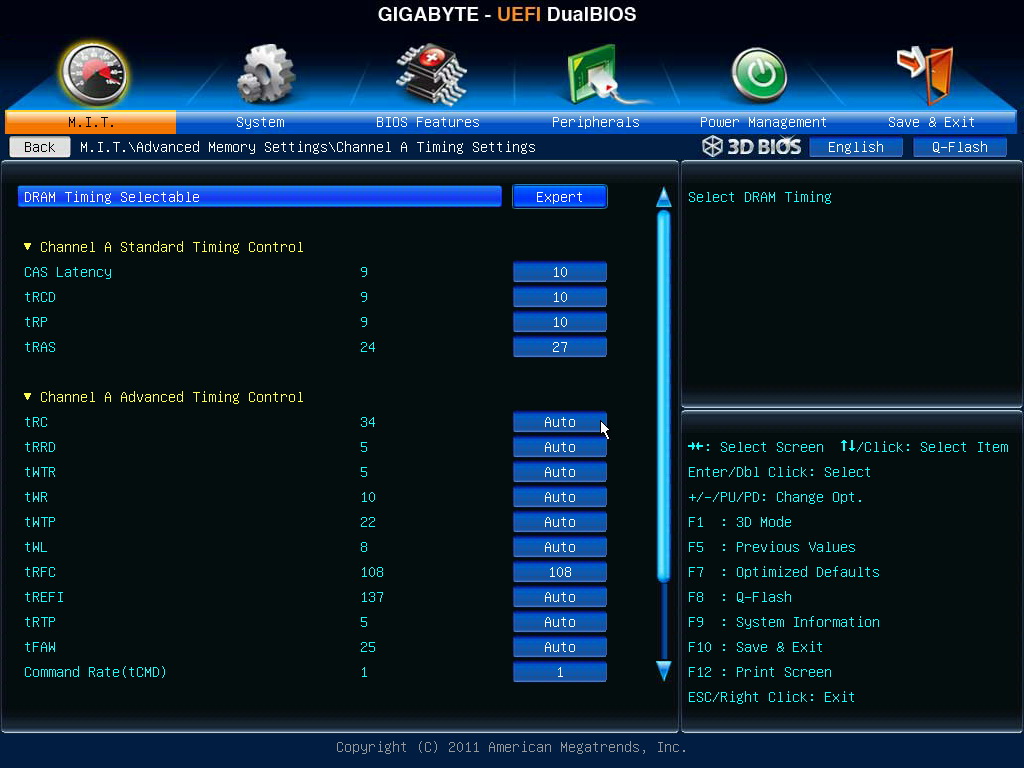
Due to it is quad channel, you can set Channel A/B/C/D.
I do suggest GIGABYTE can add one more option to setup all channels at once. It will be more convenient.
3D Power Control, I don’t change any items here.
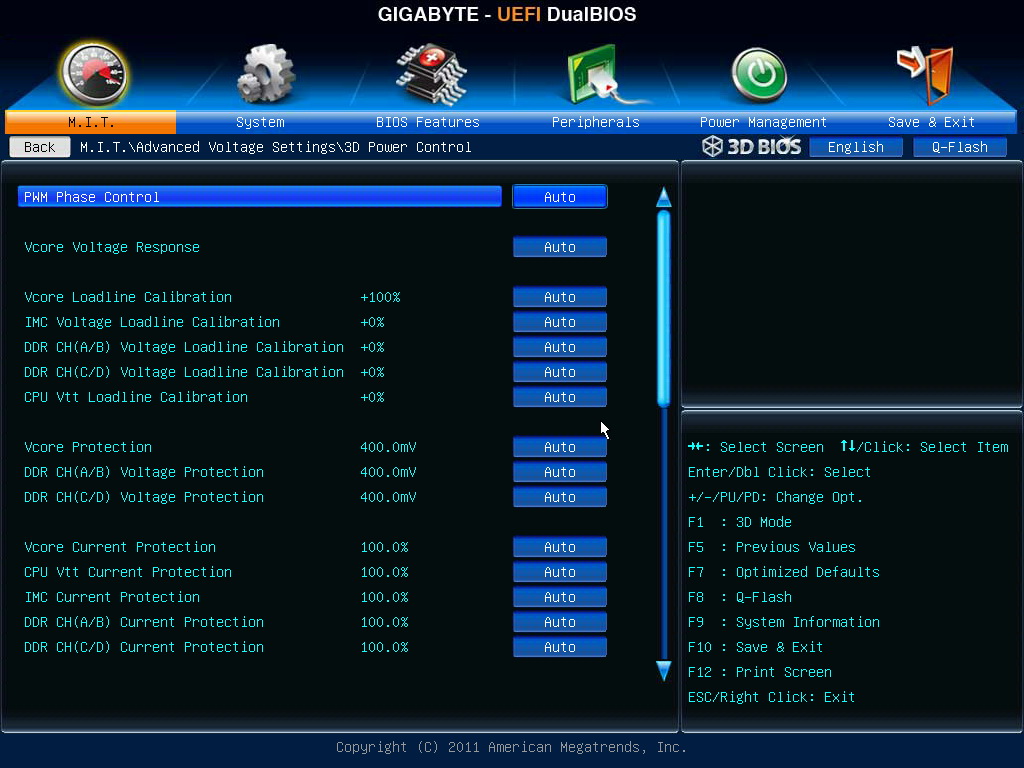
Very rich voltage items for enthusiasts to fine tune the system.
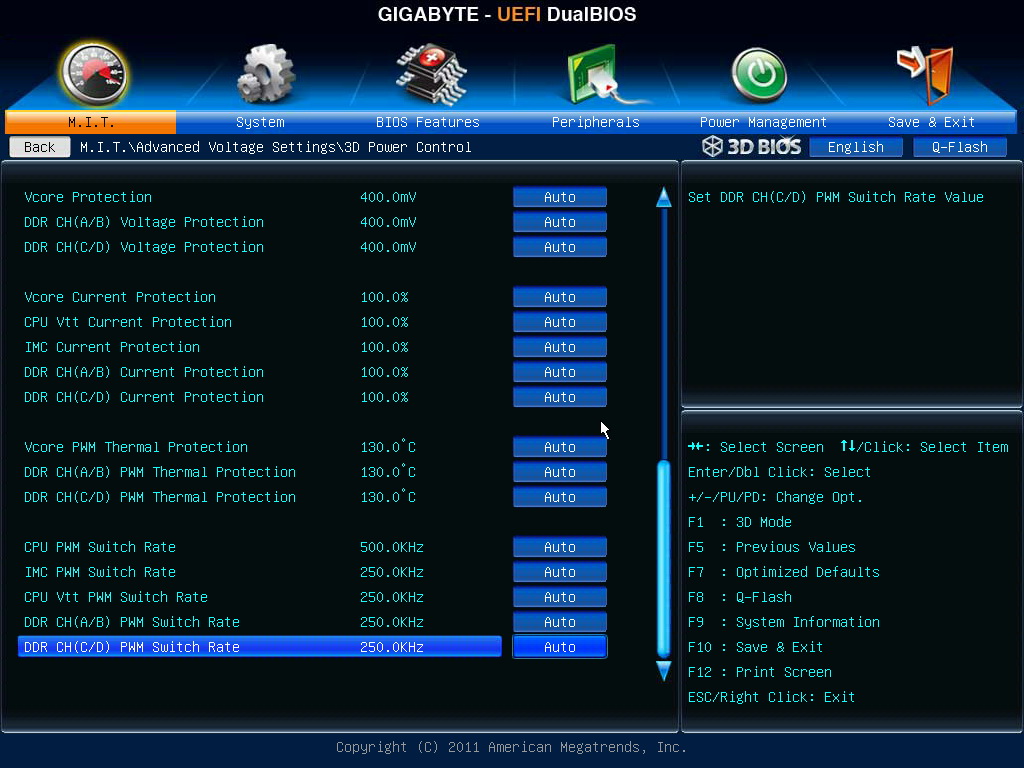
CPU Vcore 0.800~1.735V
CPU Vtt 0.865~2.075V
CPU PLL 1.195~1.985V
IMC 0.665~1.835V
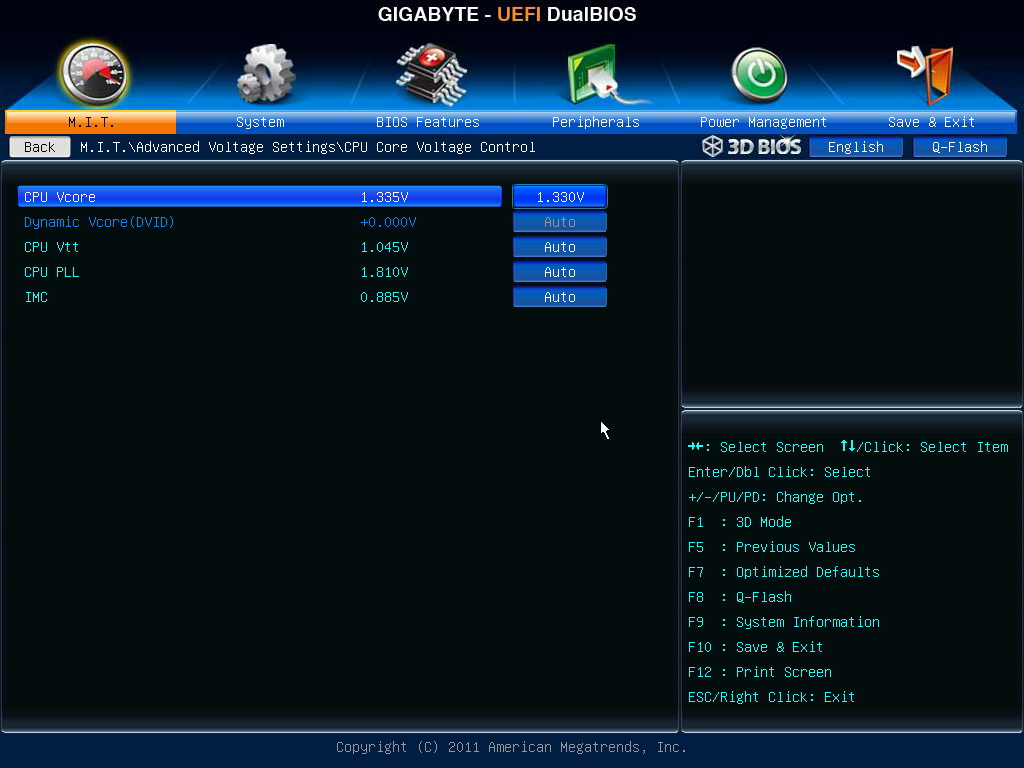
DRAM Voltage 1.100~2.100V
PC Health Status
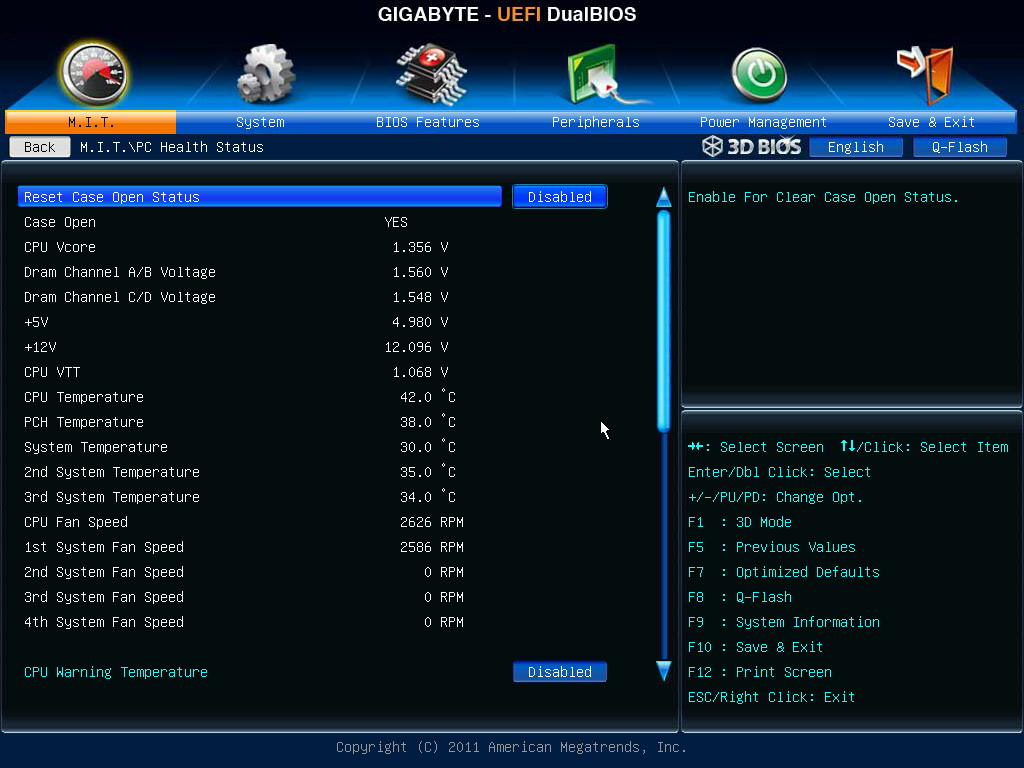
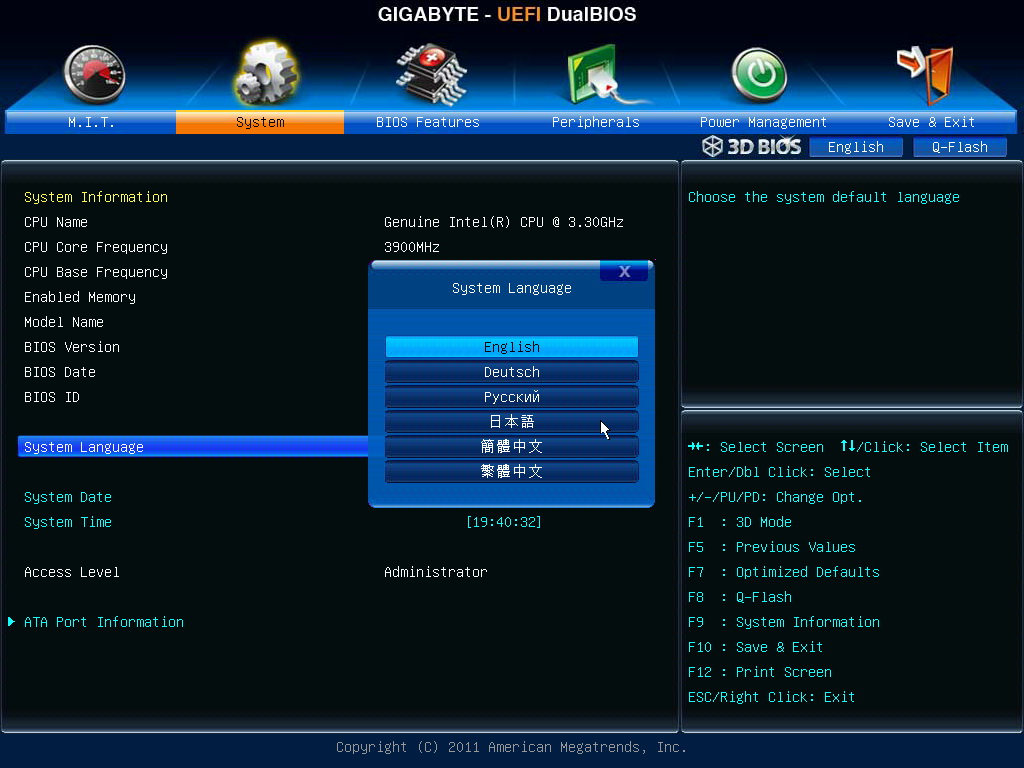
This BIOS provides 6 different languages.
Sandy Bridge-E CPU can OC by 2 ways. First is increasing ratio and the other is pull frequency.
Of course, you can adjust simultaneously to get the best performance.
If DDR3 set as default, 100MHz, based on quality, the range is around 1600~2400.
Setting above is my 3960X running at 4.5GHz. Every CPU quality and cooler are may vary. You will need to fine tune some items.
OC Test
CPU 100.0 X 45 => 4500.1MHz 1.335V
Disable C1E and Turbo Boost
DDR3 1866.8 CL10 10-10-27 1T 1.550V
Hyper PI 32M X 12 => 12m 06.556s
CPUMARK 99 => 688
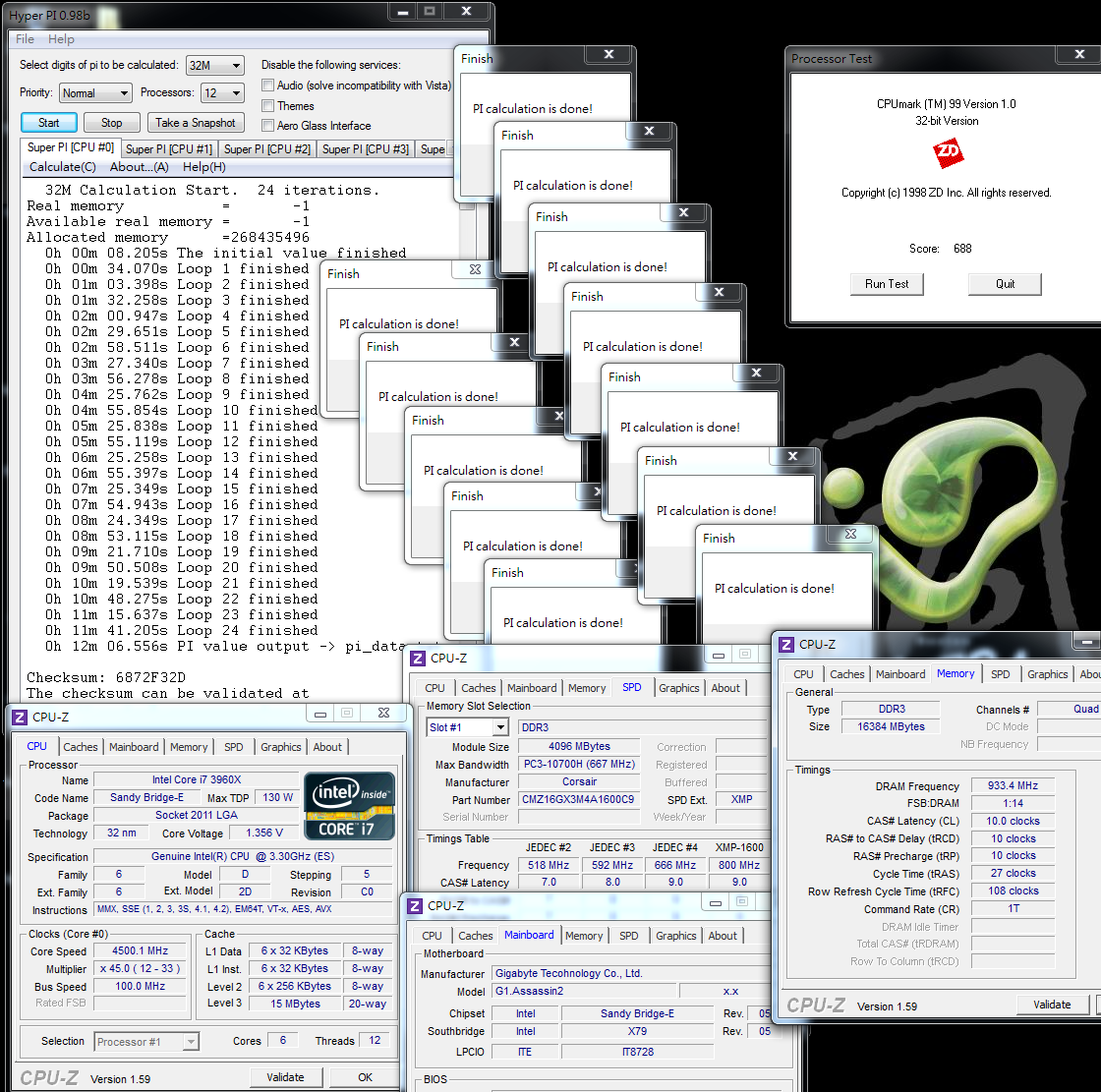
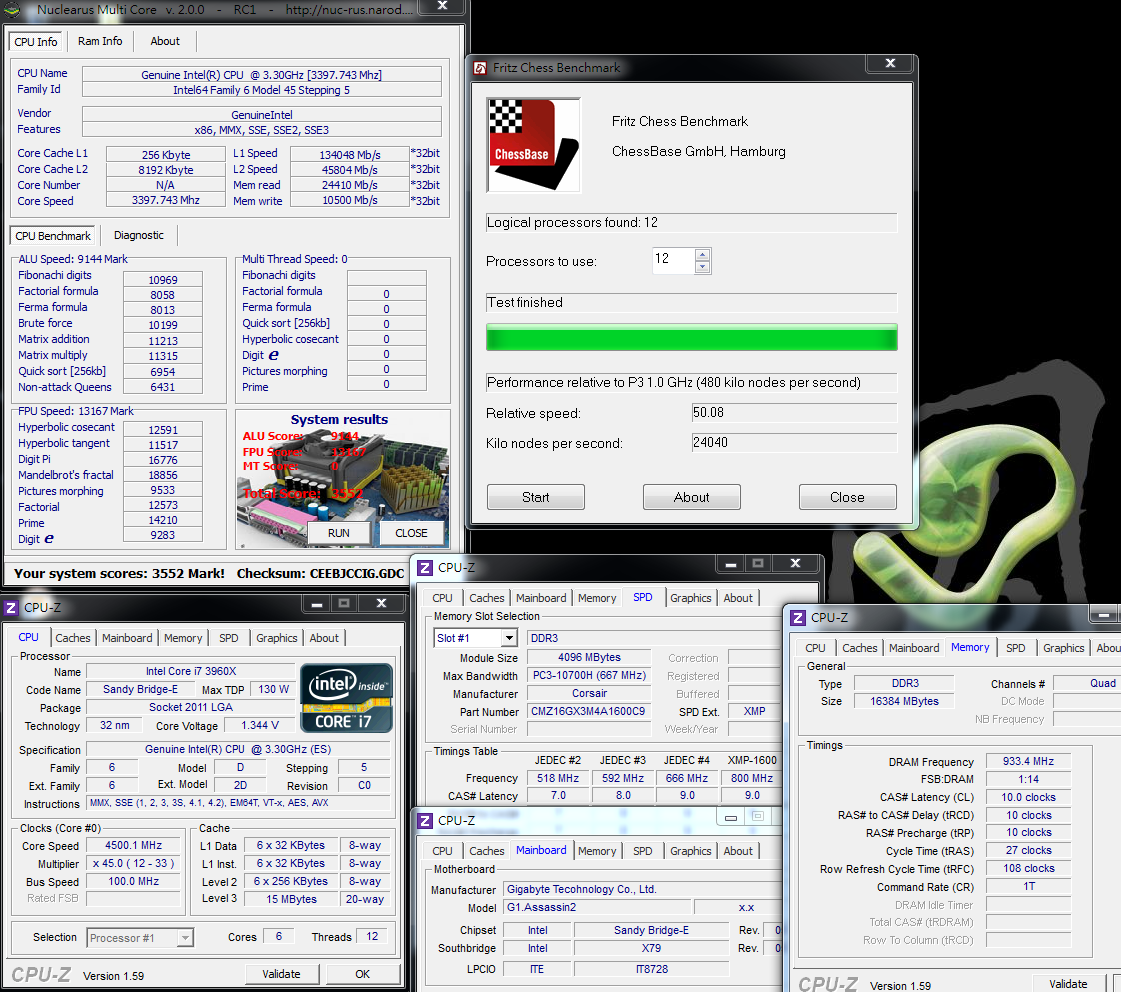
Nuclearus Multi Core => 3552
Fritz Chess Benchmark => 50.08/24040
-
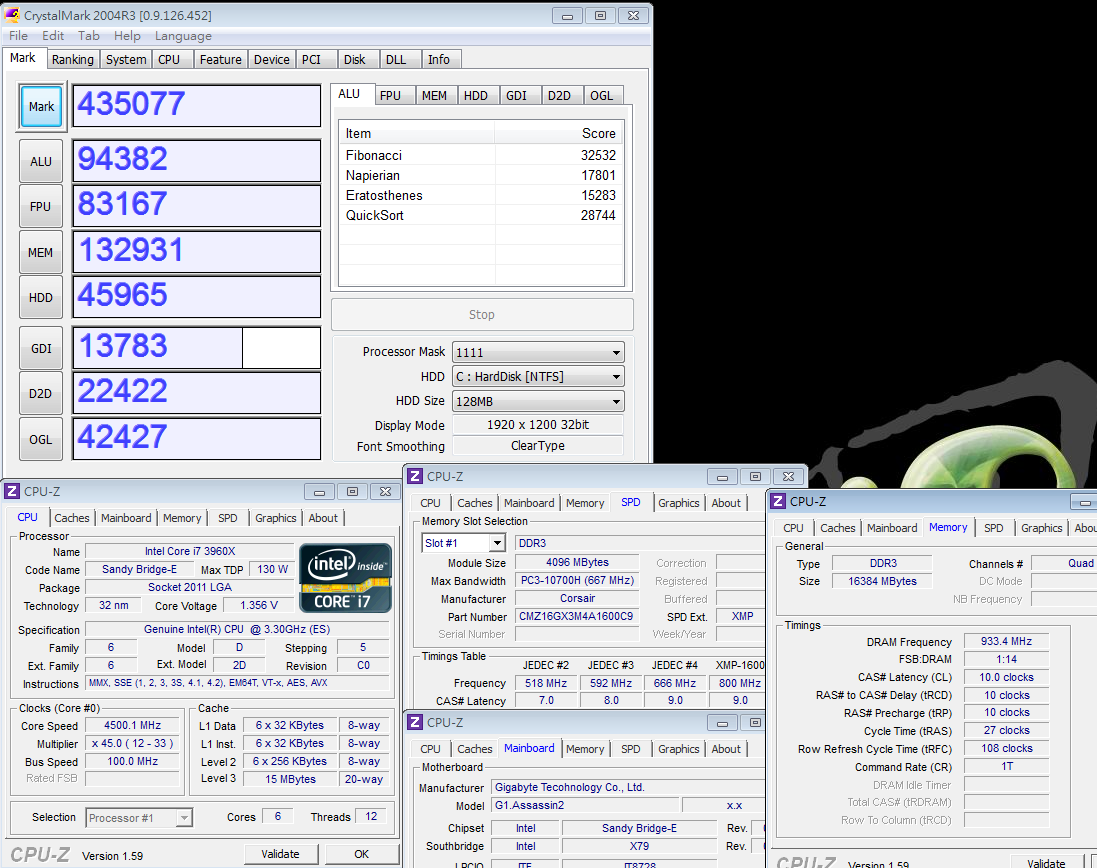
CrystalMark 2004R3 => 435077
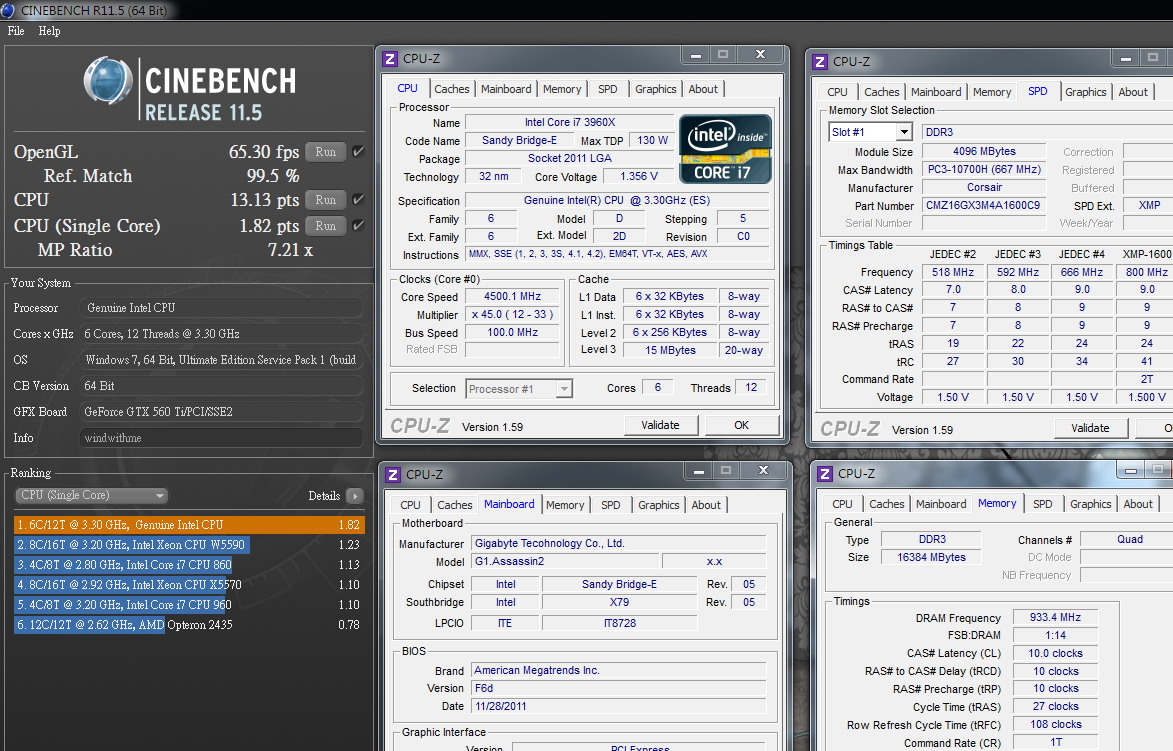
CINEBENCH R11.5
CPU => 13.13 pts
CPU(Single Core) => 1.82 pts
PCMark Vantage => 26980
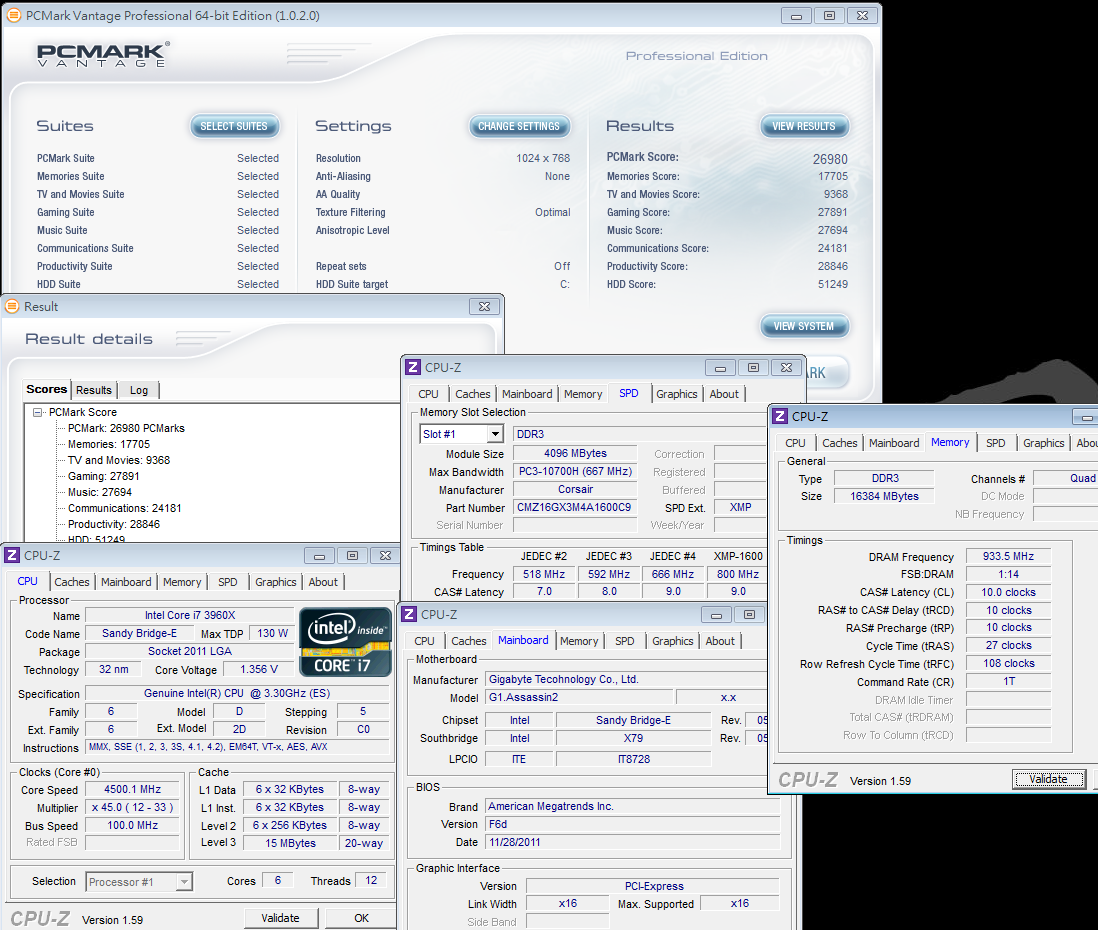
3960X OC to 4.5GHz, the single core performance increase around 20% and multi-core increase 20~30%.
You don’t need high voltage for this clock. You can use this setting for long time stably.
Both OC and practical usage can run smoothly. Of course, you can go higher speed, but you need rise the voltage or improve your cooling kit.
x264 FHD Benchmark => 35.7
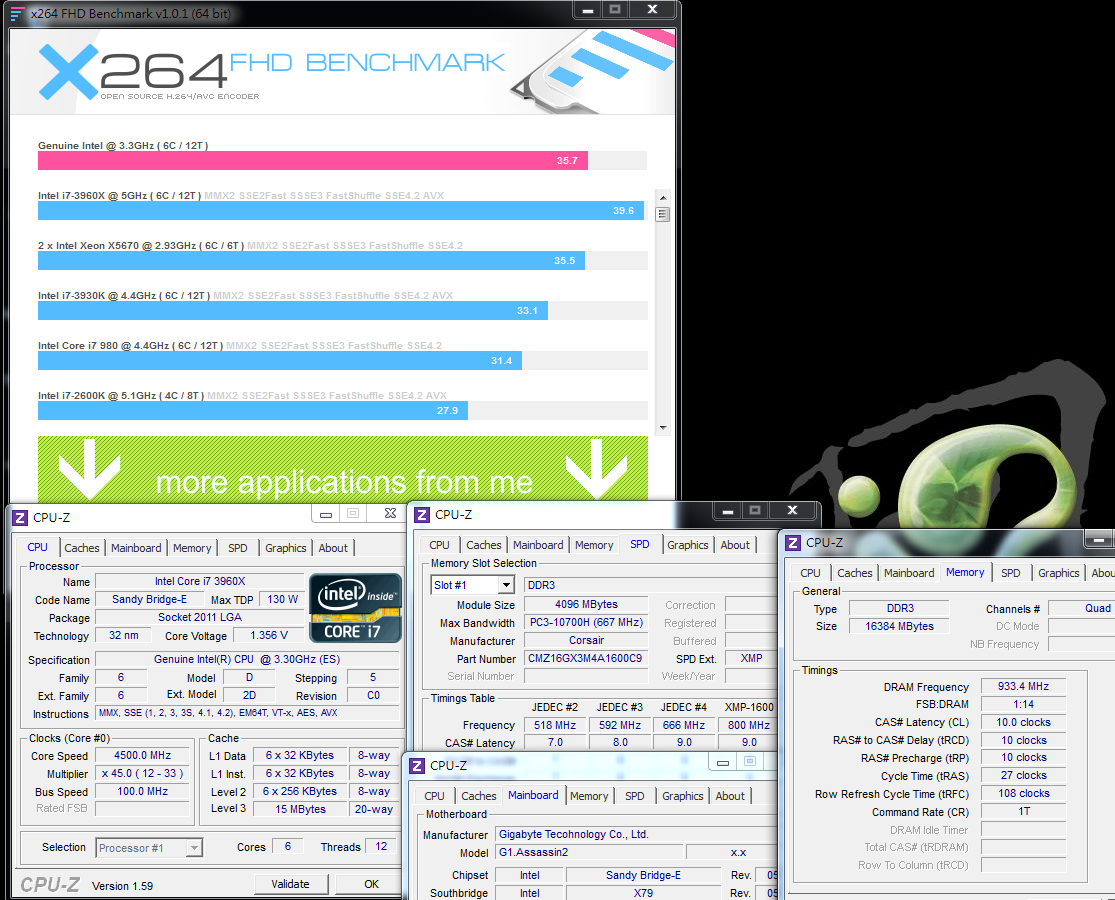
x264 video converting rate increase from 28.8 to 35.7, about 24% higher.
You can save lots of converting time. If you have high demand for this, single thread and multi-core are very important.
DDR3 Test
ADIA64 Memory Read - 20088 MB/s
Sandra Memory Bandwidth - 45878 MB/s
MaXXMEM Memory-Copy - 16374 MB/s
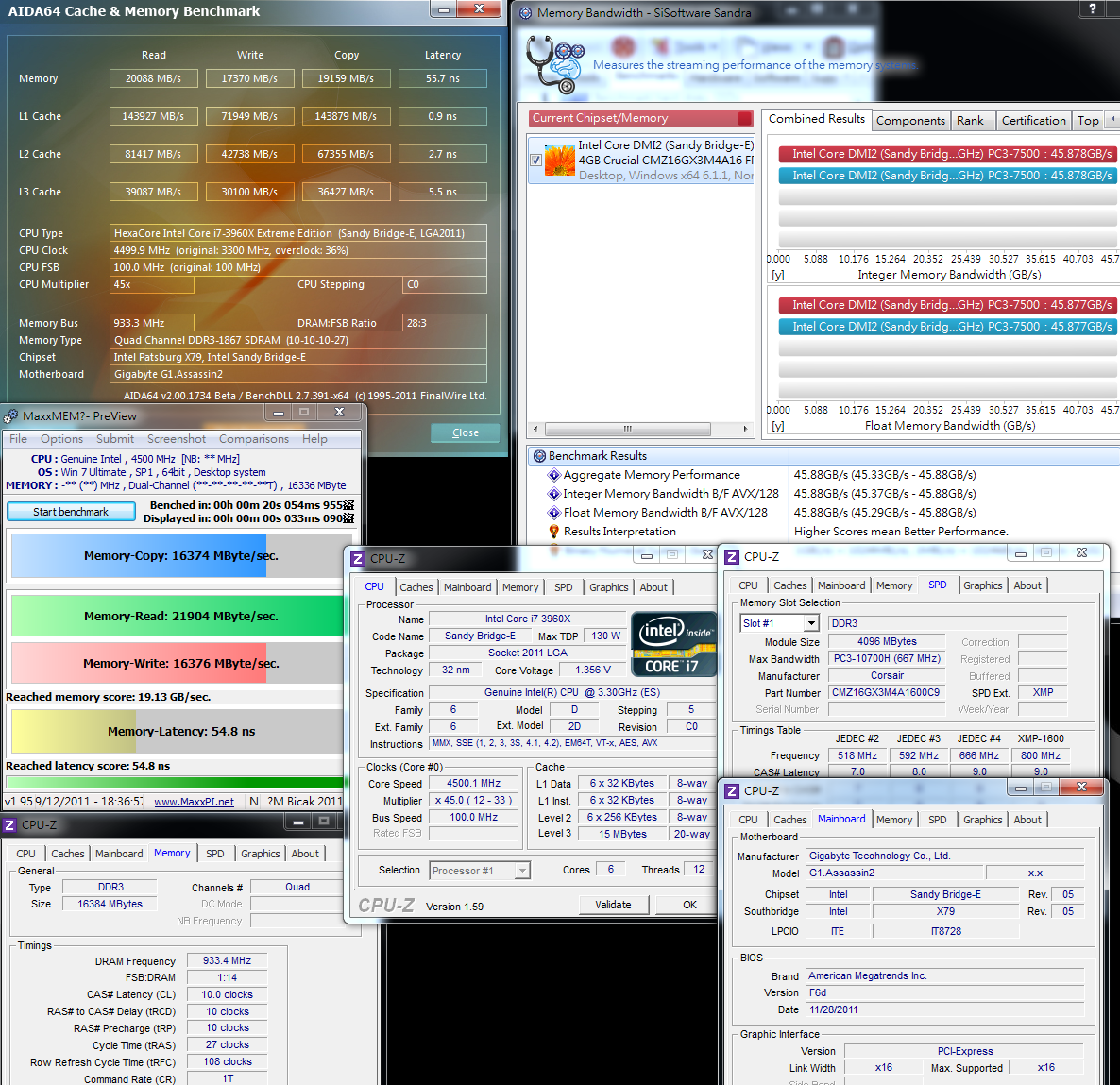
DDR3 performance increase 15~20% as speed OC from DDR3 1600 to DDR3 1866.
No matter Sandy Bridge or Sandy Bridge-E, DDR3 bandwidth is extremely high.
Especially the quad channel strength, the bandwidth is amazing. This is the key advantage of LGA 2011.
Temperature Test (Room Temp. is 22?C)
Enter to OS Desktop - 33~37
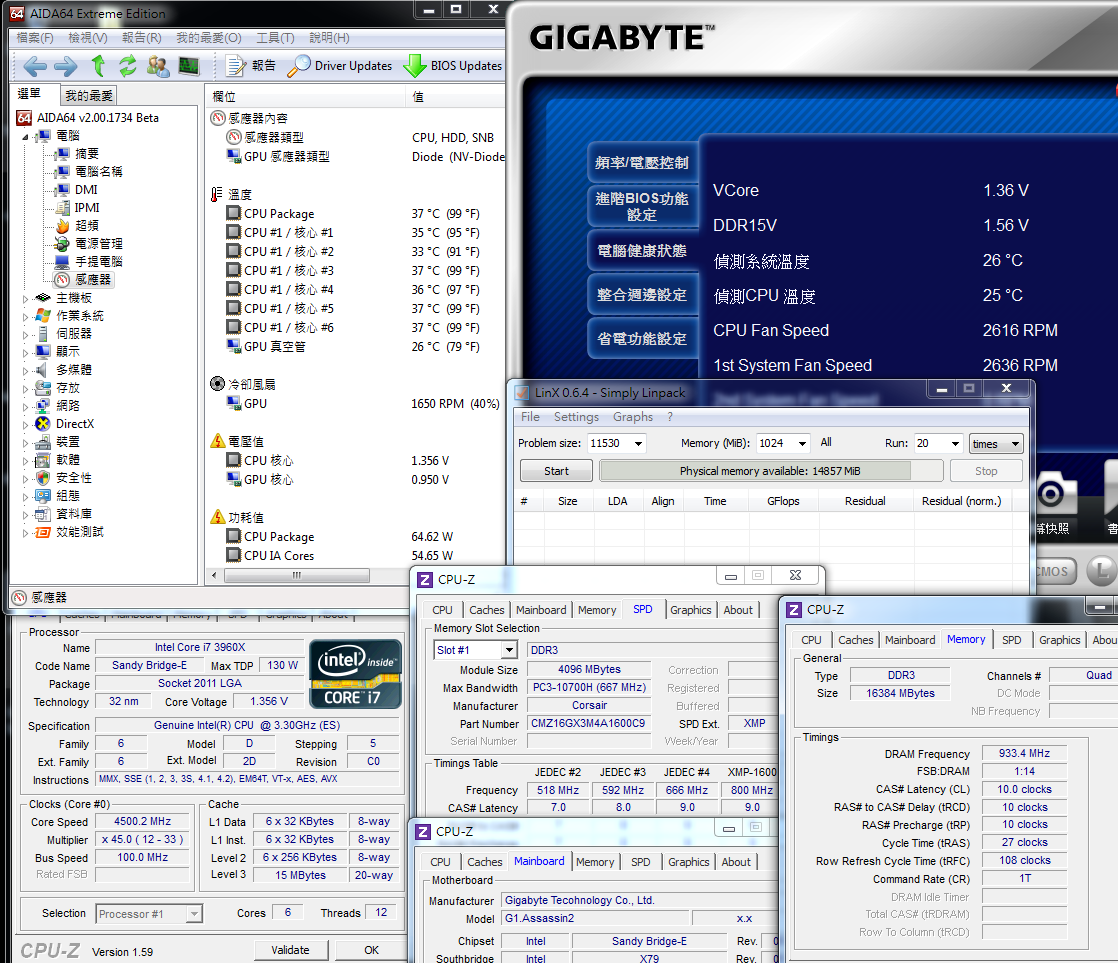
CPU full speed by LinX - 62~70
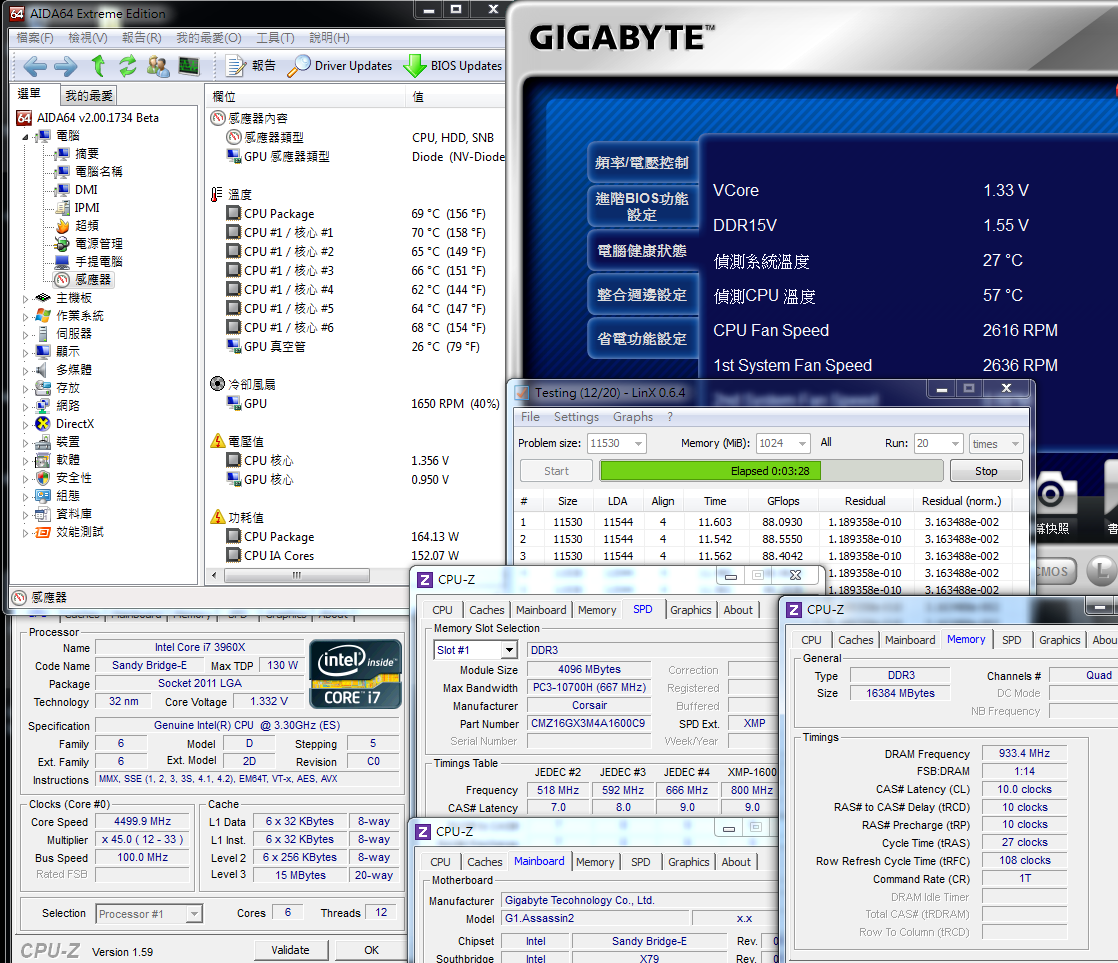
After pulling high clock and voltage, CPU full speed temperature rise obviously.
It’s lower 70 in full speed condition. If you install in chassis, it will increase another 3~5. For 6C12T, it’s pretty good.
Power Consumption Test
Enter to OS Desktop - 151W
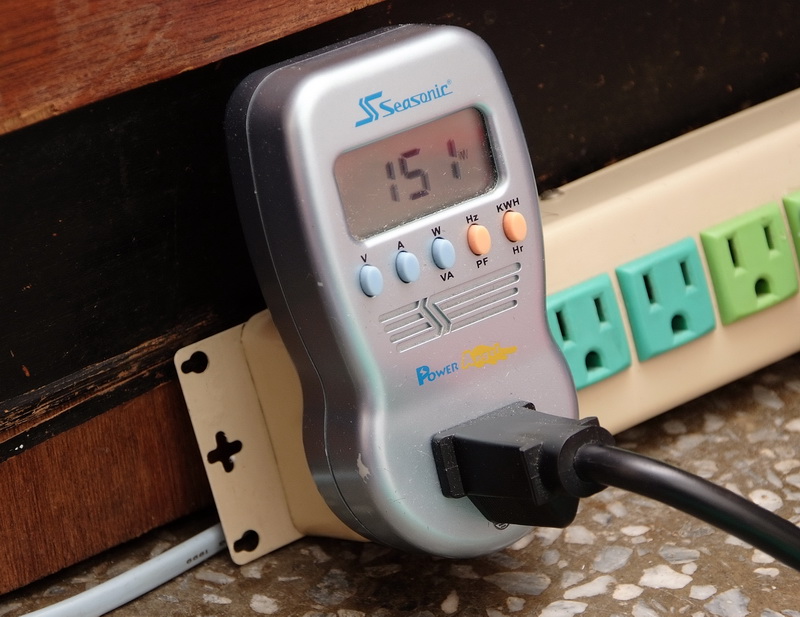
CPU full speed by LinX - 323W
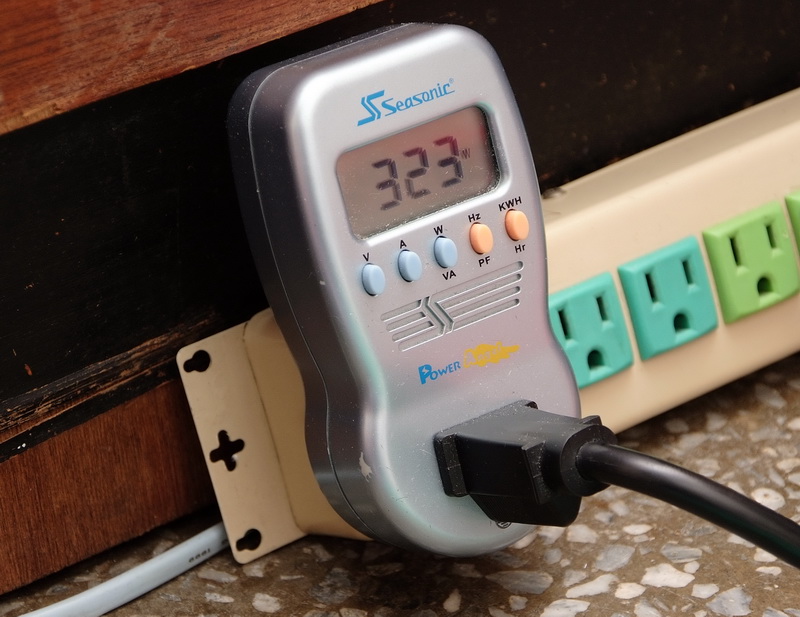
Disable C1E mode, enter to OS desktop consume 151W. If setting CPU as default and disable C1E, it consumes 120W.
In OC condition, power consumption increases a lot. It’s 131W more than default mode. However, the performance also enhances 20%.
It depends on your idea. If the high performance cost you 323W, will you think it’s acceptable? I think it’s still ok.
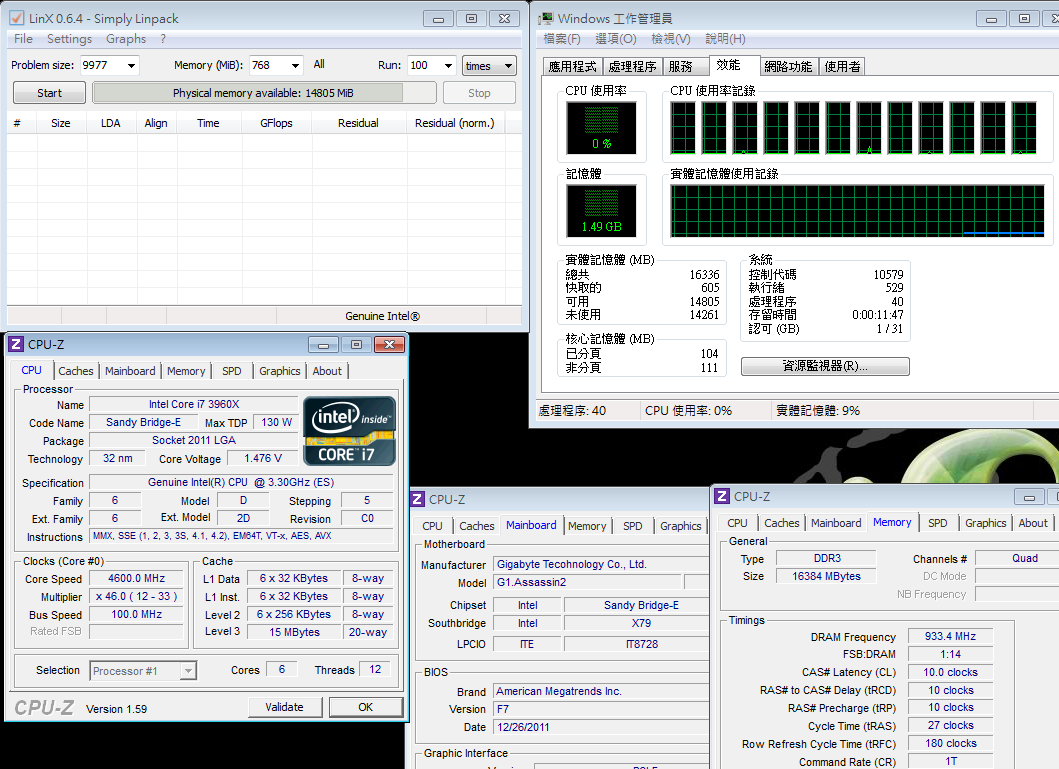
I just flash BIOS to latest F7 and running stability test at 4.6GHz.
Enter to OS Desktop is 1.476V
-
nice work!
-
Full Speed is 1.440V
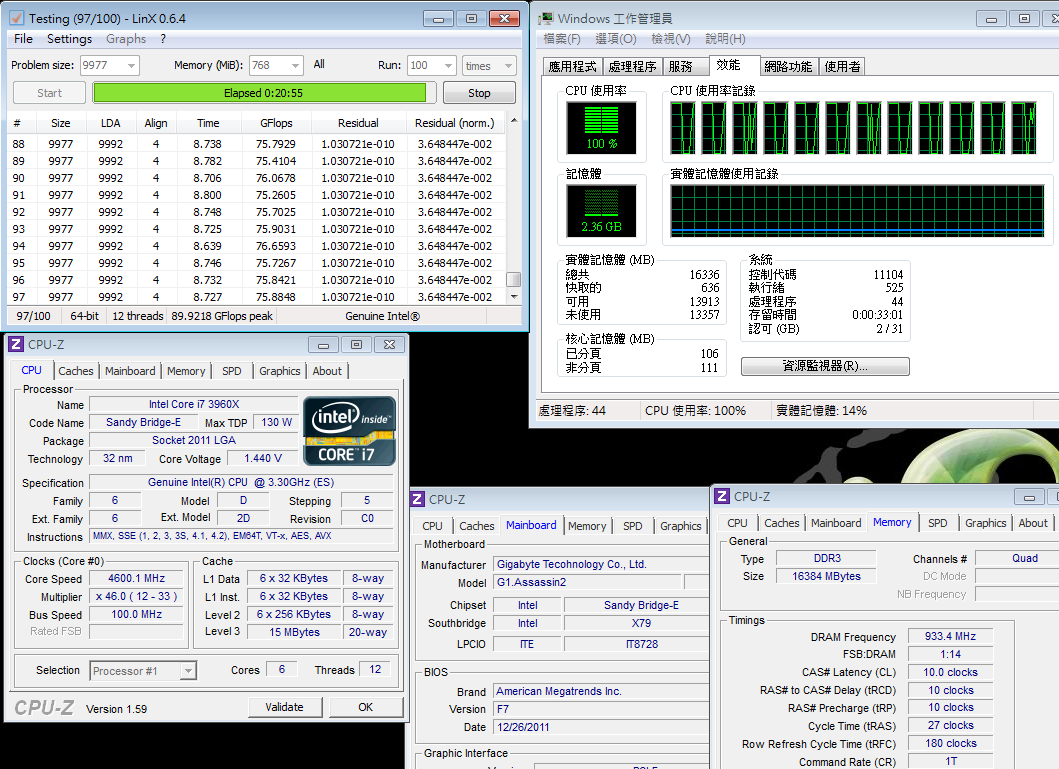
After burning test and measure the MOSFET highest temperature is 85 degree C.
For next few X79 models review, I will also provide this temperature for reference.
CPU voltage fluctuation is bigger than old BIOS.
GIGABYTE G1.Assassin2
Good
1. G1-Killer series packing and components are better than own high end product.
2. Spec-in UEFI BIOS and provide 2 BIOS interfaces
3. Built-in Creative CA20K2 audio chip, Japanese high end audio caps and 128MB Memory cache.
4. Killer E2100 Networking NPU with 1GB DDR2 cache for better networking traffic management.
5. Unique BT4.0 and Wi-Fi PCI-e card. For mobility century, this is really useful features.
6. Front panel has USB 3.0 and quick OC features. It also has audio headset amplifier.
Weakness
1. Chipset heatsink design is not good looking
2. 8 DIMM DDR3 design will be better
3. Before booting screen, if you click USB KB in advance, it may cause undetectable issue.
4. CPU voltage fluctuation is bigger between standby and full speed.
Performance ??????????
Components ??????????
Specification ??????????
Appearance ??????????
C/P Value ??????????
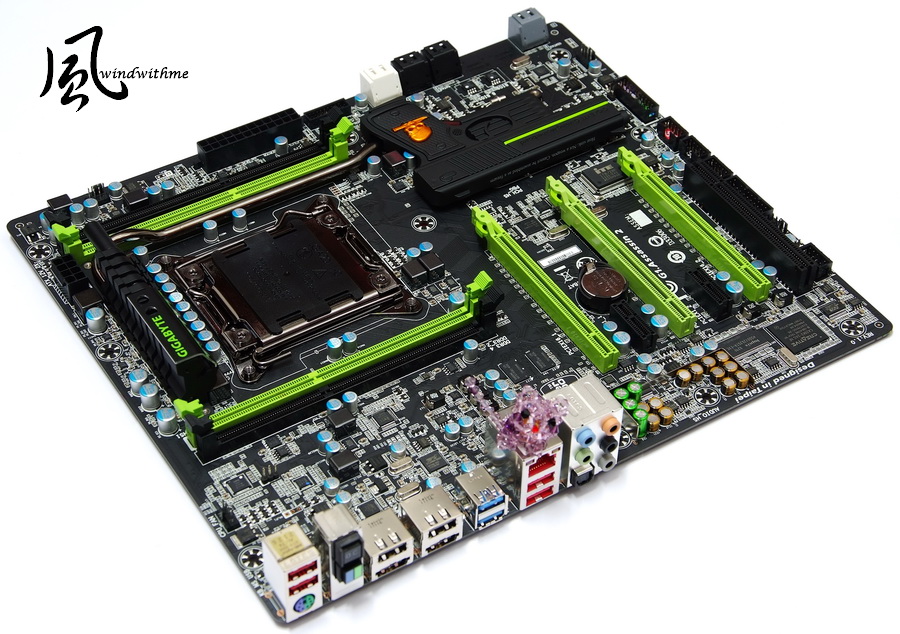
All MB makers launch X79 series to replace X58.
The price is around 265~430 USD.
For users don’t have high end audio or LAN card and you are considering to buy these two high end cards, G1 cost should be similar.
LGA 2011 is Intel most high end product. The price is top of pyramid.
You can pick up the platform by budget. Sandy Bridge structure has very wide.
Lowest H61 can combine with Celeron G530. Entry OC has Z68 with i5-2500K.
Mid-end OC has Z68 with i7-2600K/2700K and future you can have X79 plus i7-3820.
If you need heavy multi-tasking and shorter working time, X79 with i7-3930K/3960X is the best performance combo.
The test result above shows Sandy Bridge-E structure is still the king of Desktop performance.
There are i7-3930K and 3960X, 6C12T, CPU support multi-tasking performance.
LGA 2011 CPU pricing structure is same as LGA 1366.
Till 2012, i7-3820 4C8T launched, the enthusiasts will have one more choice.
This year, there is only i7-2600K/2700K with Z68. Soon after, X79 with i7-3820 will become another option.
Windwithme will keep sharing more brands X79 performance and OC guide.
Wish all Happy New Year 2012 and you can find your best C/P PC combo in 2012.Thanks.

This article is also post in my blog. WIND3C Any comments are all welcome.
-
very nice mainboard with good features like Creative & Killer e2100
but there are troubles with these new gigabyte's mainboard on power mosfet, we must wait for the fixed reversion
-
Thank you! Nice review!
Devil I don't know if it is an extensive problem of all motherboards. We must say that the guy that did the video of the burning X79A-UD3 was using an Antec 920 at minimum speed with no airflows on power mosfets (and running linx)
Yes, I agree that it should not fire like this but it seems not a problem of all motherboards and Gigabyte didn't make official statement on this. There are overclocking records with the UD3 under ln2, so this problem should not affect all motherboards. We must wait for more details about this problem.
-
nice and exhaustive review
-
no, it's a common problem
techpowerup.com/mobile/157543/Gigabyte-Recalling-X79-UD3-UD5-G1.Assassin-2-Motherboards.html
now I'm not sure that it's realy a bios trouble like gigabyte wrote but it's a problema
i checked online, with only 1.4v someone had report temp very high, like 80-90°
-
uhm it seems very strange that Taiwan wants to make a recall but Germany not.
I will ask Valter to make some test with the new BIOS.
-
boh, anyway it sounds bad, like a strategy to cover the image of gigabyte
because, as DFI did in past, with BIOS patch gigabyte can limit the power of VRM, but in this way it puts a limit of the overclock
-
This is why I would ask Valter to test the ud3 under phase change.
-

-
Devil_Mcry ha scritto:
very nice mainboard with good features like Creative & Killer e2100but there are troubles with these new gigabyte's mainboard on power mosfet, we must wait for the fixed reversion
As GIGABYTE Taiwan press, they have released F7 BIOS to solve this issue and they won't make hardware change. Just for your reference.
-
same bios for the actually record on ud3-ud5-ud7
Ciao! Sembra che tu sia interessato a questa conversazione, ma non hai ancora un account.
Stanco di dover scorrere gli stessi post a ogni visita? Quando registri un account, tornerai sempre esattamente dove eri rimasto e potrai scegliere di essere avvisato delle nuove risposte (tramite email o notifica push). Potrai anche salvare segnalibri e votare i post per mostrare il tuo apprezzamento agli altri membri della comunità.
Con il tuo contributo, questo post potrebbe essere ancora migliore 💗
Registrati Accedi