
[ENG] - Intel's high-performance ITX platform - ECS H67H2-I and the Core i3-2120
-
Before in the desktop PC consumer market, it was generally difficult to buy ITX MB products
The few ITX MB products on the market were expensive and suffered the limitations of notebook CPUs and DRAMs
In the past two years, there has been a clear expansion in the ITX market that reflects its increasing popularity with consumers
Starting with the previous generation P55/H55 chipset, a number of notebook brands invested in ITX product development and sales
in order to offer more ITX MB products and let consumers set up HTPCs more easily
while also allowing them to use the CPU and DDR3 specifications of desktops, thereby dropping the cost of an ITX system a lot
After Intel launched the new generation Sandy Bridge this year, we've heard on the web about a lot of motherboard companies that have plans for ITX products
In general, it seems they will use the H67 or H61 chipsets to reach price points comparable to Micro ATX specifications
ITX has given rise to new market trends,
and the new PC architecture will help boost ITX PC performance gains and allow Intel to significantly raise its visibility in the ITX market.
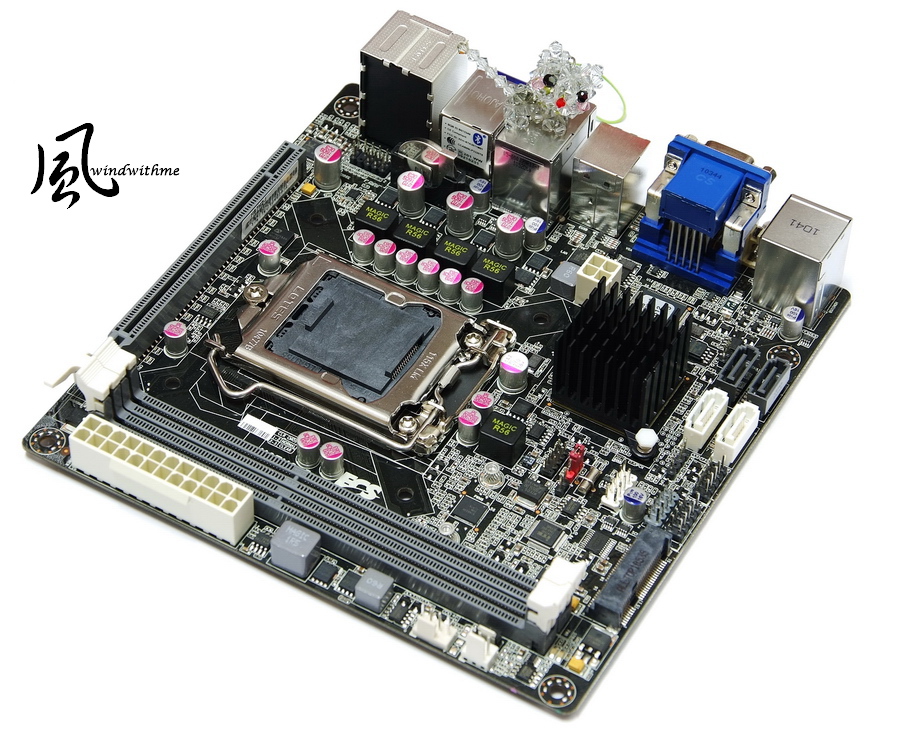
At this point, let's return to the star of the show, the H67H2-I launched by ECS that uses the high-end H67 chipset in the Sandy Bridge architecture
During the LGA 1156 era, ECS also launched the H55H-I with an H55 chipset, which shows the amount of attention this brand has paid to the ITX market.
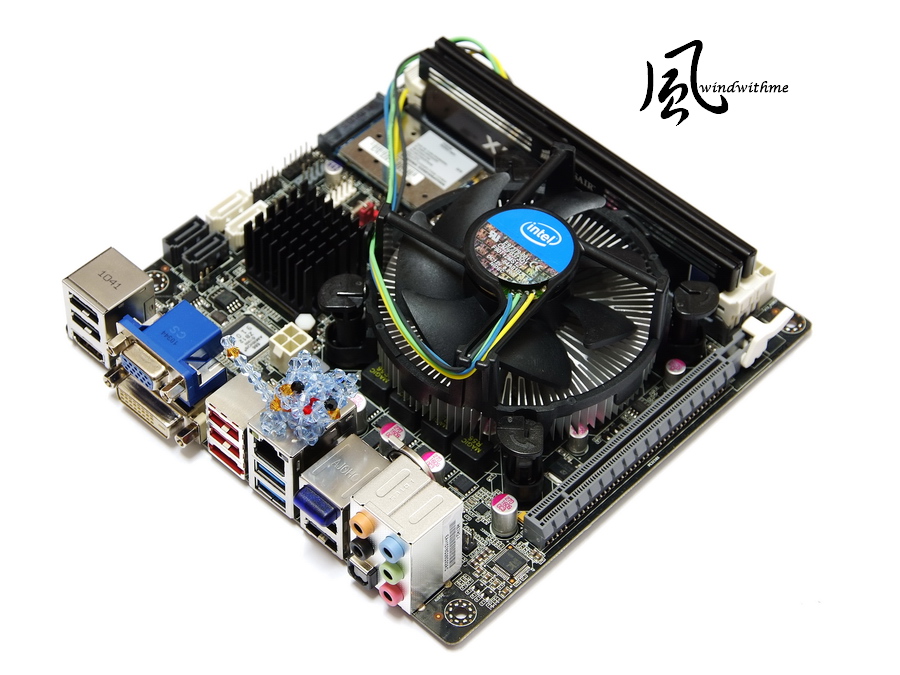
To start, take a look at the H67H2-I overall and size specifications for the Mini ITX at 17 x 17cm
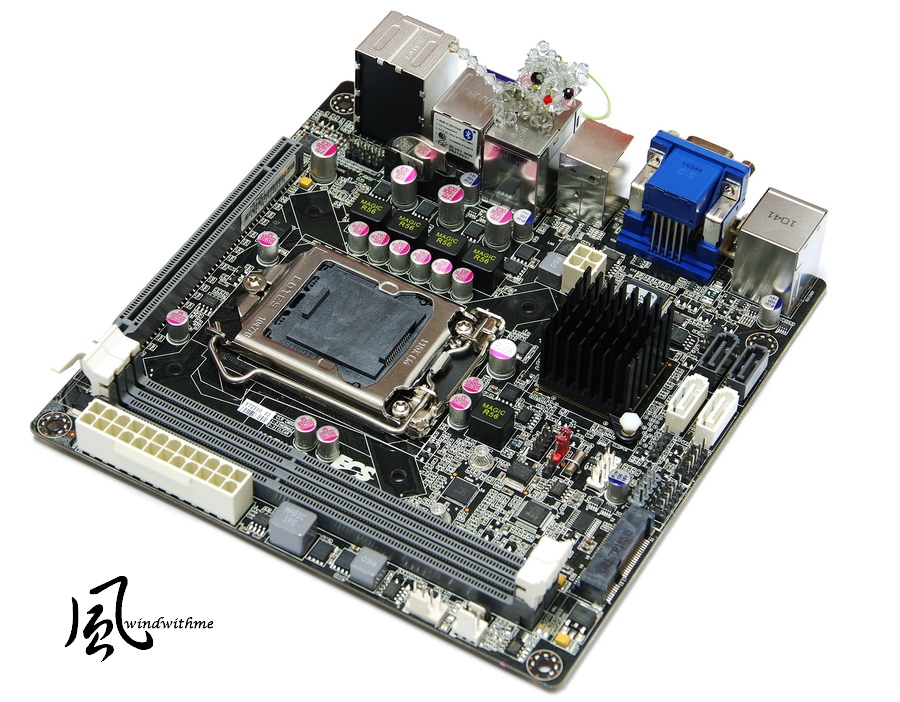
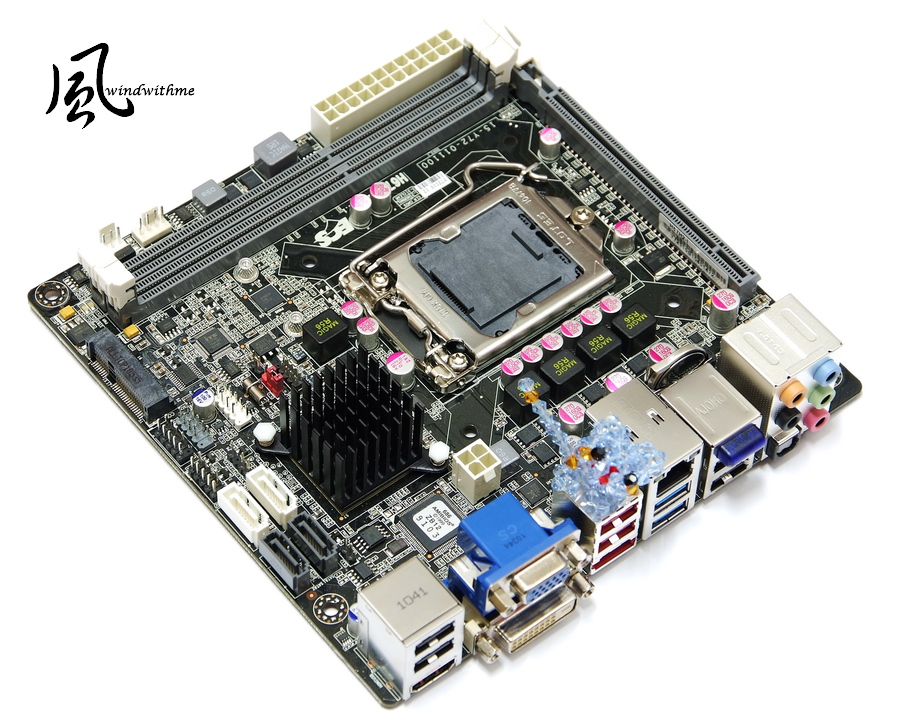
A comparison of the differences in the previous H55H-I generation
The H67H2-I has changed to a black PCB with gray DIMM / PCI-E slots that give a stronger contrast to the appearance
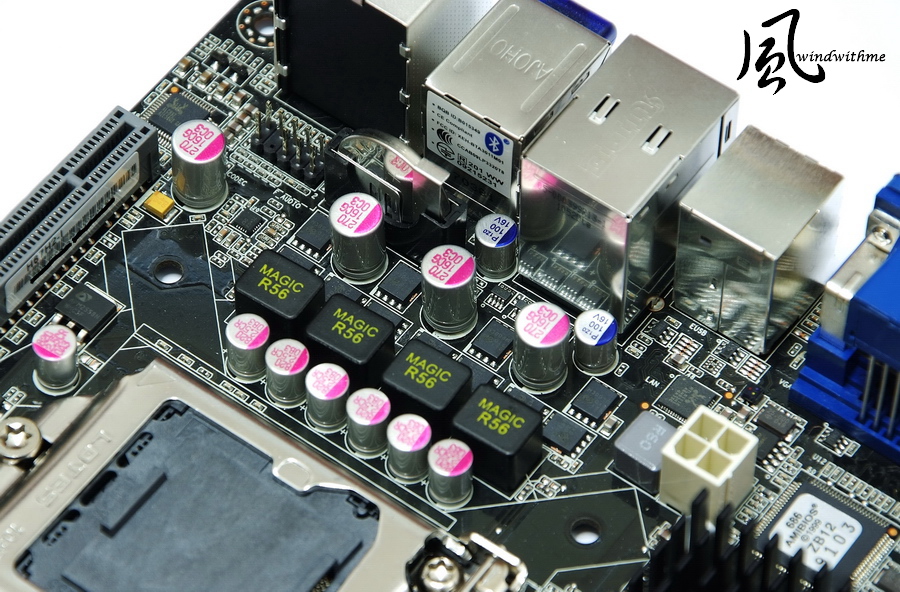
Another addition is the overall use of commonly seen solid capacitor materials that effectively increase the durability of the product
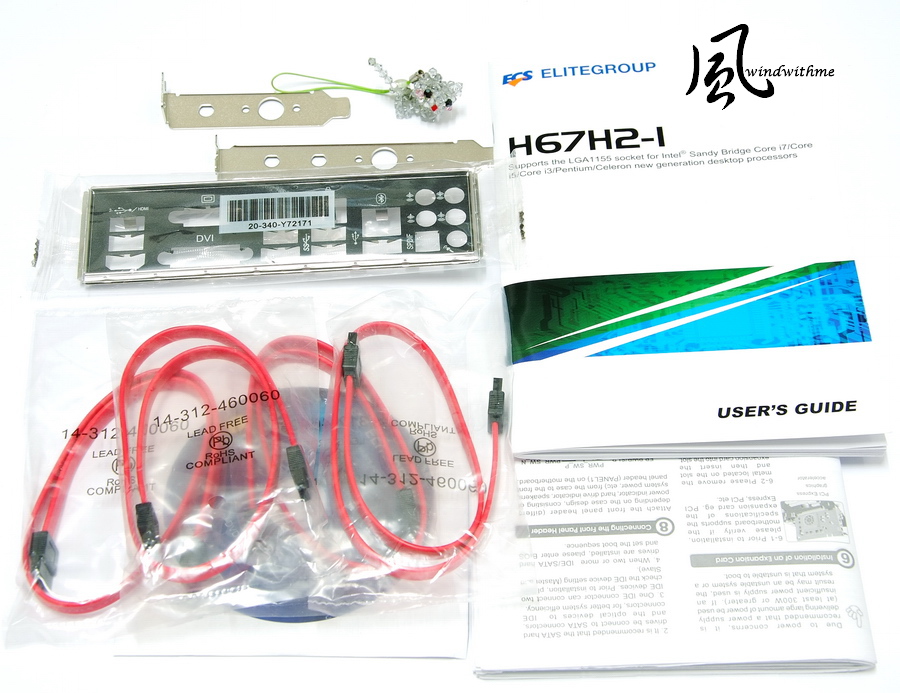
Included accessories
Manual, quick installation guide, IO bezel, SATA cable and driver software CD
Includes low profile bezel meeting more general specifications allowing users to install a wireless network antenna
Bottom of motherboard
LGA 1155 CPU socket, LOTES brand name
1 X PCI-E Gen2.0 X16
Realtek RTL8111E LAN chip
Realtek ALC892 audio chip and a codec supporting 8-channel audio and High Definition
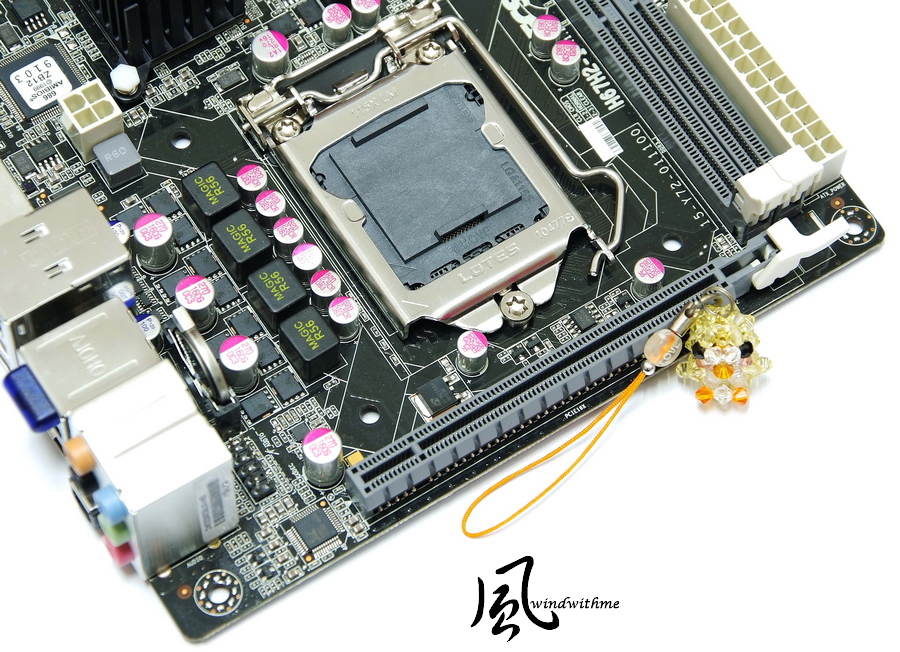
Right section of motherboard
2 x DIMM DDR3, supporting 1066/1333, DDR3 maximum capacity of 16GB.
On side of board, a 24-PIN power input
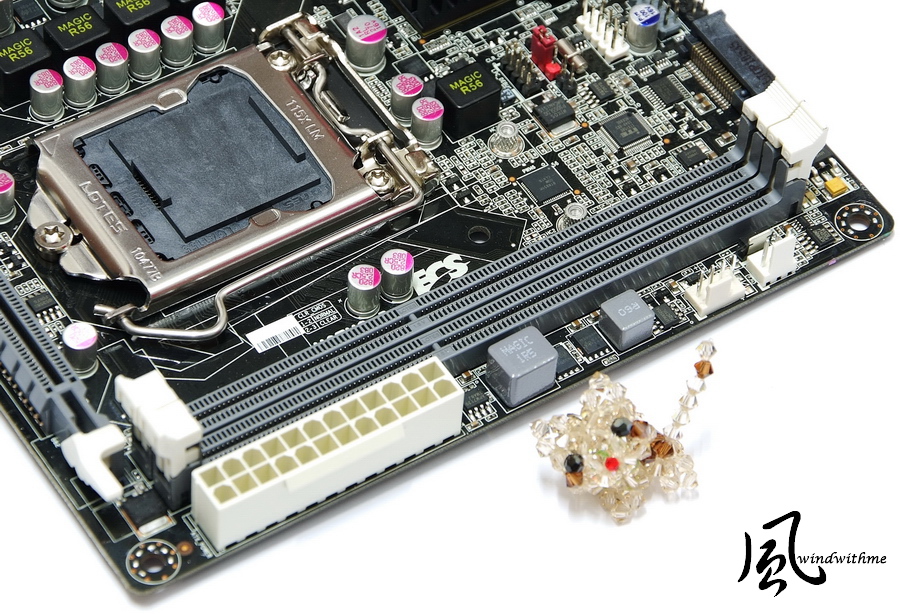
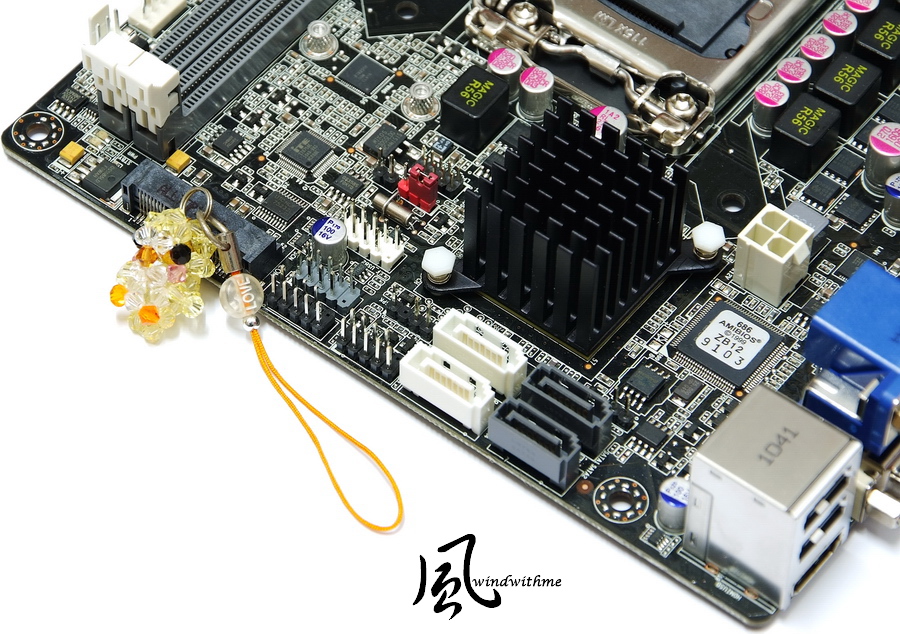
Top of motherboard
2 x white SATA, H67 chip installed, SATA2 specifications
2 x gray SATA, H67 chip installed, SATA3 specifications
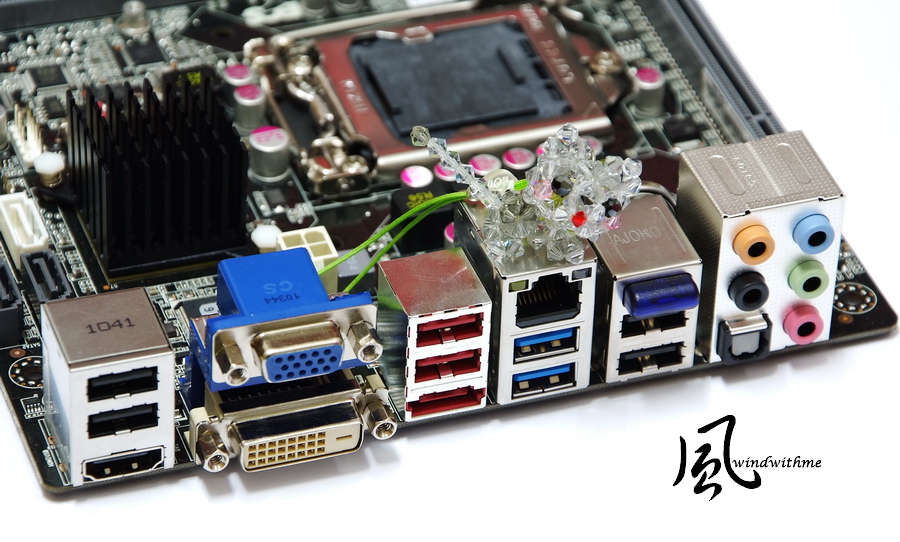
IO
D-SUB/DVI/HDMI
6 x USB 2.0 (red / black)
2 x USB 3.0 (blue)
1 x RJ-45 network holes
1 x Bluetooth module
1 x eSATA
CPU using four types of power input
Based on Sandy Bridge's low power consumption, the maximum should be 2500K/2600K
Sticker on top part indicates device meets Bluetooth specifications
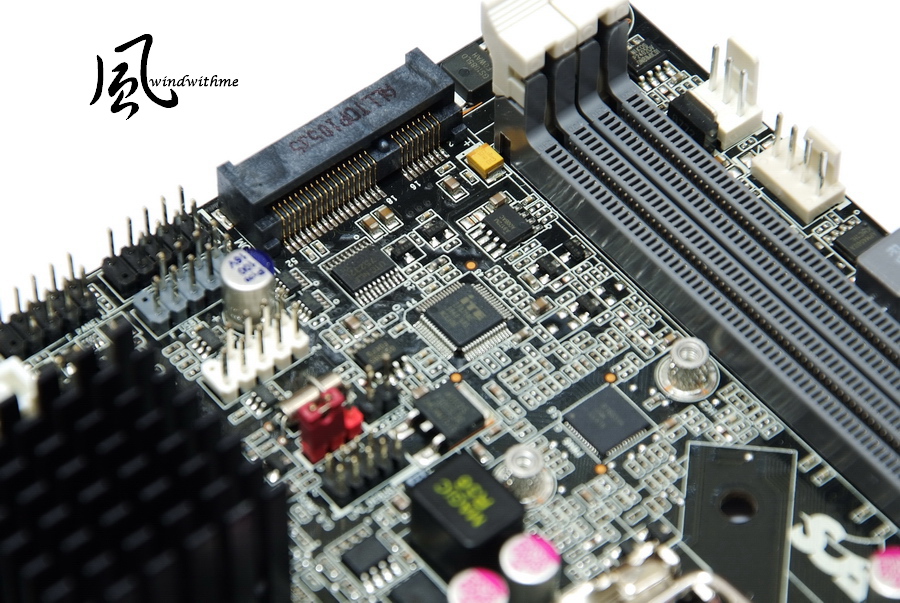
Another feature of the H67H2-I is the built-in Mini PCI-E slot
Interface allows expansion with hardware meeting the same specifications such as mSATA SSD, TV cards or ordinary wireless network cards
-
Before in the desktop PC consumer market, it was generally difficult to buy ITX MB products
The few ITX MB products on the market were expensive and suffered the limitations of notebook CPUs and DRAMs
In the past two years, there has been a clear expansion in the ITX market that reflects its increasing popularity with consumers
Starting with the previous generation P55/H55 chipset, a number of notebook brands invested in ITX product development and sales
in order to offer more ITX MB products and let consumers set up HTPCs more easily
while also allowing them to use the CPU and DDR3 specifications of desktops, thereby dropping the cost of an ITX system a lot
After Intel launched the new generation Sandy Bridge this year, we've heard on the web about a lot of motherboard companies that have plans for ITX products
In general, it seems they will use the H67 or H61 chipsets to reach price points comparable to Micro ATX specifications
ITX has given rise to new market trends,
and the new PC architecture will help boost ITX PC performance gains and allow Intel to significantly raise its visibility in the ITX market.
At this point, let's return to the star of the show, the H67H2-I launched by ECS that uses the high-end H67 chipset in the Sandy Bridge architecture
During the LGA 1156 era, ECS also launched the H55H-I with an H55 chipset, which shows the amount of attention this brand has paid to the ITX market.
To start, take a look at the H67H2-I overall and size specifications for the Mini ITX at 17 x 17cm
A comparison of the differences in the previous H55H-I generation
The H67H2-I has changed to a black PCB with gray DIMM / PCI-E slots that give a stronger contrast to the appearance
Another addition is the overall use of commonly seen solid capacitor materials that effectively increase the durability of the product
Included accessories
Manual, quick installation guide, IO bezel, SATA cable and driver software CD
Includes low profile bezel meeting more general specifications allowing users to install a wireless network antenna
Bottom of motherboard
LGA 1155 CPU socket, LOTES brand name
1 X PCI-E Gen2.0 X16
Realtek RTL8111E LAN chip
Realtek ALC892 audio chip and a codec supporting 8-channel audio and High Definition
Right section of motherboard
2 x DIMM DDR3, supporting 1066/1333, DDR3 maximum capacity of 16GB.
On side of board, a 24-PIN power input
Top of motherboard
2 x white SATA, H67 chip installed, SATA2 specifications
2 x gray SATA, H67 chip installed, SATA3 specifications
IO
D-SUB/DVI/HDMI
6 x USB 2.0 (red / black)
2 x USB 3.0 (blue)
1 x RJ-45 network holes
1 x Bluetooth module
1 x eSATA
CPU using four types of power input
Based on Sandy Bridge's low power consumption, the maximum should be 2500K/2600K
Sticker on top part indicates device meets Bluetooth specifications
Another feature of the H67H2-I is the built-in Mini PCI-E slot
Interface allows expansion with hardware meeting the same specifications such as mSATA SSD, TV cards or ordinary wireless network cards
-
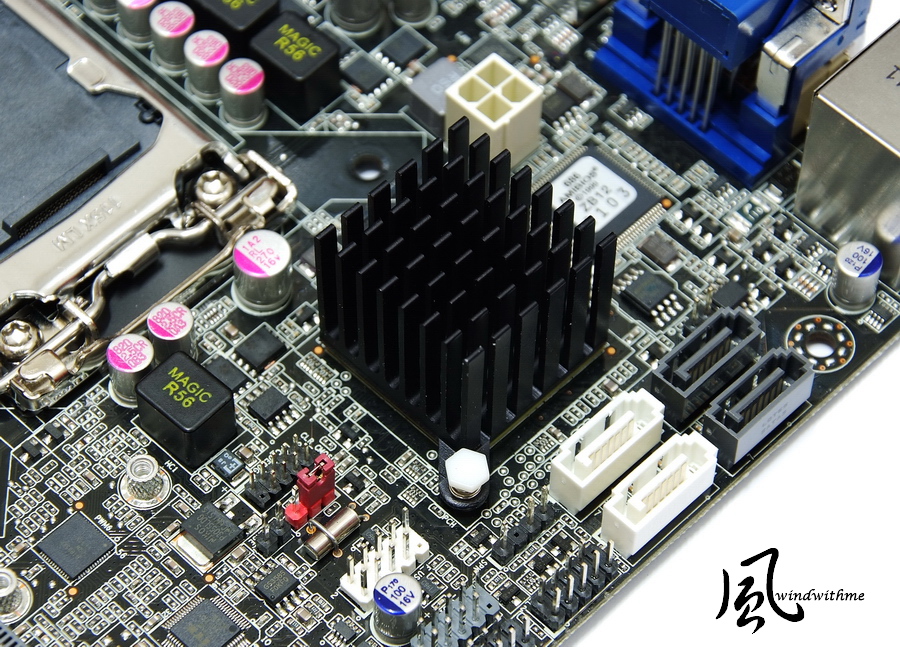
The top part of the H67 chipset is covered by a black heat sink with a larger surface area for heat dissipation
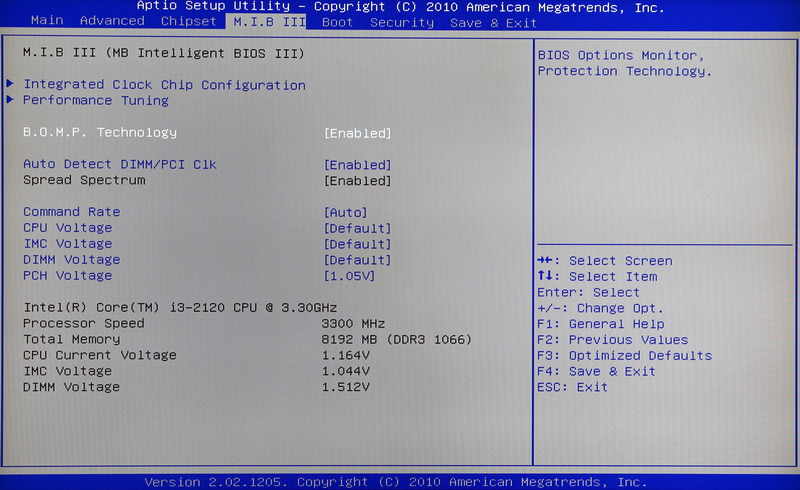
BIOS screen
M.I.B III, ECS overclocking technology
This page provides adjustable voltage options. DDR3 1T/2T with the current CPU clock / DDR3 capacity / voltage status
CPU Voltage +20 to 320mV
IMC Voltage +10 to +630 mV
DIMM Voltage -800 to +630 mV
PCH Voltage 1.05/1.10V
ICC options page
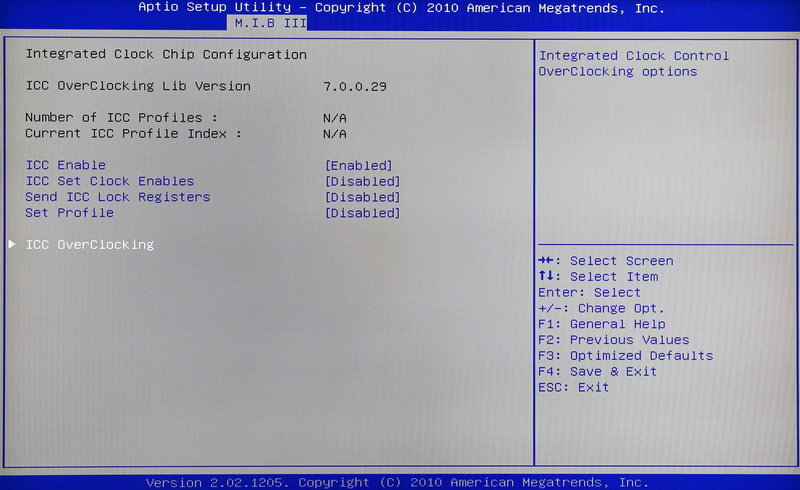
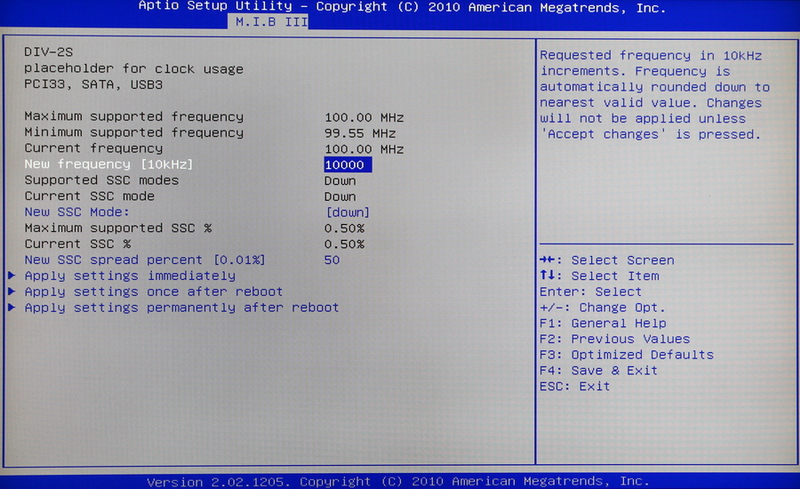
Provides front side bus (FSB) options: actual tests show it is impossible to boost FSB
I hope that later BIOSes can display options here
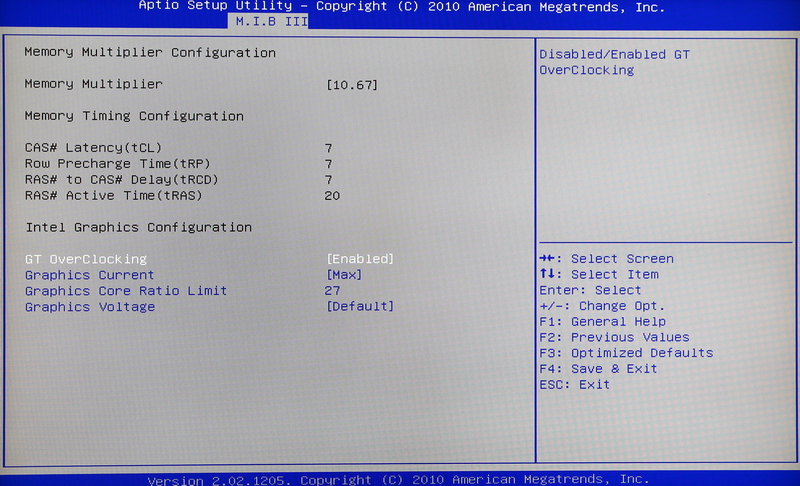
DRAM timing information
Intel default GPU overclocking options
When overclocking, we recommend that graphics current be set to max
The clock is set for a default of 22 at the graphics core ratio limit
Each level represents a clock of 50MHz: in the figure, the setting is 27 or 27 x 50 => 1350MH
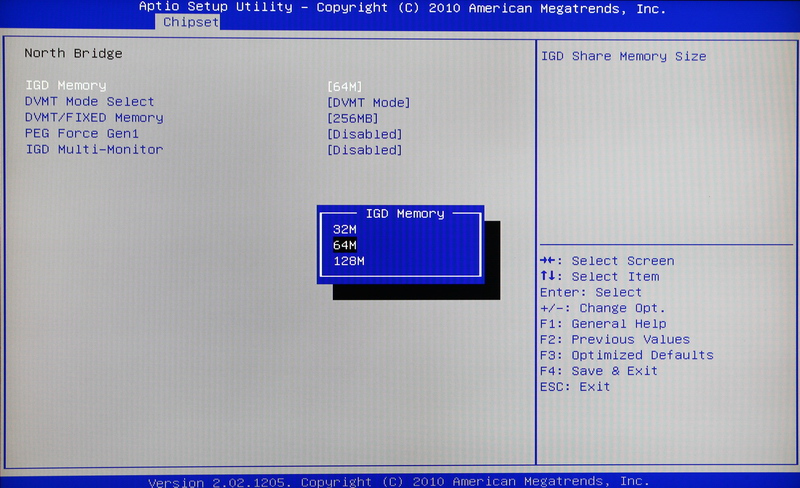
IGD Memory has three options, namely 32/64/128MB
For DVMT / FIXED Memory, there are three options: 128/256MB/Maximum
PC Health Status
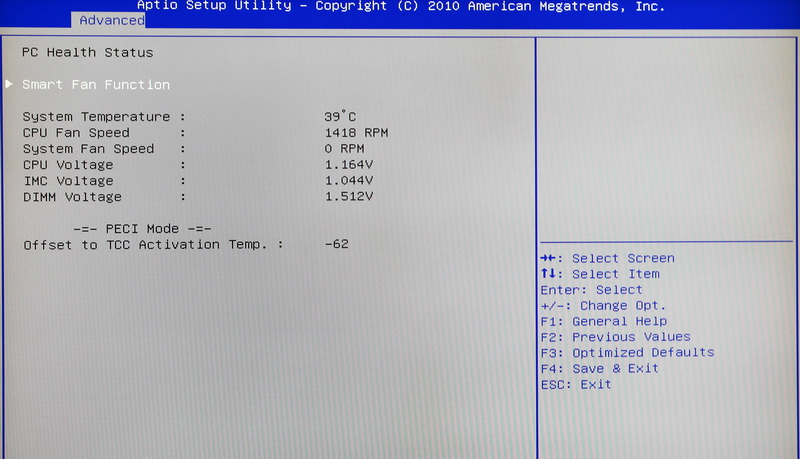
In the past, most Mini ITX systems did not emphasize performance or overclocking, so the BIOS used a reduced instruction set
With the H67H2-I, the BIOS options are more abundant, but if an option can be added to switch between DDR3 1066/1333, it will be better
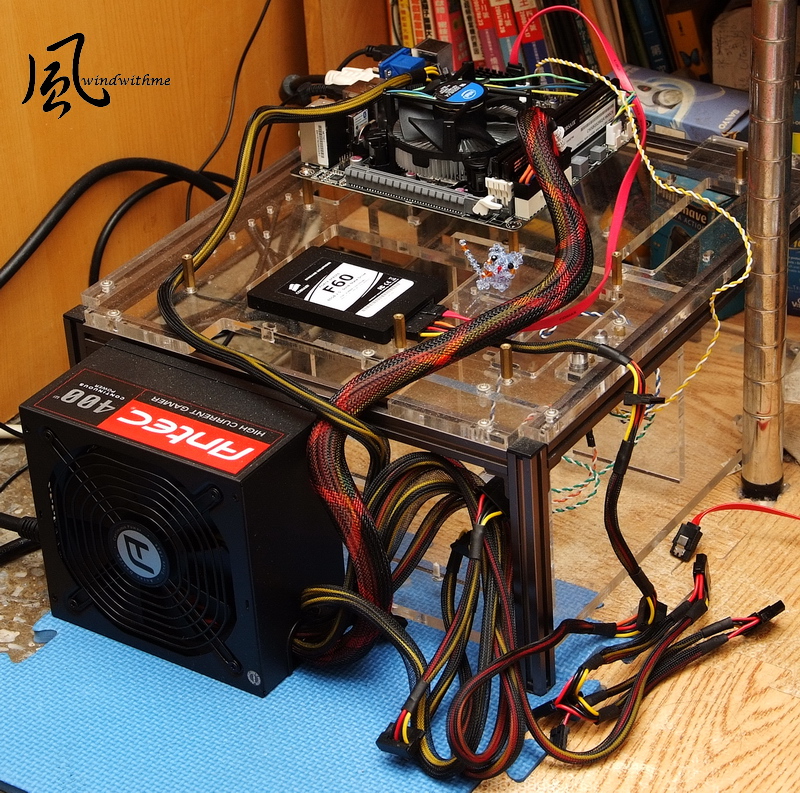
Test platform
CPU: Intel Core i3-2120
MB: ECS H67H2-I
DRAM: CORSAIR CMX8GX3M2A1600C9
VGA: Integrated Graphics
HDD: CORSAIR Force SSD 60GB
POWER: Antec HCG 400W
Cooler: Intel installed heat sink
OS: Windows7 Ultimate 64bit
The CPU is the Core i3 2120 that was just recently introduced in March
The product name is the Intel Core i3-2120 with a system clock of 3.3GHz
The actual two cores have Hyper-Threading technology with a capacity of up to four threads that is referred to as 2C/4T
32nm process, power 65W, L3 Cache with total of 3MB, as second entry-level LGA 1155 with dual core CPU
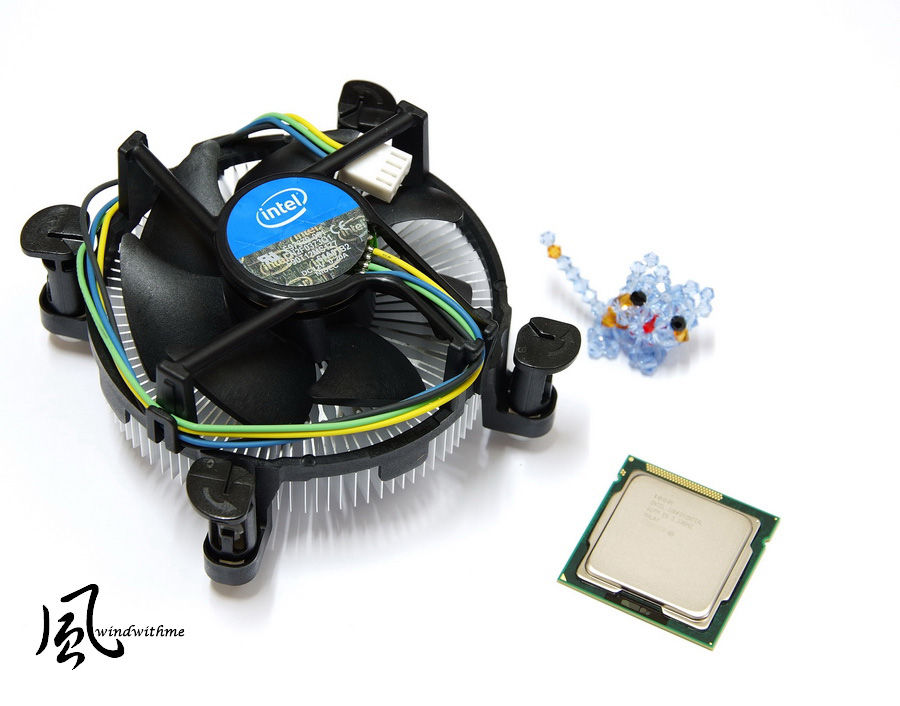
Lower left corner is Revision D2 version back column
Top right is the original heat sink, and for their dual cores CPUs, Intel always uses a non-copper based design
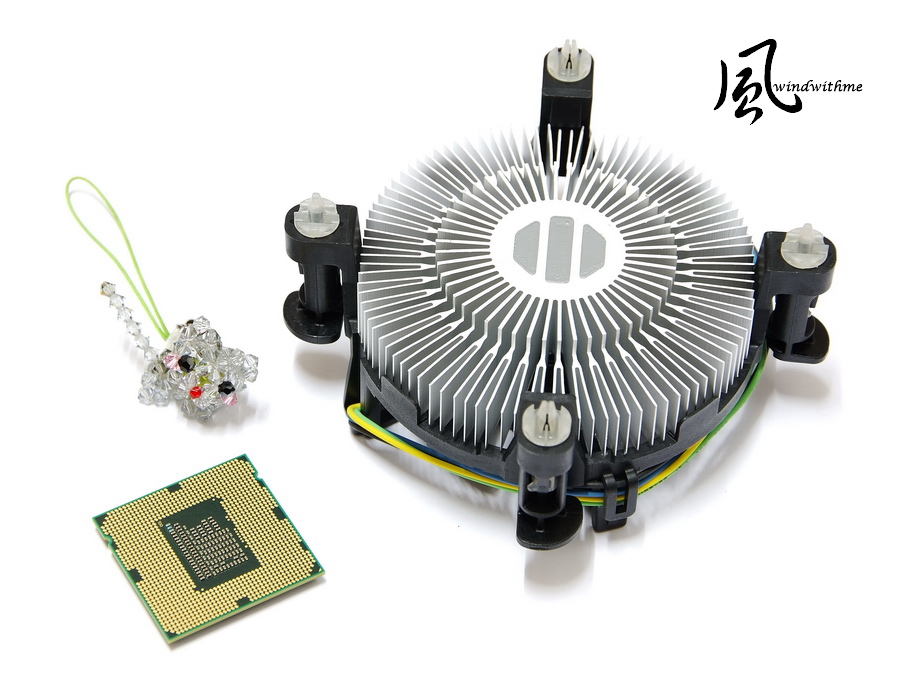
For the Sandy Bridge architecture, there are two Core i3 models on the market, namely the i3-2100 and the i3-2120
The main difference between the two models is the clock, which for the 2100 is 3.1GHz, and for the 2120, it's 3.3GHz
For consumers, we feel the i3-2100 provides better price to performance value
-
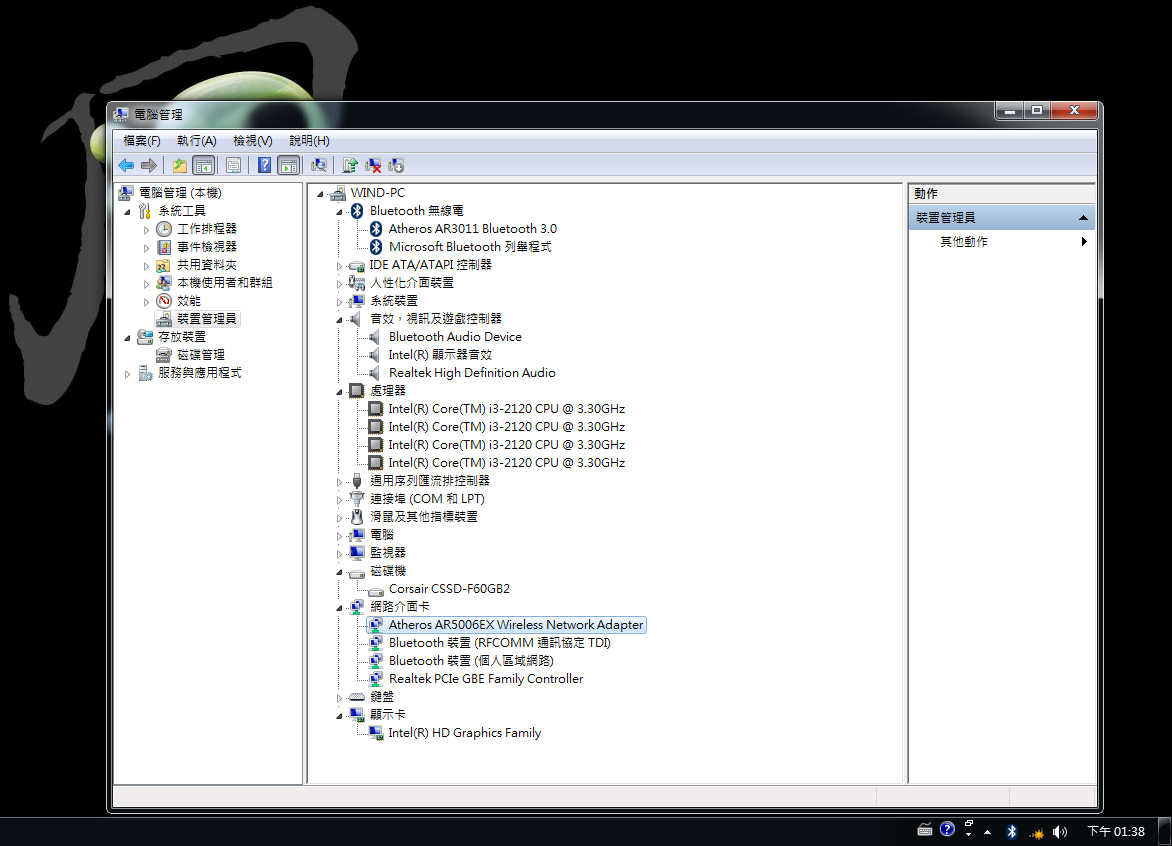
Information on hardware devices in the operating system
Atheros wireless network card installed
Performance tests
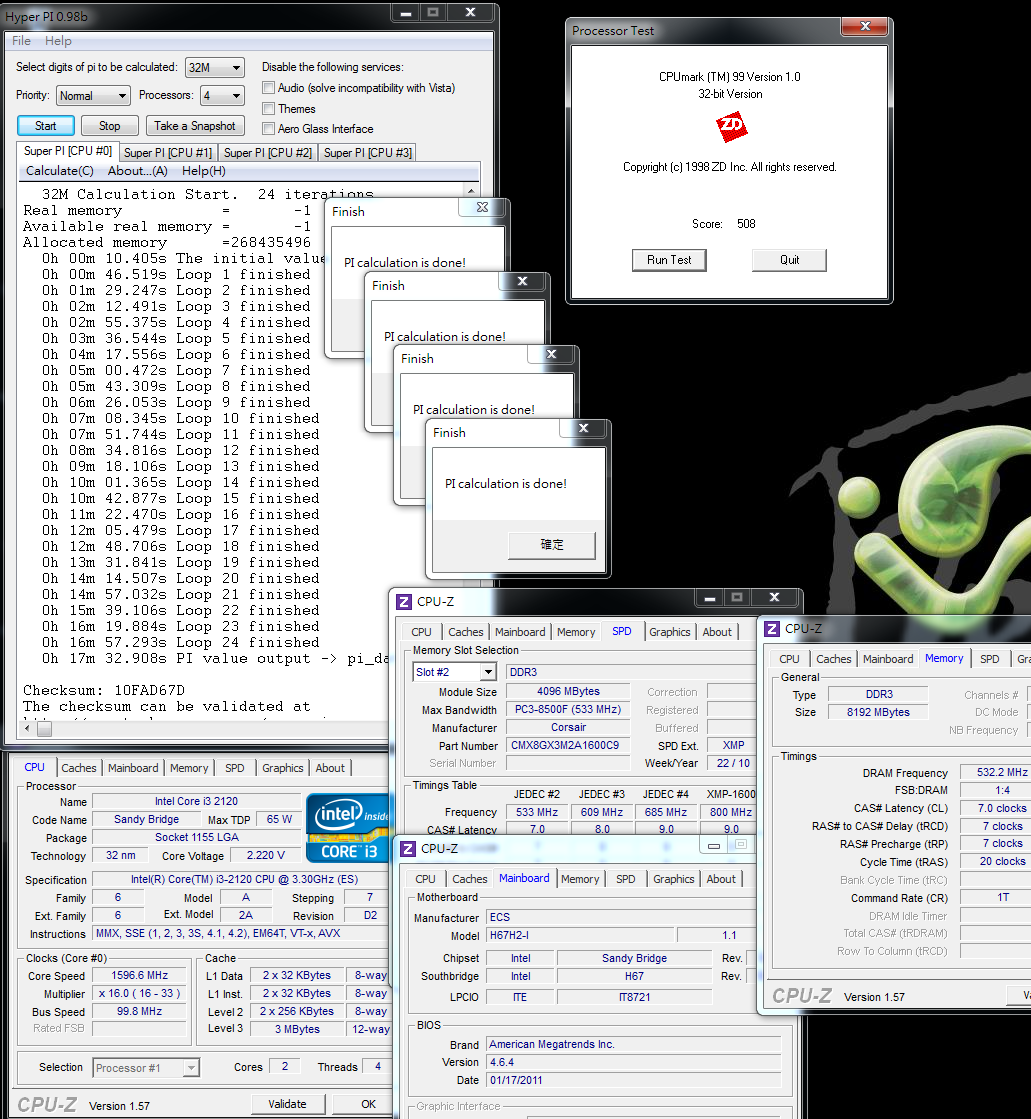
CPU 99.8 X 33 => 3293.4MHz
C1E Activated
DDR3 1064.4 CL7 7-7-20 1T
Hyper PI 32M X 4 => 17m 32.908s
CPUMARK 99 => 508
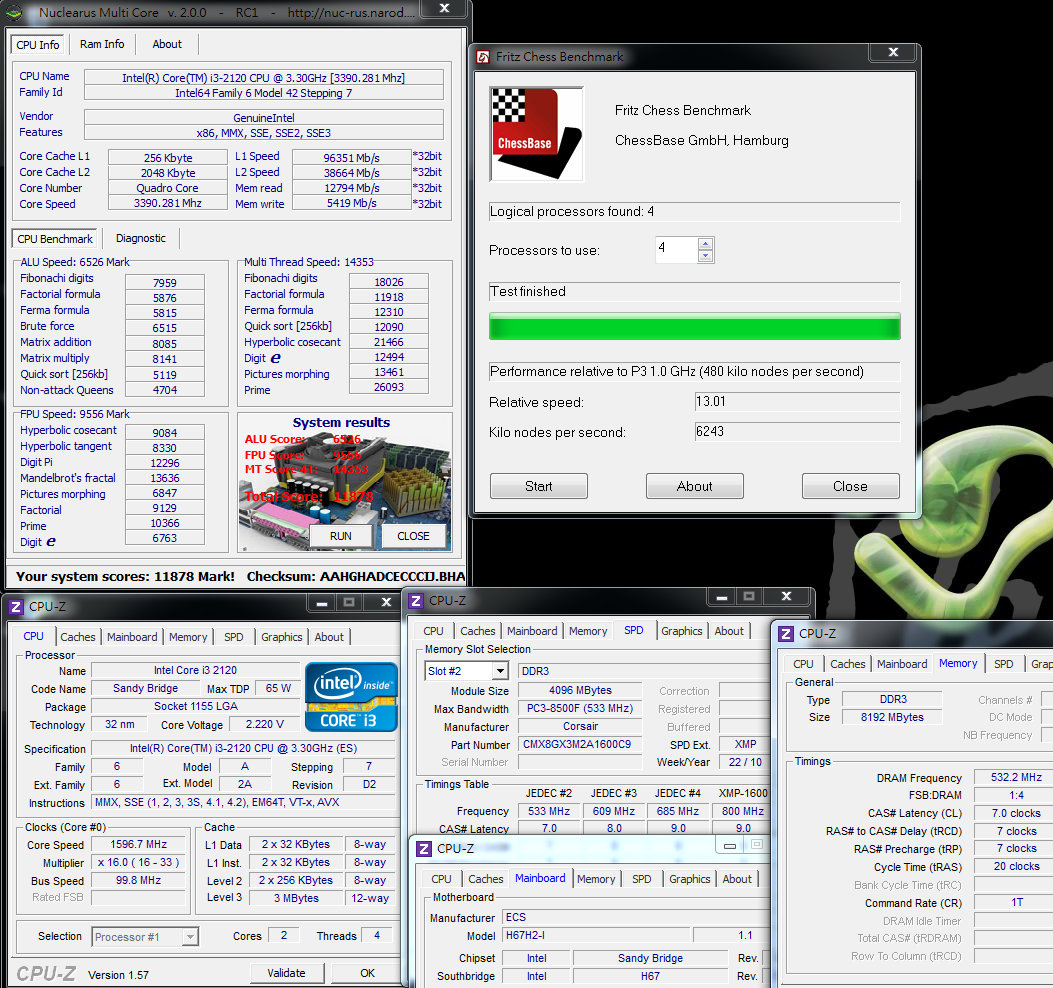
Nuclearus Multi Core => 11878
Fritz Chess Benchmark => 13.01/6243
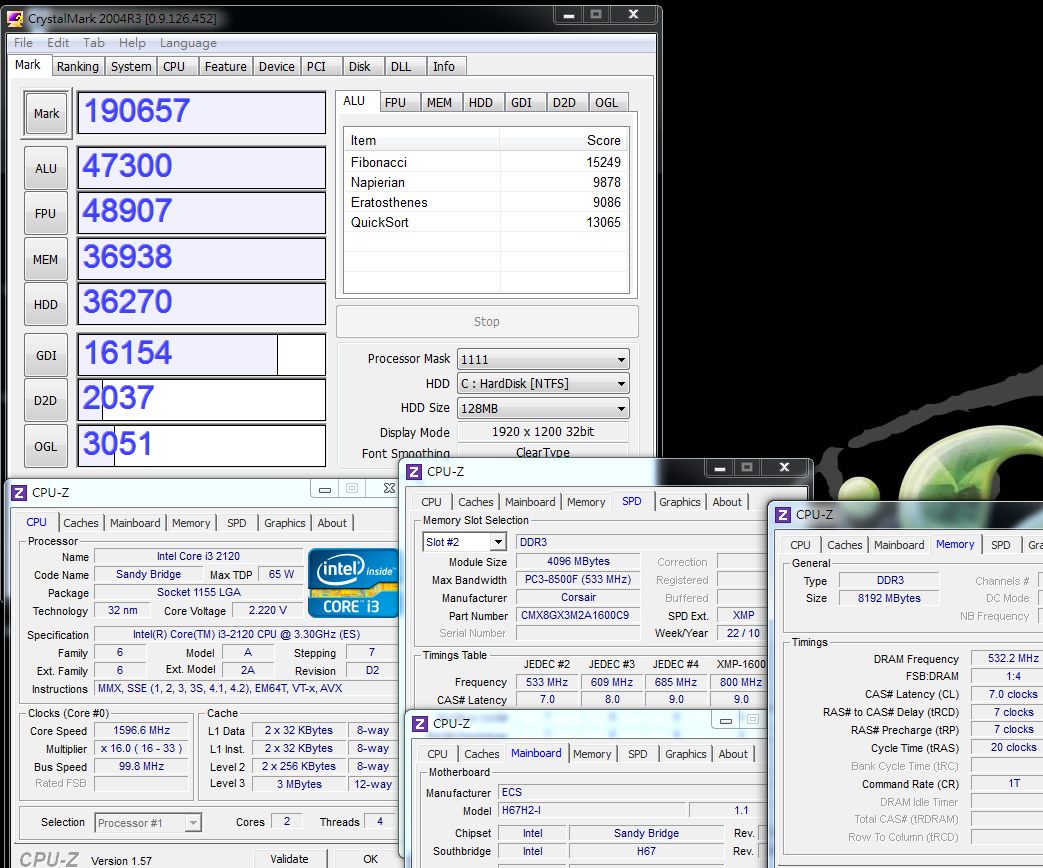
CrystalMark 2004R3 => 190657
CINEBENCH R11.5
CPU => 3.16 pts
CPU (Single Core) => 1.31 pts

PCMark Vantage => 11922

Windows Experience Index - CPU 7.1

The CPU-Z cannot display the correct voltage, and BIOS must be used to find the correct voltage
The situation is the same with the H55H-I generation, which may be related to the design of the special PWM that results in some software errors regarding the voltage information
The i3-2120 clock goes up to 3.3GHz, providing a performance improvement of up to 10-20% with the new architecture
In many of the above tests, this platform has pretty good test data, and especially in the ITX area, the performance level is high
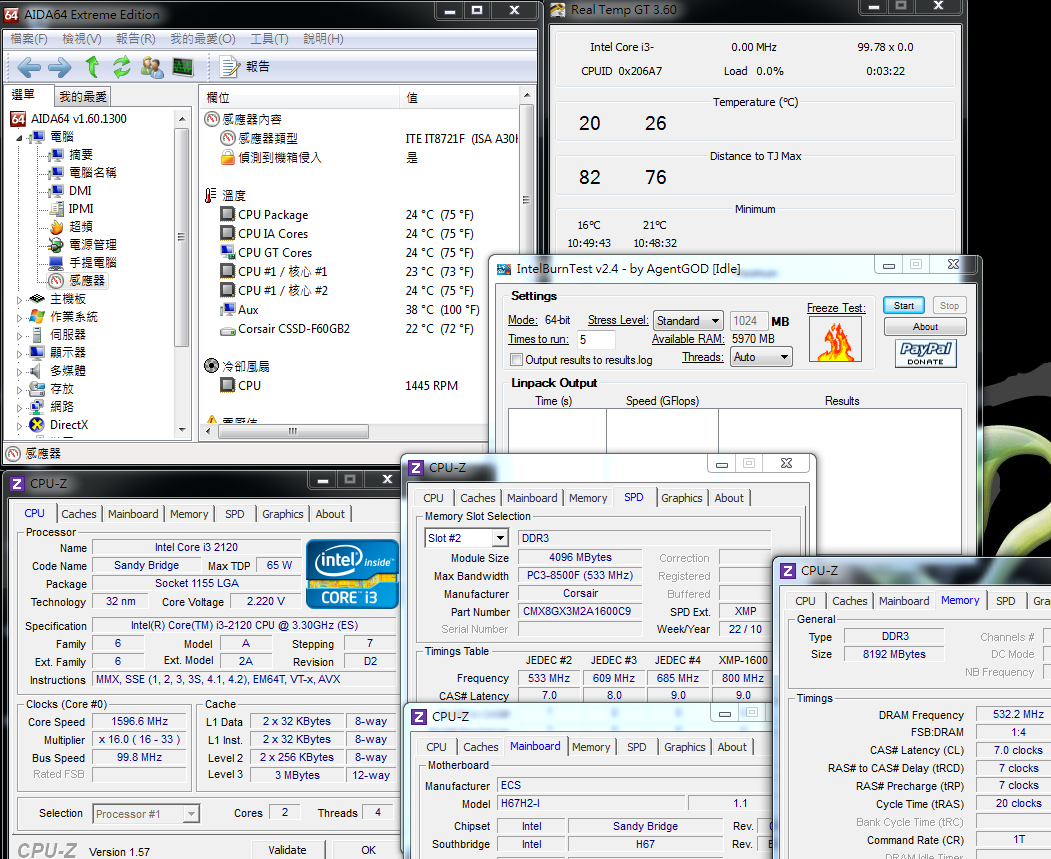
Temperature performance (room temperature about 18 degrees)
System Standby - 20-26
CPU full speed - 44-49
Intel Burn Test v2.4, Stress Level Maximum
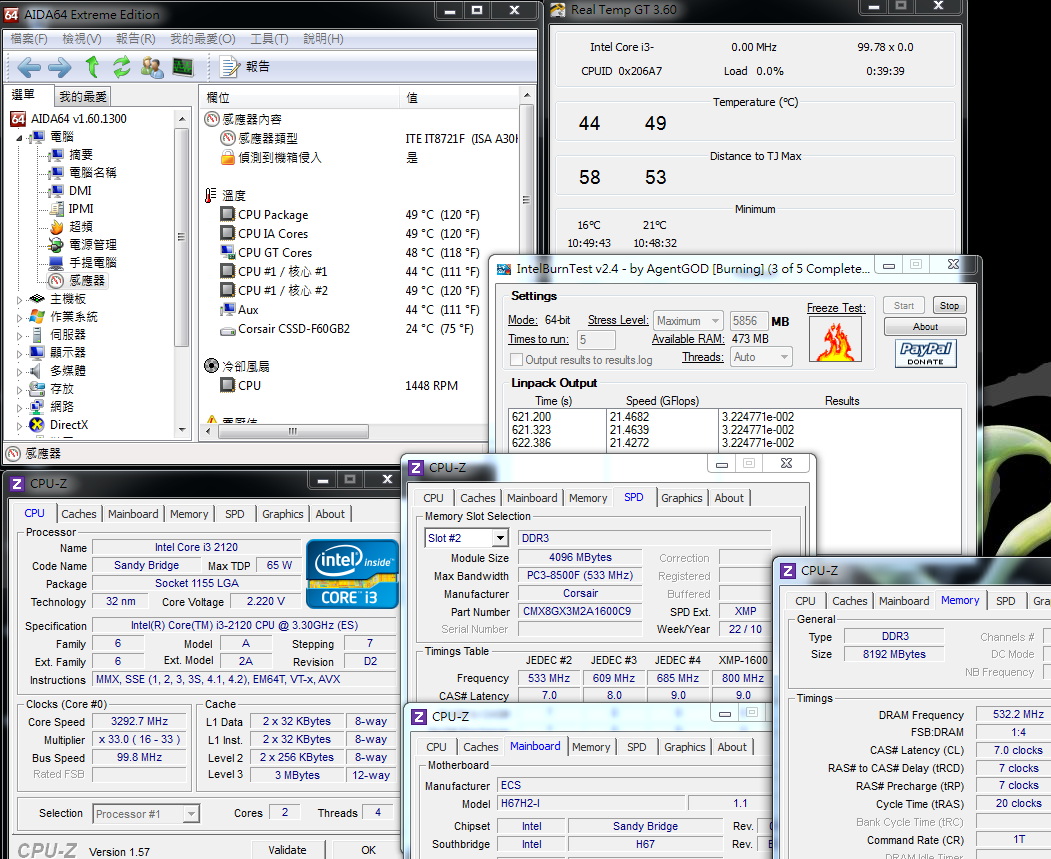
Regarding the temperature of the i3 CPU, the 32nm process has always performed well, and the original thin heat sinks were used in the test
Did not exceed 50 degrees at full speed, but of course after installation in the chassis,
this will depend on differences in the environment or system thermal convection, raising the temperature by about 5 to 8 degrees
Power Consumption Test
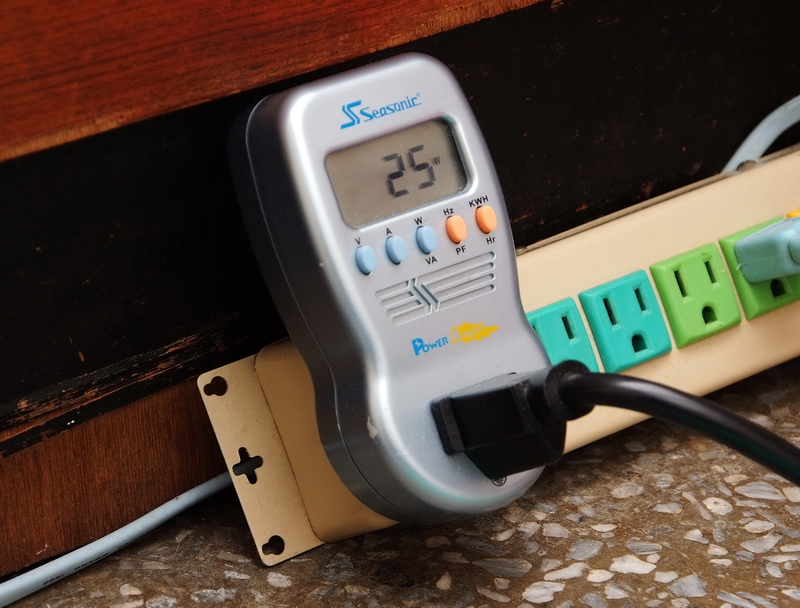
System Standby - 25W
-
CPU full speed - 63W
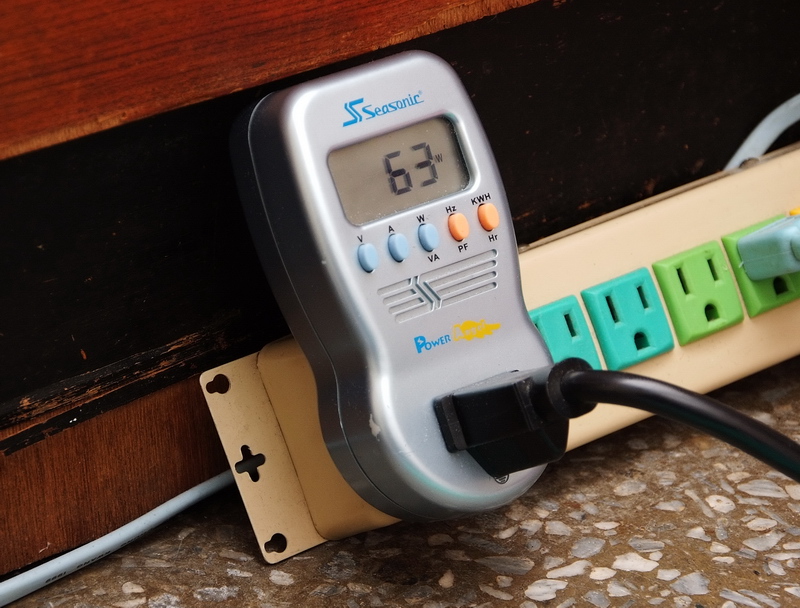
Standby / full speed power consumption is 25W/63W, a significant reduction compared with the previously tested i3-540 and H55 at 52W/83W
This shows that all LGA1155 second-generation Core i-series platforms made with the same 32nm manufacturing process have lower power consumption and higher performance
For users who care about power consumption and temperature,
these two aspects make the performance advantages of the Sandy Bridge stand out even more
DDR3 bandwidth
DDR3 1064.4 CL7 7-7-20 1T
ADIA64 Memory Read - 13912 MB/s
Sandra Memory Bandwidth - 14146 MB/s
MaXXMEM Memory-Copy -15356 MB/s
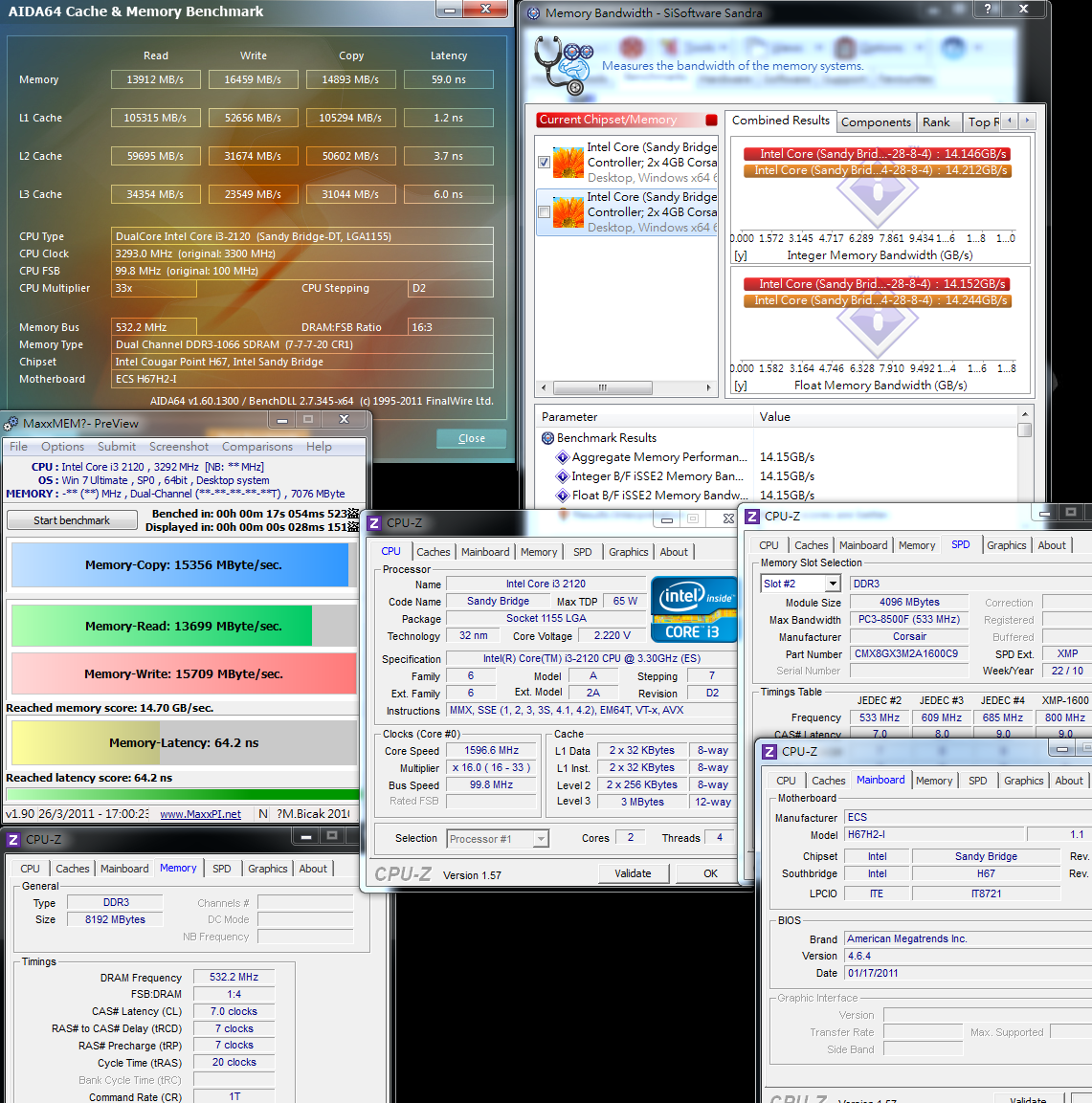
Because the previous LGA 1156 architecture uses the built-in GPU, the DDR3 suffers bandwidth limitations
Starting with the new generation LGA 1155 i3, this problem has been fixed, and even if you use the built-in GPU,
you can begin to take advantage of high bandwidth DDR3 provided under the new architecture.
In the same way, the DDR3 1066 bandwidth of the previous and current two generations will have a greater than 50% improvement
If ECS can provide an option in BIOS to switch freely between 1066/1333, higher bandwidth performance should be possible
Intel HD Graphics HD2000 Benchmark Test
Default clock 1100MHz
3DMark Vantage => P1041

StreetFighter IV Benchmark
1280 X 720 => 26.53 FPS
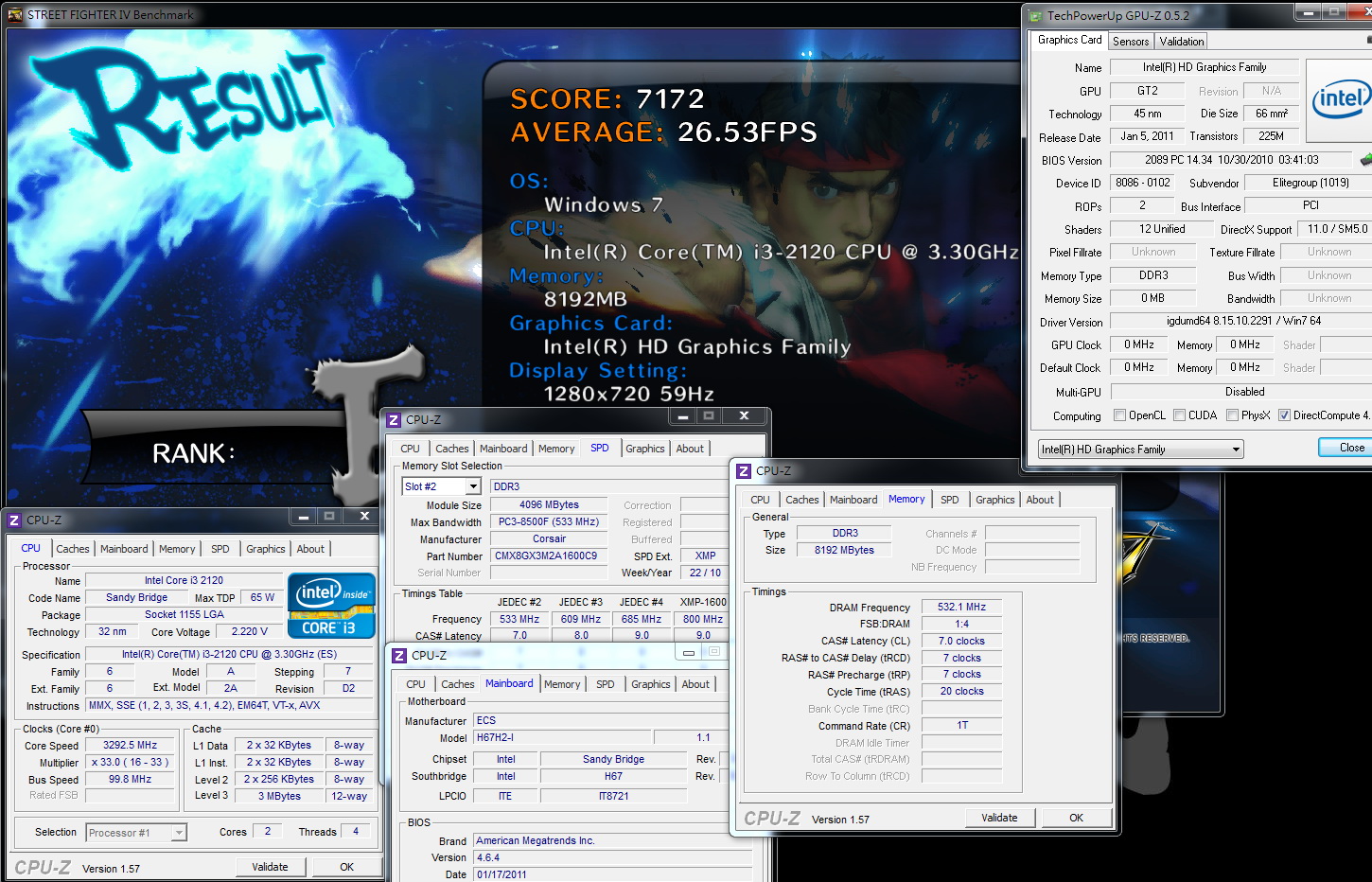
DEVIL MAY CRY4
1280 X 720 => 25.25/21.77/28.80/17.80 fps
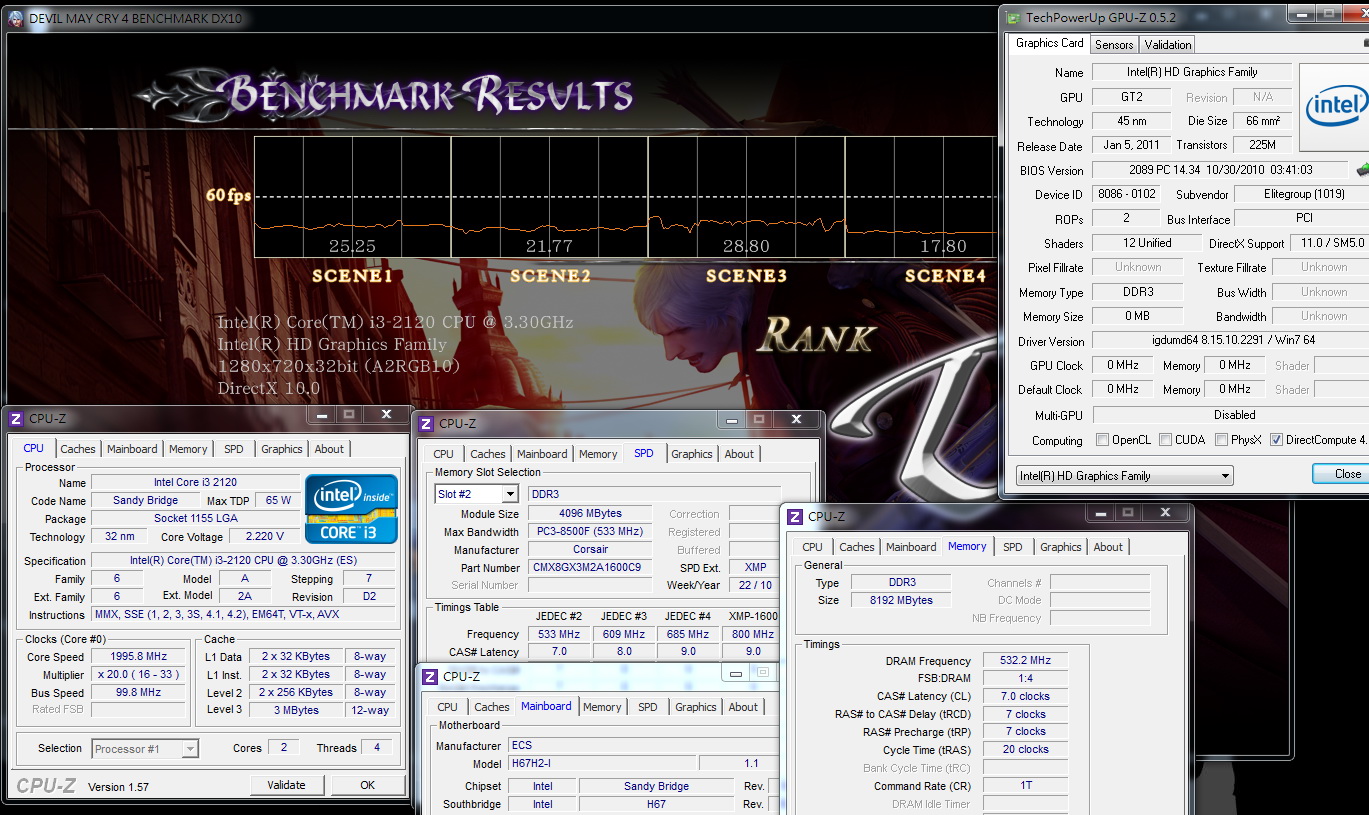
FINAL FANTASY XIV
1280 X 720 => 368
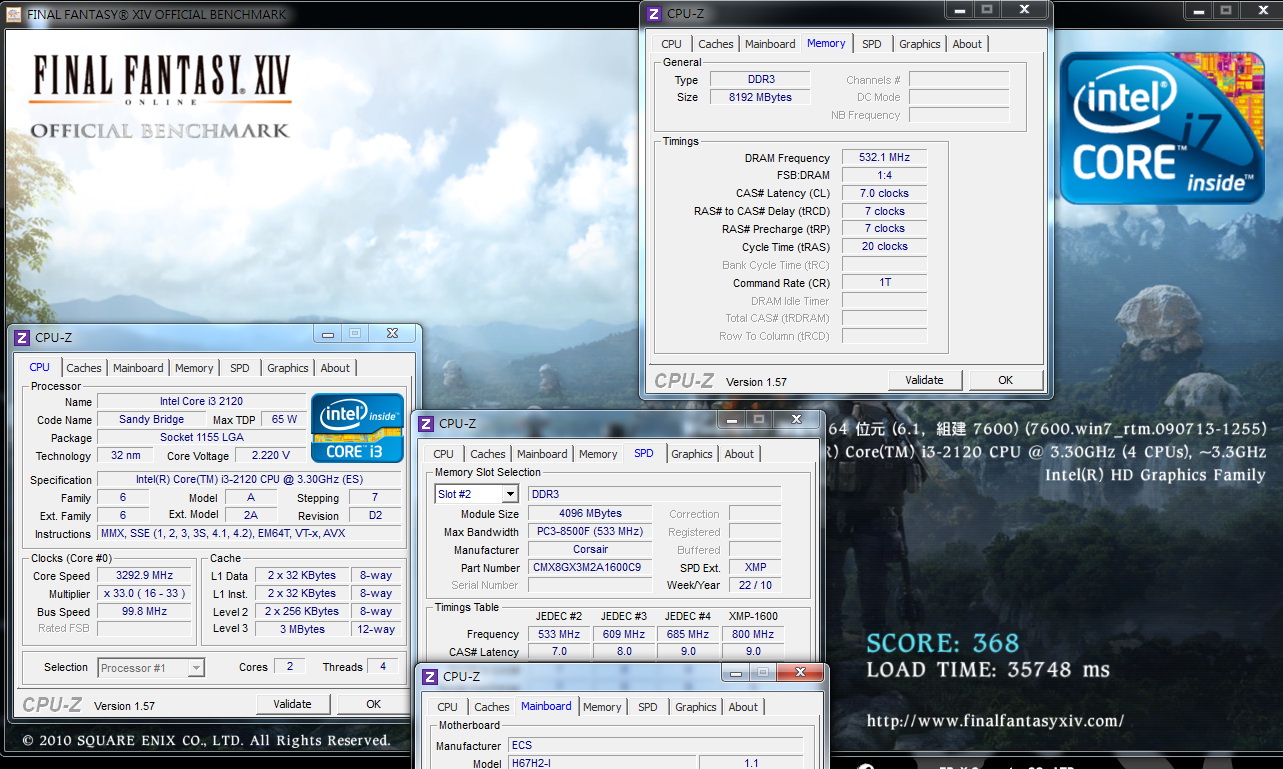
The specifications of the GPU in the i3-2120 are Intel's latest for the HD2000
Compared with the i5-2300 equipped
with the HD2000 that was previously tested by windwithme, there is a difference in 3D performance of about 10 to 15%
Compared with the 3D performance of the previous generation i3-540, this current generation has clearly made huge progress
Although 3D performance is not the main strength of ITX, the performance of the built-in GPU is high,
and for general 3D needs in the future, this will certainly be a big help.
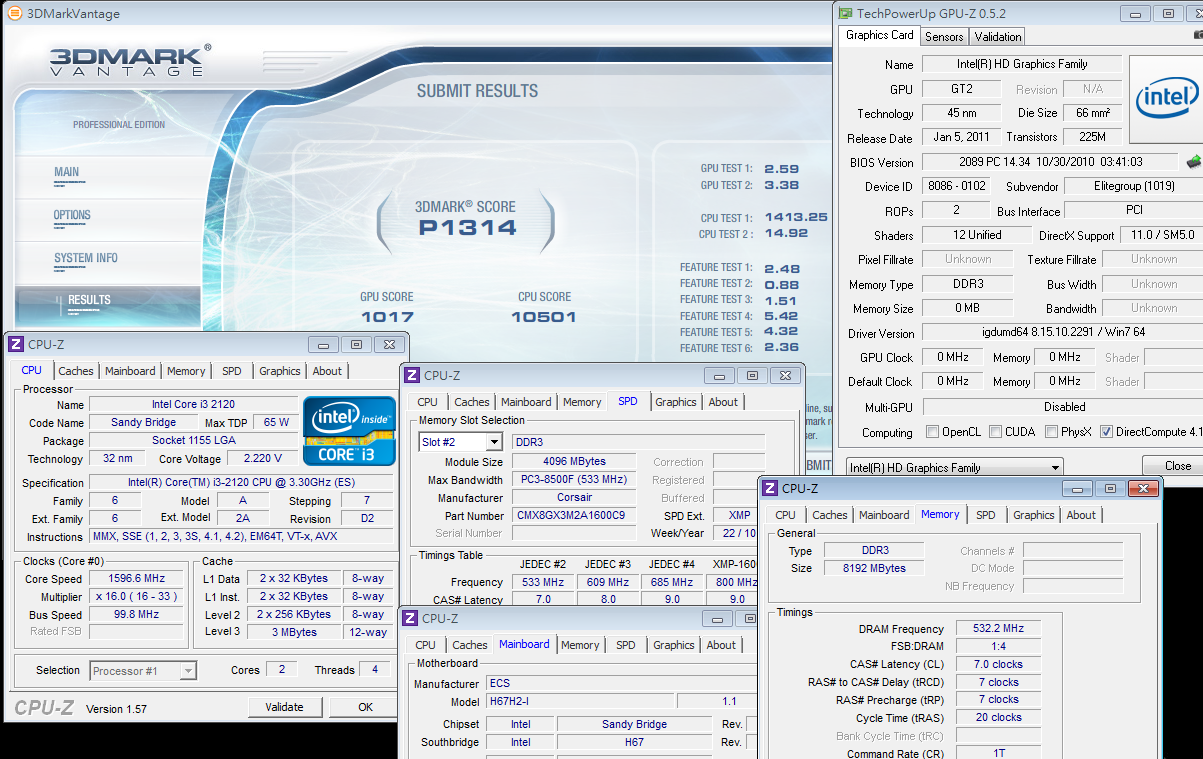
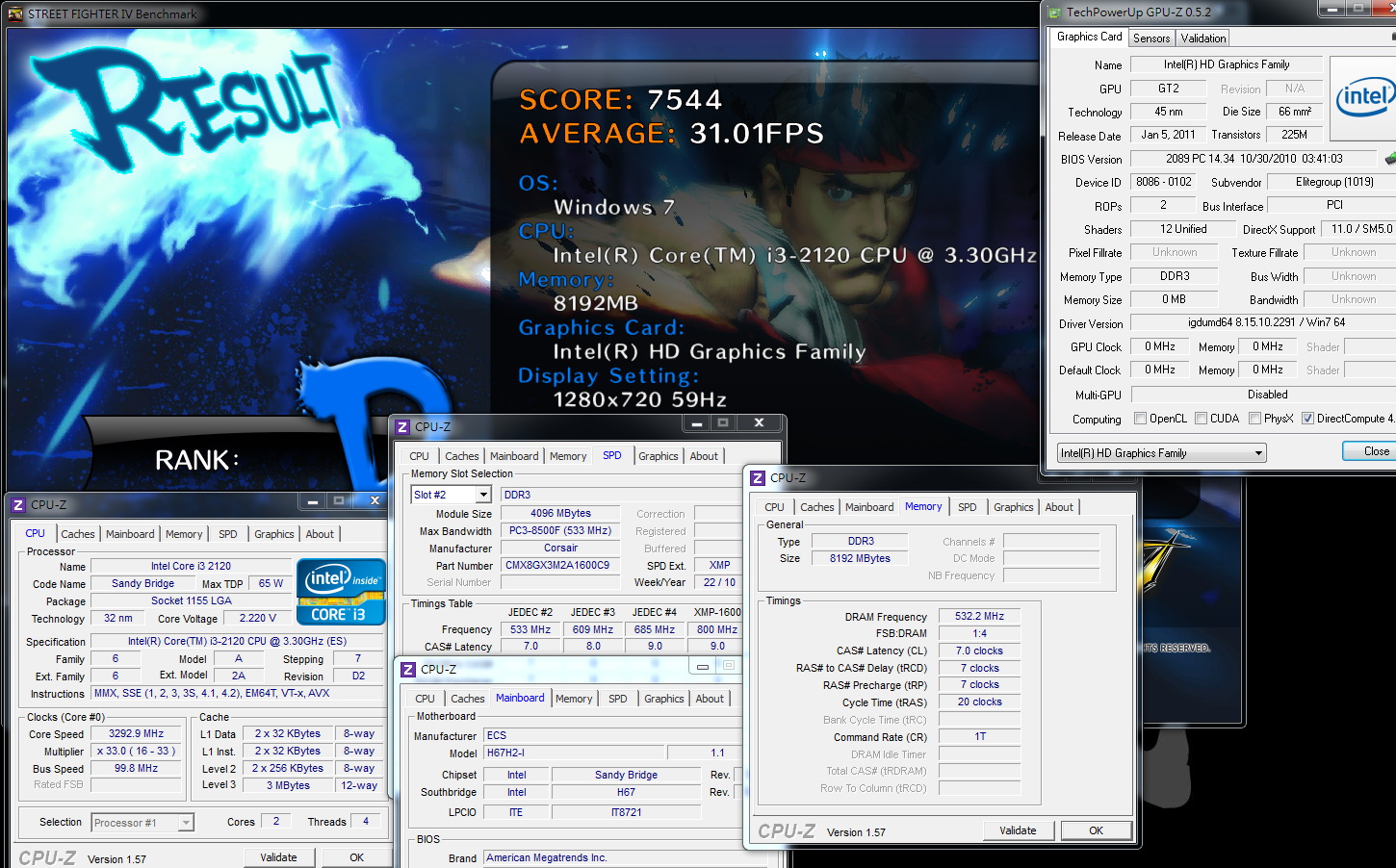
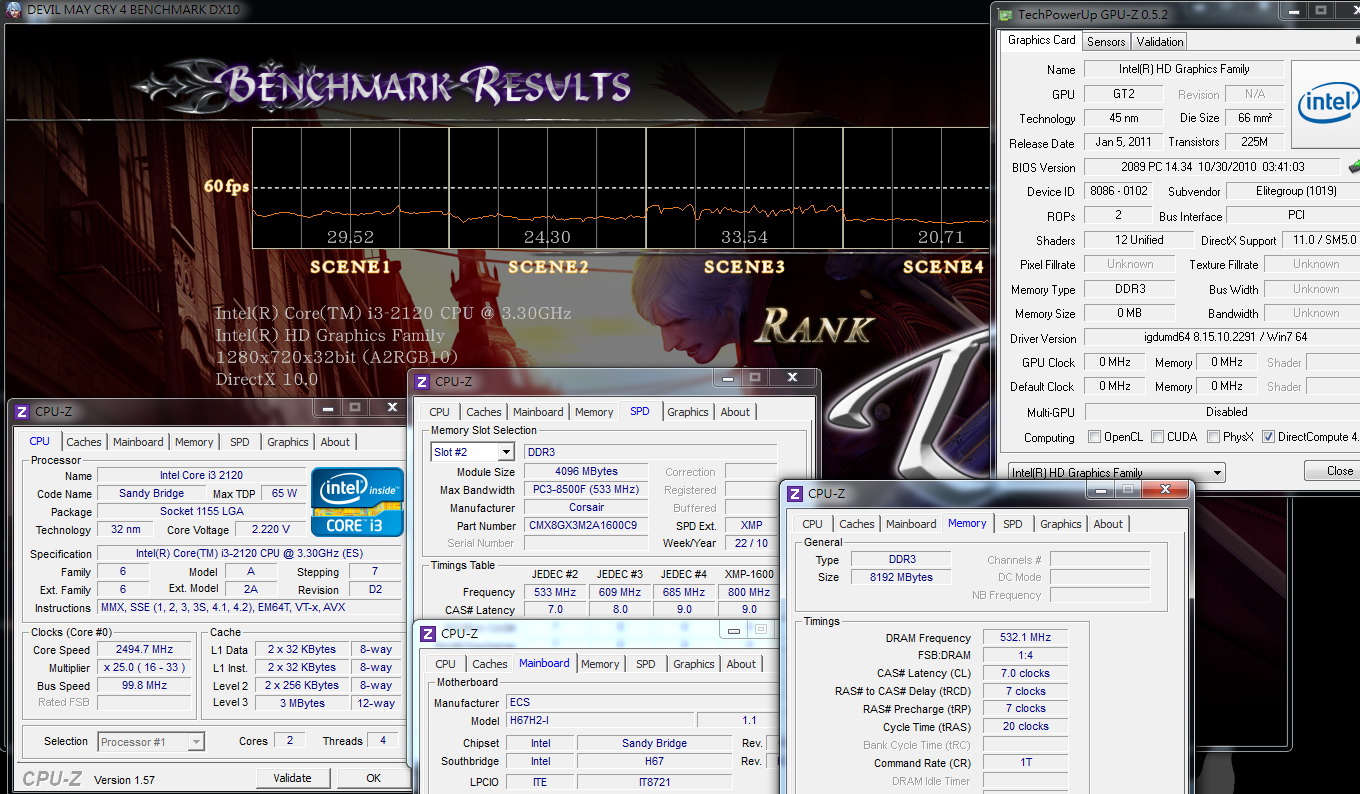
HD2000 Overclocking
27 X 50 => 1350MHz
3DMark Vantage => P1314
StreetFighter IV Benchmark
1280 X 720 => 31.01 FPS
DEVIL MAY CRY4
1280 X 720 => 29.52/24.30/33.54/20.71 fps
FINAL FANTASY XIV
1280 X 720 => 434
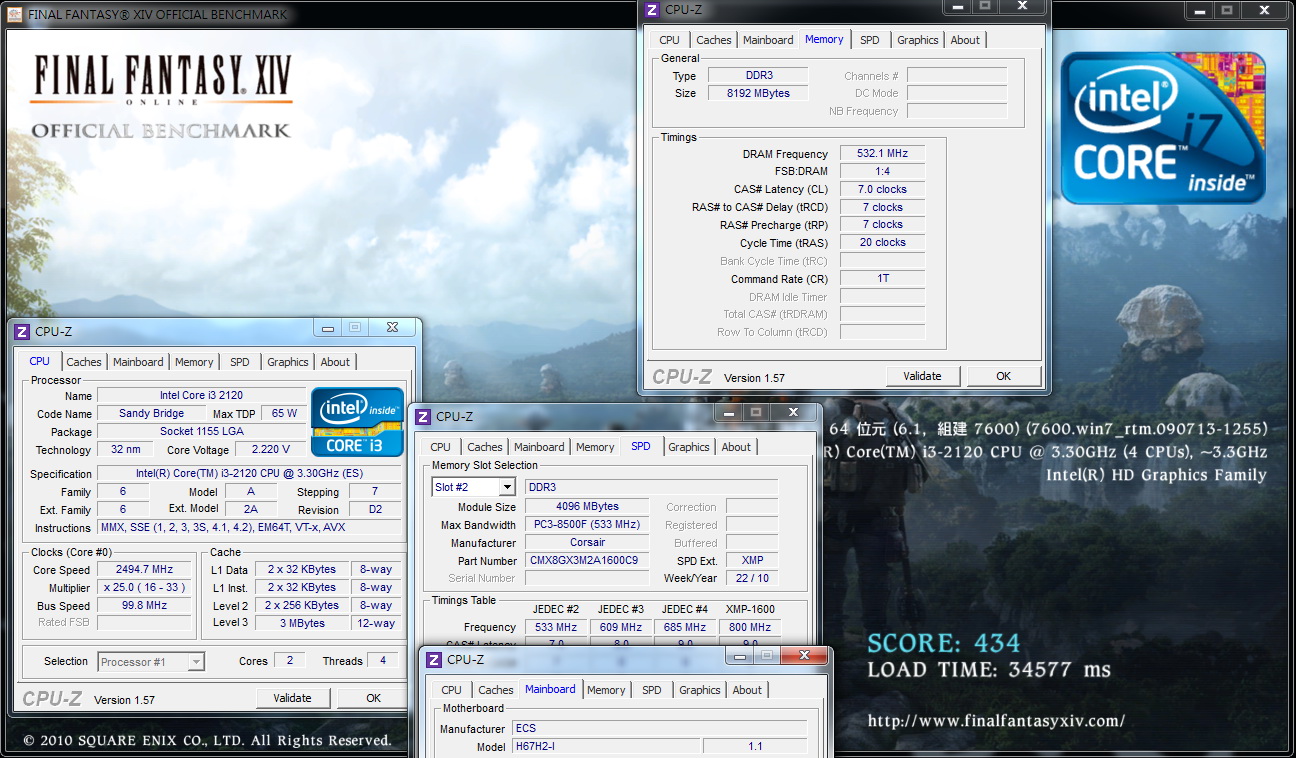
Overclocked 3D performance can be improved by 17-26%, yet unfortunately, unlike several earlier i5 HD2000’s, overclocking in the 1700-1800MHz range is impossible.
But within a small overclocking range, performance gains are not insignificant, so for those web surfers who need performance, this is worth considering
However, if a huge increase in 3D performance is necessary, the better choice is to spend more for an additional graphics card
-
Of the many cases in which ITX motherboards can be installed,
sometimes design specifications call for installation of 2.5-inch HDDs in order to keep the space compact
If you need larger capacity, you can choose a 2.5-inch HDD for notebooks. If you need performance, SSD immediately comes to mind
Currently on the market there are two different directions in the choice of storage hardware
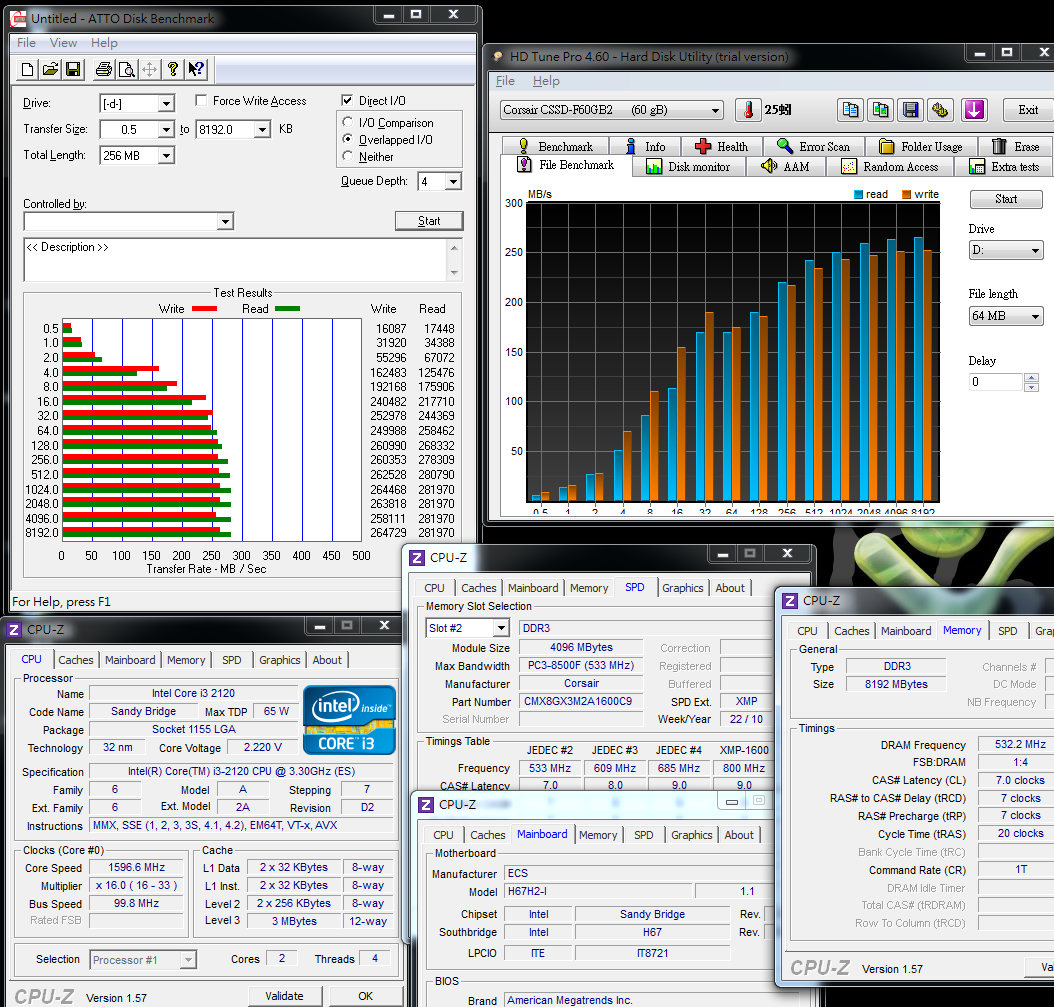
In those platforms equipped with CORSAIR FORCE SERIES F60, we hope to make the ITX platform achieve better transmission performance
When the ATTO DISK Benchmark exceeds 16k, performance is good,
and the maximum read speed is 281.9 MB/s, while the maximum write speed is 264.4 MB/s
When the EVEREST File Benchmark exceeds 1024k in these tests, performance begins to approach or exceed 250-275 MB/s
CrystalDiskMark 4K QD32 Read -97.57 MB/s Write - 60.34 MB/s
AS SSD Benchmark
Seq Read - 201.18 MB/s Write - 44.04 MB/s
4K-64Thrd Read - 100.32 MB/s Write - 47.20 MB/s
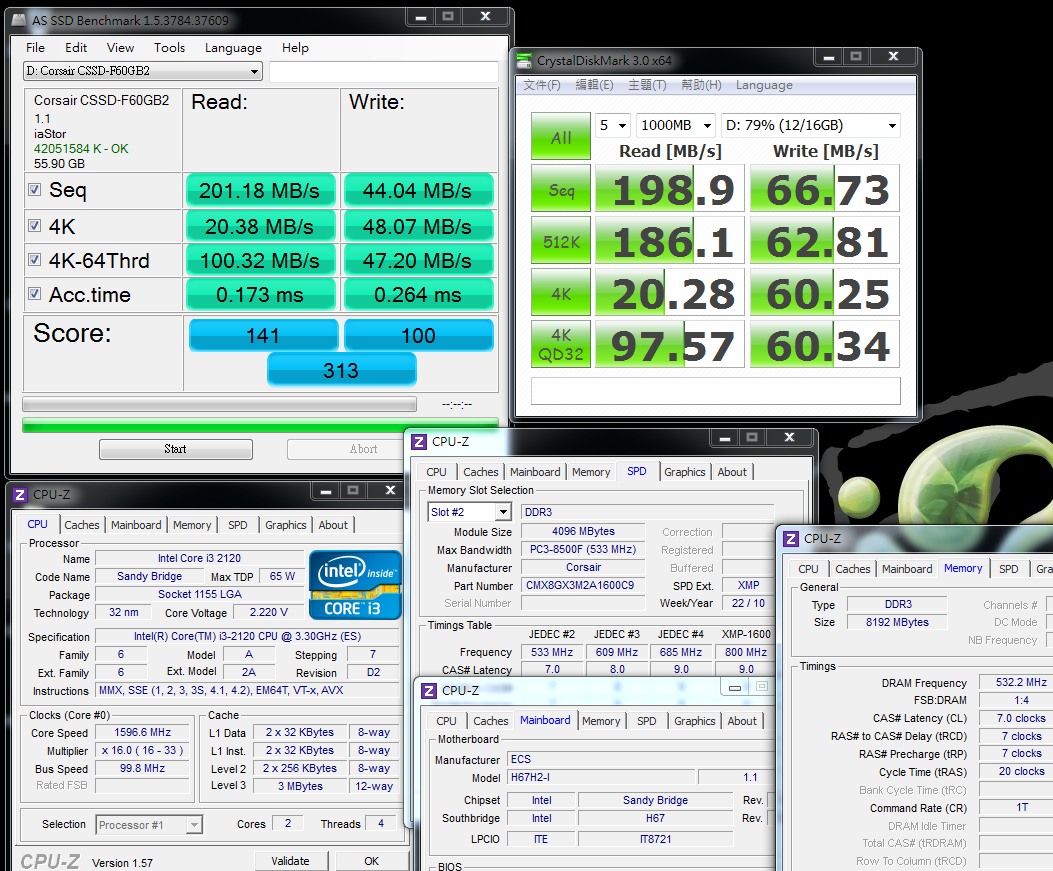
For the ECS H67H2-I using the latest H67 chipset, data transfer performance is quite good
The CORSAIR FORCE F60’s maximum specification is 285/275 MB/s, and maximum performance is almost certain to be achieved with some test software
The 4K performance is quite good, and for users’ small file performance needs, the selection of the SSD with faster 4K read speed is a vital factor
Video playback test
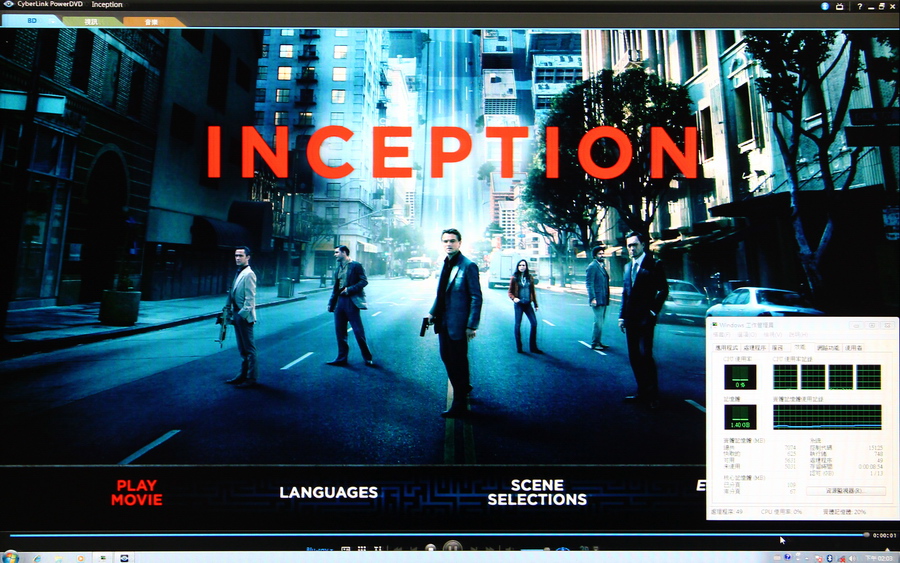
Startup of Inception, a Blu-ray movie on hand. All rights are reserved by the publisher of the above video.
Start menu
Software used -- PowerDVD 10
Resolution of 1920 x 1080
At this point, CPU usage is very low, about 0-2%
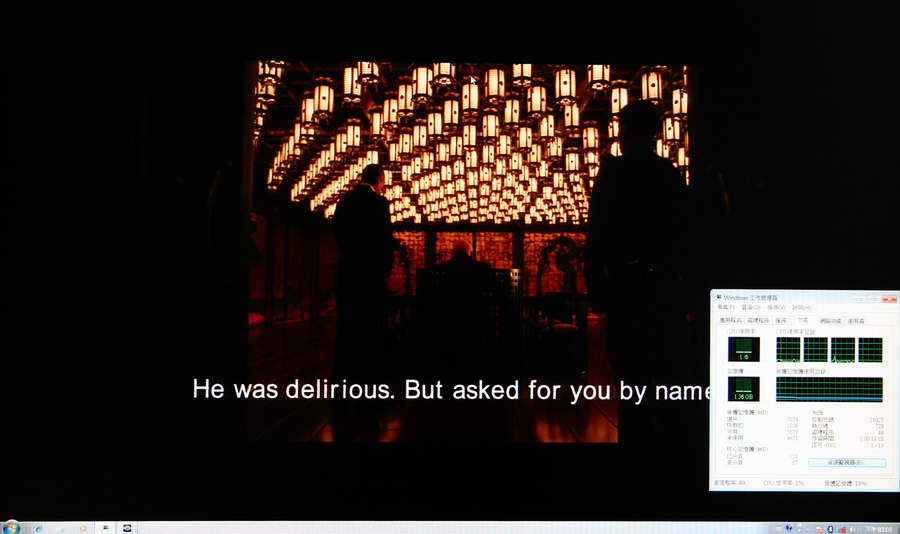
Video process
2-6% CPU usage
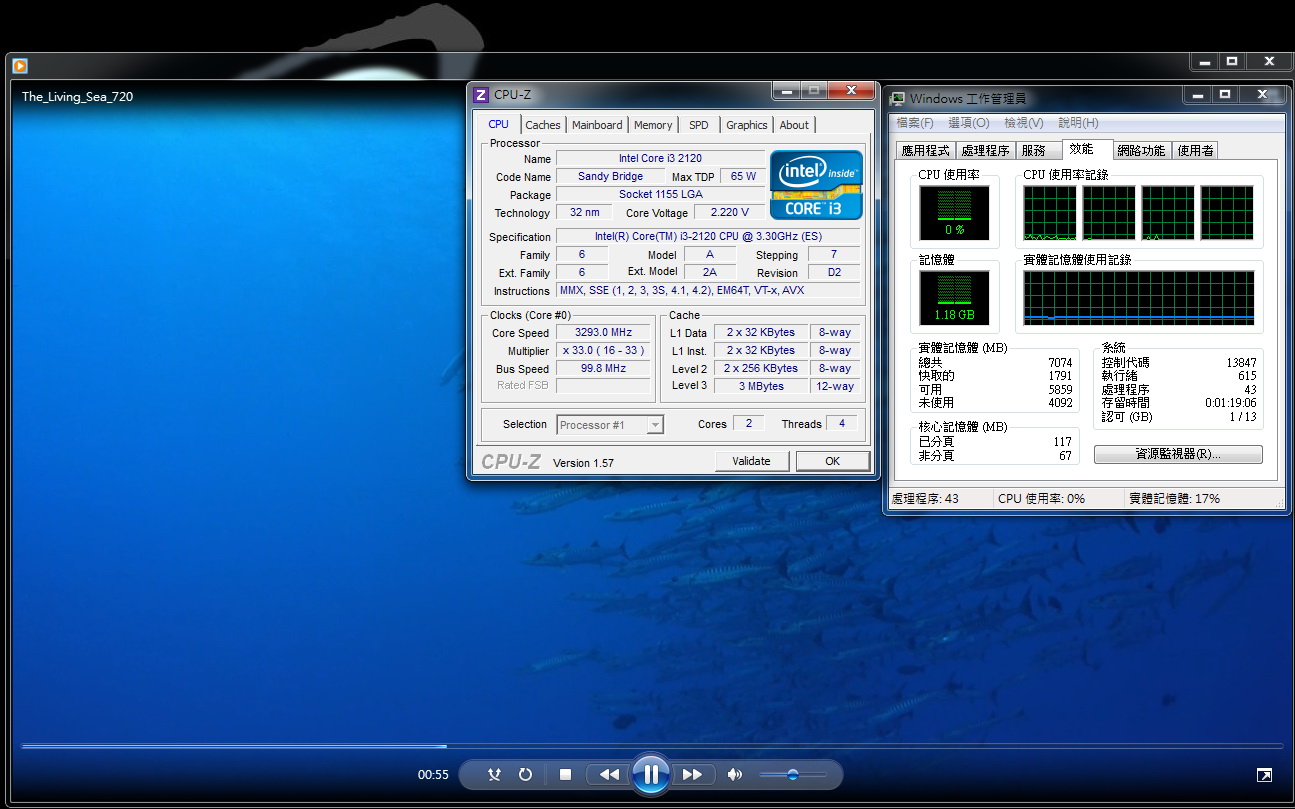
Playing video files directly
Video resolution of 1280 x 720
0-5% CPU utilization
Video resolution of 1440 x 1080
5-12% CPU utilization
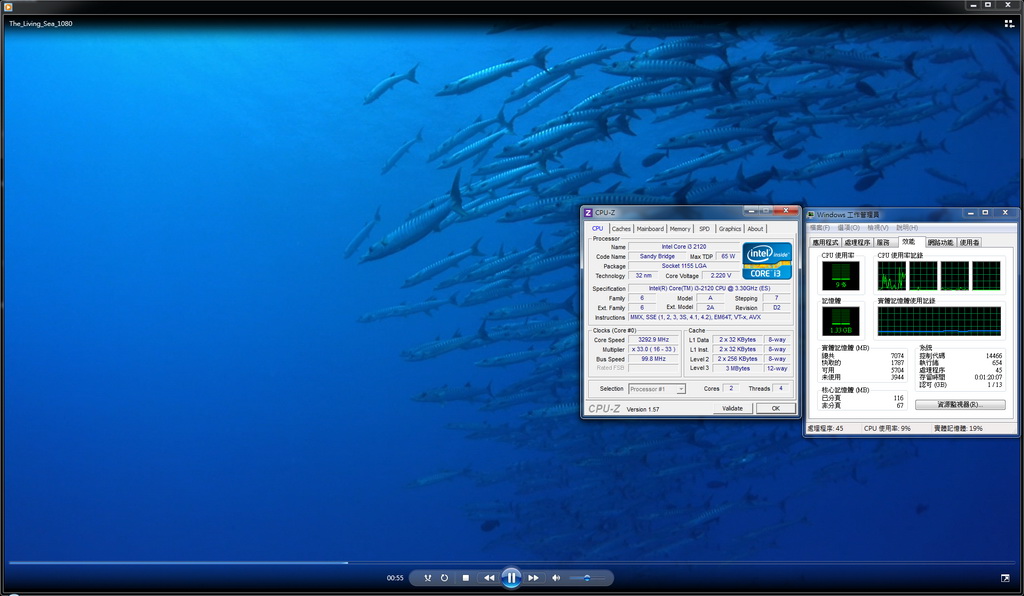
The second generation Core i3 has excellent multimedia performance, and in video playback tests, CPU utilization seldom exceeds 15%
Under playback conditions for most video formats, CPU utilization in general is only 1-12%
With regard to the ITX architecture, performance is very high, and for use as a HTPC it is more than sufficient by several times
Although the performance of an HTPC needs at least smooth video playing, we are certain that consumers will never be dissatisfied with performance
Video conversion is a new technology of Sandy Bridge -- one of its main features
The following is a test of Intel's new Quick Sync Video technology
MediaEspresso test of the time required for video conversion by the built-in GPU
DVD file VTS_01_1.VOB, size capacity of 1023MB, 2500K converted into an MP4 file
Intel HD Graphics HD2000
Starting Intel Quick Sync Video (better quality)
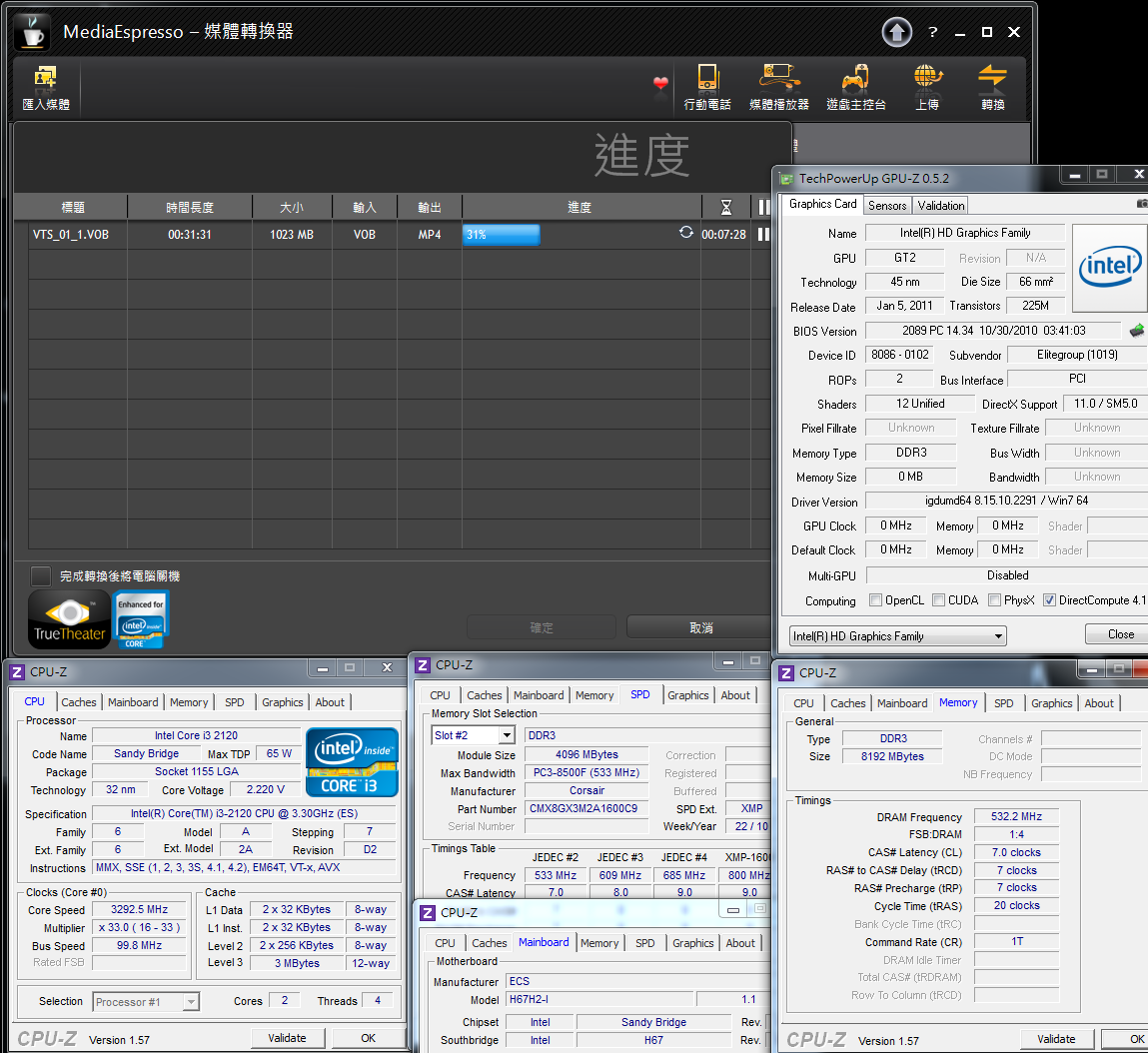
10 minutes 39 seconds
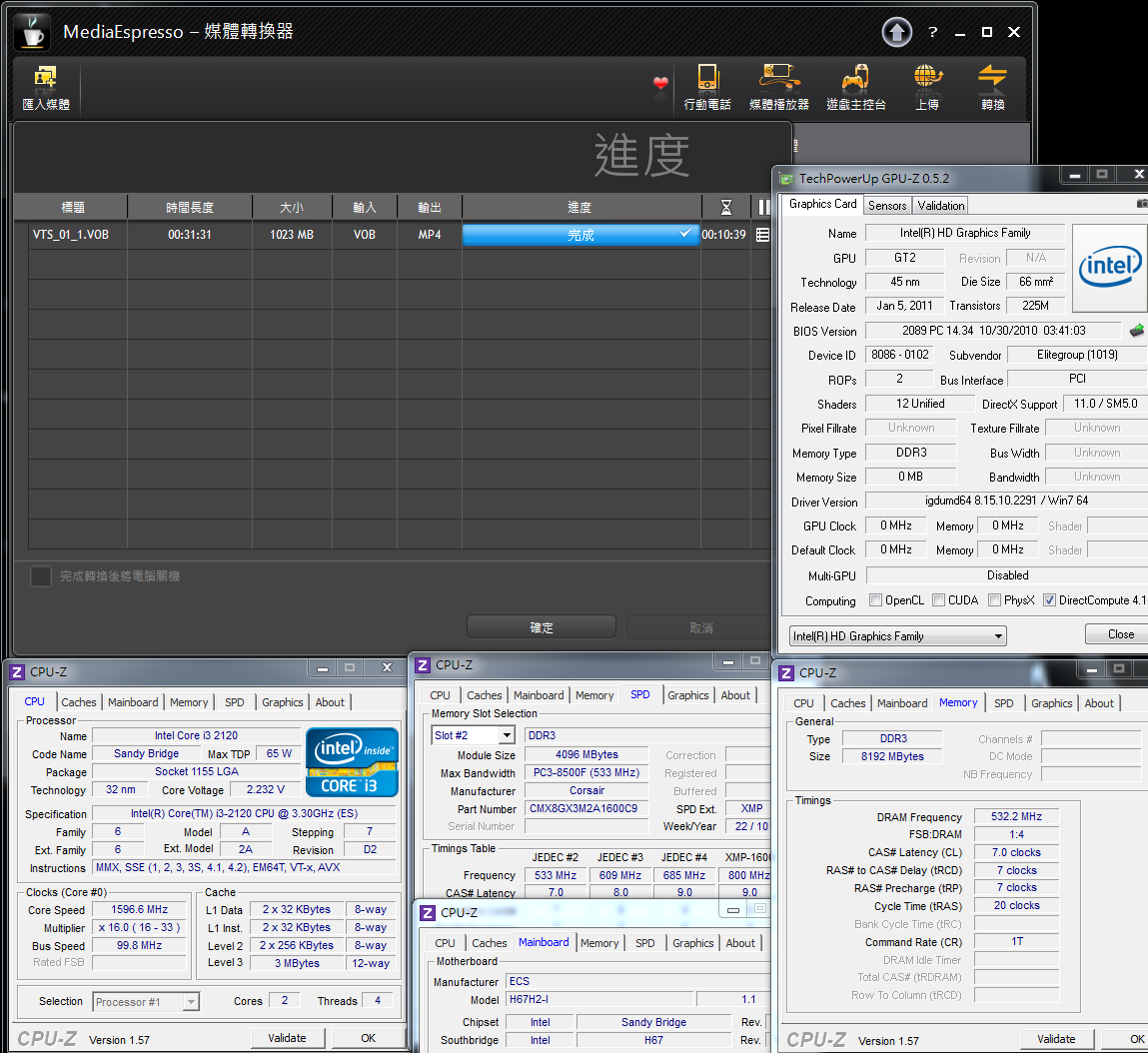
For the Intel Quick Sync Video technology to speed up video conversion, a prerequisite is the need to run the built-in GPU HD2000/HD3000 before this feature can be used.
We have previously compared Intel Quick Sync Video with nVIDIA and CUDA, two video conversion technologies.
The speed comparison shows Quick Sync Video has the advantage, and for users with this application in mind, this should be a significant benefit.
ECS H67H2-I
Advantages
1. High-end Mini ITX specification H67 product with abundant accessories
2. All solid capacitors, eSATA, USB 3.0/eSATA and other components
3. Built-in Bluetooth capability, support for v2.1 + EDR technology, with a Mini PCI-E for extended use also provided
4. BIOS allows overclocking of the GPU so that 3D performance achieves a higher standard
5. With regard to the performance of the i3 CPU that is part of Sandy Bridge, temperature and power achieve good performance
Shortcomings
1. We recommend that a BIOS C1E option be created for users to freely choose performance modes
2. If an antenna that’s necessary for the wireless network can be added, it will be an improent vem
Performance ? ? ? ? ? ? ? ? ? ?
Components ? ? ? ? ? ? ? ? ? ?
Specifications ? ? ? ? ? ? ? ? ? ?
Appearance ? ? ? ? ? ? ? ? ? ?
Price to performance ? ? ? ? ? ? ? ?? ?
In the past two years, ECS has performed well in the area of small Mini ITX motherboards
The launch of the H55H-I in the earlier generation LGA 1156 architecture was very well positioned in the market in terms of price to performance
This time around, the H67H2-I added Bluetooth capabilities and a Mini PCI-E slot for wireless networks to the specifications,
making the HTPC platform an even better proposition.
The price is about NT$3,450, or about US$120
With the H67 chipset, the price makes the H67 a worthy entry-level solution, and therefore we have very high marks for the price to performance of this product.
Some time ago I shared my views on Mini ITX products based on the AMD Fusion architecture which were even a bit cheaper than this platform currently reviewed
However, the AMD architecture is equivalent to the Intel Atom CPU series in terms of performance, and we can only say that the assembled HTPC's performance meets basic needs
Intel’s new generation H67/H61 chipsets in the Mini ITX product line achieve quite satisfactory performance
Of course, Sandy Bridge ITX products should only be considered by consumers with a certain budget range
In this review of the ECS H67H2-I, I’ve found many areas where performance has been above the standard,
I hope this article can be of use to ITX enthusiasts as a reference before you buy

This review also post in my blog WIND3C
Welcome 3C lovers to visit and advise.
Thanks
-
very nice review
Ciao! Sembra che tu sia interessato a questa conversazione, ma non hai ancora un account.
Stanco di dover scorrere gli stessi post a ogni visita? Quando registri un account, tornerai sempre esattamente dove eri rimasto e potrai scegliere di essere avvisato delle nuove risposte (tramite email o notifica push). Potrai anche salvare segnalibri e votare i post per mostrare il tuo apprezzamento agli altri membri della comunità.
Con il tuo contributo, questo post potrebbe essere ancora migliore 💗
Registrati Accedi