
[ENG] CORSAIR Obsidian 250, the ITX case Has Both Texture and Scalability
-
In the past couple year, ITX market became more and more popular. Many MB makers launched related products.
Some of my friends choose ITX due to space concern.
For small room or preferring small PC, ITX is the best option for you.
The ITX Case I share today is CORSAIR high texture Obsidian Series.
Obsidian Series majority is ATX full-tower chassis. It’s simple, texture and scalability.
Recently, it also has Micro ATX350D and Mini ITX250D.
For who requires high performance and small size, these two are just perfect.
Let’s look at CORSAIR Obsidian Series 250D box first.
It’s thicker carton with detail features. Corrugated paper with less painting is more environment saving.
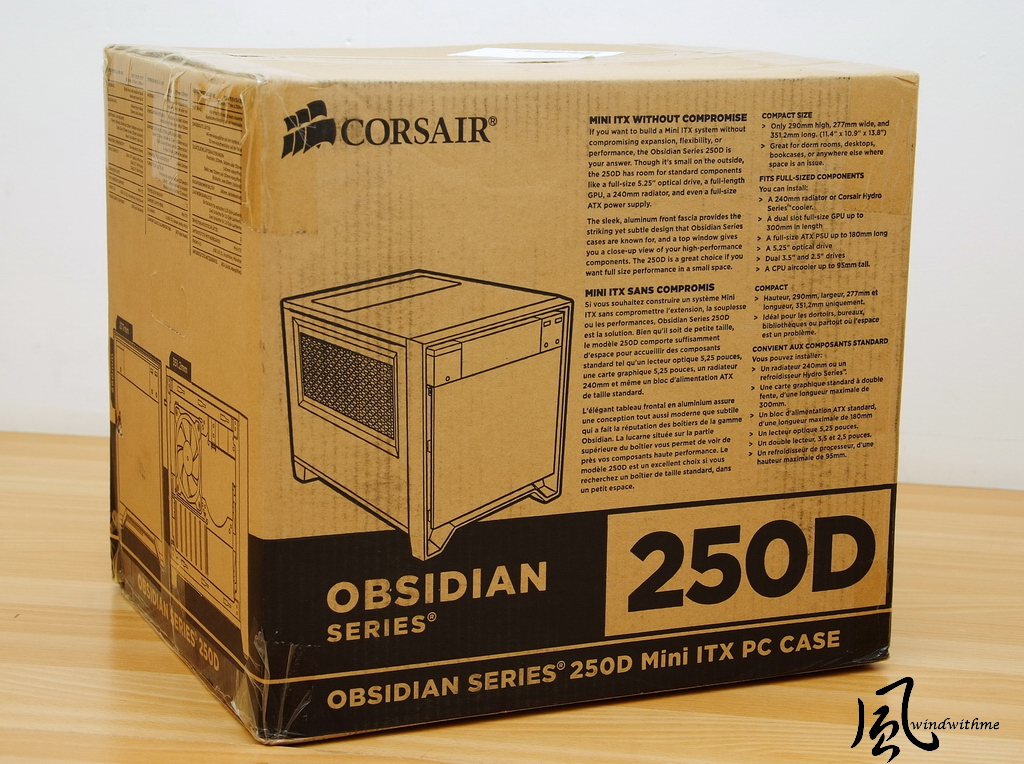
From here, CORSAIR Obsidian Series 250D will be named as 250D.
The size is 351x 277 x 290mm, and weight is 4.42 kg.
The major material is steel and aluminum front panel. There are some parts using plastic.

Front panel has one 5.25” for DVD or BD-ROM.
Right side has 2 front USB3.0 and headset, mic jacks. The 5 white round dots on both sides can open bottom panel.
Left side has Power and HDD/SSD LED. Bottom round button is Reset.
The light LED is light white. It won’t impact your vision at dark site during the night.

Front panel is black anodized brushed aluminum fascia and a brushed aluminum fascia with the company logo imprinted on it.
It’s not anti-fingerprint, but still acceptable.
If the white CORSAIR logo is nameplate, the texture will be better.
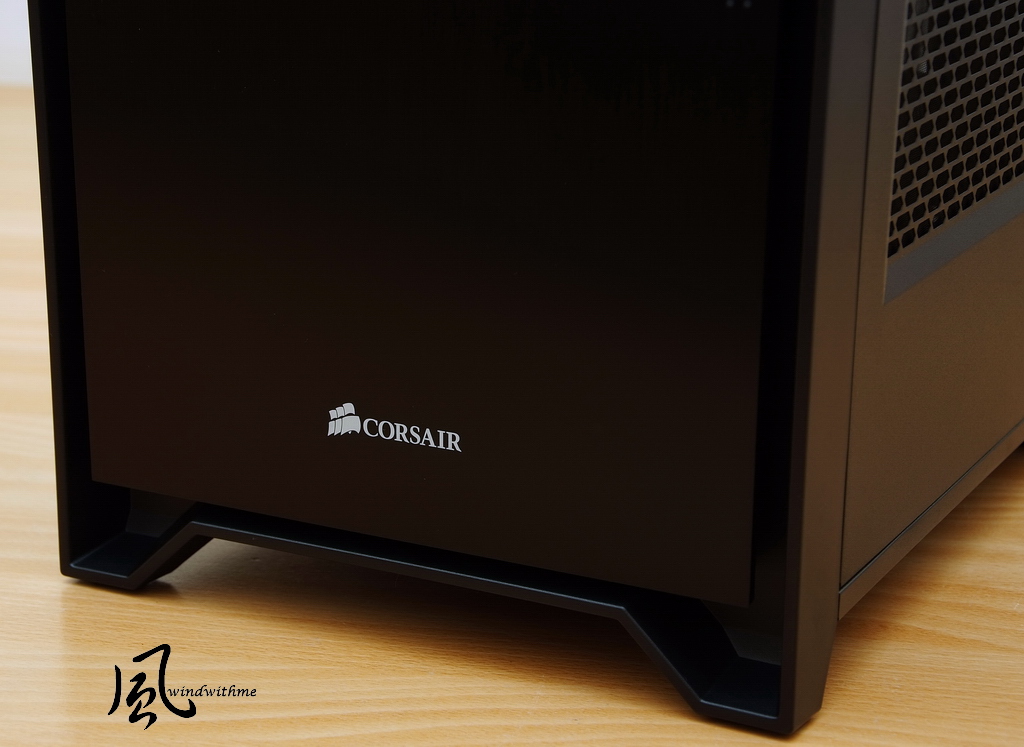
Top panel is partial transparent window design. Users can see through it.
No matter water cooling, air cooling, MB orRAM, if it’s Luminous, the visual effect is better.

Left side
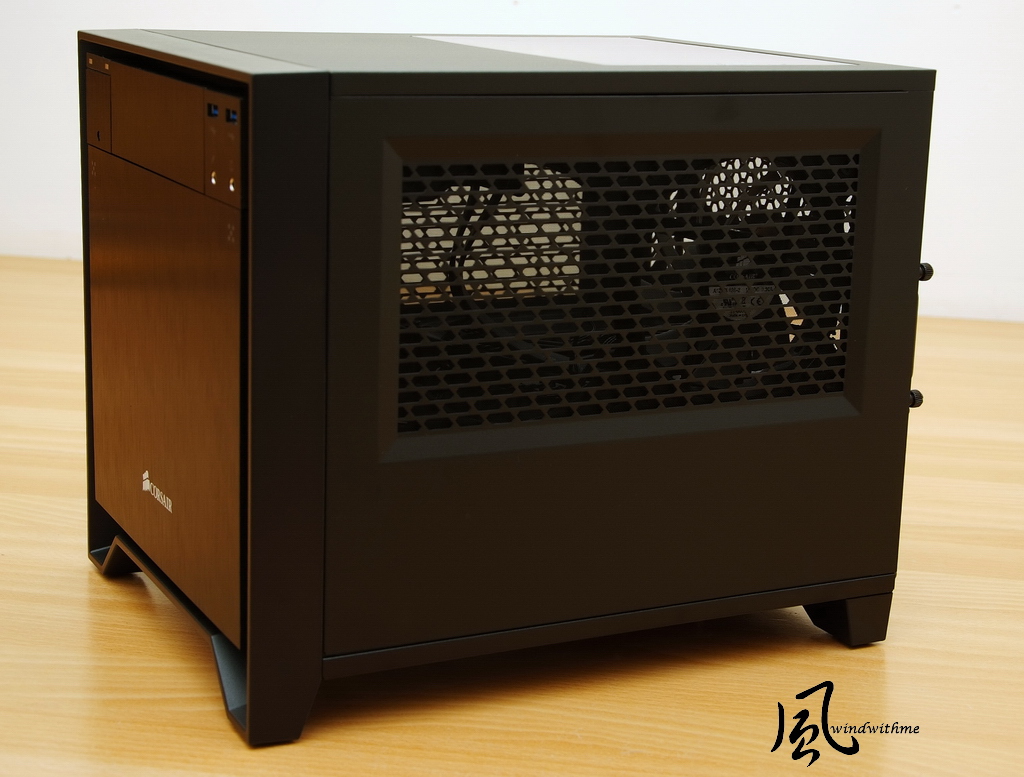
It has large openings with integrated fan filters. It enhances air flow, also lower dust.
Right side
It also has large openings with integrated fan filters.

Back Side
Top can add two 8csm fans. Right side can install high end VGA panel.
Center is Mini-ITX MB IO panel. Lower-left is 2.5” and 3.5” storage trays.
Lower-right is Power Supply. It supports max 18cm high watt ATX PSU.

Uninstall 3 side panels
Left side can install two 12cm fans. It bundles with one CORSAIR AF120L silent fan.
If you are using CORSAIR water cooling system, you can install H55, H60 or H100i for better air flow.

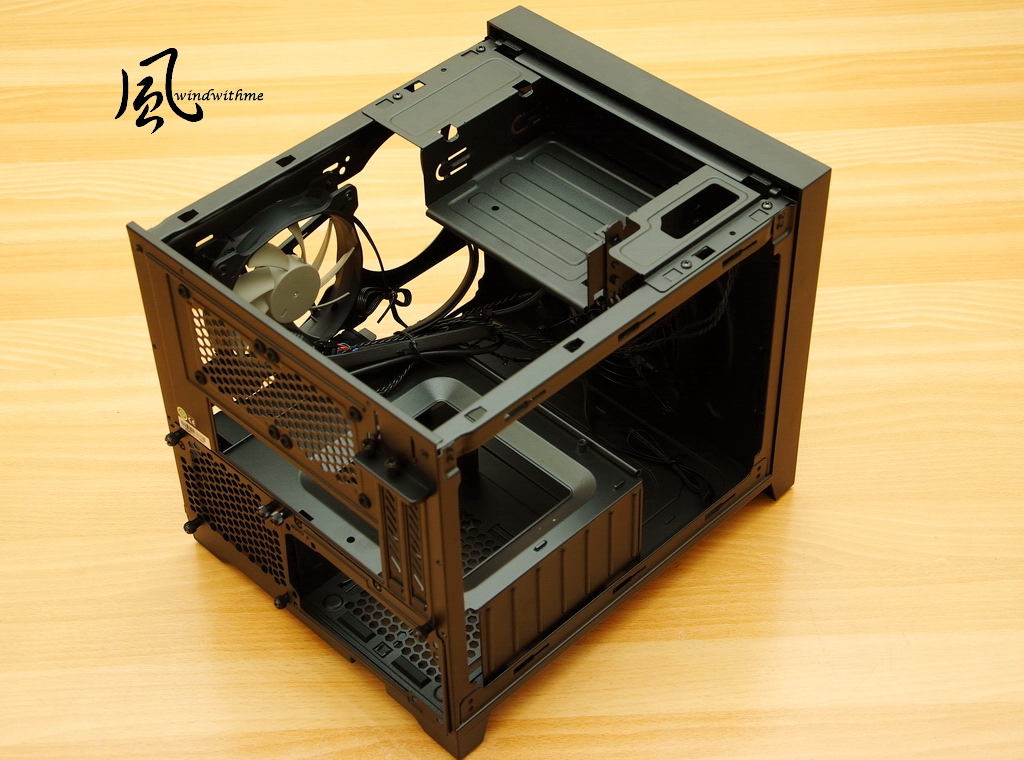
Inner top side
Front is 5.25” bay. It’s convenient but also makes ITX Case bigger.
Back is for Mini-ITX MB. Below is Power Supply. Front is for PSU cables.
-
In the past couple year, ITX market became more and more popular. Many MB makers launched related products.
Some of my friends choose ITX due to space concern.
For small room or preferring small PC, ITX is the best option for you.
The ITX Case I share today is CORSAIR high texture Obsidian Series.
Obsidian Series majority is ATX full-tower chassis. It’s simple, texture and scalability.
Recently, it also has Micro ATX350D and Mini ITX250D.
For who requires high performance and small size, these two are just perfect.
Let’s look at CORSAIR Obsidian Series 250D box first.
It’s thicker carton with detail features. Corrugated paper with less painting is more environment saving.
From here, CORSAIR Obsidian Series 250D will be named as 250D.
The size is 351x 277 x 290mm, and weight is 4.42 kg.
The major material is steel and aluminum front panel. There are some parts using plastic.
Front panel has one 5.25” for DVD or BD-ROM.
Right side has 2 front USB3.0 and headset, mic jacks. The 5 white round dots on both sides can open bottom panel.
Left side has Power and HDD/SSD LED. Bottom round button is Reset.
The light LED is light white. It won’t impact your vision at dark site during the night.
Front panel is black anodized brushed aluminum fascia and a brushed aluminum fascia with the company logo imprinted on it.
It’s not anti-fingerprint, but still acceptable.
If the white CORSAIR logo is nameplate, the texture will be better.
Top panel is partial transparent window design. Users can see through it.
No matter water cooling, air cooling, MB orRAM, if it’s Luminous, the visual effect is better.
Left side
It has large openings with integrated fan filters. It enhances air flow, also lower dust.
Right side
It also has large openings with integrated fan filters.
Back Side
Top can add two 8csm fans. Right side can install high end VGA panel.
Center is Mini-ITX MB IO panel. Lower-left is 2.5” and 3.5” storage trays.
Lower-right is Power Supply. It supports max 18cm high watt ATX PSU.
Uninstall 3 side panels
Left side can install two 12cm fans. It bundles with one CORSAIR AF120L silent fan.
If you are using CORSAIR water cooling system, you can install H55, H60 or H100i for better air flow.
Inner top side
Front is 5.25” bay. It’s convenient but also makes ITX Case bigger.
Back is for Mini-ITX MB. Below is Power Supply. Front is for PSU cables.
-
Beside front panel, you can install one 12cm or 14cm fan.
It’s using CORSAIR AF140L silent fan and dust filter.

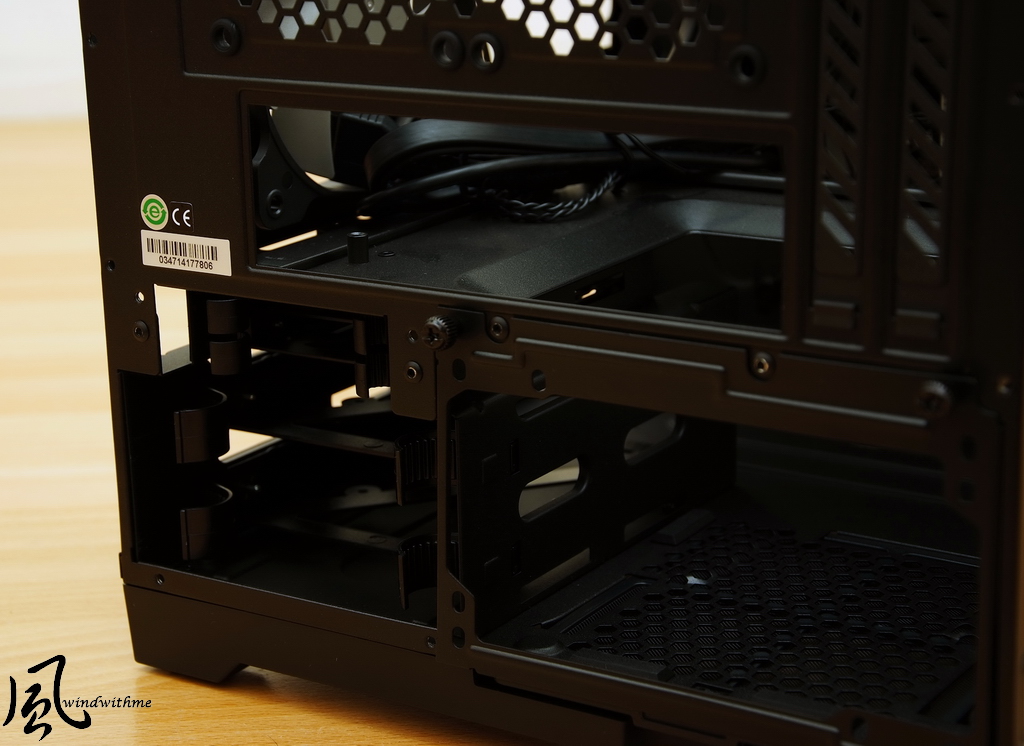
Back left side can install two 2.5” SSD or HDD. Mostly like it will be SSD.
There are also 2 bays for 3.5”. Most users install 3.5” HDD.
250DMini-ITX scalability is very high. Even you need 3 storages, it’s still enough.
Bottom
Right side is Power Supply fan rear hole. It also equips with dust filter.
Four solid rubber mat can make 250D more stable and anti-shock.

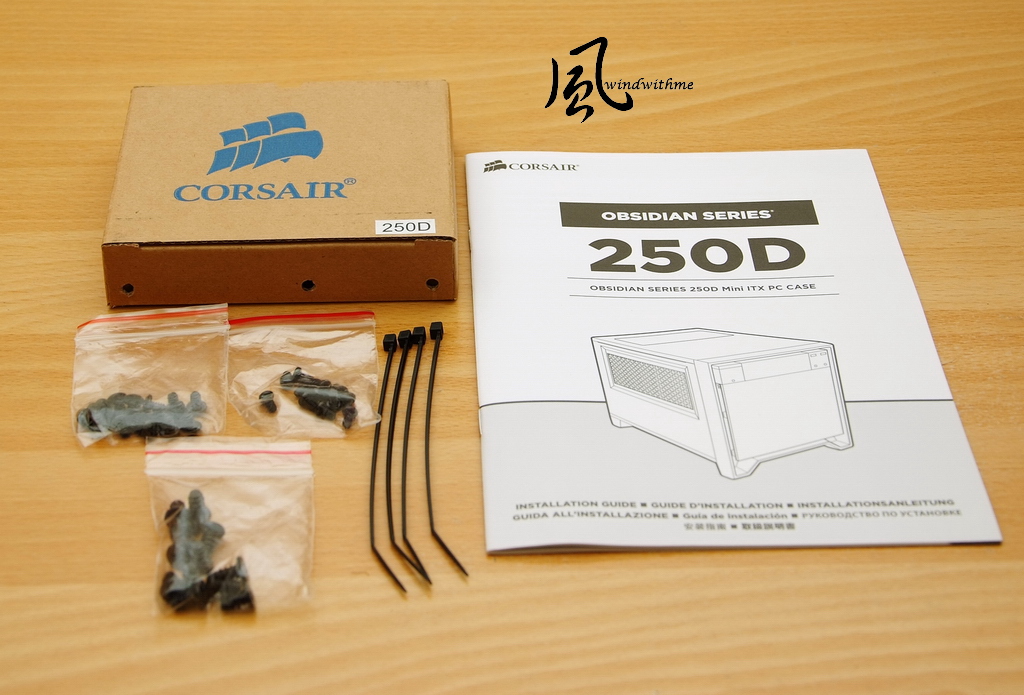
Accessories are multi-languages installation guide, three kinds of screws and tie-wrap.
The screws are only for MB and PSU. Other hardware can all install without it.
After this, I will also share the other parts in this review.
The Mini-ITX MB is GIGABYTE Z97N-Gaming 5.
G1 series changed the new symbol this year. It’s more recognizable. The color also changes to black and red.

It bundles Intelwifi module, supports Wi-Fi 802.11 a/b/g/n/ac.
It also supports Bluetooth 4.0, 3.0+HS and 2.1+EDR. The applications are very wide.
LAN chip is Qualcomm Atheros Killer E2201. It’s very common in Gaming networking design.
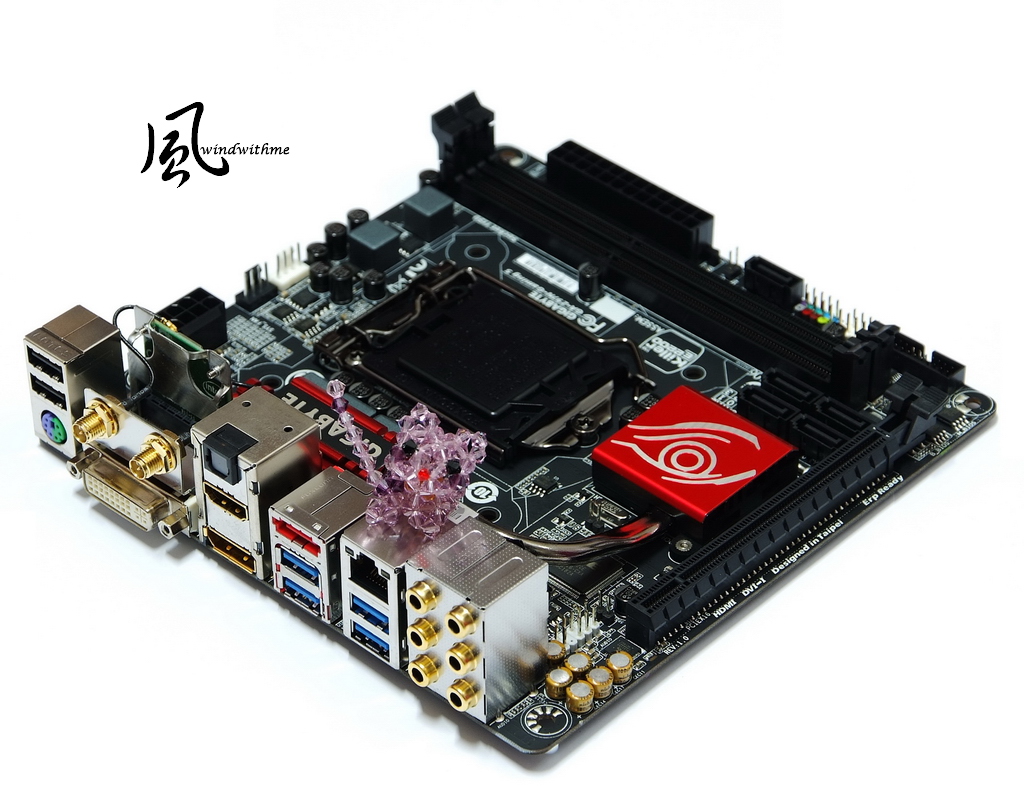
Audio is the key feature. The chip is Realtek ALC1150.
Yellow caps are JapaneNichicon audio caps. It places in between left and right channels PCB.
It integrates amplifier which can reach 600? load to support high end headset. It also supports Sound Blaster X-Fi MB3 software.

DRAM is AVEXIRDDR3 1600. This brand just launched several high frequency DDR3 products.
Currently, DDR3 1333 and 1600 price gap is small. I recommend DDR3 1600 for better C/P.

AVEXIR Core heat sinks have many color editions. It’s red in the pictue.
The capacity is 4GBX2, dual channel. The clock is DDR3 1600. Main CL is CL9. Voltage is 1.5V.

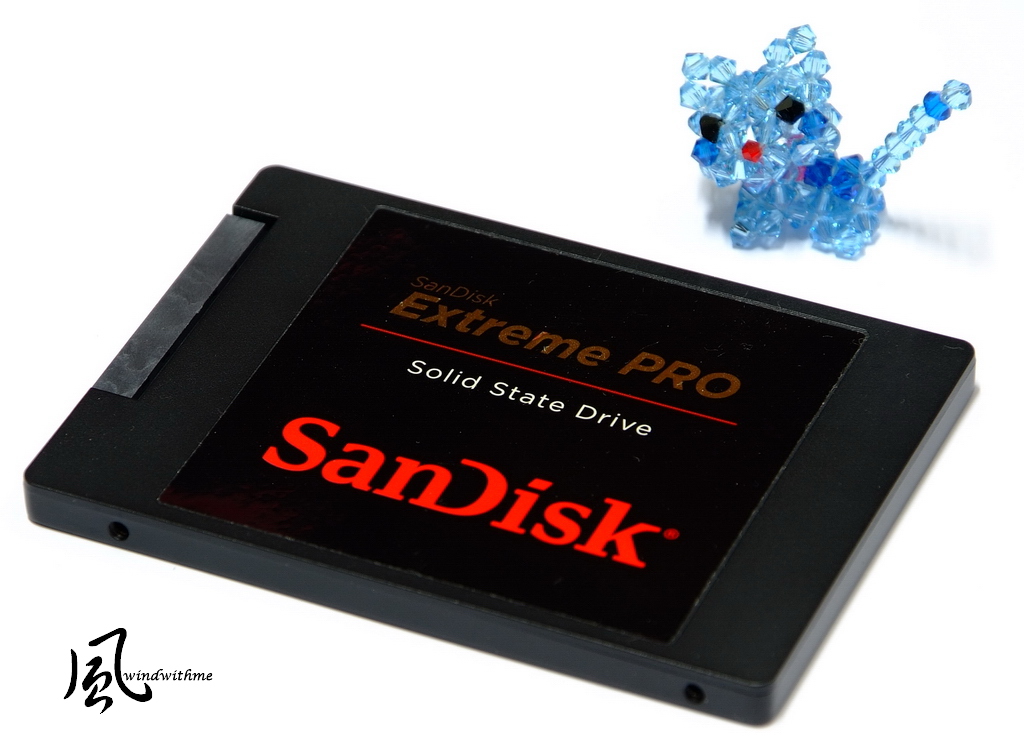
SSD is SanDisk Extreme PRO. It’s 10 years official warranty.
240GB for system drive is more than enough. Nowadays, it’s popular to use HHD as data drive.
-
It’s 2.5” and 7mm thick. Sequential Read / Write can reach 550/520 MB/s.
Random Read / Write max is 100K / 90K IOPS. It’s tested by CrystalDiskMark.
Official performance almost makes SanDisk Extreme PRO as the best SATA3 SSD performance.

Power Supply is ANTEC NeoECO Classic450W.
It’s passed 80PLUS BRONZE certified. Single route +12V is34A and max output is 408W.
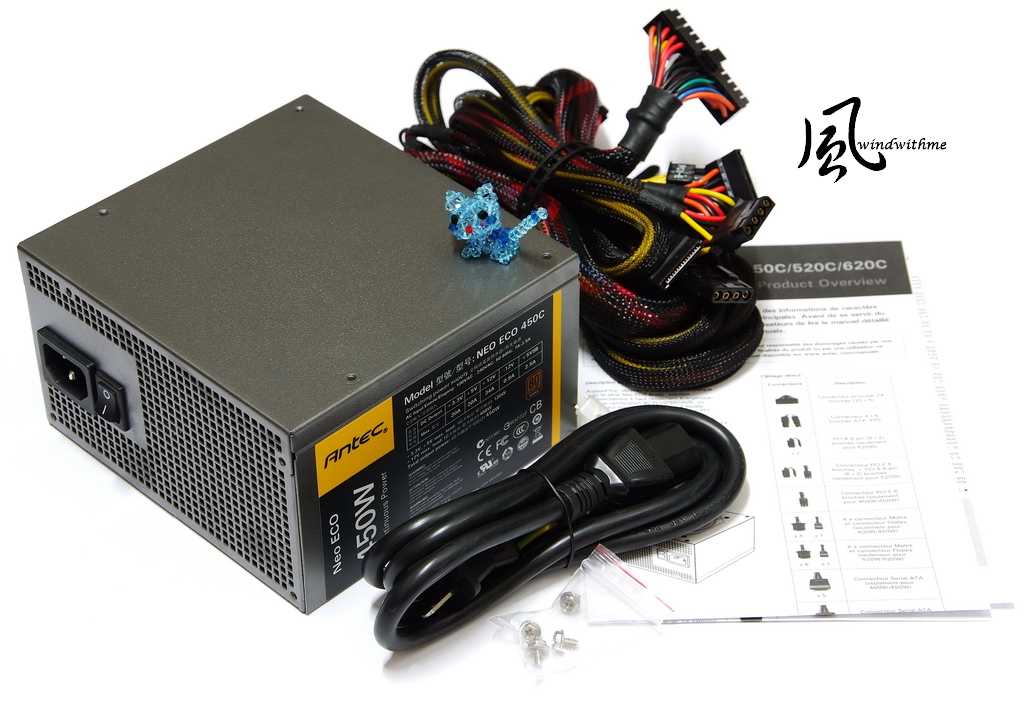
The cooling fan is 12cm dual ball bearing silent fan.
100% Japanese made caps for better durability and official 3 years warranty. The C/P is good.
Considering the inner cabling, modularized power supply or low watt models are recommended.

System Configuration
CPU: Intel Core i5-4690K
MB: GIGABYTE Z97N-Gaming 5
DRAM: AVEXIR AVD3U16000904G-2CIR
VGA: Intel HD Graphics 4600
SSD: SanDisk Extreme PRO 240GB
POWER: ANTEC Neo ECO Classic 450W
Cooler: J-POWER JP-1366-S
OS: Windows 8.1 64bit
Intel Core i5-4690K OC to 4.5GHz 1.26V
CINEBENCH R15
CPU => 681 cb
CPU(Single Core) => 176 cb

FRYRENDER
Running Time => 5m 49s
Fritz Chess Benchmark => 29.58/14326
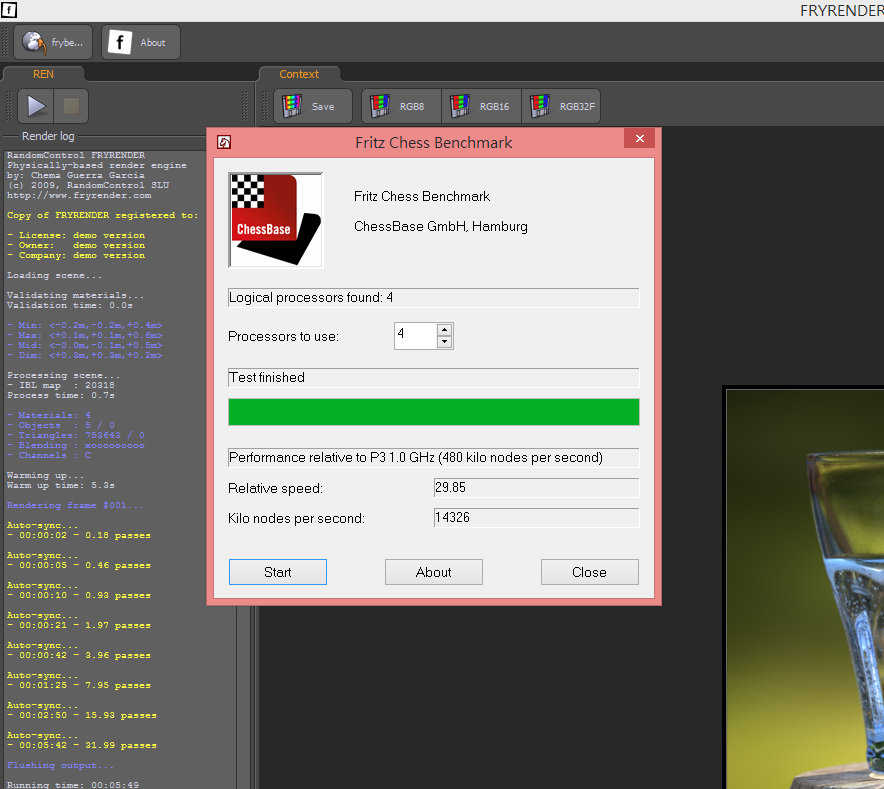
Just using entry CPU cooler also can OC 4690K to 4.5GHz. As ITX platform, the performance is really good.
I also installed 12cm and 14cm system fan. 250D is also improving CPU cooling.
AS SSD Benchmark - 1163
Seq Read - 524.44 MB/s Write - 490.30 MB/s.
4K - 64Thrd Read - 372.84 MB/s Write - 281.49 MB/s
ATTO DISK Benchmark over 64KB, the max Read is 559.2 Mb/s and max Write is 523.7 MB/s.

GIGABYTE old chipset board SATA3 SSD performance is lower than the others.
This time, Z97N-Gaming 5 breaks my experience.
The benchmark is better than MB. It’s really impressive.
BTW, SanDisk Extreme PRO is top performance SATA3 SSD in the current market.
Enable XMP mode, DDR3 1600 CL9 9-9-24 2T
ADIA64 Memory Read - 22979 MB/s
Sandra Memory Bandwidth - 18445 MB/s
MaXXMEM Memory-Copy - 20520 MB/s
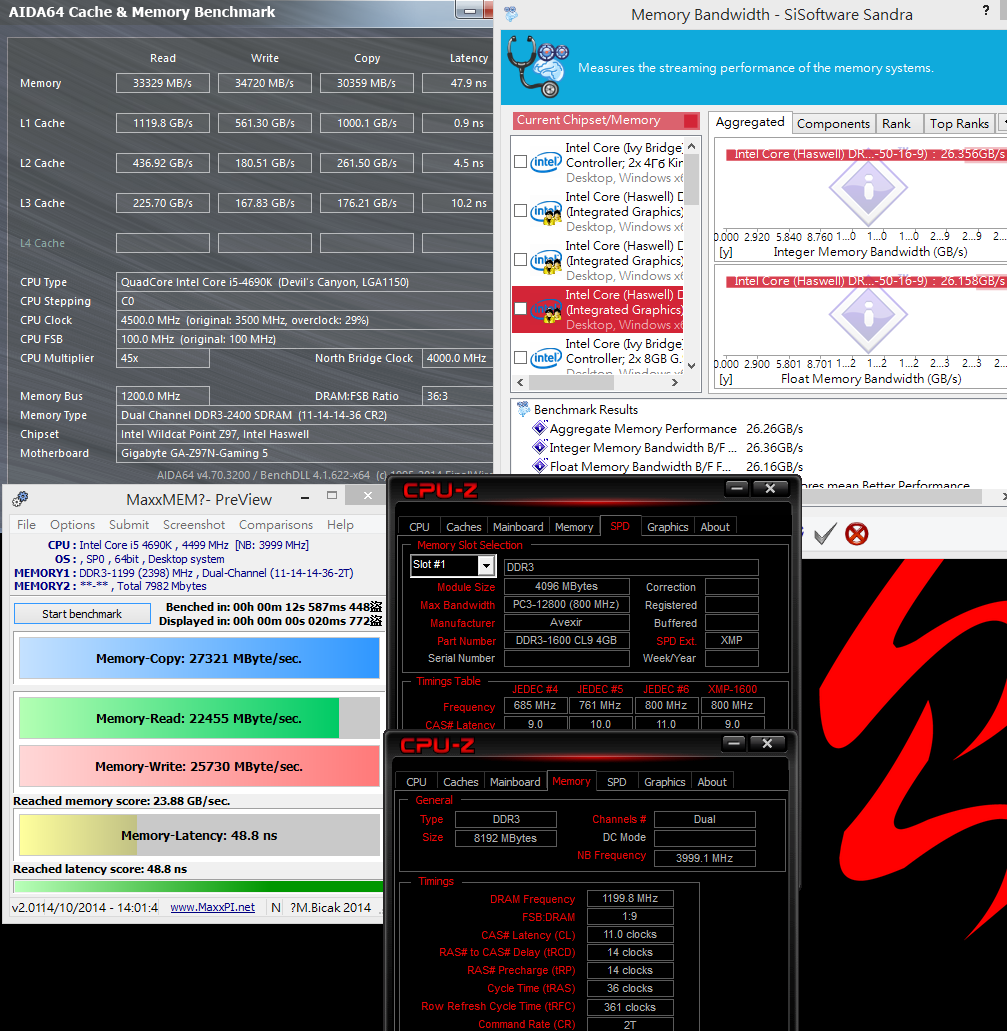
OC to DDR3 2400 CL11 14-14-36 2T
ADIA64 Memory Read - 33329 MB/s
Sandra Memory Bandwidth - 26356 MB/s
MaXXMEM Memory-Copy - 27321 MB/s

AVEXIR DDR3 1600 OC capability is very good.
DDR3 2600 can run stably, but the voltage must set as 1.6~1.65V.
I don’t know if they will change IC in the future. It may impact the OC range.
The reason I don’t use higher clock in this test is Haswell-EMemory Controller character.
DDR3 2400 bandwidth is higher than DDR3 2600~2800 under some settings.
If you require more DRAM bandwidth, you also can try to OC your DDR3 133~1600.
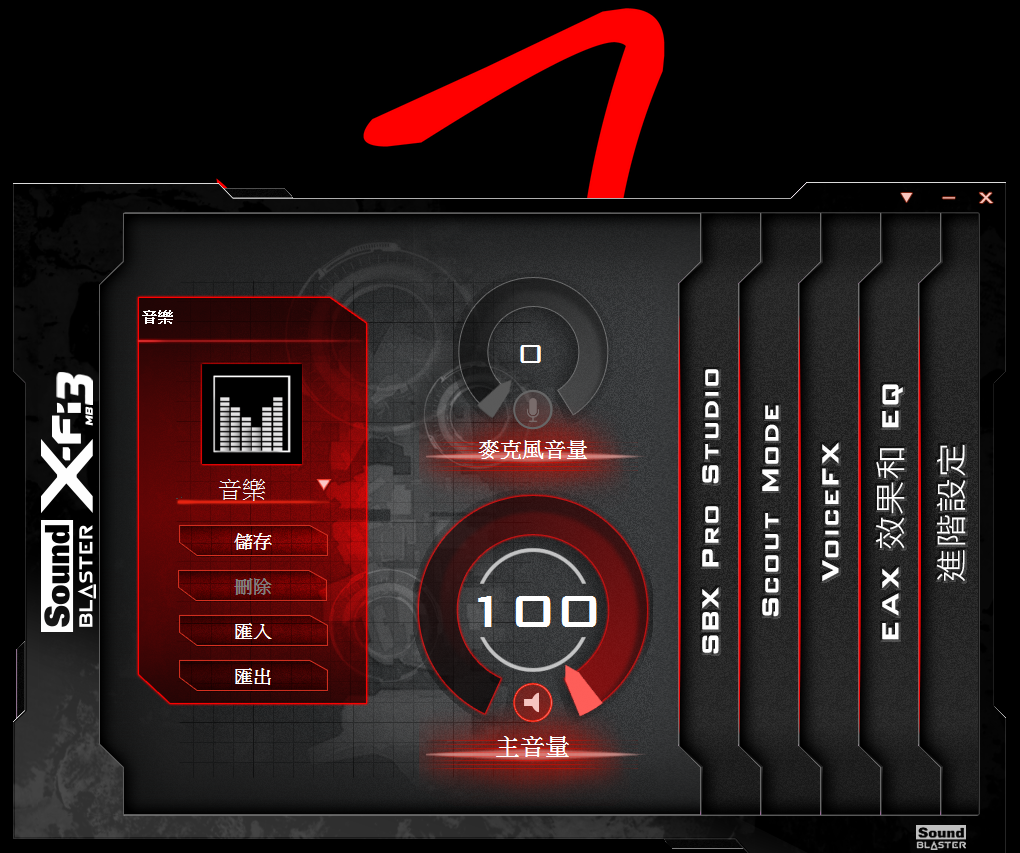
New version Sound Blaster X-Fi MB3 audio software
The interface has changed a lot. Some design changes to lateral mode.
It provides saving, import and export functions for users to load own preferred setting.
Finally, I would like to share complete system.
Due to it’s bigger dimension Mini-ITX Case and well design, it’s easy to assembly.

-
CPU Cooler height limitation is 9.5cm. However, 11.3cmJ-POWER JP-1366-S is still fittable.
After measuring, you can use 13cm cooling fan. High end top-down blowing fan is also installable.
If your budget is enough, water cooling is also a good option.
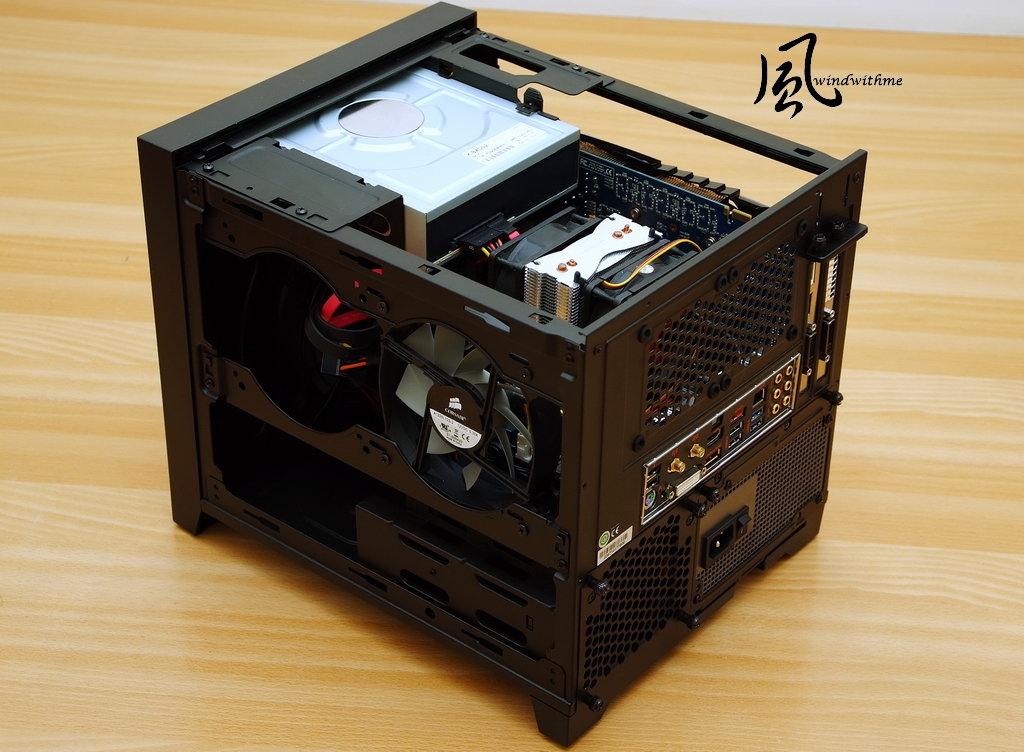
The spec is supporting 29cm high end VGA. 30cm VGA is also fittable. However, it’s EOL version, so I don’t use it as reference.
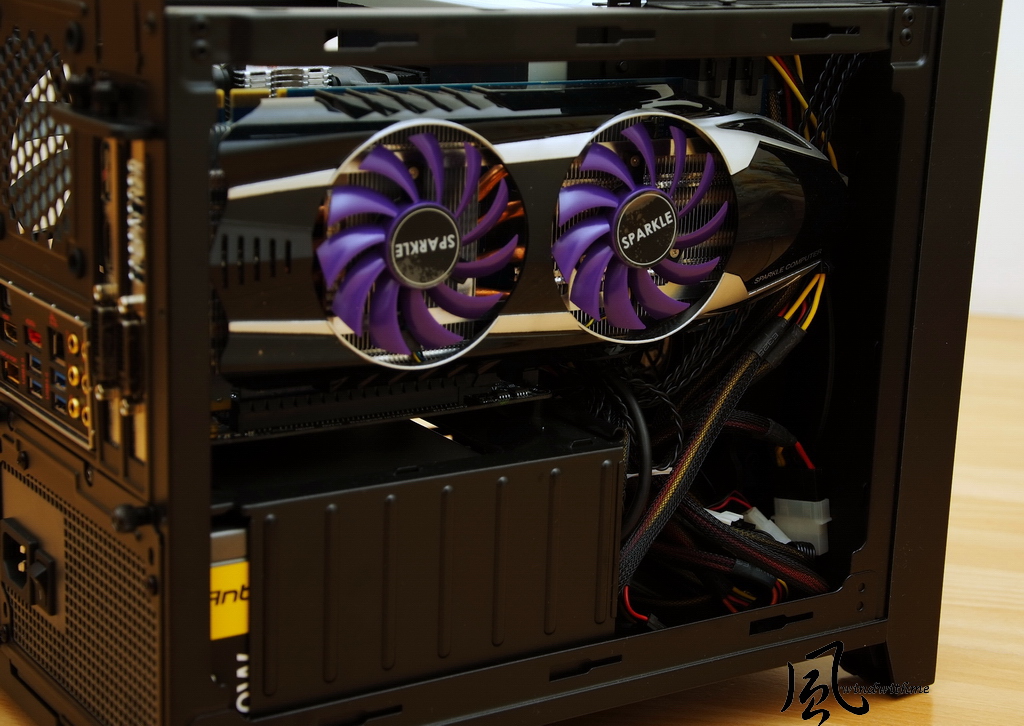
I saw 250D information since it’s just launched. I was very interested.
After using, I do see its strengths. High texture and simple style is very impressive.
I think the chassis can use for many years. It’s worth you buying a better quality chassis.
After all, chassis is the appearance of your PC. The outlook and texture should fit your style.

CORSAIR Obsidian Series emphasize texture, cooling and scalability. The Mini-ITX version is no exception.
Even though, the dimension is bigger than the other Mini-ITX case, it still has many advantages.
If you are looking for high performance ITX system, 250D is a right choice.
Besides simplicity style, outstanding scalability and great texture, the cooling and silent design is also very good.
The price is key loses for 250D, but the design and materials are much better than most competitors.
If CORSAIR can launch a lighter ITX version in lower price, it also can expand the market to most ITX Case users.

It will also post in my blog WIND3C, Any comments are welcome.
-
nice one
Ciao! Sembra che tu sia interessato a questa conversazione, ma non hai ancora un account.
Stanco di dover scorrere gli stessi post a ogni visita? Quando registri un account, tornerai sempre esattamente dove eri rimasto e potrai scegliere di essere avvisato delle nuove risposte (tramite email o notifica push). Potrai anche salvare segnalibri e votare i post per mostrare il tuo apprezzamento agli altri membri della comunità.
Con il tuo contributo, questo post potrebbe essere ancora migliore 💗
Registrati Accedi