
Project: AIO AL
-
Hi Guys,
I´m currently waiting on some materials to arrive in order to complete the last stage of diabolo (Thread also on here).
I´ve been given a netbook that was run over by a car, as you can imagine it´s pretty screwed, casing, screen, ram, hard drive, all gone, surprisingly, the motherboard didnt have any physical signs of damage, so figured, for what it´s worthed, might as well try to see if it works, so took the whole thing out and plugged it in to an external screen and a usb keyboard. Surprisingly, it starts!, went to bios to check everything, even run some startup tools with diagnostics in them, and... it checks out, seems to be in working order. Obviously, buying the parts to fix this netbook would cost as much if not more than buying a new one, and even if it didn´t, I don´t have the need for a netbook.
So had a look around the workplace, seeing what spares I had and figuring out what I could do with it, posted on another thread here looking for ideas, but nothing quite convinced me, and then I saw an "old-ish" 17" TFT LCD, bit dusty, but working perfectly. I though, would be cool to integrate the motherboard in to the screen and make an all in one, apple mac style. So I took it appart (the screen) and as it happens, there is enough space inside for it, but figured it would heat up to much, now the backplate of the mobo, i.e. the bottom side of the netbook, was damaged but fixable, i.e. twisted plastic but no cracks. So I fixed it, and put it on the back of the screen, and it seems like a perfect fit, so marked where the holes for the screws would need to go, just to make sure there´s no screen hardware behind them, and, yet again, it matches, quite lucky.
So I´m going to be doing that for the next few days, paint wise, I was thinking, either pearl white, or in the same style as my fallout project. Maybe radioactive green, not sure yet.
Another idea would be to reconstruct the back of the screen, add new mounting points and build the thing inside with some micro liquid cooling, which would (I think) solve any heating issues.
Aniway, here are some pictures:
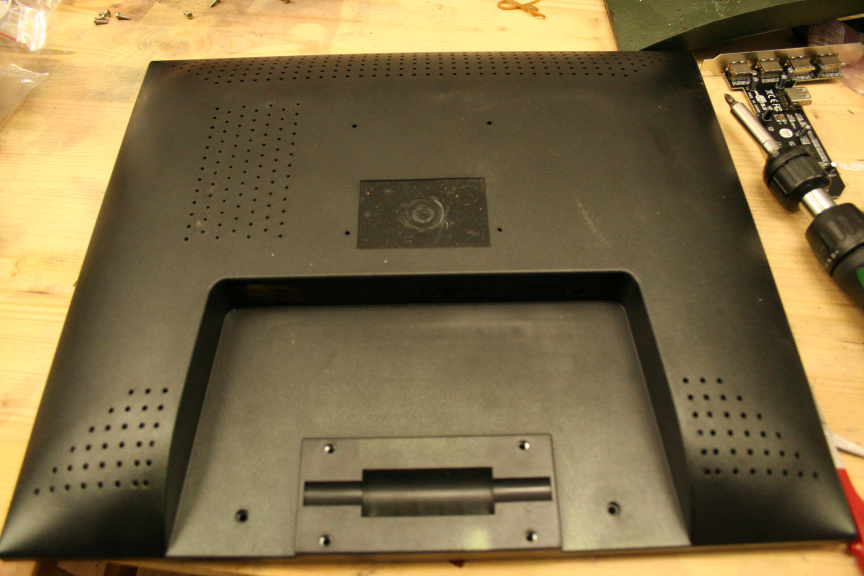
First I took the screen (the 17", not the netbook´s, that was done before and didn´t take any pictures) apart, this is the back cover:
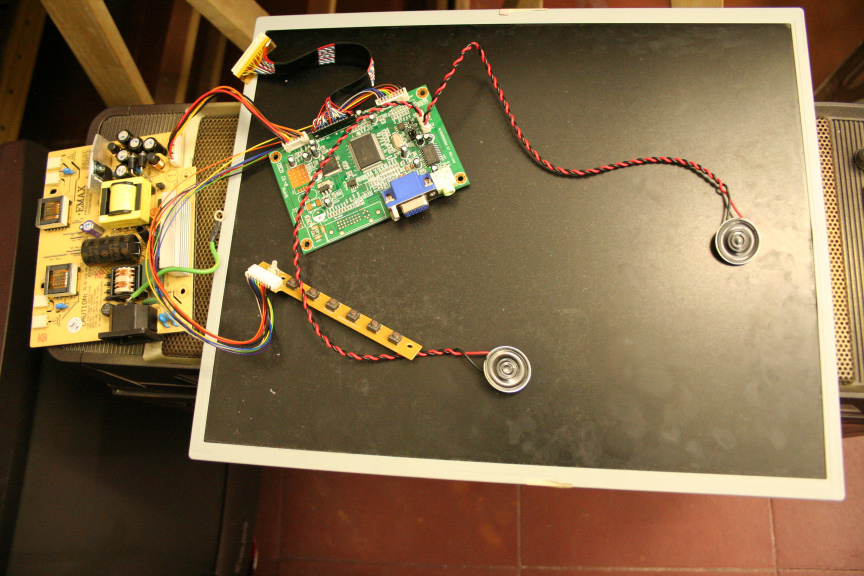
The actual panel with it´s other components:
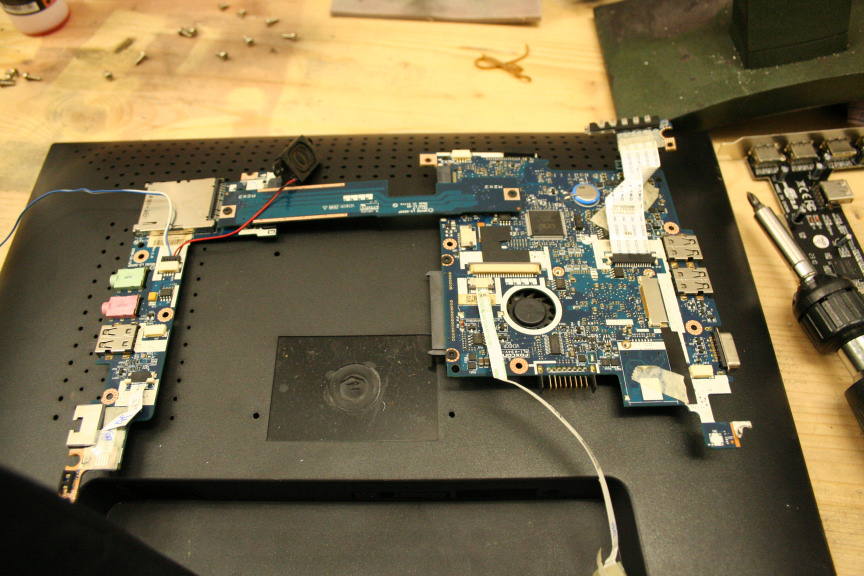
The netbook´s motherboard, note that the middle pcb striple is removable, would be interesting to find out what kind of connection it is that uses and can I get a cable of it, so I don´t have to use an SLI style piece of plastic to connect both sides, i.e. taking more space than needed.
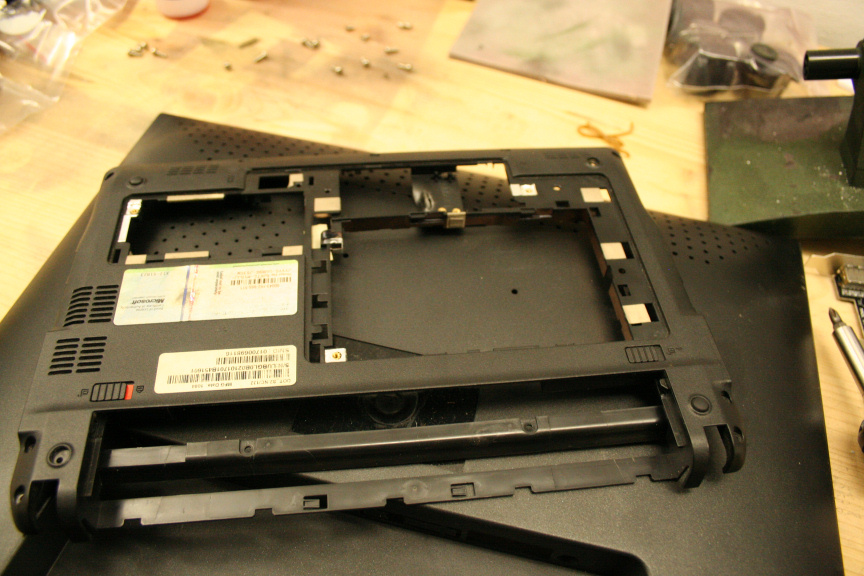
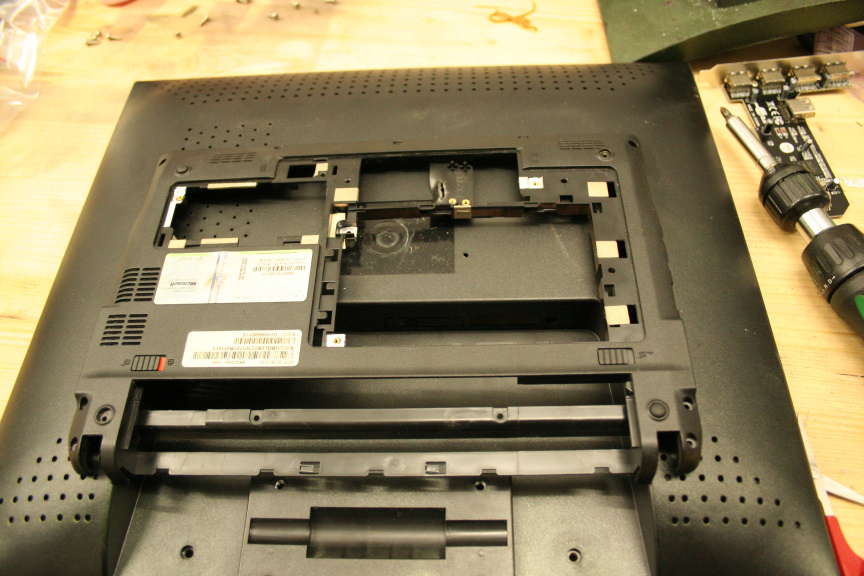
This is the fixed, netbook´s rear casing which will be used in the case I go for an outside mounting.
And this is what it would look like mounted on the outside (bare of course, covers have been removed, etc, etc, etc).
//
Hi Guys,
Finally had some time to go round to my local suplies shop and bought the dremel drillbits I needed for this (didn´t have the right size for the screws I wanted to use, normally I´d say, use different screws, but I decided on the screws normally used to mount fans as the grip very well. This surface being thing and plastic, can use all the grip it can get).
Furthermore, I´ve decided to mount it outside for several reasons. Looking in to obtaining power from the usb (5v) I could only find a few led strips that did the job, unfortunately they where (god knows why) stupidly expensive and I wasnt even sure how they would look (if they had been cheap I would´ve gotten them even if it was just to experiment with them). Reason 2 is, the enclosure is a perfect fit on the back of the monitor, and it seemed like a waste not taking advantage of this. The final reason is, I have to finish diabolo, this, and yet another small project in 2 and a half weeks, so I want to streamline it a bit and I personally think it looks great on the outside, while doing it inside would be more for the challenge, at this point I don´t think it´s needed.
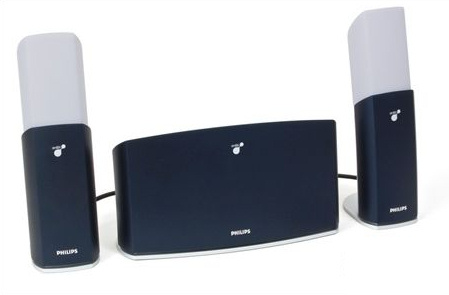
On another note, I will be adding to the setup the philips ambx, of course with a paintjob to match, and seeing as I´ve decided to go for a white paintjob with black details, the light emited by the rig should add a very cool effect to the paintjob.
So as I said, I got the right drillbits and made 4 mounting holes:
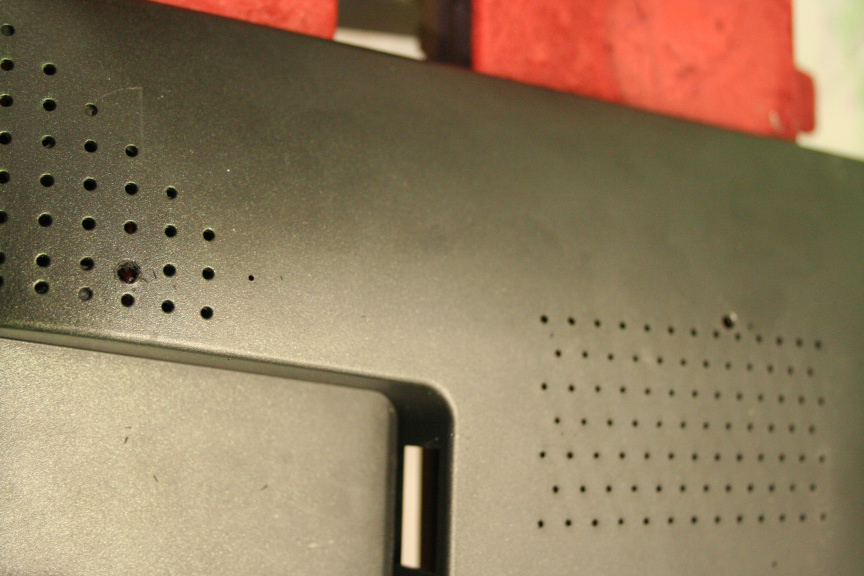
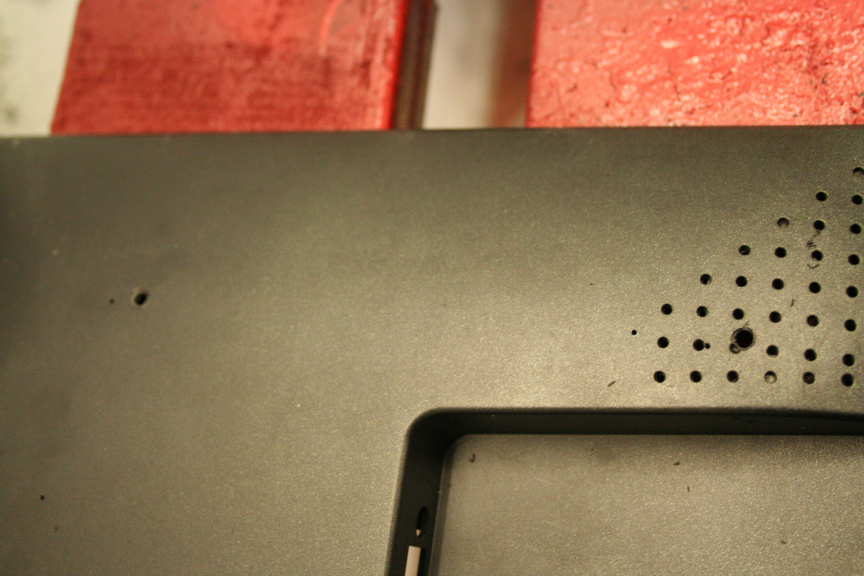
Also used the original netbook´s mounting holes but made them big enough for the screws while not going over it´s original design, so it looks factory standard.
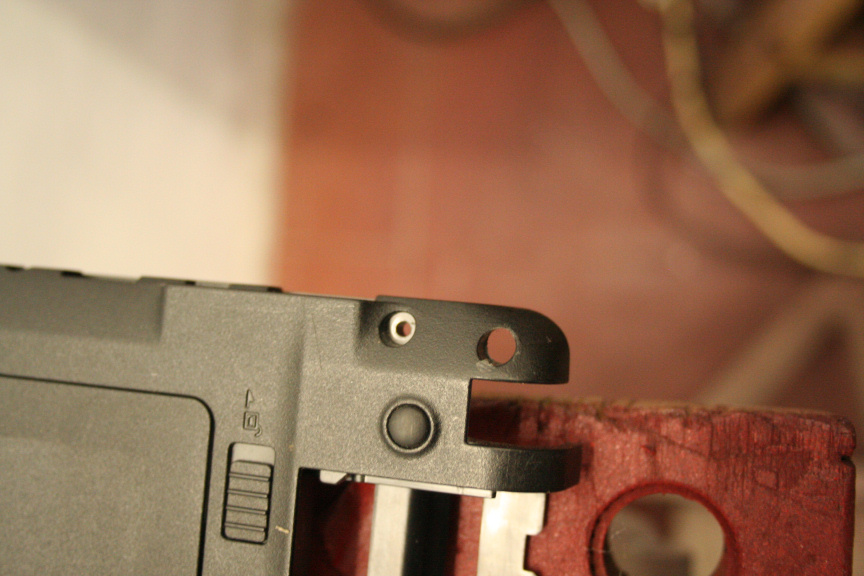
Sanded everything down and gave it a coat of primer:
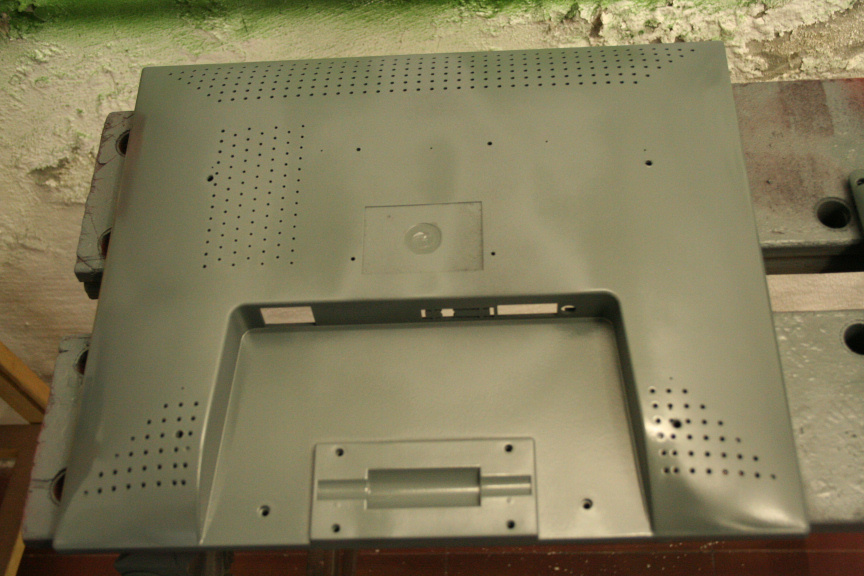
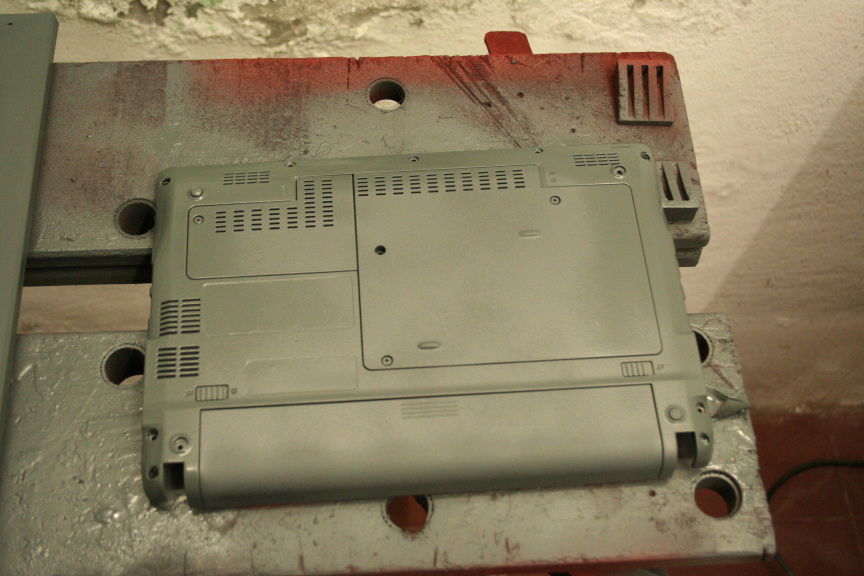
And after it had dried and sanded it down a bit, the first coat of Icy White:

I am now waiting for it to dry in order to give it it´s second coat.
PS: I came up for a name for the project, it is now named Project: AIO AL (as in All-In-One AmbiLight)
//
Update time:
Second coat of icy white done, unfortunately I wasn´t happy with how it turned out as it had bubles in some places, at first I though it was just trapped air, but when I sanded it down and re-painted it, it appeared again, I noticed some other imperfections on the rest of the screen, yet not on the netbook so it can´t be the paint, aniway, sanded it all down, got rid of the paint, reaplied 2 coats of primer just to make sure, white, same thing happened, must have something to do with the material of the screen, no idea, aniway, since at this stage I am not discarding this screen I´ve done my best in disguising the imperfections.
Aniway, covered the parts that would remain white and started on the black parts:
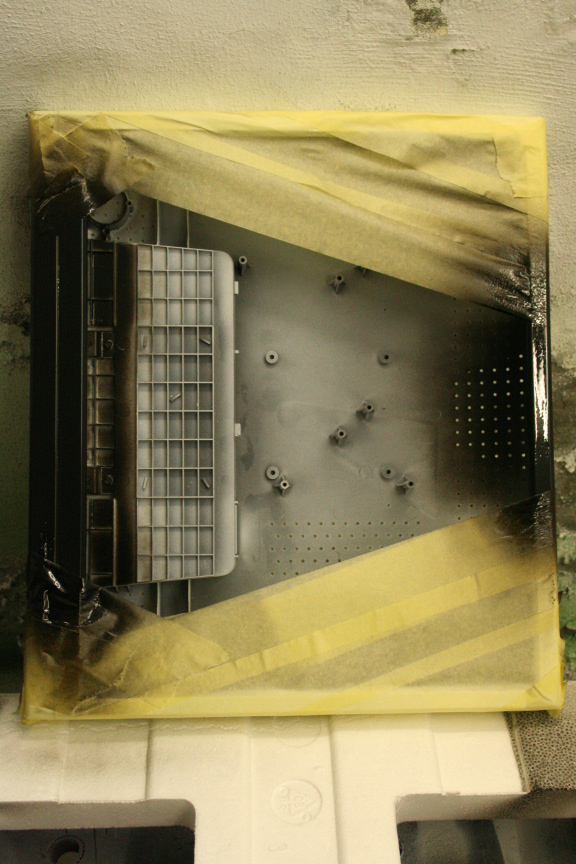
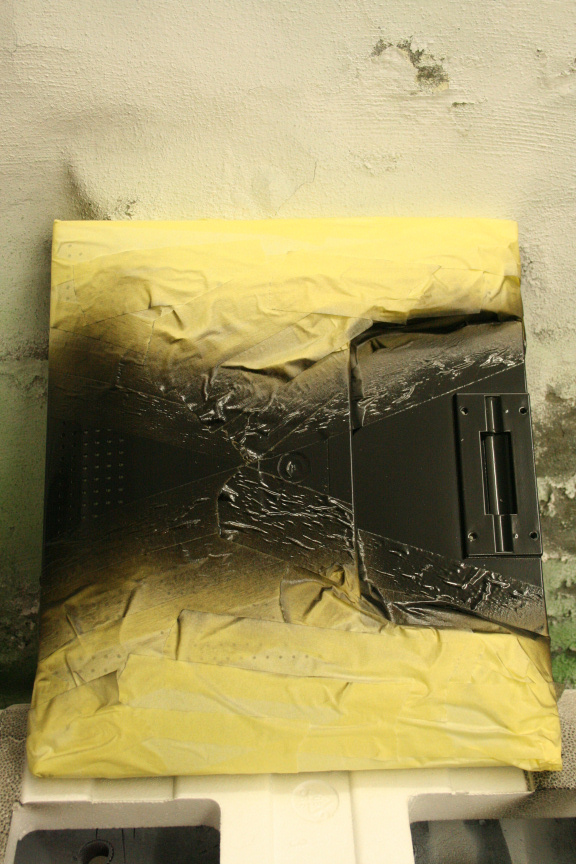
Once dried I removed the masking tape, there is some detailing work needed but no problems, it´s easy enough : )
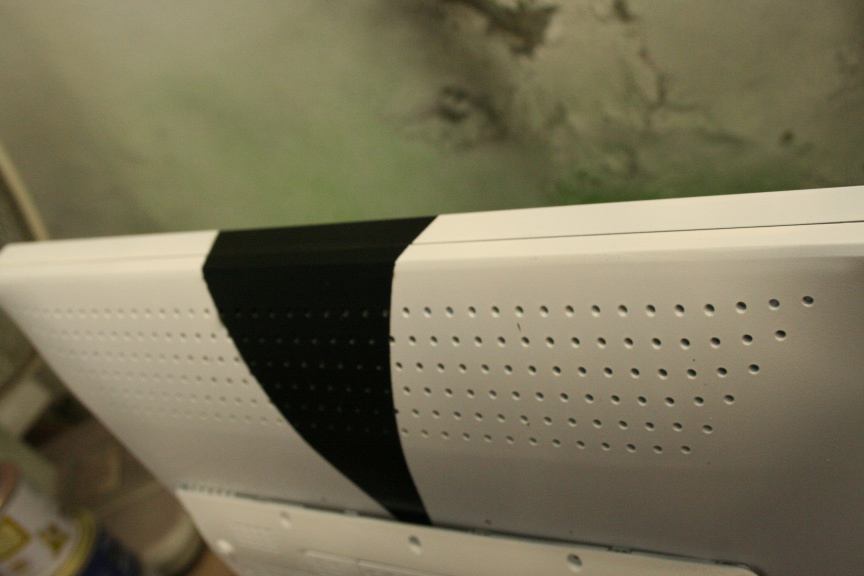
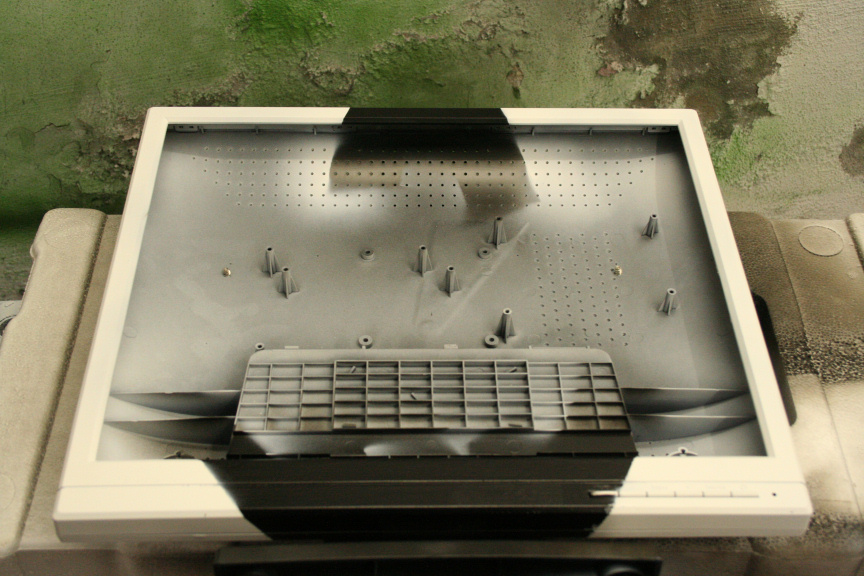
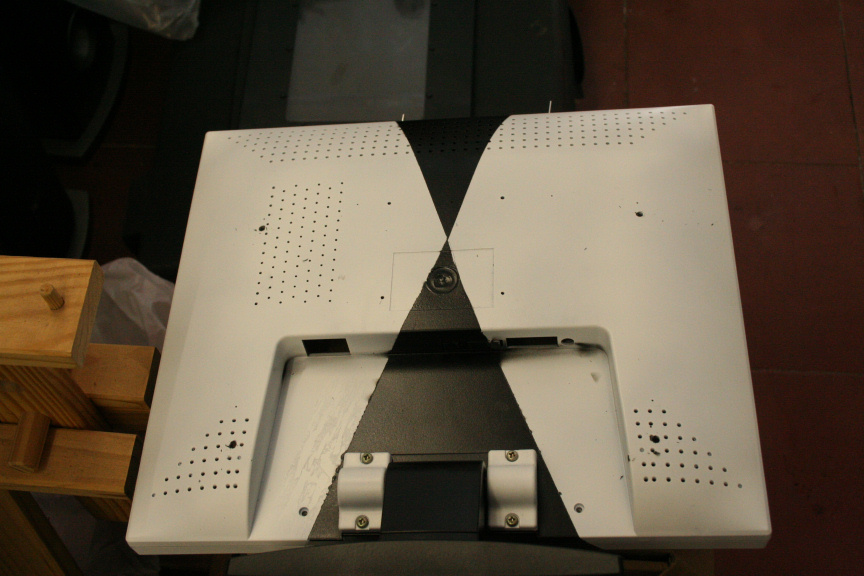
Figured I´d do a test mount of the backplate:
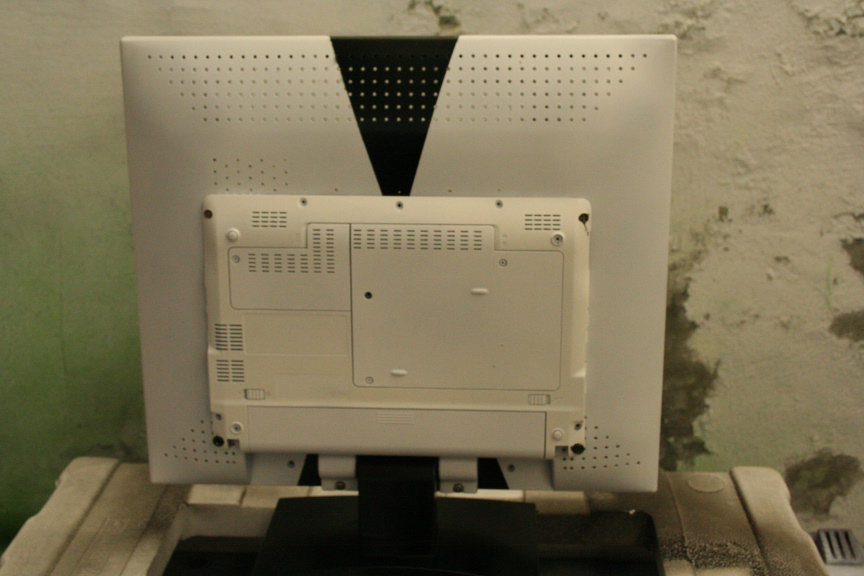
Unfortunately found out that it wasn´t as perfect fit as I though but no problem, sanded down certain parts in order to make it a perfect fit and...
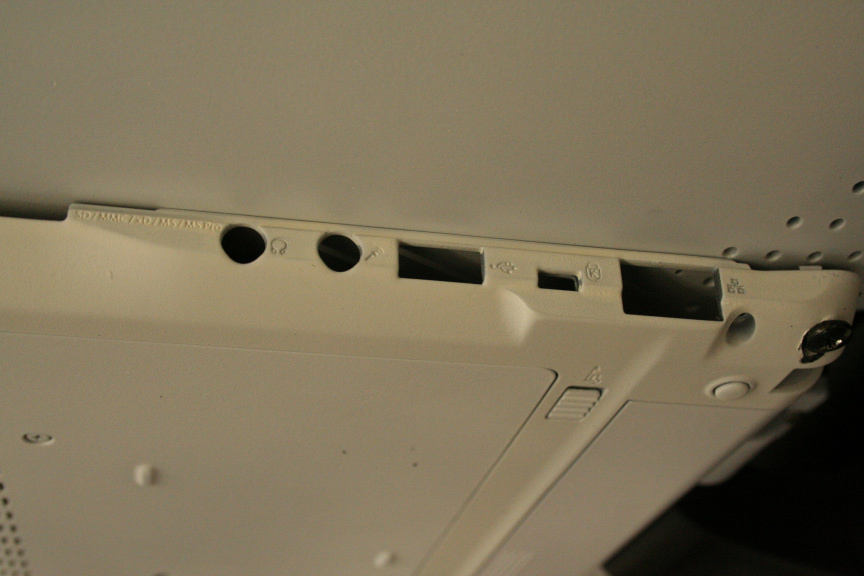
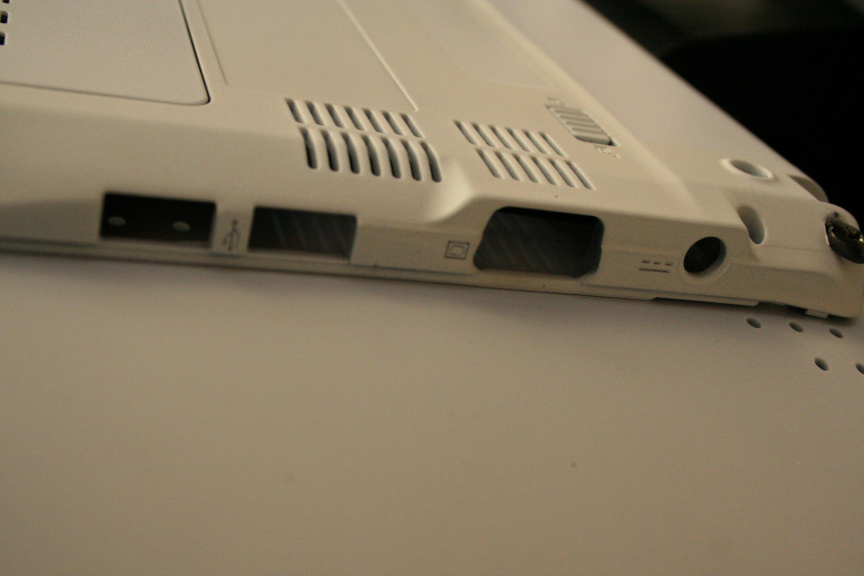
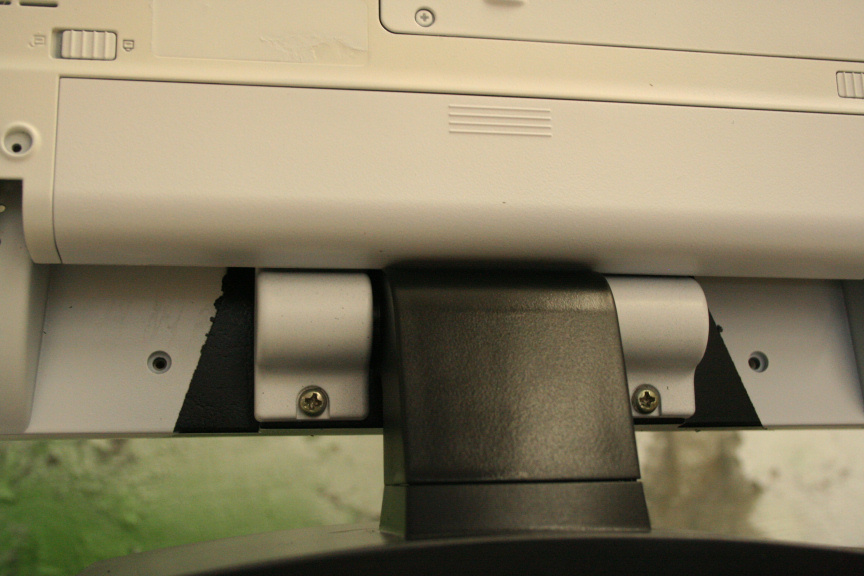
Pretty perfect fit no? ; )
So marked the backplate, following the black patern, took it off and started painting it:
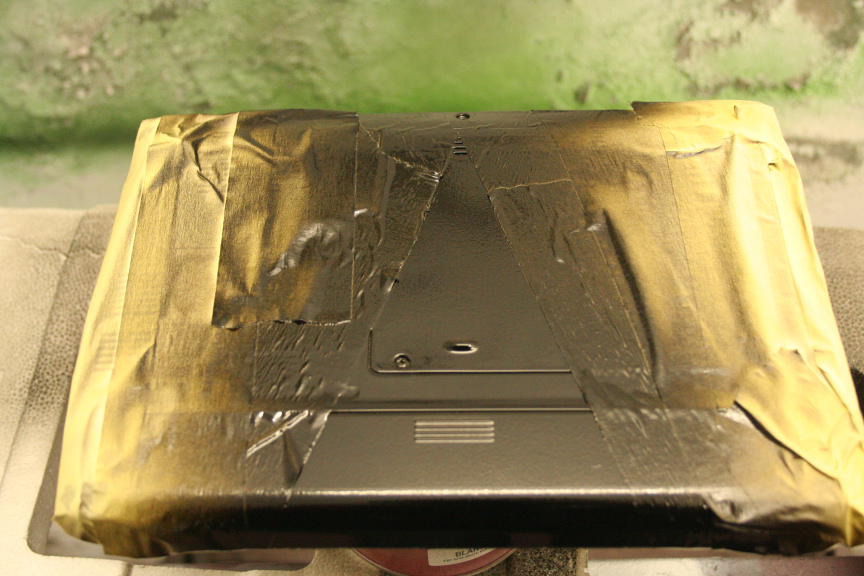
2 coats done, now have to wait for the second coat to try, mount it, do some detailing where the black has gone in to the white a bit, lacquer the whole thing and we´ll go from there.
Next update hopefully tomorrow : )
//
Update:
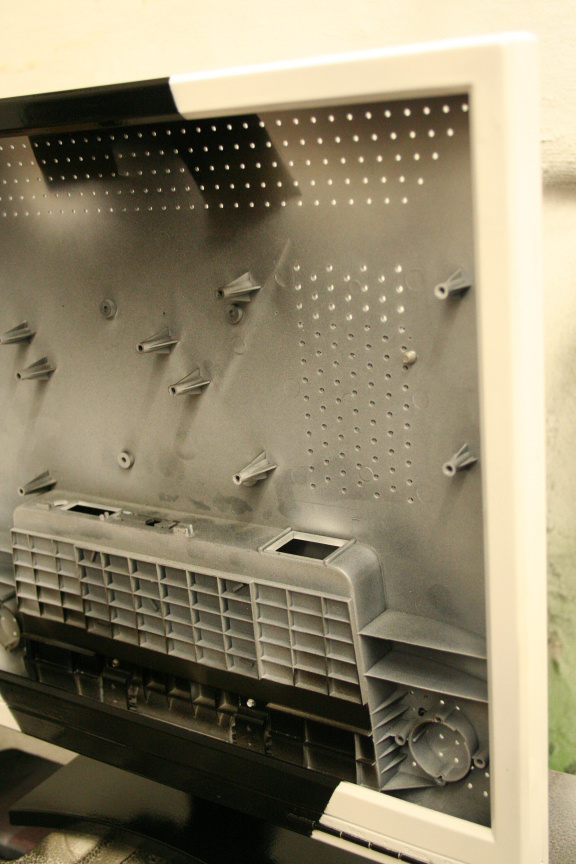
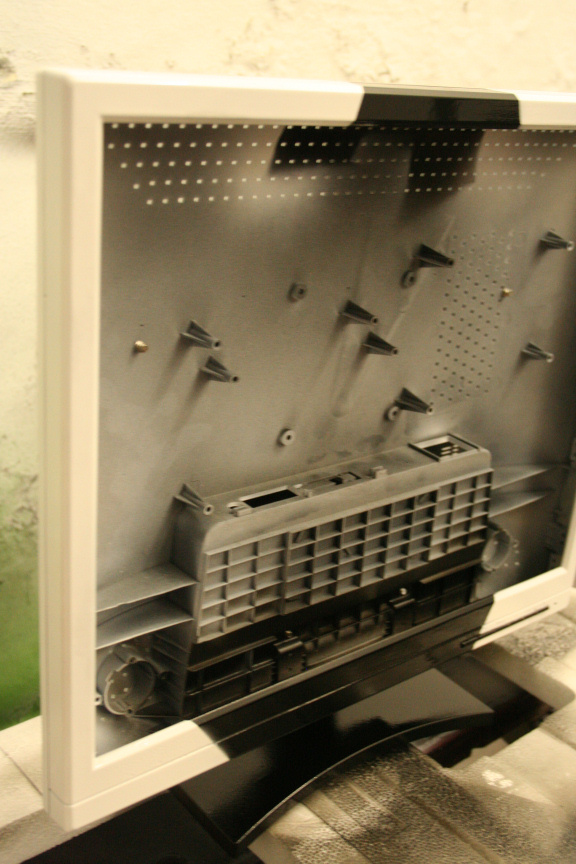
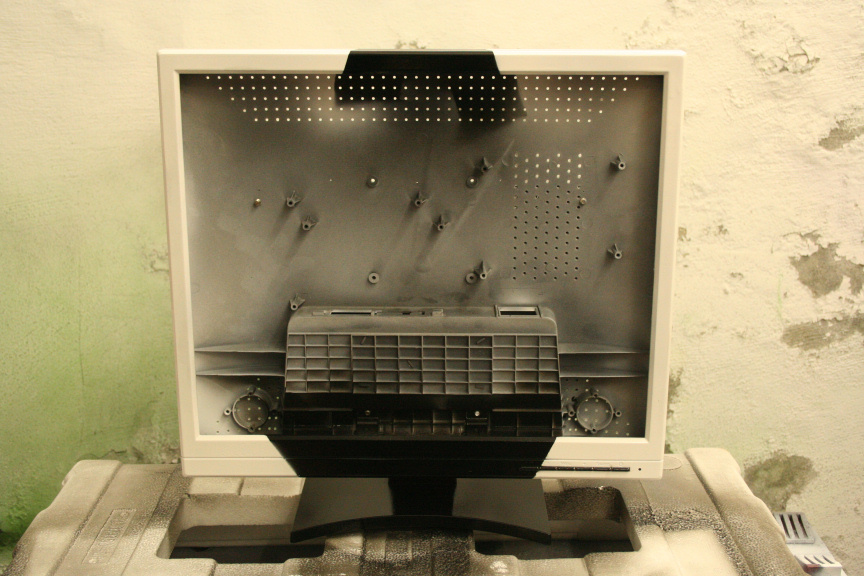
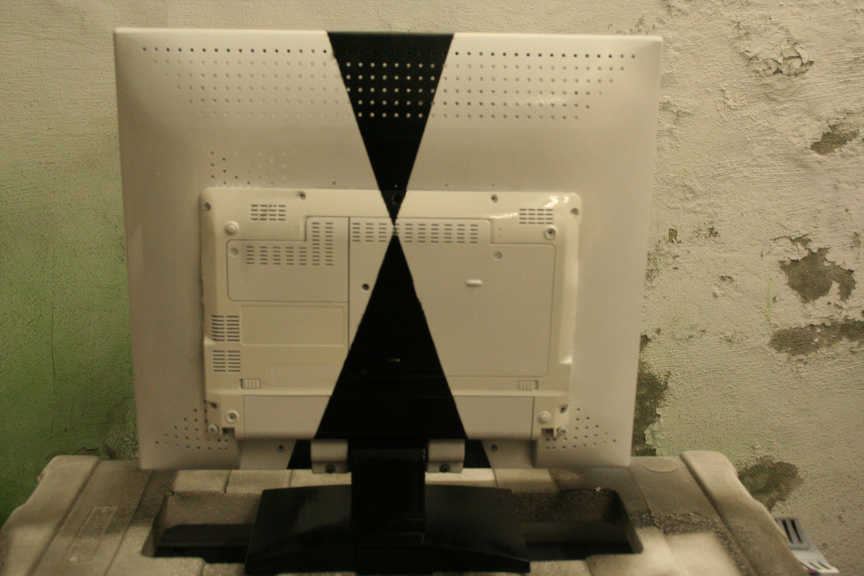
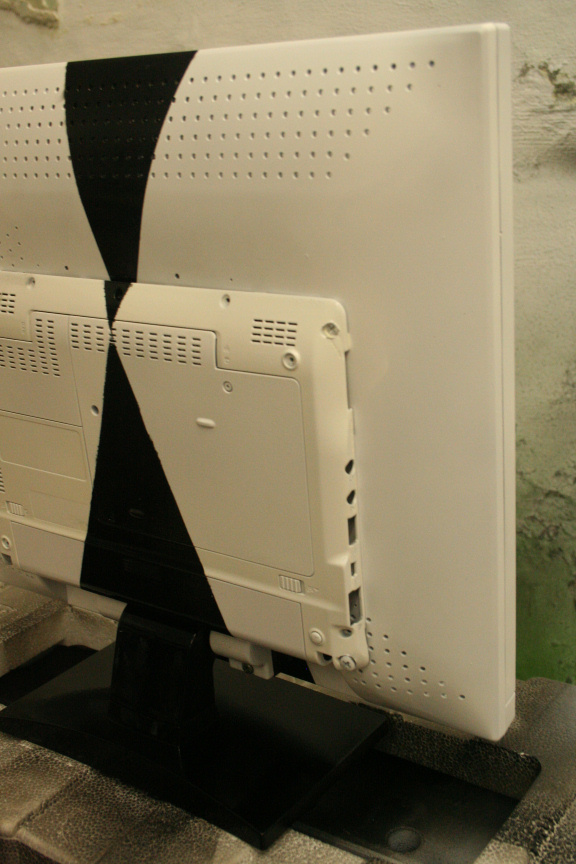
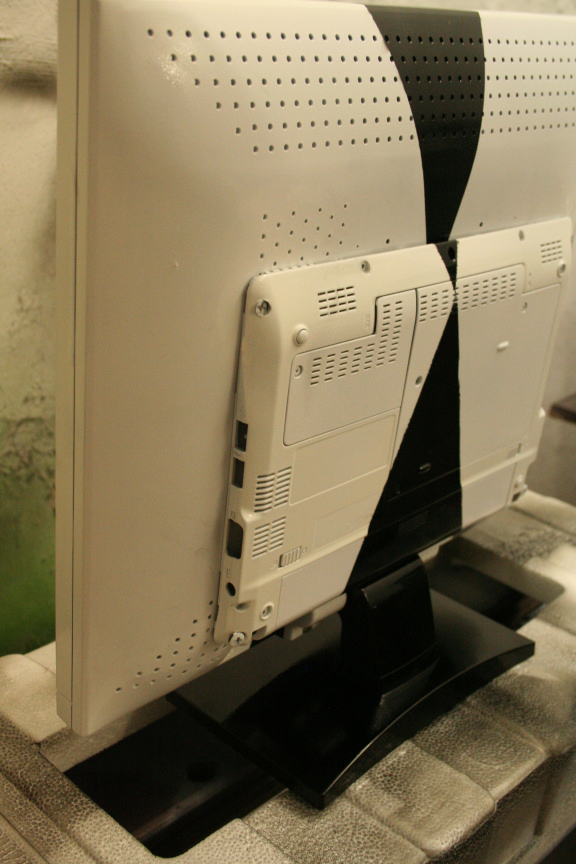
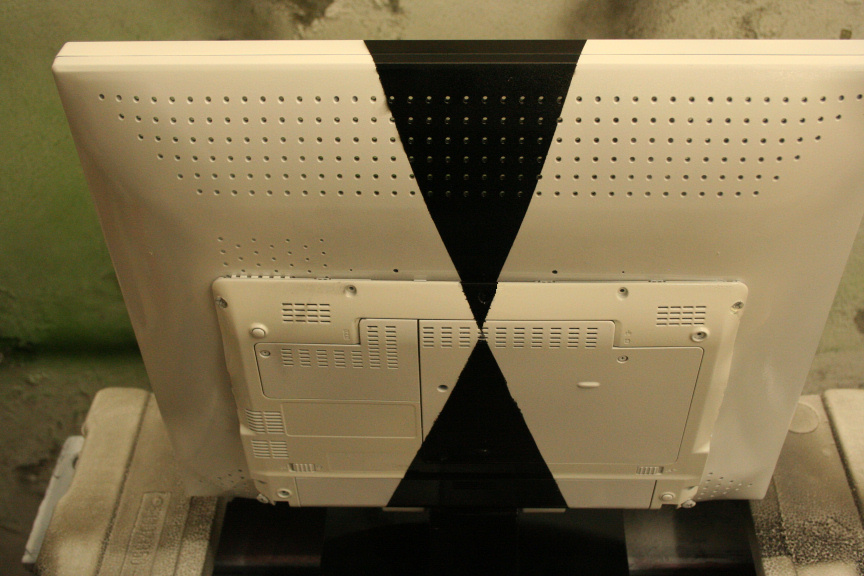
Painting of the center unit (screen with mounted system) is finished, line detailing is fixed and all has been lacquered with a clear glossy finish.
Next update will be of the system put togueter and the start of the painting of the philips ambx system.
//
Quick update:
I´ve put all the hardware togueter plus some test ram and test hdd (not the final components) and I´m about to install windows and do some stress testing to monitor stability and temps. Luckily, it all started the first time : )
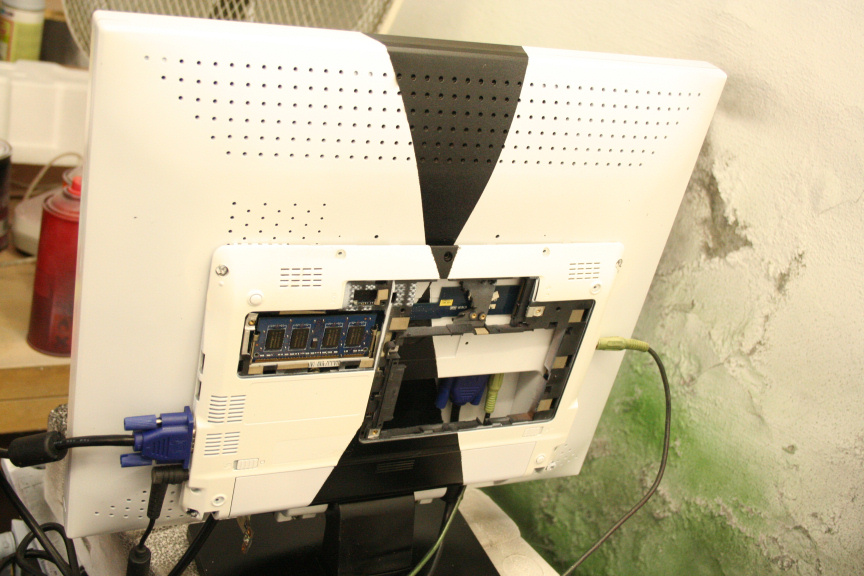
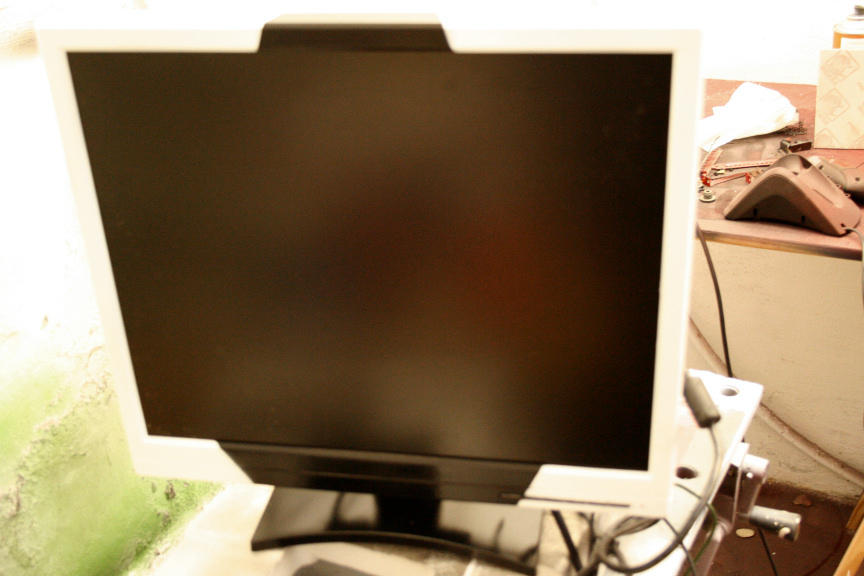
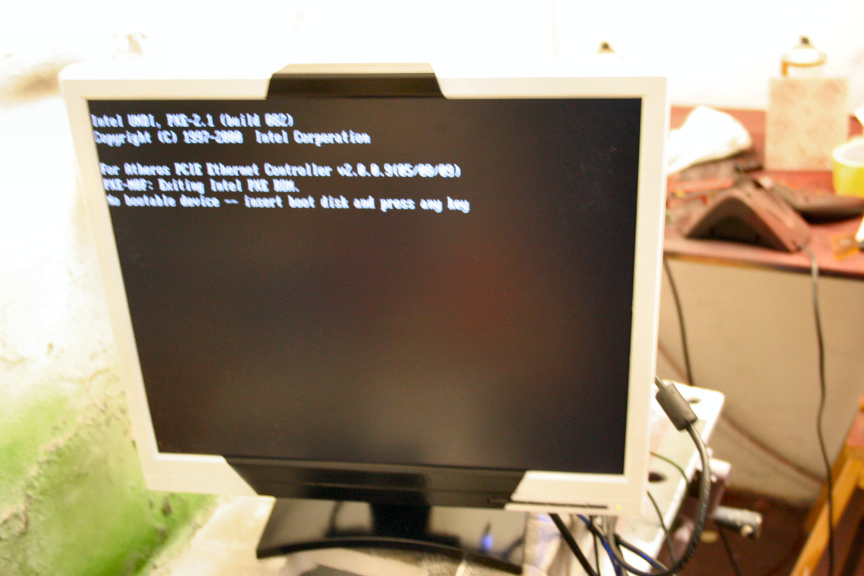
PS: Don´t worry, no HDD was in at the time of picture ; )
-
Hi Guys,
I´m currently waiting on some materials to arrive in order to complete the last stage of diabolo (Thread also on here).
I´ve been given a netbook that was run over by a car, as you can imagine it´s pretty screwed, casing, screen, ram, hard drive, all gone, surprisingly, the motherboard didnt have any physical signs of damage, so figured, for what it´s worthed, might as well try to see if it works, so took the whole thing out and plugged it in to an external screen and a usb keyboard. Surprisingly, it starts!, went to bios to check everything, even run some startup tools with diagnostics in them, and... it checks out, seems to be in working order. Obviously, buying the parts to fix this netbook would cost as much if not more than buying a new one, and even if it didn´t, I don´t have the need for a netbook.
So had a look around the workplace, seeing what spares I had and figuring out what I could do with it, posted on another thread here looking for ideas, but nothing quite convinced me, and then I saw an "old-ish" 17" TFT LCD, bit dusty, but working perfectly. I though, would be cool to integrate the motherboard in to the screen and make an all in one, apple mac style. So I took it appart (the screen) and as it happens, there is enough space inside for it, but figured it would heat up to much, now the backplate of the mobo, i.e. the bottom side of the netbook, was damaged but fixable, i.e. twisted plastic but no cracks. So I fixed it, and put it on the back of the screen, and it seems like a perfect fit, so marked where the holes for the screws would need to go, just to make sure there´s no screen hardware behind them, and, yet again, it matches, quite lucky.
So I´m going to be doing that for the next few days, paint wise, I was thinking, either pearl white, or in the same style as my fallout project. Maybe radioactive green, not sure yet.
Another idea would be to reconstruct the back of the screen, add new mounting points and build the thing inside with some micro liquid cooling, which would (I think) solve any heating issues.
Aniway, here are some pictures:
First I took the screen (the 17", not the netbook´s, that was done before and didn´t take any pictures) apart, this is the back cover:
The actual panel with it´s other components:
The netbook´s motherboard, note that the middle pcb striple is removable, would be interesting to find out what kind of connection it is that uses and can I get a cable of it, so I don´t have to use an SLI style piece of plastic to connect both sides, i.e. taking more space than needed.
This is the fixed, netbook´s rear casing which will be used in the case I go for an outside mounting.
And this is what it would look like mounted on the outside (bare of course, covers have been removed, etc, etc, etc).
//
Hi Guys,
Finally had some time to go round to my local suplies shop and bought the dremel drillbits I needed for this (didn´t have the right size for the screws I wanted to use, normally I´d say, use different screws, but I decided on the screws normally used to mount fans as the grip very well. This surface being thing and plastic, can use all the grip it can get).
Furthermore, I´ve decided to mount it outside for several reasons. Looking in to obtaining power from the usb (5v) I could only find a few led strips that did the job, unfortunately they where (god knows why) stupidly expensive and I wasnt even sure how they would look (if they had been cheap I would´ve gotten them even if it was just to experiment with them). Reason 2 is, the enclosure is a perfect fit on the back of the monitor, and it seemed like a waste not taking advantage of this. The final reason is, I have to finish diabolo, this, and yet another small project in 2 and a half weeks, so I want to streamline it a bit and I personally think it looks great on the outside, while doing it inside would be more for the challenge, at this point I don´t think it´s needed.
On another note, I will be adding to the setup the philips ambx, of course with a paintjob to match, and seeing as I´ve decided to go for a white paintjob with black details, the light emited by the rig should add a very cool effect to the paintjob.
So as I said, I got the right drillbits and made 4 mounting holes:
Also used the original netbook´s mounting holes but made them big enough for the screws while not going over it´s original design, so it looks factory standard.
Sanded everything down and gave it a coat of primer:
And after it had dried and sanded it down a bit, the first coat of Icy White:
I am now waiting for it to dry in order to give it it´s second coat.
PS: I came up for a name for the project, it is now named Project: AIO AL (as in All-In-One AmbiLight)
//
Update time:
Second coat of icy white done, unfortunately I wasn´t happy with how it turned out as it had bubles in some places, at first I though it was just trapped air, but when I sanded it down and re-painted it, it appeared again, I noticed some other imperfections on the rest of the screen, yet not on the netbook so it can´t be the paint, aniway, sanded it all down, got rid of the paint, reaplied 2 coats of primer just to make sure, white, same thing happened, must have something to do with the material of the screen, no idea, aniway, since at this stage I am not discarding this screen I´ve done my best in disguising the imperfections.
Aniway, covered the parts that would remain white and started on the black parts:
Once dried I removed the masking tape, there is some detailing work needed but no problems, it´s easy enough : )
Figured I´d do a test mount of the backplate:
Unfortunately found out that it wasn´t as perfect fit as I though but no problem, sanded down certain parts in order to make it a perfect fit and...
Pretty perfect fit no? ; )
So marked the backplate, following the black patern, took it off and started painting it:
2 coats done, now have to wait for the second coat to try, mount it, do some detailing where the black has gone in to the white a bit, lacquer the whole thing and we´ll go from there.
Next update hopefully tomorrow : )
//
Update:
Painting of the center unit (screen with mounted system) is finished, line detailing is fixed and all has been lacquered with a clear glossy finish.
Next update will be of the system put togueter and the start of the painting of the philips ambx system.
//
Quick update:
I´ve put all the hardware togueter plus some test ram and test hdd (not the final components) and I´m about to install windows and do some stress testing to monitor stability and temps. Luckily, it all started the first time : )
PS: Don´t worry, no HDD was in at the time of picture ; )
-
this could compete with the MSI AIO PCs

-
well an idea of all in one pc , good
-
I actually had an offer from a local store to make several of this, the problem is, if you bought new parts to do this you would void their guarantee, so to sell them in a shop is a bit of a risk.
-
exactly
-
Anyway it's a very good idea to recycle old or damaged notebooks!

-
In deed! I always try to use any leftout or partially damaged hw I can : )
Ciao! Sembra che tu sia interessato a questa conversazione, ma non hai ancora un account.
Stanco di dover scorrere gli stessi post a ogni visita? Quando registri un account, tornerai sempre esattamente dove eri rimasto e potrai scegliere di essere avvisato delle nuove risposte (tramite email o notifica push). Potrai anche salvare segnalibri e votare i post per mostrare il tuo apprezzamento agli altri membri della comunità.
Con il tuo contributo, questo post potrebbe essere ancora migliore 💗
Registrati Accedi